
Official statement
Other statements from this video 10 ▾
- □ Has web accessibility become an unavoidable SEO criterion?
- □ Does Google really prioritize color contrast for SEO rankings, and should you care?
- □ Does text spacing and structure really influence your Google rankings?
- □ Does your keyboard tab order really impact SEO rankings?
- □ Do skip links really improve your SEO, or are they just an accessibility checkbox?
- □ Why does Google insist on visible keyboard focus indicators for all interactive elements?
- □ Should you really test accessibility with native screen readers for SEO purposes?
- □ Why Should Accessibility Education Come Before Technical Auditing?
- □ Does text size really matter for Google rankings, or is it just about user experience?
- □ Does accessibility really boost your content's international SEO performance across multiple languages?
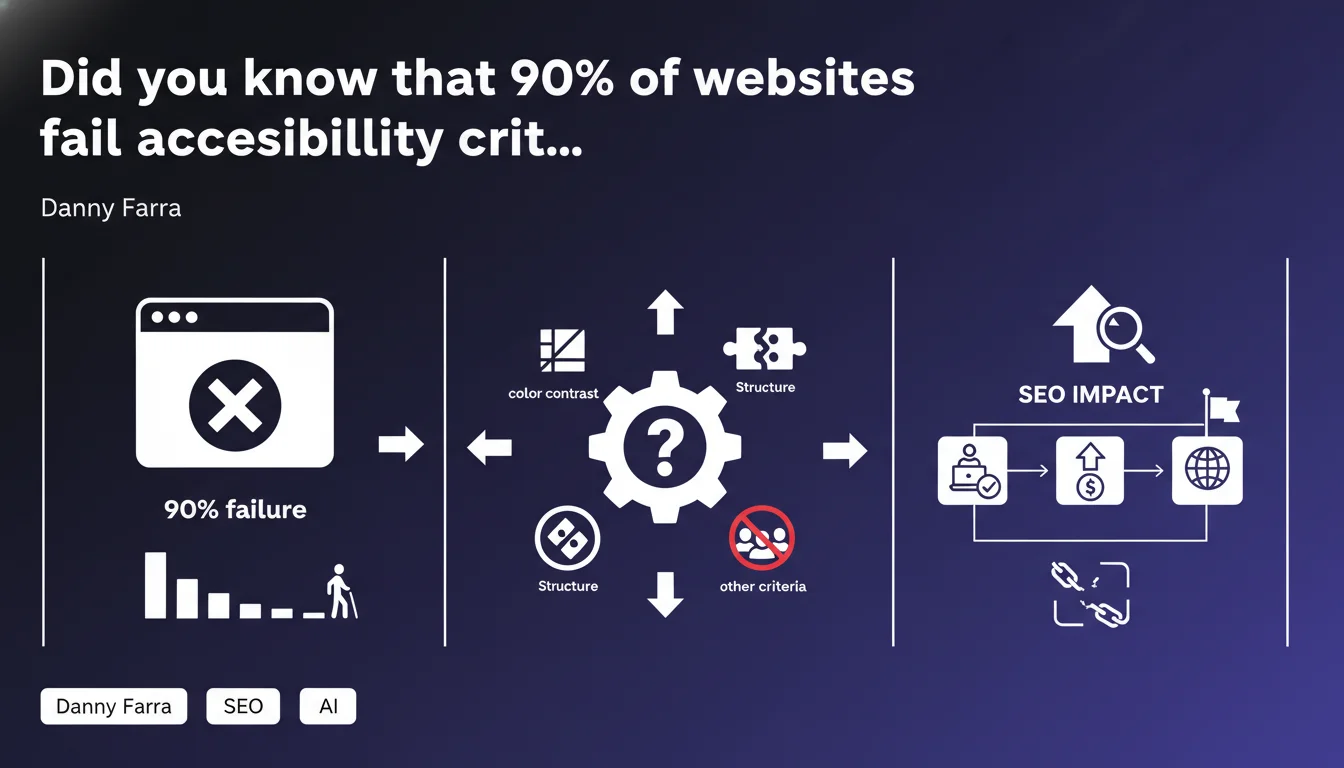
Google is raising the alarm on a massive web accessibility deficit: the majority of sites ignore WCAG guidelines on color contrast, semantic structure, and keyboard navigation. This gap represents both an algorithmic penalty risk and a strategic opportunity for SEO professionals equipped to audit and fix these structural flaws.
What you need to understand
Danny Farra, Google's official representative, doesn't mince words: the majority of the internet is not accessible. We're talking about WCAG (Web Content Accessibility Guidelines) directives, which define precise technical standards — contrast ratios, ARIA tags, keyboard navigation, semantic hierarchy.
This observation isn't new for anyone who regularly audits websites. But having a Google spokesperson state it so bluntly signals that accessibility is becoming an official evaluation criterion, beyond the usual PR statements.
What specific accessibility criteria is Google actually monitoring?
Google mentions three areas: color contrast (minimum 4.5:1 ratio for standard text), semantic structure (appropriate HTML tags, ARIA landmarks), and a third vague category called "other criteria."
This fuzzy phrasing is typical. Google rarely discloses the exact thresholds it applies. We know that Lighthouse, their audit tool built into Chrome DevTools, tests about a hundred WCAG points. But which ones actually matter for rankings? Mystery.
Is accessibility already an official ranking factor?
Officially, no. Google has never listed accessibility among Core Web Vitals or Page Experience criteria. Yet several indirect signals are at play: a poorly structured site (bad H1-H6 hierarchy) penalizes semantic understanding by crawlers. Insufficient contrast increases mobile bounce rate. A keyboard-inaccessible form blocks conversions.
Farra's statement suggests Google is laying groundwork for more explicit integration. The question remains when and in what form.
Why frame this as an "opportunity" rather than a requirement?
Because if 90% of the web is deficient, fixing these issues puts you mechanically in the top 10%. It's a low-hanging fruit competitive advantage: accessibility fixes are often straightforward (adjust CSS colors, restructure tags) yet ignored by most.
Google uses the word "opportunity" to soften the message. Translate: "You'd better get on it before we make it a punitive ranking factor."
- Color contrast: minimum 4.5:1 for standard text, 3:1 for headings and UI
- Semantic structure: appropriate HTML5 tags (header, nav, main, article), explicit ARIA landmarks
- Keyboard navigation: all interactive elements accessible without a mouse (tabindex, focus visible)
- Alternative text: descriptive alt attributes on all meaningful images
- Forms: explicit labels linked to fields (for/id), clear error messages
SEO Expert opinion
Is this statement backed by verifiable data?
Google cites no precise metrics. "The majority" is deliberately vague. [To verify] The WebAIM Million study, the industry benchmark, reports that 96.8% of the top 1 million websites' homepages have at least one automatically detectable WCAG error. If Google is drawing on these figures, they align.
But be cautious: automated tools detect only 30-40% of real accessibility problems. Navigation logic flaws, reading order issues, and cognitive complexity escape robot audits. The "massive deficit" is likely understated.
Why is Google communicating about this now?
Multiple hypotheses. First, regulatory pressure: the European Accessibility Act takes effect in June 2025, U.S. ADA litigation is cascading. Google is anticipating legal tightening and aligning its messaging.
Second, accessibility aligns with several algorithmic priorities: Mobile-First Indexing (accessible sites are usually better structured for mobile), Core Web Vitals (clean semantic DOM improves FID), SGE and generative AI (well-tagged content is more easily parsed for synthetic answers).
In short, Google is killing multiple birds with one stone. Don't be fooled though: if it becomes an explicit ranking criterion, the rollout will be gradual and quiet — not a flashy announcement.
Should you really treat accessibility as an immediate SEO priority?
It depends on your sector and technical maturity. If you're in e-commerce or public services, yes, it's urgent — legal risks compound algorithmic ones. If you run a low-traffic personal blog, the priority is relative.
What's certain: accessibility fixes deliver measurable indirect SEO ROI. Improving semantic structure helps featured snippets. Making forms keyboard-accessible reduces abandonment. Boosting contrast cuts mobile bounce rate.
Practical impact and recommendations
What concrete actions should you prioritize?
Start with an automated technical audit: Lighthouse in Chrome DevTools, WAVE browser extension, or axe DevTools. Flag high-impact errors: insufficient contrast, missing tags, broken tab order.
Next, prioritize. Fix strategic pages first (homepage, landing pages, conversion paths). Focus on quick wins: CSS color tweaks take 10 minutes, navigation restructuring can take weeks.
Embed an accessibility quality checklist in your production pipeline. Every new template, every component must pass accessibility testing before deployment. Automate with CI/CD tools (Pa11y, aXe-core headless).
How do you avoid classic errors that tank accessibility?
Error #1: missing alt text or generic alt text ("image123.jpg"). Empty alt is acceptable for purely decorative images, but must be explicit for meaningful ones.
Error #2: insufficient contrast on CTA buttons. You lose conversions AND degrade accessibility. Use WebAIM Contrast Checker religiously.
Error #3: inaccessible modals and overlays. If your popup doesn't trap keyboard focus, doesn't announce content to screen readers, and offers no ESC escape route, you're literally blocking certain users.
What must you verify in QA before going live?
- All images have descriptive alt attributes or are marked empty (if decorative)
- Contrast ratio minimum 4.5:1 for standard text, 3:1 for headings/UI (use WebAIM Contrast Checker)
- Full navigation possible via keyboard alone (Tab, Shift+Tab, Enter, ESC) with no focus traps
- Semantic HTML tags respected (header, nav, main, article, aside, footer)
- Explicit ARIA landmarks on complex functional zones
- Form labels linked (for/id attributes), error messages clear and announced
- Logical tab order following visual order (avoid tabindex > 0 except in edge cases)
- Videos captioned, audio content transcribed
- No auto-playing audio, stoppable animations
- Manual testing with NVDA (Windows) or VoiceOver (Mac) on critical user journeys
Web accessibility is no longer a cosmetic nice-to-have: it's a structural technical imperative directly impacting SEO performance, conversion rate, and legal compliance. The priority fixes (contrast, structure, keyboard navigation) are often simple to implement but require methodical rigor and cross-functional skills (front-end dev, UX, SEO).
If your team lacks internal expertise or you manage a complex multi-site portfolio, partnering with an SEO agency specializing in accessibility can be smart. They'll master the technical nuances and integrate these optimizations into a coherent overall strategy.
❓ Frequently Asked Questions
L'accessibilité web est-elle déjà un critère de ranking officiel chez Google ?
Quels outils utiliser pour auditer l'accessibilité de mon site ?
Corriger l'accessibilité améliore-t-il réellement le SEO ?
Quels sont les ratios de contraste minimum à respecter ?
Faut-il traiter l'accessibilité en priorité haute dès maintenant ?
🎥 From the same video 10
Other SEO insights extracted from this same Google Search Central video · published on 11/08/2022
🎥 Watch the full video on YouTube →
💬 Comments (0)
Be the first to comment.