
Official statement
Other statements from this video 8 ▾
- □ Le contenu dupliqué pénalise-t-il vraiment votre site sur Google ?
- □ Le contenu dupliqué freine-t-il réellement le crawl de votre site ?
- □ Faut-il vraiment s'inquiéter des alertes de duplication dans Google Search Console ?
- □ La balise canonical : pourquoi Google ignore-t-il parfois vos instructions ?
- □ Pourquoi Google ignore-t-il votre balise canonical et comment le corriger ?
- □ Faut-il vraiment rediriger en 301 toutes les URL non-canoniques pour le SEO ?
- □ Pourquoi fusionner des pages similaires améliore-t-il le SEO même sans duplicate content ?
- □ Faut-il vraiment fusionner vos pages pour améliorer votre SEO ?
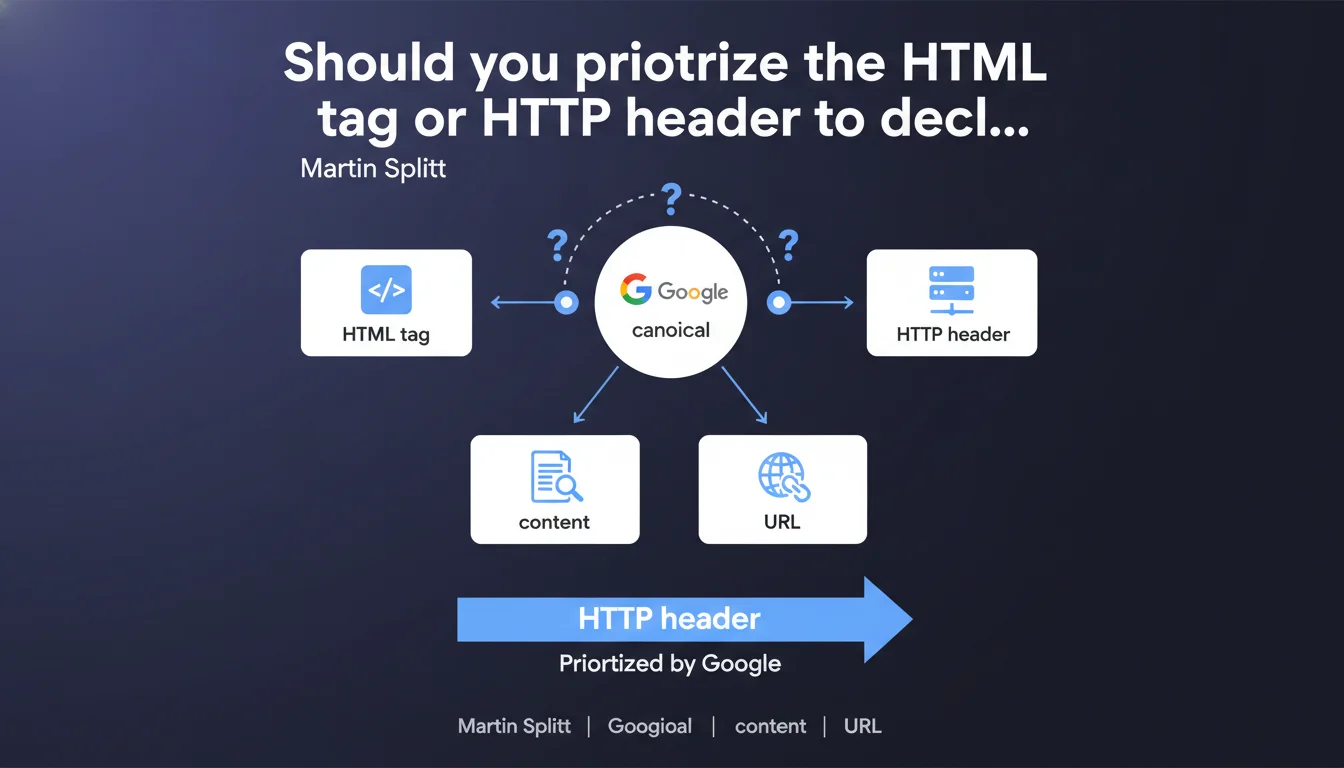
Google accepts two methods to declare a canonical URL: the <link rel="canonical"> HTML tag or the HTTP Link header. Both work, but the choice depends on your technical architecture. The key? Be consistent and never send contradictory signals between these two channels.
What you need to understand
Google handles duplicate content by relying on the canonicalization signals you send. This declaration reminds us that there are two distinct technical channels to indicate which URL you want indexed.
Why does Google offer two canonicalization methods?
The HTML tag <link rel="canonical"> is the historical method, directly accessible in the page's source code. It works for all types of HTML content and remains the most used by CMSs.
The HTTP header Link: <URL>; rel="canonical" proves essential for non-HTML files — PDFs, images, documents — that don't have a <head> tag. It's also an elegant solution for complex architectures where modifying HTML is difficult.
Which method does Google really prefer?
Officially, no priority is given to one or the other. Google treats both as equivalent signals in its canonical URL selection algorithm.
The problem arises when you send contradictory signals: an HTML tag points to one URL, the HTTP header to another. In that case, Google chooses — and its choice may not please you.
What happens if there's a conflict between HTML and HTTP?
Google arbitrates by cross-referencing all available signals: sitemaps, redirects, internal links, crawl history. The declared canonical becomes one signal among others, not an absolute directive.
In other words: if your two methods contradict each other, you lose control. Google decides according to its own logic — and you discover the verdict in Search Console, often too late.
- Two valid channels: HTML tag and HTTP header both work
- No official hierarchy between the two methods
- HTTP header mandatory for non-HTML files (PDFs, images)
- Consistency critical: never send contradictory signals
- Google arbitrates in case of conflict — unpredictable result
SEO Expert opinion
Is this "both work" approach sufficient in production?
Let's be honest: this statement is technically accurate but strategically incomplete. Yes, both methods work. No, they're not equivalent in all contexts.
In the field, the HTML tag remains more reliable for one simple reason: it's visible in the DOM, debuggable with standard tools, and all CMSs handle it natively. The HTTP header, on the other hand, requires server access and can be overwritten by intermediate layers (CDN, reverse proxy, cache).
The real challenge? Technical governance. In a modern stack with multiple teams (dev, ops, SEO), who controls what? If your SEO team declares a canonical in HTML while ops configure a different HTTP header, you're in the fog. [To verify] on your own infrastructure: who has control over each channel?
Does Google really detect all conflicts between HTML and HTTP?
Official documentation remains vague about processing order. Google claims to "cross-reference signals" but doesn't specify arbitration rules.
Field observations: when a conflict exists, Google seems to favor the HTTP header on non-HTML files (logical), but behavior is less predictable on HTML pages. Sometimes the header wins, sometimes the tag, sometimes neither — Google chooses a third URL.
This ambiguity isn't trivial. It leaves Google free to adjust its heuristics without documenting every case. For a practitioner, the only viable stance: never rely on Google's arbitration. Eliminate conflicts upstream.
In which cases does the HTTP header become essential?
For PDF files, images, or any non-HTML content exposed to indexing, the HTTP header is your only leverage. No tag possible, so no alternative.
Another legitimate use case: headless architectures where HTML is generated client-side (React/Vue SPAs with late rendering). If your canonical must be detected before JavaScript rendering, the HTTP header secures the signal from the server response.
Conversely, on a typical WordPress or Shopify site, the HTTP header adds more complexity than value. Stick with the HTML tag: it's easier to audit, debug, and hand off to a successor.
Practical impact and recommendations
How do I choose between HTML tag and HTTP header for my site?
Favor the HTML tag by default. It's universal, documented, and natively managed by every CMS on the market. Your editorial team can verify its presence in the source code without server expertise.
Reserve the HTTP header for cases where the HTML tag is technically impossible: PDFs, images, static files. Or if your architecture requires centralized server-side management (CDN, edge computing).
And most importantly: document your choice. In a year, when a newcomer audits the site, they must immediately understand which channel is active and why.
What mistakes should you absolutely avoid during implementation?
First mistake: implementing both methods with different URLs. You think you're doubling signals, you're creating a conflict. Google chooses for you — and rarely in your favor.
Second trap: forgetting that HTTP headers are modifiable by intermediate layers. Your Origin server sends the right value, but your CDN overwrites it? You discover the problem three months later in Search Console.
Third flaw: canonicalizing to a 301 URL. The canonical must point to a resource that responds with 200. Otherwise, Google ignores the signal or, worse, indexes the source URL despite your declaration.
How do I audit and validate my current configuration?
Test with curl or DevTools to inspect actual HTTP headers on the client side. Don't rely solely on your server configuration — verify what Google actually receives.
Cross-reference with Search Console: in the "URL Inspection" tool, Google indicates which URL it considers canonical and why (user-declared vs. Google-selected).
If the canonical URL detected by Google doesn't match your declaration, that's a red flag. Either you have a conflict, or other signals (redirects, sitemaps, internal links) contradict your tag.
- Favor the HTML tag except when technically justified otherwise
- Use the HTTP header only for non-HTML files or headless architectures
- Never implement both methods with different URLs
- Check final HTTP headers client-side (curl, DevTools)
- Ensure the canonical URL responds with 200, never 301/302
- Regularly audit Search Console to detect discrepancies
- Document the chosen method for future auditors
Canonicalization is a subtle technical signal that requires absolute consistency across all your channels. A configuration error can go unnoticed for months and gradually erode your organic visibility.
If your technical infrastructure is complex — multiple environments, CDN, hybrid HTML/HTTP management — it becomes difficult to guarantee this consistency alone. A specialized SEO agency can audit your entire stack, identify invisible conflicts, and implement governance that secures your canonicalization signals long-term.
❓ Frequently Asked Questions
Puis-je utiliser à la fois la balise HTML et l'en-tête HTTP pour renforcer le signal ?
L'en-tête HTTP est-il prioritaire sur la balise HTML en cas de conflit ?
Comment canonicaliser un PDF ou une image sans balise HTML ?
Google respecte-t-il toujours la canonique que je déclare ?
Dois-je déclarer une canonique auto-référencée sur chaque page ?
🎥 From the same video 8
Other SEO insights extracted from this same Google Search Central video · published on 12/11/2024
🎥 Watch the full video on YouTube →
💬 Comments (0)
Be the first to comment.