
Official statement
Other statements from this video 8 ▾
- □ Does duplicate content really penalize your site on Google?
- □ Is duplicate content really slowing down your site's crawl rate?
- □ Does Google really ignore your canonical tags? Here's why it happens more often than you think
- □ Should you prioritize the HTML tag or HTTP header to declare a canonical URL?
- □ Is Google ignoring your canonical tag? Here's why your internal links might be to blame
- □ Should you really redirect all non-canonical URLs with 301s for SEO?
- □ Why does merging similar pages boost your SEO even without duplicate content issues?
- □ Should you really merge your pages to boost your SEO performance?
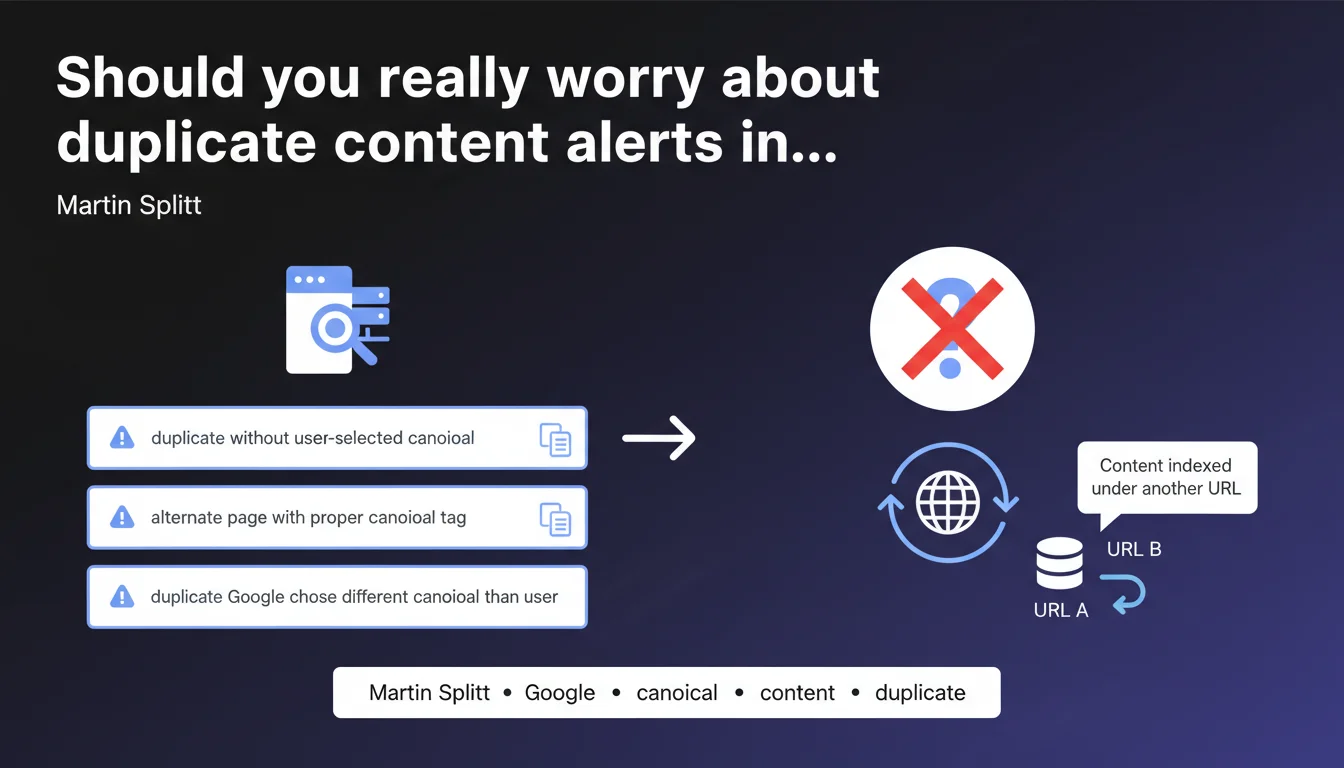
Google states that the statuses 'duplicate without user-selected canonical', 'alternate page with proper canonical tag' or 'duplicate Google chose different canonical than user' in Search Console are not issues. These messages simply indicate that Google has indexed the content under a different URL than the one you would have preferred. In other words: no need to panic, but vigilance remains necessary.
What you need to understand
What exactly do these duplication statuses mean?
These three messages in Search Console all indicate the same thing: Google has detected multiple versions of the same content and chose which one to index. The 'duplicate without user-selected canonical' status appears when you haven't specified a canonical tag. The 'alternate page with proper canonical tag' status confirms that your canonical tag is working. The last one, 'duplicate Google chose different canonical than user', signals a disagreement between your choice and Google's.
These statuses trigger no penalty whatsoever. They simply reflect Google's normal process of consolidating signals. The search engine groups URL variants to avoid diluting the SEO ranking of the same content.
Why does Google sometimes ignore my canonical tag?
The canonical tag is a suggestion, not a directive. Google may decide to ignore it if other signals contradict your choice: internal links pointing predominantly to another URL, inconsistent site structure, content differences between variants, historical temporary redirects.
Martin Splitt emphasizes: this isn't a bug, it's a feature. Google believes it has more information than you to determine which URL deserves to be indexed.
When should you really be concerned?
If the canonical URL chosen by Google matches your intention — great, move on. But if Google systematically indexes the wrong version of your strategic pages, you have an architecture problem or contradictory signals.
- Check your internal links: do they point predominantly to the variant Google prefers?
- Inspect redirects: do you have 302s instead of 301s, or redirect chains?
- Compare content: are the variants truly identical or do they have subtle differences?
- Analyze URL parameters: is Google handling them correctly in Search Console?
- Monitor mobile-first indexing: are mobile and desktop signals consistent?
SEO Expert opinion
Is this statement consistent with what we observe in the field?
Yes and no. In most cases, these statuses are indeed harmless — Google is doing its consolidation job without negative impact. But saying they "are not really problems" is somewhat reductive.
On e-commerce sites with thousands of product variants or complex multilingual sites, these alerts often reveal structural inconsistencies that deserve investigation. Google chooses a URL, certainly, but if it's systematically the wrong one, your organic traffic suffers. [To verify]: the real impact on CTR and conversions when Google indexes a less optimized URL than the one you targeted.
What nuances should be added to this official position?
Google deliberately downplays these alerts to avoid panicking webmasters. That's understandable — most sites don't need to be alarmed. But for an experienced SEO, these statuses are technical health indicators.
A well-structured site shouldn't generate massive canonicalization conflicts. If Search Console displays hundreds of pages with "Google chose different canonical than user", it's a symptom of an architecture problem, inconsistent internal linking, or poorly managed URL parameters. Google's message amounts to saying "we handled the problem for you" — but it remains a problem you should fix at the source.
In which cases does this rule not apply?
When you target multiple markets with language or regional variants, Google may choose the wrong canonical version if your hreflang signals are misconfigured. Result: your French users land on the indexed English version.
On sites with pagination or facets, Google may canonize toward intermediate URLs rather than your pillar pages. Technically "not a problem" according to Google, but in practice, it dilutes your thematic authority.
Practical impact and recommendations
What should you concretely do when these statuses appear?
First, identify the gap between your intention and Google's choice. In Search Console, compare the URL you canonicalized with the one Google actually indexed. If they match, you're fine. If not, investigate.
Next, audit your signals. Verify that your canonical tags all point to the same reference URL, that your internal links reinforce this URL, that your redirects are permanent 301s, and that your sitemap only lists canonical URLs.
What errors should you avoid when managing canonicalization?
Don't multiply self-referencing canonical tags on each page "just in case". It's unnecessary and bloats your code. Reserve canonicals for real duplication situations: pagination, sort parameters, printable versions, regional variants.
Never use a canonical pointing to a page in 404 or redirect. Google will ignore the tag and choose its own version, creating exactly the status you wanted to avoid. And above all, don't canonicalize toward a URL blocked in robots.txt — that's a contradictory signal.
How can you verify that your site handles canonicalization correctly?
- Export the coverage report from Search Console and filter duplication statuses
- For each problematic URL, inspect it with the URL inspection tool to see which canonical Google retained
- Compare with your canonical tag in the source code — if they differ, find out why
- Verify that your internal links point predominantly to canonical URLs, not variants
- Use a crawler (Screaming Frog, Sitebulb) to detect canonicalization chains or loops
- Monitor monthly evolution: a sudden increase in duplications signals a recent technical change
- Test your strategic pages in mobile and desktop versions to verify canonical tag consistency
❓ Frequently Asked Questions
Si Google choisit une URL canonique différente de la mienne, dois-je supprimer ma balise canonical ?
Ces statuts de duplication peuvent-ils impacter mon classement dans les résultats de recherche ?
Faut-il traiter en priorité le statut 'Google chose different canonical than user' ?
Combien de temps faut-il pour que Google réévalue une URL canonique après correction ?
Les balises canonical cross-domain sont-elles concernées par ces statuts ?
🎥 From the same video 8
Other SEO insights extracted from this same Google Search Central video · published on 12/11/2024
🎥 Watch the full video on YouTube →
💬 Comments (0)
Be the first to comment.