
Official statement
Other statements from this video 12 ▾
- □ La balise meta robots noindex suffit-elle vraiment à empêcher l'indexation d'une page ?
- □ Peut-on vraiment piloter Googlebot News et Googlebot Search avec des balises meta robots distinctes ?
- □ Peut-on vraiment empiler plusieurs directives meta robots dans une seule balise ?
- □ L'en-tête HTTP X-Robots peut-il remplacer la balise meta robots ?
- □ Où faut-il vraiment placer le fichier robots.txt pour qu'il soit pris en compte ?
- □ Faut-il gérer un robots.txt distinct pour chaque sous-domaine ?
- □ Le fichier robots.txt est-il vraiment respecté par tous les moteurs de recherche ?
- □ Faut-il utiliser les wildcards dans robots.txt pour mieux contrôler son crawl ?
- □ Faut-il vraiment déclarer son sitemap XML dans le fichier robots.txt ?
- □ Pourquoi ne faut-il jamais combiner robots.txt et meta noindex sur la même page ?
- □ Robots.txt bloque-t-il vraiment l'indexation de vos pages ?
- □ Le rapport robots.txt de Google Search Console change-t-il vraiment la donne pour le crawl ?
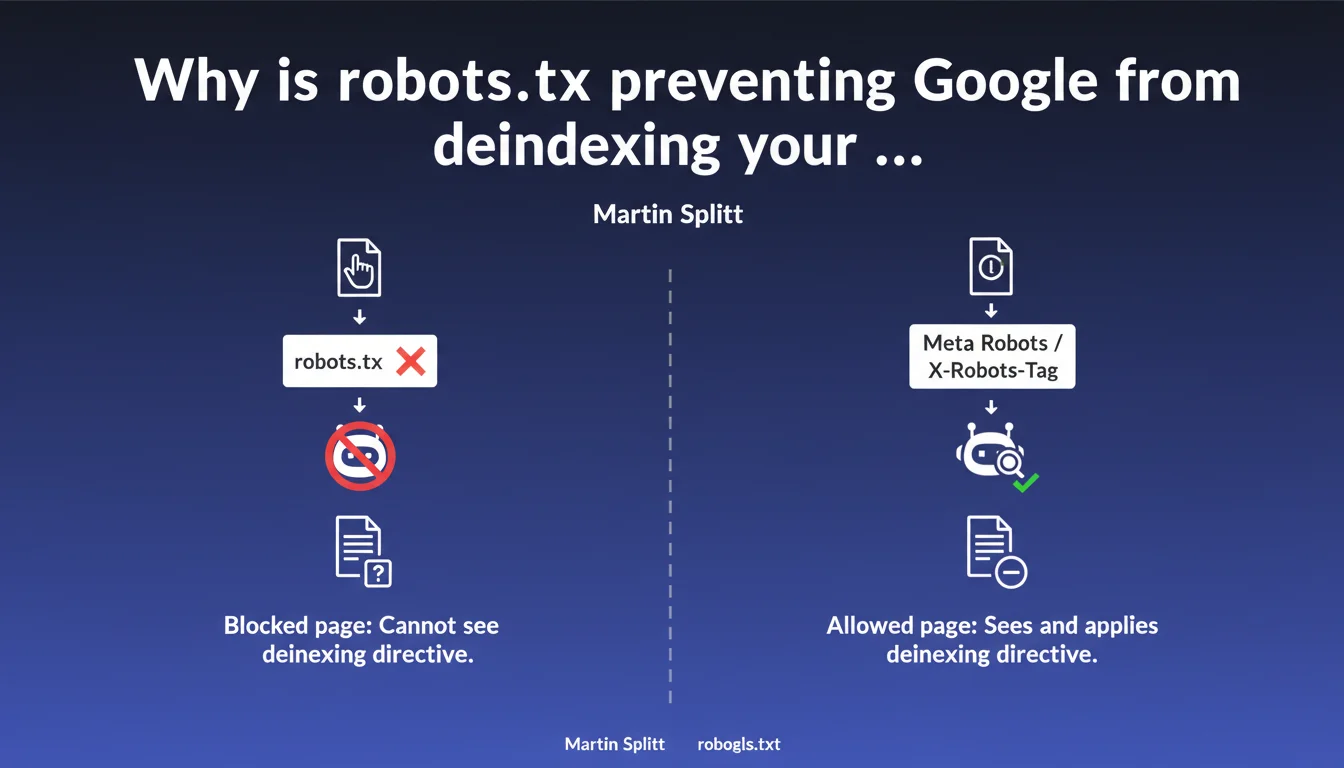
Blocking a page via robots.txt does not deindex it — in fact, it prevents Googlebot from reading your noindex directives. To deindex properly, use meta robots or X-Robots-Tag, never robots.txt. A frequent confusion that costs dearly in visibility.
What you need to understand
What is the robots.txt trap for deindexing?
The robots.txt blocks crawling, not indexing. If Googlebot cannot access a page, it also cannot see your noindex tag. Result: the page can remain indexed with a URL and sometimes a snippet generated from external sources.
Google can index a URL without even crawling the page — based on backlinks, mentions, or cached versions. Blocking the crawl does nothing if the page is already known to the search engine.
How do meta robots and X-Robots-Tag actually work?
The meta robots noindex tag is placed in the <head> of an HTML page. The X-Robots-Tag header is sent via the server (useful for PDFs, images, non-HTML files). In both cases, Googlebot must be able to crawl the page to read the directive.
Once the directive is detected, Google removes the page from its index on the next pass. If you then block crawling in robots.txt, the directive remains effective — but it's better to let Googlebot verify periodically.
What happens if I block a noindex page in robots.txt?
Googlebot can no longer verify whether the noindex directive is still in place. If you later remove the noindex tag but keep the robots.txt block, the page can be reindexed without your intent — because Google has no way to confirm your intention.
- robots.txt blocks crawling, not indexing — a frequent confusion.
- meta robots noindex and X-Robots-Tag are the only reliable methods for deindexing.
- Googlebot must be able to crawl the page to read deindexing directives.
- Blocking after deindexing works, but prevents future verification of directives.
- A page blocked in robots.txt can still appear in SERPs if Google knows about it through other means.
SEO Expert opinion
Is this directive consistent with real-world observations?
Yes — and it's even one of the rare Google statements perfectly aligned with reality. We regularly see websites blocking sensitive pages (dev, staging, admin) only via robots.txt, then wondering why they find them indexed with the URL visible in SERPs.
The confusion often comes from the fact that robots.txt seems to forbid Google. But the file only controls access to content, not presence in the index. If a URL is mentioned elsewhere on the web, Google can index it without ever crawling it.
What nuances should be applied to this rule?
If a page has never been crawled or known to Google, blocking it in robots.txt is sufficient to prevent future indexing. But as soon as it is discovered — through a backlink, sitemap, internal link — the block becomes counterproductive.
Another case: orphaned pages with noindex but without robots.txt. If Googlebot never finds them (no internal links, no sitemap), the noindex directive is useless. Google must first access the page to read the tag.
And let's be honest: some third-party tools (SEO crawlers, scrapers) ignore robots.txt. Blocking a sensitive page only via this file means betting on bot goodwill. You might as well add server authentication if confidentiality is critical.
In what cases does this approach cause problems?
Sites with massive duplicate content (e-commerce with filters, misconfigured multilingual sites) may want to block certain URLs in robots.txt to save crawl budget. Except that if these pages are already indexed, the block freezes the situation — it becomes impossible to push a noindex afterward.
The proper solution: first apply the noindex, wait for deindexing (days to weeks depending on crawl frequency), then block in robots.txt if necessary. Or better: use canonicals to concentrate indexing rather than multiplying blocks.
Practical impact and recommendations
What should you concretely do to deindex a page?
Add <meta name="robots" content="noindex"> in the <head> of the HTML page. For non-HTML files (PDFs, images), configure the X-Robots-Tag: noindex header at the server level (Apache, Nginx, or via CDN rules).
Verify that the page is not blocked in robots.txt. If it is, remove the block temporarily until Googlebot crawls and reads the noindex directive. Once the page is deindexed (verifiable via site:example.com/url), you can block again if you want to save crawl budget — but it's not mandatory.
What errors should you absolutely avoid?
Never block a page in robots.txt thinking it will disappear from the index. The opposite happens: it remains indexed with a visible URL, sometimes with a snippet generated from external links or anchors.
Also avoid combining noindex + canonical to another page. Google favors the canonical and ignores the noindex — unpredictable result. If you want to deindex, do it properly with noindex alone, without contradictory canonical.
How do you verify that deindexing is working?
Use site:example.com/exact-url in Google. If the page still appears, wait a few days — deindexing is not instantaneous. You can also force a re-crawl via Search Console (URL Inspection → Request indexing).
Check the server logs to confirm that Googlebot is accessing the page. If the bot never passes, the noindex directive will never be read — and the page will remain indexed indefinitely.
- Add meta robots noindex or X-Robots-Tag to pages you want to deindex.
- Make sure these pages are not blocked in robots.txt.
- Wait for Googlebot to crawl and process the directive (days to weeks).
- Verify deindexing with
site:in Google or via Search Console. - If the page remains indexed, inspect logs to confirm crawling and check for contradictory canonical tags.
- Once deindexed, you can block in robots.txt to save crawl budget — but it's not mandatory.
❓ Frequently Asked Questions
Peut-on bloquer une page dans robots.txt après l'avoir désindexée avec noindex ?
Une page bloquée dans robots.txt peut-elle apparaître dans les SERPs ?
Faut-il retirer le blocage robots.txt avant d'appliquer un noindex ?
Quelle différence entre meta robots et X-Robots-Tag ?
Combien de temps faut-il pour qu'une page disparaisse de l'index après un noindex ?
🎥 From the same video 12
Other SEO insights extracted from this same Google Search Central video · published on 04/12/2024
🎥 Watch the full video on YouTube →
💬 Comments (0)
Be the first to comment.