
Official statement
Other statements from this video 12 ▾
- □ La balise meta robots noindex suffit-elle vraiment à empêcher l'indexation d'une page ?
- □ Peut-on vraiment piloter Googlebot News et Googlebot Search avec des balises meta robots distinctes ?
- □ Peut-on vraiment empiler plusieurs directives meta robots dans une seule balise ?
- □ L'en-tête HTTP X-Robots peut-il remplacer la balise meta robots ?
- □ Où faut-il vraiment placer le fichier robots.txt pour qu'il soit pris en compte ?
- □ Le fichier robots.txt est-il vraiment respecté par tous les moteurs de recherche ?
- □ Faut-il utiliser les wildcards dans robots.txt pour mieux contrôler son crawl ?
- □ Faut-il vraiment déclarer son sitemap XML dans le fichier robots.txt ?
- □ Pourquoi ne faut-il jamais combiner robots.txt et meta noindex sur la même page ?
- □ Pourquoi robots.txt empêche-t-il Google de désindexer vos pages ?
- □ Robots.txt bloque-t-il vraiment l'indexation de vos pages ?
- □ Le rapport robots.txt de Google Search Console change-t-il vraiment la donne pour le crawl ?
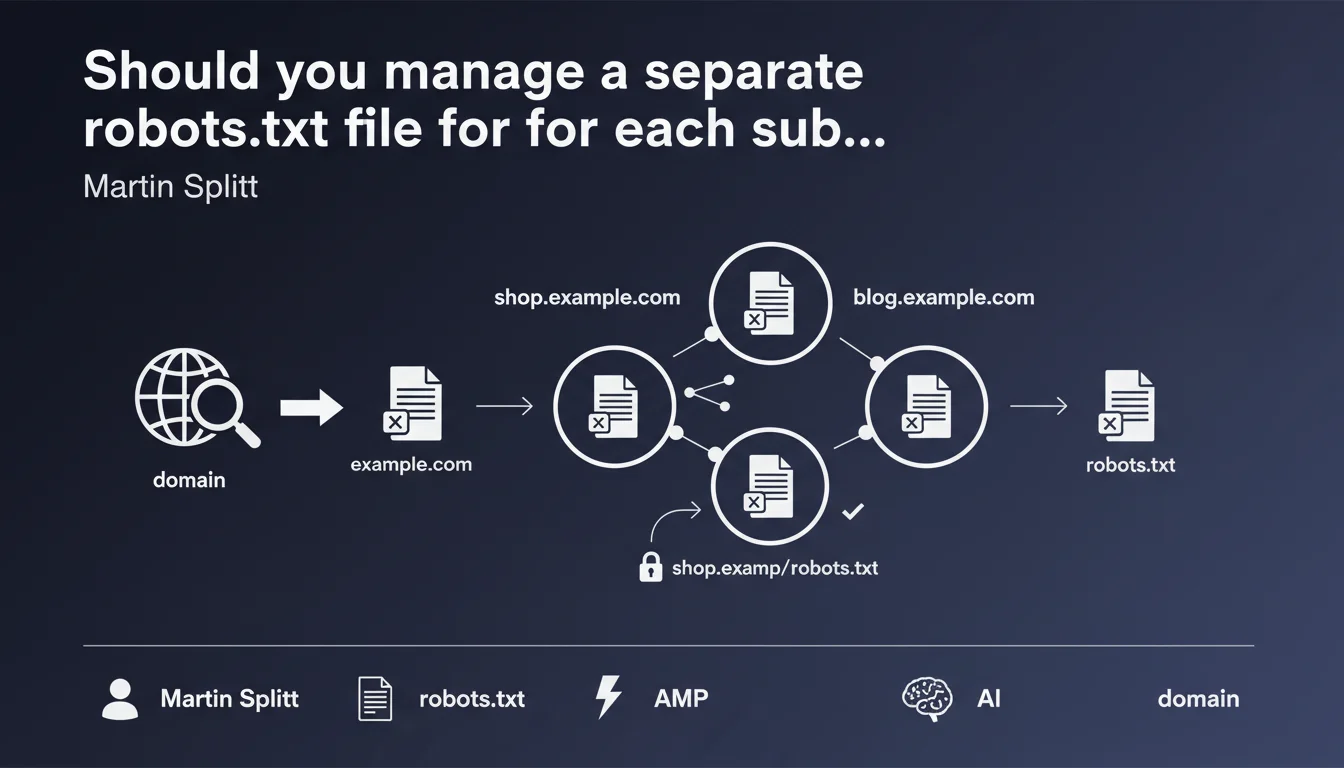
Each subdomain has its own robots.txt file, completely independent from the main domain. A robots.txt placed on shop.example.com inherits no directives from the robots.txt of example.com. This separation requires individualized management of crawl directives for each active subdomain.
What you need to understand
Are subdomains really separate entities for Google?
Google treats each subdomain as an independent host. Unlike directories (example.com/shop/) which inherit the root robots.txt, a subdomain (shop.example.com) is considered a separate site altogether.
This distinction is more than just a technical subtlety. It directly impacts how Googlebot crawls and indexes your content. A robots.txt on www.example.com does not apply to blog.example.com, even if they belong to the same owner.
How does this work in practice for Googlebot?
When Googlebot encounters a URL on a subdomain, it looks for the robots.txt file at the root of that specific subdomain. If shop.example.com/robots.txt exists, it applies its directives. If this file is absent or returns a 404 error, Googlebot assumes no restrictions apply and crawls freely.
This logic means you must duplicate your crawl directives on each subdomain that requires restrictions. No inheritance, no cascading. Each configuration is isolated.
Why can this architecture cause problems?
Multiplying subdomains creates crawl management fragmentation. An oversight on a single robots.txt can expose sensitive areas (staging, admin, faceted navigation) that you wanted to block.
Configurations become inconsistent quickly when multiple teams manage different subdomains. The lack of centralization creates discrepancies that harm crawl budget optimization.
- Each subdomain requires its own robots.txt — no inheritance from the main domain
- An absent robots.txt or a 404 response means no crawl restrictions for that subdomain
- Management must be systematic and documented to avoid critical oversights
- Inactive or test subdomains must be explicitly blocked in their own robots.txt
SEO Expert opinion
Does this statement truly reflect real-world observations?
Yes, and it's been verified for years. Tests consistently show that Googlebot requests the robots.txt of the targeted subdomain, never the apex domain's. This independence is documented in server logs of every multi-subdomain site.
What's less known: this strict separation can create problematic desynchronizations. I've seen sites block their blog via blog.example.com/robots.txt while forgetting to block sorting parameters on shop.example.com, which exploded their crawl budget.
When does this logic create pitfalls?
The first trap: redirects between apex domain and www. If you redirect example.com to www.example.com but only example.com/robots.txt contains your directives, Googlebot applies the robots.txt of the final subdomain (www.example.com/robots.txt), not the source domain's.
Another tricky case: dynamically generated subdomains (client1.saas.com, client2.saas.com…). Maintaining a robots.txt per client manually is impossible. You need automatic generation, but how many SaaS platforms have overlooked this detail? [To verify] in your architecture if this applies to you.
Do all crawlers respect this rule?
Google, yes. Bing too. But some third-party crawlers (particularly aggressive scrapers) sometimes attempt to fetch the main domain's robots.txt when the subdomain's is absent. Don't rely on this loophole to secure your content.
Let's be honest: this independence of robots.txt files is non-negotiable with Google. If your strategy relies on implicit inheritance, you're already exposed to uncontrolled crawl issues.
Practical impact and recommendations
What should you audit first on your subdomains?
Start by listing all active subdomains of your domain, including ones you forgot about (dev, staging, old blog, etc.). A DNS scan or a tool like Subfinder will give you the complete list.
For each active subdomain, check the existence and content of its robots.txt. Test, staging, or inactive subdomains must absolutely block all crawlers via User-agent: * / Disallow: /.
How do you synchronize directives across multiple subdomains?
If multiple subdomains require similar directives (e.g., blocking /admin, /checkout, /facets), create a centralized robots.txt template and deploy it through your CI/CD pipeline. Never rely on manual entry—that's a guarantee you'll forget a critical subdomain.
For SaaS platforms or multi-site setups, automate robots.txt generation when each new subdomain is created. This generation must be part of your provisioning process.
What errors most often block crawling?
The classic mistake: placing robots.txt only on the apex domain (example.com) when all traffic is redirected to www.example.com. Googlebot crawls www, so it looks for www.example.com/robots.txt—and if this file is empty or absent, your directives don't apply.
Another frequent error: forgetting the robots.txt on a blog or docs subdomain, which leaves Googlebot crawling thousands of pagination or filter pages unnecessarily.
- Exhaustively list all active subdomains (including dev, staging, archives)
- Verify the existence of a robots.txt on each subdomain via curl or browser
- Explicitly block test and inactive subdomains (User-agent: * / Disallow: /)
- Deploy a coherent robots.txt template across all production subdomains
- Automate robots.txt generation when new subdomains are created
- Declare each subdomain as a distinct property in Search Console
- Monitor server logs to detect uncontrolled crawling on forgotten subdomains
❓ Frequently Asked Questions
Si je redirige mon domaine principal vers un sous-domaine, quel robots.txt s'applique ?
Puis-je utiliser un wildcard DNS pour servir le même robots.txt à tous les sous-domaines ?
Un sous-domaine sans robots.txt est-il entièrement crawlable par Google ?
Les directives robots.txt d'un sous-domaine impactent-elles le crawl budget du domaine principal ?
Dois-je déclarer chaque sous-domaine séparément dans Search Console ?
🎥 From the same video 12
Other SEO insights extracted from this same Google Search Central video · published on 04/12/2024
🎥 Watch the full video on YouTube →
💬 Comments (0)
Be the first to comment.