
Official statement
Other statements from this video 12 ▾
- □ La balise meta robots noindex suffit-elle vraiment à empêcher l'indexation d'une page ?
- □ Peut-on vraiment piloter Googlebot News et Googlebot Search avec des balises meta robots distinctes ?
- □ Peut-on vraiment empiler plusieurs directives meta robots dans une seule balise ?
- □ L'en-tête HTTP X-Robots peut-il remplacer la balise meta robots ?
- □ Où faut-il vraiment placer le fichier robots.txt pour qu'il soit pris en compte ?
- □ Faut-il gérer un robots.txt distinct pour chaque sous-domaine ?
- □ Le fichier robots.txt est-il vraiment respecté par tous les moteurs de recherche ?
- □ Faut-il vraiment déclarer son sitemap XML dans le fichier robots.txt ?
- □ Pourquoi ne faut-il jamais combiner robots.txt et meta noindex sur la même page ?
- □ Pourquoi robots.txt empêche-t-il Google de désindexer vos pages ?
- □ Robots.txt bloque-t-il vraiment l'indexation de vos pages ?
- □ Le rapport robots.txt de Google Search Console change-t-il vraiment la donne pour le crawl ?
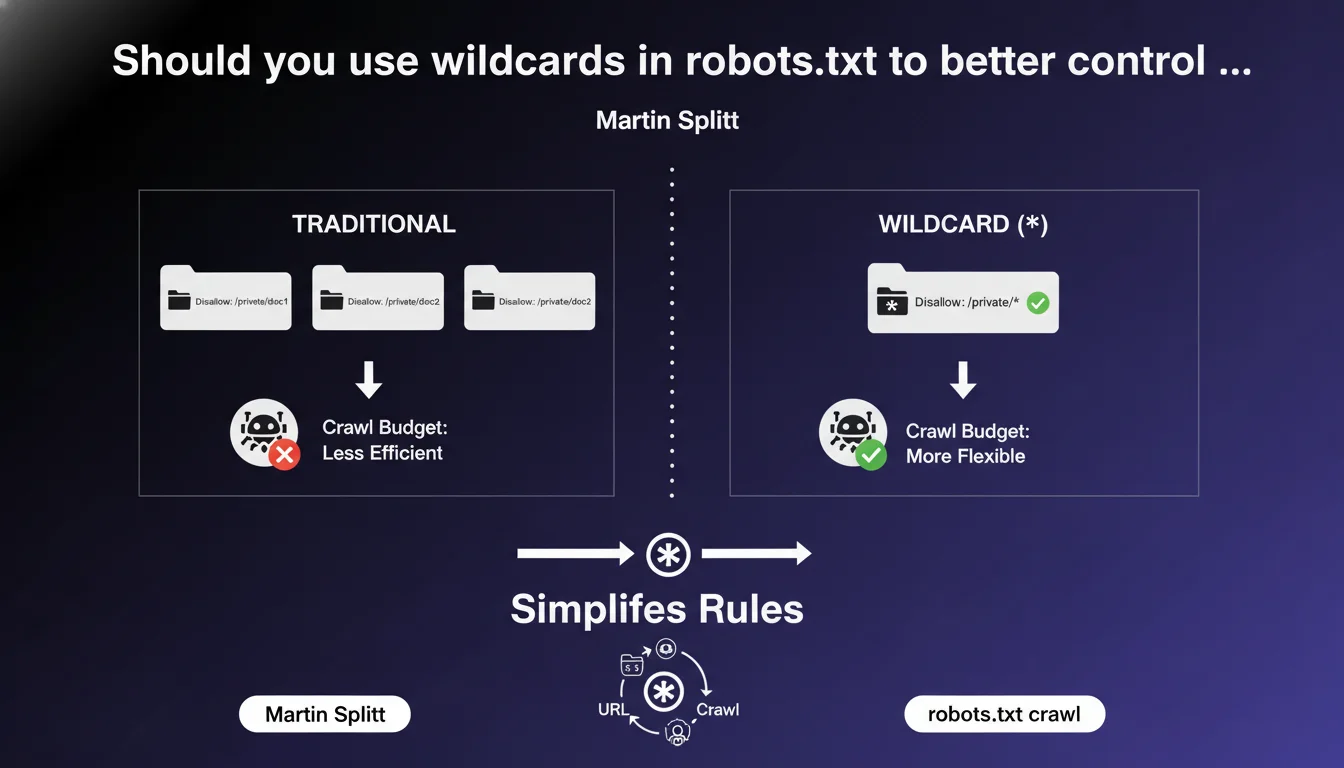
Google confirms support for wildcards (*) in robots.txt to create flexible rules and simplify crawl management. The asterisk allows you to target URL patterns rather than fixed paths. The question remains whether this approach is always more relevant than clean site architecture.
What you need to understand
What exactly is a wildcard in robots.txt?
The asterisk (*) character acts as a universal joker in your robots.txt file. It replaces any sequence of characters — a word, a URL segment, or even nothing at all.
Classic example: Disallow: /admin/* blocks all URLs starting with /admin/, regardless of what follows. But also: Disallow: /*.pdf$ prevents crawling of all PDFs, no matter where they are located.
Why is Google highlighting this feature now?
Because too many sites still use dozens of redundant lines in their robots.txt when a single pattern would suffice. Martin Splitt's statement aims to encourage more maintainable robots.txt files and fewer error-prone configurations.
The wildcard isn't new — it's existed for years — but many SEO practitioners overlook it or use it incorrectly. Google is pushing for wider adoption and better understanding of patterns.
What are the technical limitations of wildcards?
The asterisk works well for simple patterns, but be careful: it doesn't handle advanced regular expressions. You can't create complex conditions like OR or AND.
Another critical point: the wildcard applies in the order of rules. A Disallow directive that's too broad and placed before a specific Allow can block everything. Order matters, and this is where things often go wrong.
- The wildcard (*) replaces any sequence of characters in a URL
- It dramatically simplifies robots.txt files by replacing multiple lines with a single pattern
- Google officially supports this syntax, but not all robots are equally tolerant
- The order of directives remains critical — a misplaced rule can break everything
- The dollar sign ($) marks a strict end of URL and combines well with the asterisk
SEO Expert opinion
Is this feature really being leveraged in practice?
Let's be honest: many sites don't use wildcards, or use them incorrectly. I've seen too many robots.txt files with 50 identical lines just to block URL parameters that a single pattern would handle.
The problem? Google's official documentation on robots.txt remains fragmented. Practitioners who haven't dug into the topic miss these basic optimizations. Result: unreadable files and silent errors.
Can wildcards create dangerous side effects?
Absolutely. An overly broad pattern easily blocks entire sections of your site without you even noticing. Example: Disallow: /*? blocks all URLs with parameters — including your paginated product pages or filters.
[To verify]: Google claims that wildcards simplify, but in practice, they increase the risk of error for teams unfamiliar with the syntax. A bad rule can kill entire sections of your indexation. Always test in Search Console before deploying.
Should you prioritize wildcards or clean architecture?
The real question. If you need complex wildcards to manage your crawl, it's often because your architecture has a structural problem. Patterns are a band-aid, not a fundamental solution.
A well-designed site minimizes the need for blocking. Wildcards remain useful for specific cases — admin files, internal PDFs, tracking parameters — but should never compensate for a faulty information architecture.
Practical impact and recommendations
How do you structure a robots.txt with effective wildcards?
First rule: start with Allow, then refine with Disallow. Google considers the most specific directive, but reading order remains sequential. Clear structure prevents conflicts.
Practical example for an e-commerce site:
User-agent: *
Allow: /products/
Disallow: /*?filtre=
Disallow: /admin/*
Disallow: /*.pdf$
This pattern allows product pages, blocks filtered URLs (crawl budget), excludes admin and all PDFs. Four lines, zero ambiguity.
What common mistakes must you absolutely avoid?
Classic mistake: using Disallow: /* thinking it blocks everything except certain sections. It doesn't work that way. You block everything, period. Allow directives must be explicit and placed first.
Another trap: forgetting the dollar sign ($) for file extensions. Disallow: /*.pdf also blocks /guide.pdf.html. Always write /*.pdf$ to target only actual PDFs.
- Audit your current robots.txt and identify redundant lines
- Replace multiple Disallow statements with wildcard patterns
- Test each modification in the Search Console robots.txt tool
- Verify the order of Allow and Disallow directives — Allow directives first for critical sections
- Use the dollar sign ($) for strict URL endings (file extensions)
- Document each rule with a comment (#) for future interventions
- Monitor crawl errors after deployment to detect unintended blocks
Should you outsource this optimization?
Frankly, wildcards seem simple on paper, but the implications are complex. A miscalibrated rule can destroy your organic visibility in hours. And Google's testing tools don't simulate all scenarios.
❓ Frequently Asked Questions
Tous les robots de crawl respectent-ils les wildcards dans robots.txt ?
Peut-on combiner wildcard et dollar dans la même règle ?
Faut-il utiliser des wildcards si mon site a peu d'URLs à bloquer ?
Un wildcard mal placé peut-il empêcher l'indexation de mon site entier ?
Les wildcards impactent-ils la vitesse de crawl de Googlebot ?
🎥 From the same video 12
Other SEO insights extracted from this same Google Search Central video · published on 04/12/2024
🎥 Watch the full video on YouTube →
💬 Comments (0)
Be the first to comment.