
Official statement
Other statements from this video 12 ▾
- □ Does the meta robots noindex tag really prevent your pages from being indexed in Google?
- □ Can you really control Googlebot News and Googlebot Search separately with distinct meta robots tags?
- □ Can you really stack multiple meta robots directives in just one tag?
- □ Can the HTTP X-Robots Header Really Replace Your Meta Robots Tag?
- □ Where exactly should you place your robots.txt file for search engines to actually recognize it?
- □ Should you manage a separate robots.txt file for each subdomain?
- □ Should you use wildcards in robots.txt to better control your crawl budget?
- □ Should you really declare your XML sitemap in the robots.txt file?
- □ Why should you never mix robots.txt blocking and meta noindex on the same page?
- □ Why is robots.txt preventing Google from deindexing your pages?
- □ Does robots.txt really block your pages from being indexed?
- □ Does Google's new robots.txt report really transform how you manage crawl access?
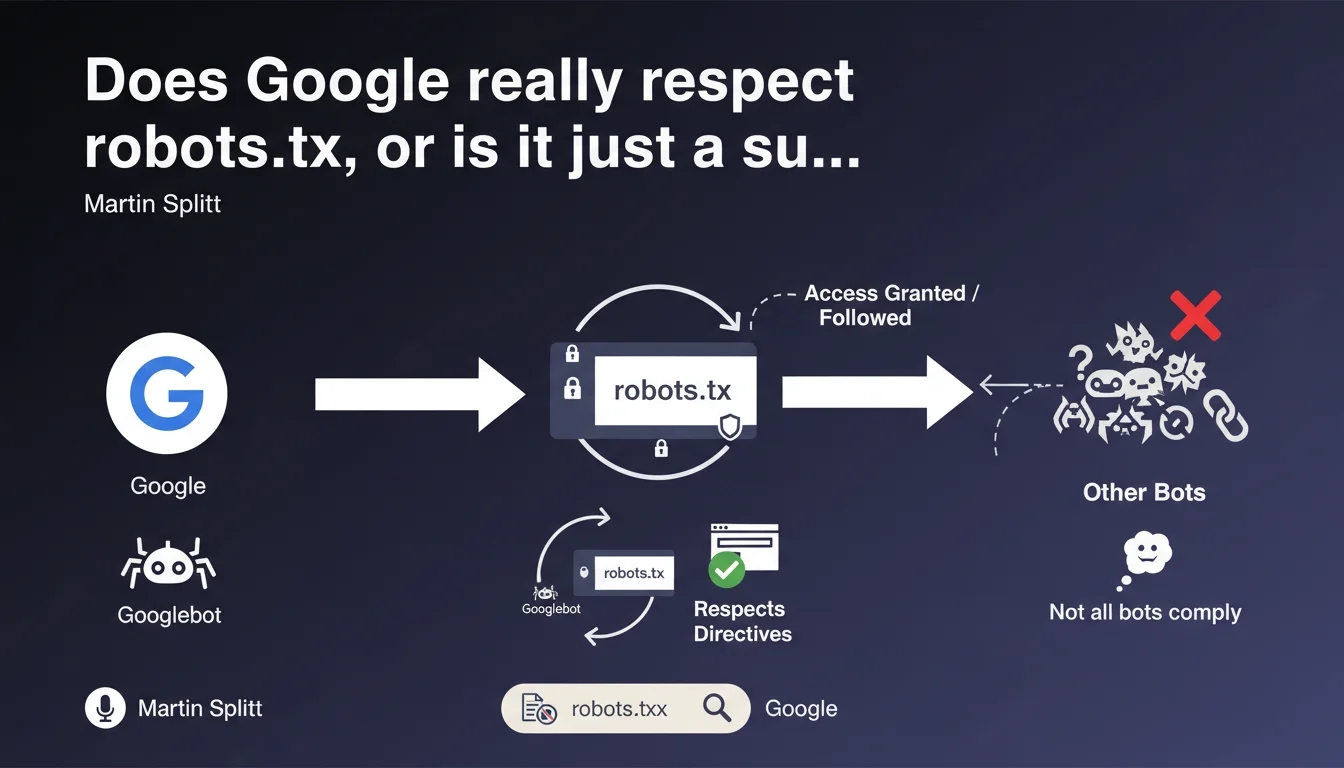
Googlebot and the majority of search engines respect the directives in the robots.txt file, but not all bots on the web comply with it. This clarification from Martin Splitt reminds us that a robots.txt is not absolute protection against unwanted crawling — it's a convention, not a technical lock.
What you need to understand
What exactly is Google claiming here?
Google confirms that Googlebot follows the rules defined in robots.txt, just as most legitimate search engines do. It's a convention widely adopted by serious web players.
But the nuance is crucial: not all bots respect this convention. Some robots — malicious ones, aggressive scrapers, or simply misconfigured — simply ignore this file outright. The robots.txt is not an impenetrable wall, it's a "no entry" sign that only good-faith actors respect.
Why is this distinction important for SEO?
Because many practitioners still use robots.txt as a security tool or to hide sensitive content. Big mistake. If you block a URL via robots.txt, it can still be indexed by Google if it receives backlinks (without a snippet, admittedly, but still indexed).
And most importantly, a malicious bot couldn't care less about your Disallow. If your goal is to protect content, robots.txt is not the solution. You need to use server authentication, noindex, or IP blocking.
What are the robots.txt file standards?
The robots.txt follows a standardized syntax recognized by most engines. User-agent, Disallow, Allow, Crawl-delay (although Google doesn't support it), Sitemap... These directives are clear and documented.
Google even published an RFC to formalize this standard. But again, a standard is just a recommendation. There is no technical obligation for a bot to respect it — it's a matter of ethics and reputation.
- Googlebot respects robots.txt — this is officially confirmed
- Most legitimate engines (Bing, Yandex, Baidu) do the same
- Malicious or aggressive bots often ignore these directives
- robots.txt is not a security tool — it's a crawl guide
- A URL blocked by robots.txt can still be indexed if it receives external links
SEO Expert opinion
Is this statement consistent with practices observed in the field?
Yes, absolutely. Google scrupulously respects robots.txt — I've verified this across hundreds of audits. When a Disallow directive is properly written, Googlebot does not crawl the affected URLs. Server logs confirm this systematically.
The problem comes from syntax errors that I still see far too often. A misplaced space, a forgotten slash, a wildcard used incorrectly… and the directive stops working. Google follows robots.txt, but if your file is poorly written, you have only yourself to blame.
What nuances should be added to this statement?
First nuance: robots.txt does not guarantee non-indexation. Google can index a URL blocked by robots.txt if it receives backlinks. The URL will appear in the SERPs with a generic description like "No information available". If you really want to prevent indexation, use a noindex tag.
Second nuance: robots.txt is public. Anyone can read your file and discover the areas you've chosen to block. In fact, it's a classic reflex in SEO audits or technical reconnaissance — reading the robots.txt to identify sensitive URLs or hidden structures. [To verify] if you think blocking a /admin/ directory in robots.txt makes it invisible... you're doing exactly the opposite.
In what cases does this rule not apply?
robots.txt is respected by crawlers that declare themselves honestly. But a bot can lie about its User-Agent. Some pose as Googlebot when they're not — hence the importance of checking reverse IPs if you have doubts.
Another case: professional scrapers or competitor bots analyzing your content. They have no reason to respect your robots.txt, and they generally don't. The only effective defense in this case: server-level blocking (rate limiting, WAF, captcha...).
Practical impact and recommendations
What should you concretely do with your robots.txt file?
First, verify the syntax of your robots.txt. Use the testing tool in Google Search Console to validate that your directives are correctly interpreted. A syntax error often goes unnoticed... until the day you realize Googlebot is crawling thousands of URLs you thought you'd blocked.
Next, block only what needs to be blocked. Too many sites block entire directories as a precaution, without real necessity. Result: legitimate content isn't crawled, crawl budget is poorly used, and indexation is suboptimal. Be surgical, not paranoid.
What errors should you absolutely avoid?
NEVER use robots.txt to hide sensitive content. It's not a security tool. If you have confidential data, put it behind server authentication (HTTP auth, login required...). robots.txt is readable by anyone.
Another classic mistake: blocking critical resources (CSS, JS, images) thinking you're saving crawl budget. Google needs these files to render your pages. Blocking here can prevent proper indexation of your content, especially if you use JavaScript to display key elements.
How can I verify that my robots.txt works as intended?
Check your server logs. That's the only source of truth. You'll see exactly which URLs Googlebot attempts to crawl, and whether your directives are respected. If you find that blocked URLs are still being crawled, there's probably a syntax error.
Also use Search Console: Coverage section, then filter by "Excluded by robots.txt". You'll see the list of URLs Google detected but didn't crawl because of your robots.txt. Verify that this list matches your intention.
- Validate your robots.txt syntax with the Google Search Console tool
- Never block critical CSS, JavaScript, or images needed for rendering
- Don't use robots.txt to hide sensitive content — prefer server authentication
- Analyze your logs to verify that Googlebot respects your directives
- Document your blocking choices to avoid errors during updates
- Review your robots.txt regularly, especially after a redesign or migration
❓ Frequently Asked Questions
Un robots.txt peut-il empêcher l'indexation d'une page ?
Tous les moteurs de recherche respectent-ils le robots.txt ?
Peut-on bloquer des ressources CSS ou JS avec robots.txt ?
Comment vérifier que mon robots.txt fonctionne correctement ?
Le robots.txt est-il un fichier confidentiel ?
🎥 From the same video 12
Other SEO insights extracted from this same Google Search Central video · published on 04/12/2024
🎥 Watch the full video on YouTube →
💬 Comments (0)
Be the first to comment.