
Official statement
Other statements from this video 12 ▾
- □ Does the meta robots noindex tag really prevent your pages from being indexed in Google?
- □ Can you really control Googlebot News and Googlebot Search separately with distinct meta robots tags?
- □ Can you really stack multiple meta robots directives in just one tag?
- □ Can the HTTP X-Robots Header Really Replace Your Meta Robots Tag?
- □ Should you manage a separate robots.txt file for each subdomain?
- □ Does Google really respect robots.txt, or is it just a suggestion?
- □ Should you use wildcards in robots.txt to better control your crawl budget?
- □ Should you really declare your XML sitemap in the robots.txt file?
- □ Why should you never mix robots.txt blocking and meta noindex on the same page?
- □ Why is robots.txt preventing Google from deindexing your pages?
- □ Does robots.txt really block your pages from being indexed?
- □ Does Google's new robots.txt report really transform how you manage crawl access?
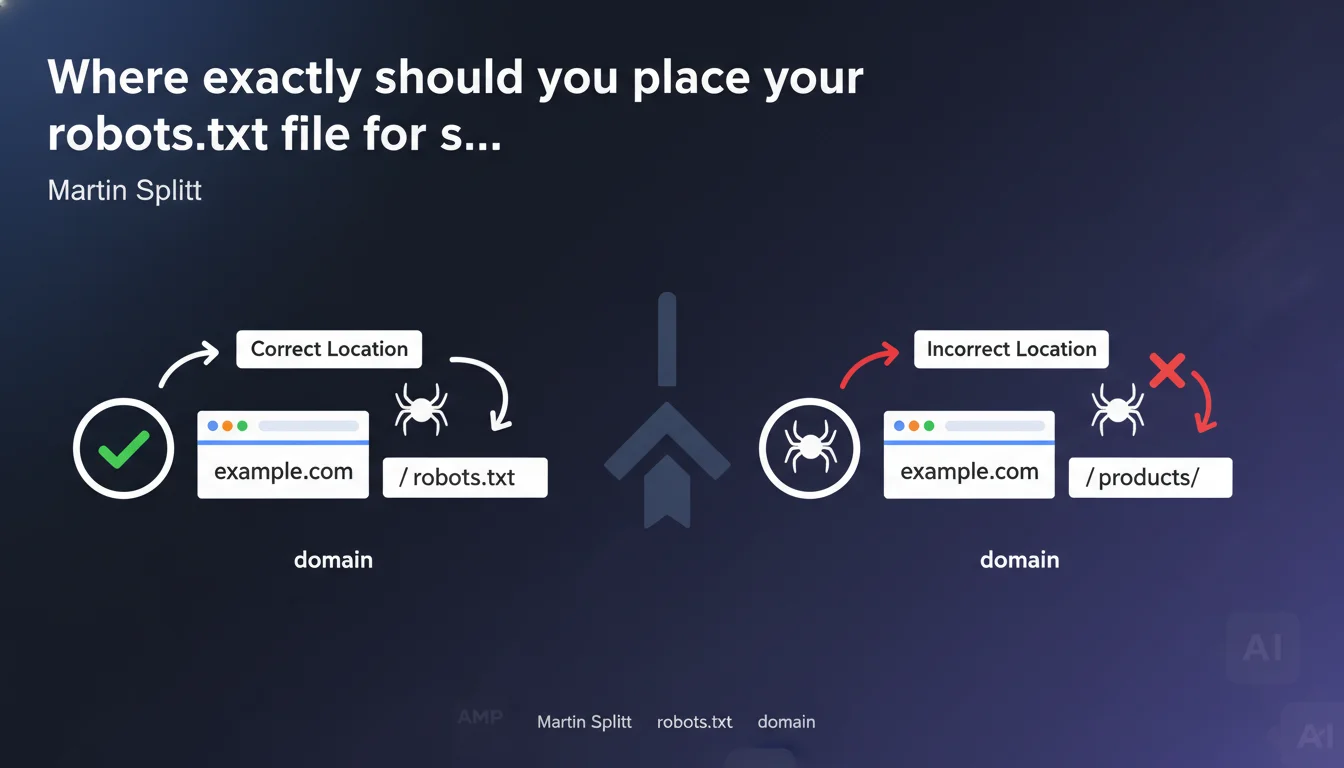
The robots.txt file must be placed at the root of your domain (example.com/robots.txt). Any other location, including in a subdirectory, will make the file invisible to search engines. This technical rule has no exceptions.
What you need to understand
Why can the robots.txt file only exist at the domain root?
The specifications of the robots exclusion protocol, defined back in 1994, enforce this constraint. When a crawler arrives on a site, it looks for the file in only one place: the root of the domain.
A robots.txt placed at example.com/blog/robots.txt or example.com/fr/robots.txt will simply be ignored. Googlebot will never scan these paths looking for crawl directives.
Does this rule apply to all subdomains?
Each subdomain is treated as a distinct domain. If you have blog.example.com, it requires its own robots.txt file at blog.example.com/robots.txt.
A robots.txt placed on example.com/robots.txt will have absolutely no effect on blog.example.com. The two entities are completely independent from a crawling perspective.
What are the consequences of incorrect placement?
The crawler will interpret the absence of robots.txt as total permission to crawl. All your Disallow directives will be completely ignored.
- Loss of control over crawl budget: sections you wanted to block will be explored
- Risk of indexing sensitive content: test pages, URL parameters, staging environments
- Wasted server resources: unoptimized crawling on areas with no SEO value
- Inability to declare the sitemap: the Sitemap directive in robots.txt will not be read
SEO Expert opinion
Is this technical rule as rigid as it appears?
Yes, with absolutely no wiggle room. Unlike other aspects of SEO where Google shows some flexibility, the placement of robots.txt falls under a strict protocol standard.
I've tested this across dozens of domains: a mispaced robots.txt is equivalent to its complete absence. No exceptions, no special cases where Google would look for it elsewhere "out of kindness."
Why does this error remain common despite its simplicity?
Several modern web architectures create confusion. Multilingual sites with directory structures (/fr/, /en/) lead some developers to want distinct robots.txt files per language — which doesn't work.
E-commerce platforms with multiple shops under the same domain also generate this error. example.com/shop-a/ and example.com/shop-b/ necessarily share the same root robots.txt.
What nuances should be added to this statement?
The only subtlety concerns subdomains. Many confuse directories and subdomains: example.com/mobile/ is a directory (same robots.txt), mobile.example.com is a subdomain (distinct robots.txt required).
For sites with complex architecture — multilingual, multi-country, multi-catalog — management quickly becomes complicated. A single robots.txt must manage all directives, which can rapidly become difficult to maintain and audit.
Practical impact and recommendations
How can you verify that your robots.txt is correctly placed?
The test is immediate: type yourdomain.com/robots.txt in a browser. If the file displays, the location is correct. If you get a 404, the file either doesn't exist or is mispaced.
Also use Search Console in Settings > robots.txt. Google will tell you if it detects a file and allows you to test URLs against your directives.
What should you do if your architecture requires different rules for different sections?
All your directives must be consolidated in a single root file. Structure it with clear comments to separate blocks by section or language.
If your need for granularity is truly important — controlling crawling differently depending on site zones — the solution involves conditional server-side rules or, better yet, using the robots meta tag in the pages concerned.
What mistakes should you absolutely avoid?
- Never create a robots.txt in a subdirectory thinking it will be recognized
- Don't forget that a subdomain requires its own robots.txt file
- Don't confuse HTTP availability (the file is accessible) with crawler recognition (only the root matters)
- Avoid redirects 301/302 on robots.txt — Google follows the redirect but it's bad practice that can create delays
- Verify that the file returns a 200 status code and text/plain Content-Type
❓ Frequently Asked Questions
Puis-je avoir plusieurs fichiers robots.txt sur différentes parties de mon domaine ?
Mon CMS génère automatiquement un robots.txt dans un sous-répertoire, que faire ?
Comment gérer un site multilingue avec un seul robots.txt ?
Un sous-domaine hérite-t-il du robots.txt du domaine principal ?
Que se passe-t-il si je redirige /robots.txt vers un autre emplacement ?
🎥 From the same video 12
Other SEO insights extracted from this same Google Search Central video · published on 04/12/2024
🎥 Watch the full video on YouTube →
💬 Comments (0)
Be the first to comment.