
Official statement
Other statements from this video 10 ▾
- □ Pourquoi Google impose-t-il trois rapports de performance distincts dans Search Console ?
- □ Faut-il vraiment filtrer vos données par type de recherche dans Search Console ?
- □ La navigation interne suffit-elle vraiment à garantir l'indexation de vos pages stratégiques ?
- □ Un CTR faible signifie-t-il vraiment que vos snippets manquent d'attractivité ?
- □ Pourquoi vos données Google News ne remontent-elles pas dans la Search Console ?
- □ Pourquoi Google Search Console masque-t-il les données de requêtes dans le rapport Google News ?
- □ Pourquoi le rapport Discover n'apparaît-il pas dans votre Search Console ?
- □ Pourquoi Google recommande-t-il une analyse SEO sur 16 mois minimum ?
- □ L'option Most Recent Date permet-elle vraiment de détecter les tendances en temps réel ?
- □ Pourquoi comparer Search, News et Discover change votre stratégie de contenu ?
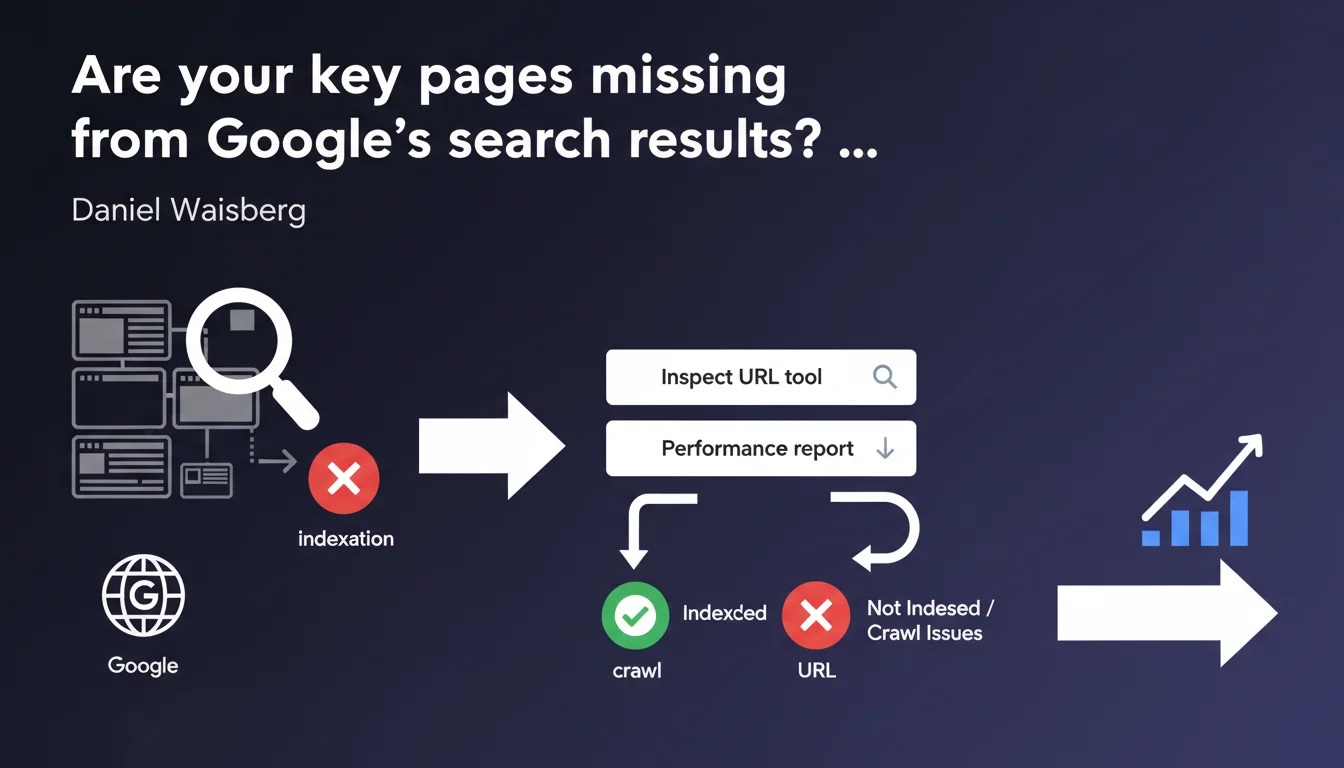
If your important pages don't appear in the Search Console Performance report, you have a serious indexation problem. Google recommends using the URL Inspection tool to diagnose whether the page is indexed and whether it can be crawled properly. The absence of these pages from the report means zero organic traffic — in other words, you're working for nothing.
What you need to understand
Google establishes here a basic diagnostic principle: the absence of pages in the Performance report is a symptom of failing indexation. No presence in this report = no organic traffic. It's binary.
The Performance report compiles data on clicks, impressions, and positions only for URLs that appear in search results. If your page doesn't show up there, either it's not indexed, or it's generating no impressions — which often amounts to the same problem.
Why do certain important pages disappear from the report?
Classic reasons: robots.txt blocking, active noindex tag, forced canonicalization to another URL, or content deemed too thin to be indexed. Google may also decide that a page doesn't have enough value to remain in its index.
More rarely, it's a crawl budget issue. If your strategic pages are buried 10 clicks deep from the homepage or lost in chaotic site architecture, Google may simply never discover them — or crawl them once per quarter.
What exactly does Google mean by "important pages"?
Google deliberately leaves this concept vague. For an e-commerce site, these are your bestselling product pages and main categories. For a media outlet, your pillar articles and editorial pages with high traffic potential.
In practice, you need to define your priority pages based on your business objectives: lead generation, conversions, ranking on strategic queries. If these pages are absent from the Performance report, you have a significant gap.
Is the URL Inspection tool really enough to diagnose the problem?
It's a first filter, not a magic solution. The tool will tell you whether the page is indexed, whether it's blocked by robots.txt, whether it contains a noindex tag, or if JavaScript rendering causes issues.
But it won't explain why Google chose not to index a page that technically "can" be indexed. It also won't tell you if your content is considered too thin or duplicate. It's a technical diagnosis, not a qualitative analysis.
- Absence from Performance report = confirmed indexation problem
- The URL Inspection tool detects technical blocks (robots.txt, noindex, rendering errors)
- It doesn't measure content quality or Google's algorithmic decisions
- Strategic pages should be defined according to your business objectives, not Google's
- Insufficient crawl budget can explain the absence of otherwise accessible pages
SEO Expert opinion
Is this statement consistent with real-world observations?
Yes, but with a major caveat: the Performance report doesn't display pages with zero impressions. If a page is indexed but doesn't appear on any query, it will be invisible in this report. You'll then have the illusion of an indexation problem when it's actually a relevance or visibility issue.
Concretely? A page can be perfectly indexed, crawled every week, but if it generates zero impressions in the SERPs, it will never appear in Performance. Google omits this detail in their statement — and it changes everything.
In which cases is this diagnostic method insufficient?
The inspection tool won't help you if the problem is semantic or competitive in nature. A technically perfect page but too weak in content, or facing overpowering competitors, will remain invisible — while still being indexed.
Similarly, if your page is victim to a targeted algorithmic penalty (such as thin content or spam), the tool won't flag it. It will confirm that the page is indexable, but won't explain why it's generating no traffic. [To verify]: Google provides no visibility into these algorithmic decisions via this tool.
Do you really need to manually monitor all "important" pages?
Let's be honest: if you have 500 strategic pages, manually inspecting each URL via Search Console isn't sustainable. You need to automate monitoring with third-party tools (Screaming Frog, OnCrawl, Botify) that cross-reference your server logs, sitemaps, and Search Console data.
Google gives you a one-off diagnosis. It's up to you to build comprehensive, proactive monitoring. Waiting for a page to disappear from the Performance report before reacting is already too late.
Practical impact and recommendations
What should you do concretely to detect these missing pages?
First step: map your priority pages. List the URLs that must absolutely generate organic traffic — main categories, flagship product pages, pillar content. Then export the URLs present in the Performance report and cross-reference the two lists.
The pages absent from the report are your blind spots. Inspect them one by one using the inspection tool to identify technical blocks. If no errors appear, you're probably facing a visibility or content quality problem.
What mistakes should you avoid during analysis?
Don't confuse "not indexed" with "not visible". A page can be indexed but never appear in the Performance report if it generates no impressions. Always verify indexation status via the dedicated tool, not just via the report.
Another classic trap: focusing only on technical errors. A page blocked by a noindex is easy to fix. A page indexed but invisible because the content is too thin or poorly targeted is far more complex — and it's often the real problem.
How can you proactively monitor the indexation of strategic pages?
Automate monitoring. Set up a weekly crawl with a tool like Screaming Frog or Sitebulb, and cross-reference results with Search Console API data. Create alerts if priority pages disappear from the Performance report.
You can also analyze your server logs to verify that Googlebot is actually crawling these pages regularly. If a strategic page hasn't been crawled in a month, you have a discoverability or architecture problem — even if it's technically indexable.
- List all your strategic pages and their status in the Performance report
- Inspect missing URLs using the Search Console URL Inspection tool
- Check for technical blocks: robots.txt, noindex, canonicalization, JavaScript rendering errors
- Analyze content quality if no technical errors are detected
- Automate monitoring with third-party tools and set up alerts
- Cross-reference crawl data with server logs to detect discoverability issues
- Re-evaluate site architecture if strategic pages are too deep in the hierarchy
Google's statement establishes a basic principle: monitoring the absence of strategic pages from the Performance report is an essential reflex. But diagnosis doesn't stop at the inspection tool — you need to cross-reference multiple data sources to identify the true cause.
If your important pages disappear or never appear, you're losing traffic and conversions. The problem can be technical, architectural, or qualitative — and often, it's a combination of all three. Manual monitoring quickly becomes unmanageable on medium-sized or large sites. These optimizations require specialized expertise and professional tools. If you consistently notice gaps between your priority pages and those actually indexed, working with a specialized SEO agency can help you structure effective monitoring and fix problems at the source, rather than navigating blind.
❓ Frequently Asked Questions
Une page peut-elle être indexée sans apparaître dans le rapport Performance ?
L'outil d'inspection d'URL détecte-t-il les problèmes de contenu faible ?
Faut-il surveiller manuellement chaque page importante ?
Combien de temps faut-il pour qu'une page réapparaisse après correction ?
Pourquoi des pages stratégiques ne sont-elles jamais crawlées ?
🎥 From the same video 10
Other SEO insights extracted from this same Google Search Central video · published on 23/05/2023
🎥 Watch the full video on YouTube →
💬 Comments (0)
Be the first to comment.