
Official statement
Other statements from this video 10 ▾
- □ Pourquoi Google impose-t-il trois rapports de performance distincts dans Search Console ?
- □ Comment identifier et résoudre les problèmes d'indexation sur vos pages stratégiques ?
- □ La navigation interne suffit-elle vraiment à garantir l'indexation de vos pages stratégiques ?
- □ Un CTR faible signifie-t-il vraiment que vos snippets manquent d'attractivité ?
- □ Pourquoi vos données Google News ne remontent-elles pas dans la Search Console ?
- □ Pourquoi Google Search Console masque-t-il les données de requêtes dans le rapport Google News ?
- □ Pourquoi le rapport Discover n'apparaît-il pas dans votre Search Console ?
- □ Pourquoi Google recommande-t-il une analyse SEO sur 16 mois minimum ?
- □ L'option Most Recent Date permet-elle vraiment de détecter les tendances en temps réel ?
- □ Pourquoi comparer Search, News et Discover change votre stratégie de contenu ?
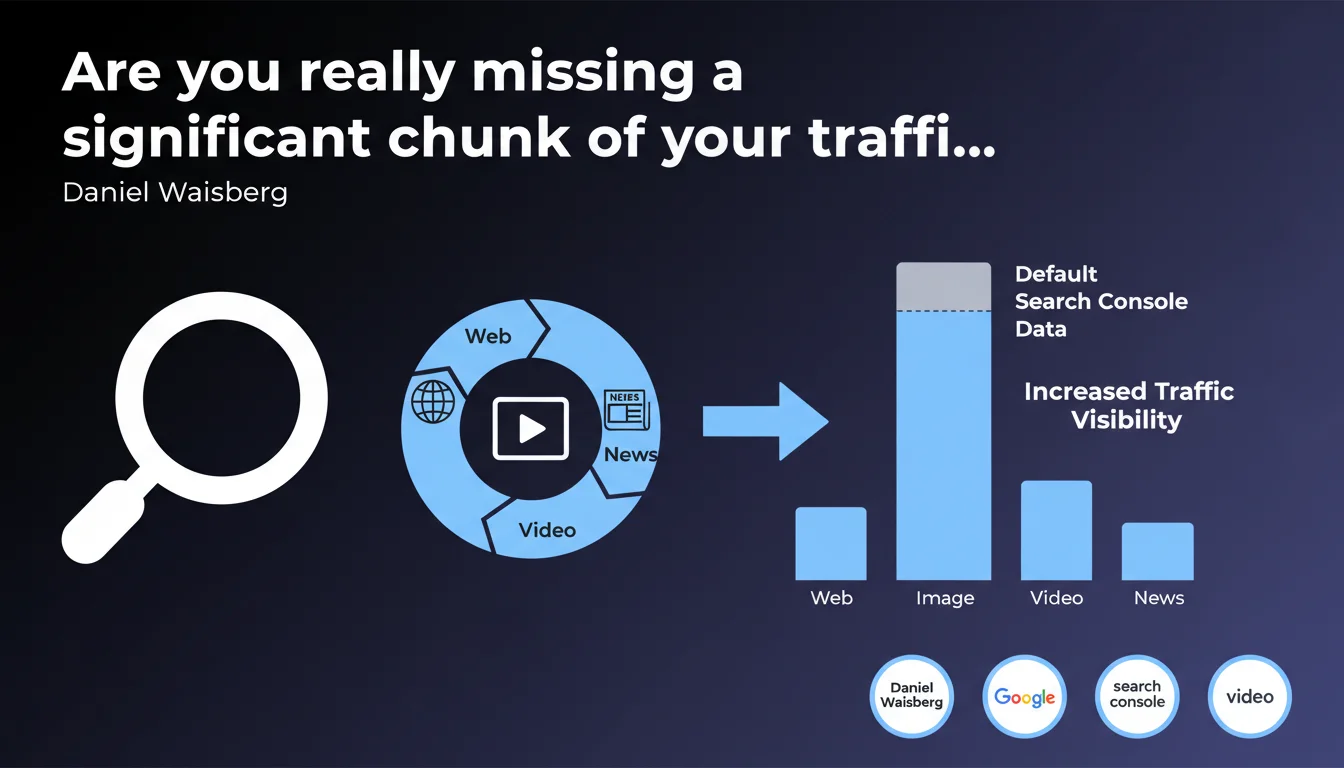
Google reminds us that the Search Console Performance report displays only Web tab data by default, but a filter lets you isolate Image, Video, or News performance separately. The bottom line: if you're not filtering, you're likely overlooking a substantial portion of your traffic and optimization opportunities.
What you need to understand
Why does Google limit the default view to Web results?
The Search Console Performance report displays classic Web tab data by default. This is a UX choice — most websites generate the bulk of their traffic from this tab.
But this default setting hides data from other tabs: Image, Video, and News. If your content performs in these verticals, you risk underestimating your actual visibility and missing optimization levers.
How do you access data filtered by search type?
In the Performance report, a dropdown menu labeled "Search type" lets you switch between Web, Image, Video, and News. Each filter displays impressions, clicks, CTR, and average position specific to that tab.
Data doesn't stack: filtering on "Image" excludes Web results. For a complete picture, you need to check each filter separately and cross-reference the insights.
Which sites benefit most from these alternative filters?
Any site publishing optimized images (e-commerce, portfolios, visual blogs) can leverage the Image filter. Video content publishers (YouTube, embedded Vimeo, native videos) should monitor the Video tab.
The News filter only applies to sites indexed in Google News. Without that indexation, this filter stays empty — no magic there.
- The Performance report shows only the Web tab by default
- Image, Video, and News data requires manual filtering
- Each search type has its own performance metrics
- Ignoring these filters means missing traffic opportunities
SEO Expert opinion
Is this feature really being used by SEO professionals?
Let's be honest: many practitioners stick with the default Web view. That's unfortunate, because some sites pull 30-40% of their organic traffic from Image or Video tabs — without even knowing it.
The issue? Google doesn't highlight these filters. No notifications, no alerts when content performs elsewhere. Result: optimization opportunities slip under the radar.
Are the metrics from different tabs always reliable?
The numbers are generally consistent, but watch out: the average CTR in Image isn't comparable to Web results. A 2% CTR in Image results can be excellent, while it would be poor in standard Web results.
[Worth verifying]: Google doesn't clearly document how certain hybrid impressions (featured snippets with images, video carousels in Web SERPs) are counted. When a video appears in both Web results and the Video tab, is the impression duplicated? The ambiguity persists.
In which cases do these filters deliver real added value?
For an e-commerce site with a large visual catalog, the Image filter often reveals long-tail queries overlooked in standard Web analysis. Same goes for video publishers: some videos explode in the Video tab without generating significant Web traffic.
However, for a purely text-based site (corporate blog, institutional website), these filters remain empty. No content equals no data. That's logical.
Practical impact and recommendations
What should you actually do to leverage this data?
Start by auditing each search type in Search Console. Filter on Image: which visual assets generate impressions? What keywords trigger your images? Apply the same logic to Video and News.
Next, cross-reference these metrics with your business goals. If the Image tab generates 20% of your impressions but 5% of your clicks, that's a signal: your images are visible but not compelling enough (or poorly optimized for click-throughs).
What priority optimizations follow from this?
For Image: review your alt tags, filenames, ImageObject structured data, and image relevance to queries. Low Image CTR might simply point to uninspiring thumbnails.
For Video: ensure your videos are properly tagged (VideoObject schema, transcripts, chapters), and that the thumbnail shown in SERPs compels clicks.
How do you weave these insights into your overall SEO strategy?
Build a dedicated dashboard that aggregates Web + Image + Video performance. Compare month-to-month trends. Pinpoint content that excels exclusively in one tab: these are candidates for cross-promotion (for example, a video crushing it in the Video tab could get better visibility in your Web articles).
- Filter each search type in Search Console at least once monthly
- Identify queries and content specific to each tab
- Optimize tags, metadata, and structured data by content type
- Compare CTR and positions across different tabs
- Cross-check these findings with Analytics to measure real traffic contribution
❓ Frequently Asked Questions
Les impressions dans l'onglet Image comptent-elles autant que celles dans Web ?
Peut-on exporter les données filtrées par type de recherche ?
Si je n'ai aucune donnée dans l'onglet Vidéo, est-ce un problème ?
Le filtre News fonctionne-t-il pour tous les sites ?
Dois-je optimiser séparément pour chaque type de recherche ?
🎥 From the same video 10
Other SEO insights extracted from this same Google Search Central video · published on 23/05/2023
🎥 Watch the full video on YouTube →
💬 Comments (0)
Be the first to comment.