
Official statement
Other statements from this video 9 ▾
- □ Do Search Console grouped exports to BigQuery really replace the Search Analytics API?
- □ Does Google's bulk export finally unlock all the performance metrics you've been missing?
- □ Did you know Google counts only one impression when multiple pages from your site appear in the same search results?
- □ Why does Google use 0 as the topmost position in Search Console data?
- □ How does Google's searchdata_url_impression table break down your search performance data?
- □ Why does Google anonymize certain URLs in your Discover data, and what does it mean for your SEO strategy?
- □ Are you missing out on rich snippet opportunities? How to master search appearance fields and dominate your SERP real estate?
- □ Why does Google require aggregation functions when analyzing Search Console data?
- □ Should you really limit queries by date in Search Console to optimize your performance?
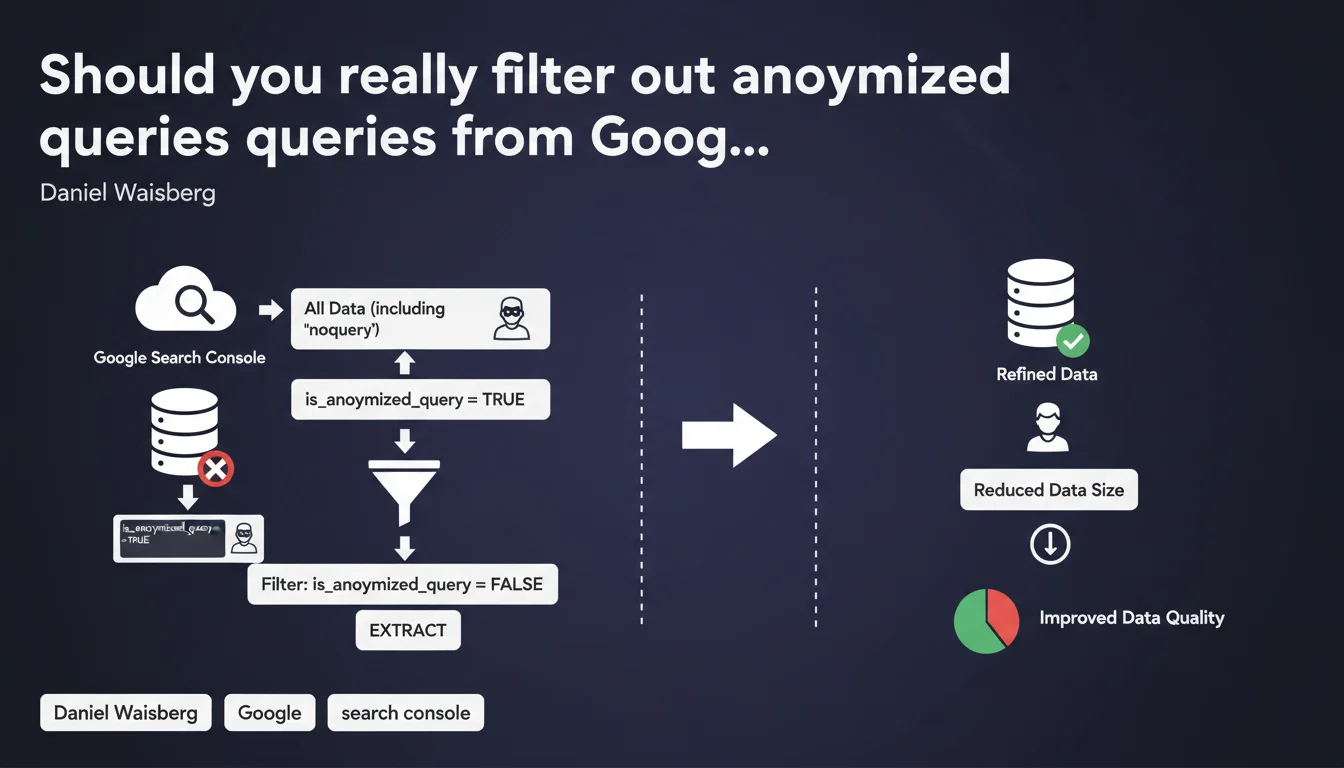
Google recommends filtering 'noquery' strings in Search Console by excluding data where is_anonymized_query is true. This practice drastically reduces the size of data exports and improves the reliability of performance analyses. In practice, ignoring these anonymized rows prevents your reports from being cluttered with unusable data.
What you need to understand
What do these anonymized queries really represent?
Google anonymizes certain queries in Search Console to protect user privacy. When a query is too infrequent or contains sensitive information, it appears as an empty string or is marked as anonymized via the is_anonymized_query = true field.
These rows provide absolutely no analytical value — it's impossible to know what the original query was. They artificially inflate your exports without giving you any optimization leads.
Why is Google pushing this recommendation now?
The size of Search Console exports can become problematic when dealing with large volumes via the API. Anonymized queries often represent 15 to 30% of the raw dataset, sometimes more on certain sites.
Filtering at extraction time — rather than afterwards in your tools — reduces bandwidth consumption, accelerates processing and prevents you from maxing out your API call quotas. It's basic technical optimization but far too often overlooked.
How do I identify these queries in my current exports?
If you're extracting via the Search Console API, the is_anonymized_query field is available in the JSON response. Value false = usable query. Value true = garbage.
In the classic web interface, these queries simply appear as empty rows or generic mentions. You can't filter them directly in the interface — which is why using the API to clean at the source makes sense.
- Anonymized queries represent 15 to 30% of raw volume on average
- The is_anonymized_query field enables clean filtering on the API side
- Filtering at extraction reduces file size and accelerates processing
- The web interface doesn't allow this filtering — the API is essential
SEO Expert opinion
Does this recommendation reflect an evolution in Google's practices?
Not really. Query anonymization has existed in Search Console for years. What's changing is that Google is now documenting explicitly how to filter this data on the user side.
It's rather revealing of a problem: many SEOs and agencies continue to extract all data without questioning its relevance. The result? Polluted dashboards, biased analyses and unnecessary API costs.
Can you really trust this filtering without losing critical information?
Yes, with absolutely no risk. Queries marked as anonymized are definitively unusable — you'll never recover the missing information. Filtering these rows removes no useful data.
The only edge case: if you're trying to measure total impressions across all queries, including those Google refuses to reveal. But this aggregated figure is already available elsewhere in the console, no need to drag empty rows everywhere.
Are there pitfalls to avoid when implementing this?
Be careful not to confuse anonymized queries with rare long-tail queries. A rare but visible query in Search Console remains usable — don't remove it.
Another classic pitfall: some third-party tools or custom scripts don't natively handle the is_anonymized_query field. If your extraction pipeline is several years old, [verify] that it supports this filter properly or update it.
Practical impact and recommendations
How do I implement this filter in my API extractions?
If you're using the Search Console API (v1), simply add a filtering clause in your code after receiving the data. For example in Python: df = df[df['is_anonymized_query'] == False] if you're working with pandas.
Some advanced connectors (Google Sheets add-ons, Looker Studio, etc.) allow you to configure this filter directly in the extraction settings. Check their documentation — the time savings are immediate.
What mistakes should you avoid when cleaning data?
Never delete rows solely because the query column is empty. Some legitimate data may have an unreported query for other technical reasons (temporary bugs, version transitions, etc.).
Always rely on the is_anonymized_query field rather than heuristics on string content. It's the only reliable source of truth provided by Google.
What should you verify after enabling the filter?
Compare total click/impression volume before and after filtering. The difference should correspond to the weight of anonymized queries — typically 15 to 30% of raw volume.
If you notice a much larger drop, you probably have an issue with your filtering logic. Audit your code and verify that you're not accidentally removing usable data.
- Verify that your Search Console API version returns the is_anonymized_query field
- Add an is_anonymized_query = false filter right at data extraction
- Compare volumes before/after to validate the impact (expected: -15 to -30%)
- Update your dashboards and reports to reflect this new clean baseline
- Document this methodology change to avoid team confusion
❓ Frequently Asked Questions
Est-ce que filtrer les requêtes anonymisées va réduire mes volumes de trafic reportés ?
Le champ is_anonymized_query est-il disponible dans toutes les versions de l'API Search Console ?
Peut-on récupérer les requêtes anonymisées en contactant Google ?
Faut-il filtrer les requêtes anonymisées avant ou après l'import dans un outil d'analyse ?
Ce filtrage a-t-il un impact sur les audits SEO ou les rapports clients ?
🎥 From the same video 9
Other SEO insights extracted from this same Google Search Central video · published on 01/06/2023
🎥 Watch the full video on YouTube →
💬 Comments (0)
Be the first to comment.