
Official statement
Other statements from this video 9 ▾
- □ Do Search Console grouped exports to BigQuery really replace the Search Analytics API?
- □ Does Google's bulk export finally unlock all the performance metrics you've been missing?
- □ Did you know Google counts only one impression when multiple pages from your site appear in the same search results?
- □ Why does Google use 0 as the topmost position in Search Console data?
- □ How does Google's searchdata_url_impression table break down your search performance data?
- □ Why does Google anonymize certain URLs in your Discover data, and what does it mean for your SEO strategy?
- □ Are you missing out on rich snippet opportunities? How to master search appearance fields and dominate your SERP real estate?
- □ Why does Google require aggregation functions when analyzing Search Console data?
- □ Should you really filter out anonymized queries from Google Search Console to boost your data quality?
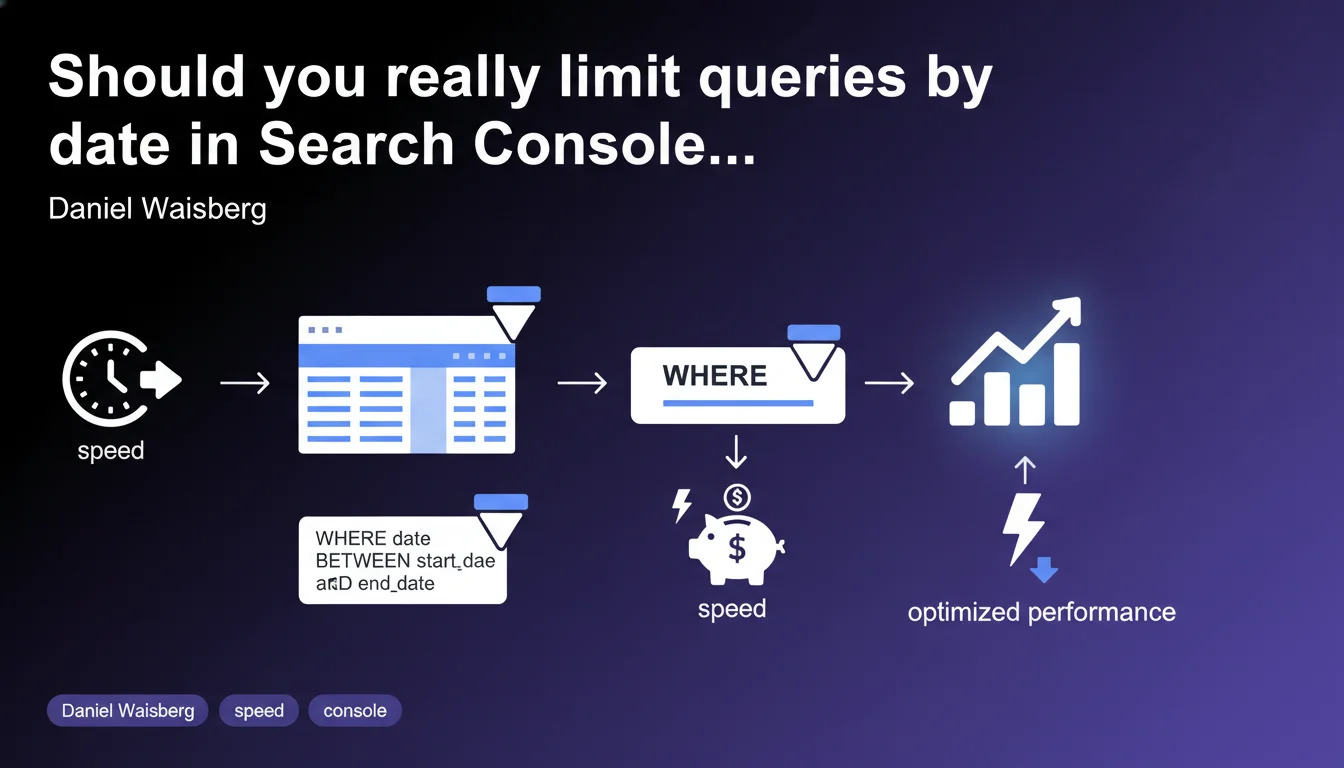
Google recommends systematically restricting date ranges when querying Search Console via a WHERE clause on the partitioned table. Goal: accelerate processing and reduce server costs. For practitioners leveraging the API or BigQuery Export, this is a technical optimization to implement right now.
What you need to understand
Why does Google impose this time range limitation?
The Search Console data structure relies on tables partitioned by date. When you run a query without time restrictions, the system must scan all historical partitions — which multiplies processing time and server load.
By adding a WHERE clause that targets a specific date window, you force the engine to query only the relevant partitions. Concretely, instead of scanning 24 months of data to analyze the last 7 days, you only touch 7 partitions.
Who is this recommendation really aimed at?
This directive primarily targets users of the Search Console API and those leveraging the BigQuery Export. If you're simply browsing the standard web interface, Google already applies default filters — you're not directly affected.
Teams that automate data extraction or cross Search Console with other sources in BigQuery must integrate this constraint into their scripts and ETL pipelines.
What concrete gains can you expect?
Google mentions query acceleration and cost savings. On BigQuery, every scanned byte is billed — a poorly bounded query can quickly become expensive if it runs multiple times daily.
Performance-wise, the difference can be dramatic: an unfiltered query over 18 months takes 10 to 30 seconds, whereas a bounded query over 30 days returns results in 2-3 seconds. For real-time dashboards or automated audits, this is decisive.
- Restricting date ranges drastically reduces the volume of data scanned
- Using a WHERE clause on the partitioned table is mandatory to optimize BigQuery costs
- This optimization mainly concerns API or BigQuery usage, not the standard web interface
- Gains are measurable: response time divided by 5 to 10, costs reduced proportionally
SEO Expert opinion
Is this recommendation aligned with field-observed practices?
Absolutely. Everyone working regularly with BigQuery and Search Console knows that unbounded queries cause problems. It's a basic rule in BigQuery analytics — not SEO-specific.
The surprise is that Google officially reminds us of this. This likely means a significant number of users are still running open queries, unnecessarily saturating resources.
What nuances should you consider with this directive?
Google says to limit "as much as possible" — intentionally vague. There are cases where you must analyze longer periods: seasonality detection, year-over-year comparisons, multi-year trend analysis.
In these situations, the solution isn't to avoid the query, but to segment it intelligently. Rather than a single 24-month query, run 24 monthly queries and aggregate the results. It's more complex to code, but stays within the spirit of the recommendation.
[To verify]: Google doesn't specify if strict limits exist on the API side. We know BigQuery bills by volume scanned, but no official documentation indicates a technical threshold beyond which a query would be rejected or throttled.
Are there risks to ignoring this recommendation?
On BigQuery, the risk is financial and direct. If your scripts run in loops without temporal filtering, your monthly bill can explode — especially if you have a high-traffic site with rich histories.
On the Search Console API side, daily quotas are generous but not unlimited. Heavy repeated queries can bring you closer to the limit, especially if you manage multiple properties.
Practical impact and recommendations
What do you need to concretely change in your scripts and queries?
Systematically add a WHERE clause on the date field in your BigQuery queries. Example: WHERE data_date BETWEEN '2023-01-01' AND '2023-01-31'. This single line forces BigQuery to scan only the relevant partitions.
If you're using the Search Console API, always specify the startDate and endDate parameters in your queries. Never leave these fields empty or with overly broad default values.
How do you verify that your queries are properly optimized?
On BigQuery, check the Job History tab after each query. Look at the "Bytes processed" column: if it shows several GB for a simple weekly extraction, that's a bad sign.
Compare two versions of the same query — one with temporal filter, one without. The gap in bytes scanned and execution time will give you an objective measure of the gain.
What common mistakes should you avoid when implementing this optimization?
Don't fall into the post-scan filter trap. Some developers add a temporal filter in the SELECT or via a HAVING — too late, BigQuery has already scanned all partitions. The WHERE must directly target the partitioning field.
Another common mistake: using date transformation functions in the WHERE (ex: WHERE EXTRACT(YEAR FROM data_date) = 2023). This breaks partition optimization. Prefer direct comparisons with date literals.
- Systematically add a WHERE clause on the date field in all BigQuery Search Console queries
- Specify startDate and endDate in every API call, even for recurring extractions
- Audit your existing scripts and measure data volume scanned before/after optimization
- Favor short intervals (7-30 days) and aggregate results on the application side if you need longer-term data
- Check in BigQuery Job History that the scanned volume matches the requested range
- Document this constraint in your internal guidelines so all new queries follow this rule
❓ Frequently Asked Questions
Cette limitation s'applique-t-elle aussi à l'interface web de Search Console ?
Quelle est la plage de dates optimale à utiliser dans mes requêtes ?
Est-ce que cette optimisation impacte la fiabilité des données ?
Que se passe-t-il si je ne filtre pas mes requêtes BigQuery ?
Peut-on automatiser l'ajout de ces filtres dans des scripts existants ?
🎥 From the same video 9
Other SEO insights extracted from this same Google Search Central video · published on 01/06/2023
🎥 Watch the full video on YouTube →
💬 Comments (0)
Be the first to comment.