
Official statement
Other statements from this video 9 ▾
- □ Les exports groupés Search Console vers BigQuery remplacent-ils vraiment l'API Search Analytics ?
- □ L'export groupé Search Console révèle-t-il enfin toutes les métriques de performance ?
- □ Pourquoi la Search Console ne compte-t-elle qu'une seule impression quand deux de vos pages apparaissent dans la même SERP ?
- □ Pourquoi la position 0 dans Search Console désigne-t-elle la position la plus haute ?
- □ Pourquoi Google anonymise-t-il certaines URLs dans les données Discover de la Search Console ?
- □ Comment exploiter les champs d'apparence de recherche pour optimiser sa visibilité dans les SERP ?
- □ Pourquoi Google impose-t-il l'usage de fonctions d'agrégation dans Search Console ?
- □ Faut-il vraiment limiter les requêtes par date dans Search Console pour optimiser ses performances ?
- □ Pourquoi faut-il impérativement filtrer les requêtes anonymisées dans Google Search Console ?
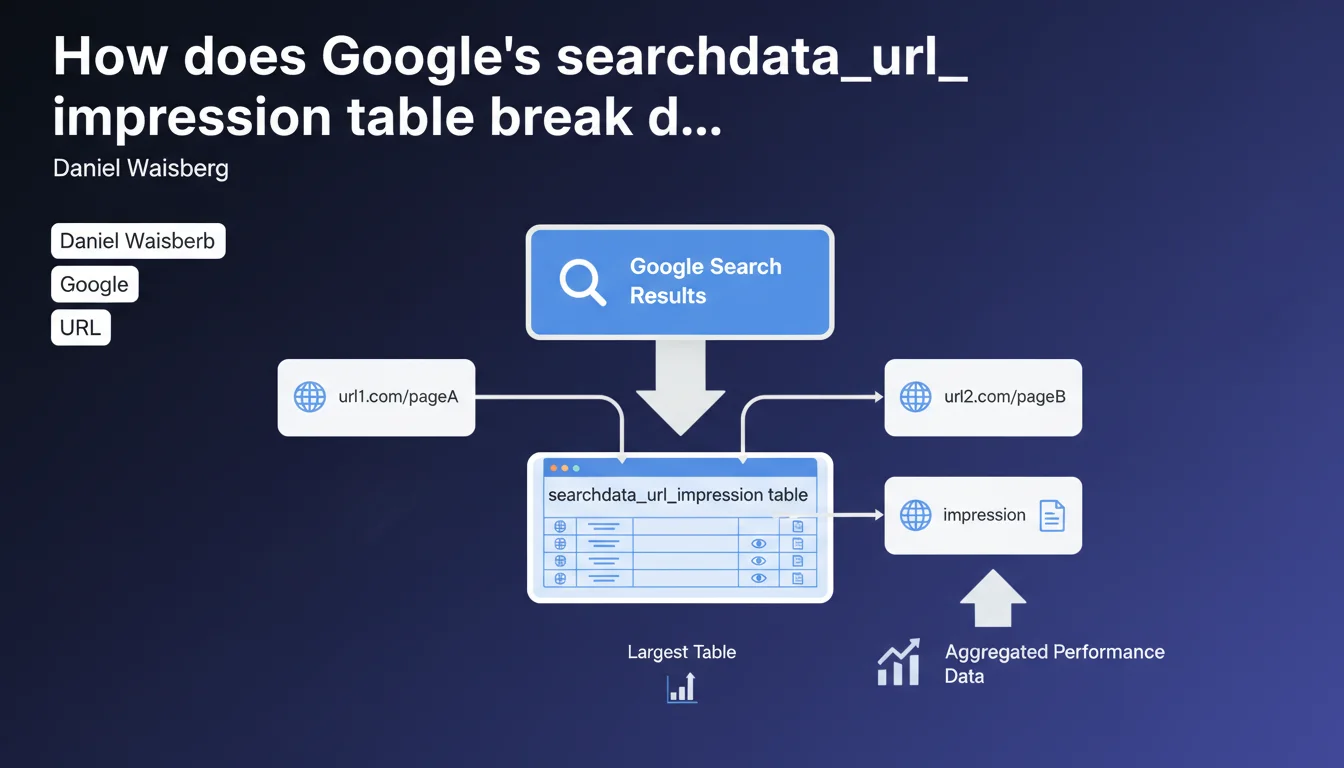
The searchdata_url_impression table in BigQuery aggregates performance data by individual URL rather than by site. In practical terms, if two pages from the same website appear in a single search result, each one generates a separate impression. This is the largest of the three available tables.
What you need to understand
What's the fundamental difference from site-level aggregation?
URL-level aggregation means that each page is treated as an independent entity in your performance data. Unlike a site-level view where metrics are consolidated at the domain level, here each URL maintains its own statistics.
This granularity lets you identify precisely which pages drive organic traffic — but it also multiplies the volume of data you need to process. That's why this table is significantly larger than the other two.
What happens when multiple pages from the same site appear together?
The mechanism is straightforward: each visible URL counts as a separate impression. If your site ranks three results on the same SERP, you get three distinct impressions in the table.
This differs from traditional counting where a single SERP might be seen as one opportunity. Here, Google recognizes that each URL has its own performance and its own click potential.
Why is this the largest of the three tables?
The answer lies in the level of detail. Every combination of URL + query + country + device generates a separate row of data. On a site with thousands of indexed pages and millions of queries, this explodes quickly.
The other two tables (site and property) aggregate more data, so they contain fewer rows. But this URL table offers the most precise view — at the cost of substantial volume.
- Granularity is at the individual URL level, not the site level
- Each page visible in a SERP generates its own impression
- Data volume is proportional to indexed pages × queries × dimensions
- This table enables the finest-grained analysis of organic performance page by page
SEO Expert opinion
Does this aggregation logic create interpretation problems?
Let's be frank: counting each URL separately can distort certain analyses if you're not careful. A site that consistently places 2-3 results per SERP will see its impressions artificially inflated.
The risk? Overestimating your actual visibility. A query that displays three of your pages counts as three impressions — but it's still the same SERP, the same traffic opportunity. To measure true SERP coverage, this metric alone isn't enough.
How does this table compare to standard Search Console data?
The numbers should match between BigQuery and GSC — but with a latency difference. BigQuery can lag several days behind real-time console data.
However, BigQuery enables complex SQL queries that GSC cannot: cross multiple dimensions, calculate custom metrics, export data at scale. That's where this table really proves its value — not in basic reporting.
What are the practical limitations of this approach?
Volume is one. An e-commerce site with 100,000 indexed products can generate billions of rows in this table. Querying it without optimization = high costs and slow queries.
Second limitation: this granularity says nothing about user behavior after the click. You know which URL got the impression, but not whether it was the most relevant or if the user bounced. For that, you need to cross-reference with Analytics — which this table alone doesn't provide.
Practical impact and recommendations
How do you effectively leverage this table in BigQuery?
First step: define strict filters. Don't try to query the entire table at once. Segment by date range, site section, traffic tier. Broad queries cost more and often time out.
Use materialized views to pre-aggregate frequently accessed data. Calculate totals by section, category, content type — and store them. Then query these views instead of the raw table.
- Partition your queries by date to limit data scanning
- Create indexes on URL and query columns if your system supports it
- Cross-reference this table with your Analytics data to enrich analysis
- Monitor BigQuery costs — a poorly optimized query can rack up expenses quickly
- Export aggregations to a lighter data warehouse for daily reporting
What errors should you avoid when analyzing this data?
Don't confuse URL impressions with SERP impressions. If you want to know how many unique queries your site appears in, you need to deduplicate by query, not simply sum impressions.
Also watch out for canonical URLs vs. actual URLs. Google may count an impression on a URL variant (parameters, trailing slash) while you think you're analyzing the canonical page. Clean your URLs before aggregating.
Do you really need BigQuery or is Search Console enough?
Standard Search Console works perfectly for daily monitoring and spot audits. BigQuery becomes essential when you need to cross multiple dimensions, analyze long-term history, or automate complex reports.
Practically speaking? If you manage fewer than 10,000 pages and your needs stay straightforward, GSC is more than adequate. Beyond that, or if you're doing programmatic SEO at scale, BigQuery becomes necessary.
❓ Frequently Asked Questions
La table searchdata_url_impression inclut-elle toutes les URLs du site ?
Peut-on identifier les cannibalisations de mots-clés avec cette table ?
Les impressions comptent-elles même si l'URL n'est pas cliquée ?
Cette table inclut-elle les données des featured snippets et autres SERP features ?
Combien de temps les données sont-elles conservées dans BigQuery ?
🎥 From the same video 9
Other SEO insights extracted from this same Google Search Central video · published on 01/06/2023
🎥 Watch the full video on YouTube →
💬 Comments (0)
Be the first to comment.