
Official statement
Other statements from this video 9 ▾
- □ L'export groupé Search Console révèle-t-il enfin toutes les métriques de performance ?
- □ Pourquoi la Search Console ne compte-t-elle qu'une seule impression quand deux de vos pages apparaissent dans la même SERP ?
- □ Pourquoi la position 0 dans Search Console désigne-t-elle la position la plus haute ?
- □ Comment la table searchdata_url_impression agrège-t-elle les données de performance dans Google Search Console ?
- □ Pourquoi Google anonymise-t-il certaines URLs dans les données Discover de la Search Console ?
- □ Comment exploiter les champs d'apparence de recherche pour optimiser sa visibilité dans les SERP ?
- □ Pourquoi Google impose-t-il l'usage de fonctions d'agrégation dans Search Console ?
- □ Faut-il vraiment limiter les requêtes par date dans Search Console pour optimiser ses performances ?
- □ Pourquoi faut-il impérativement filtrer les requêtes anonymisées dans Google Search Console ?
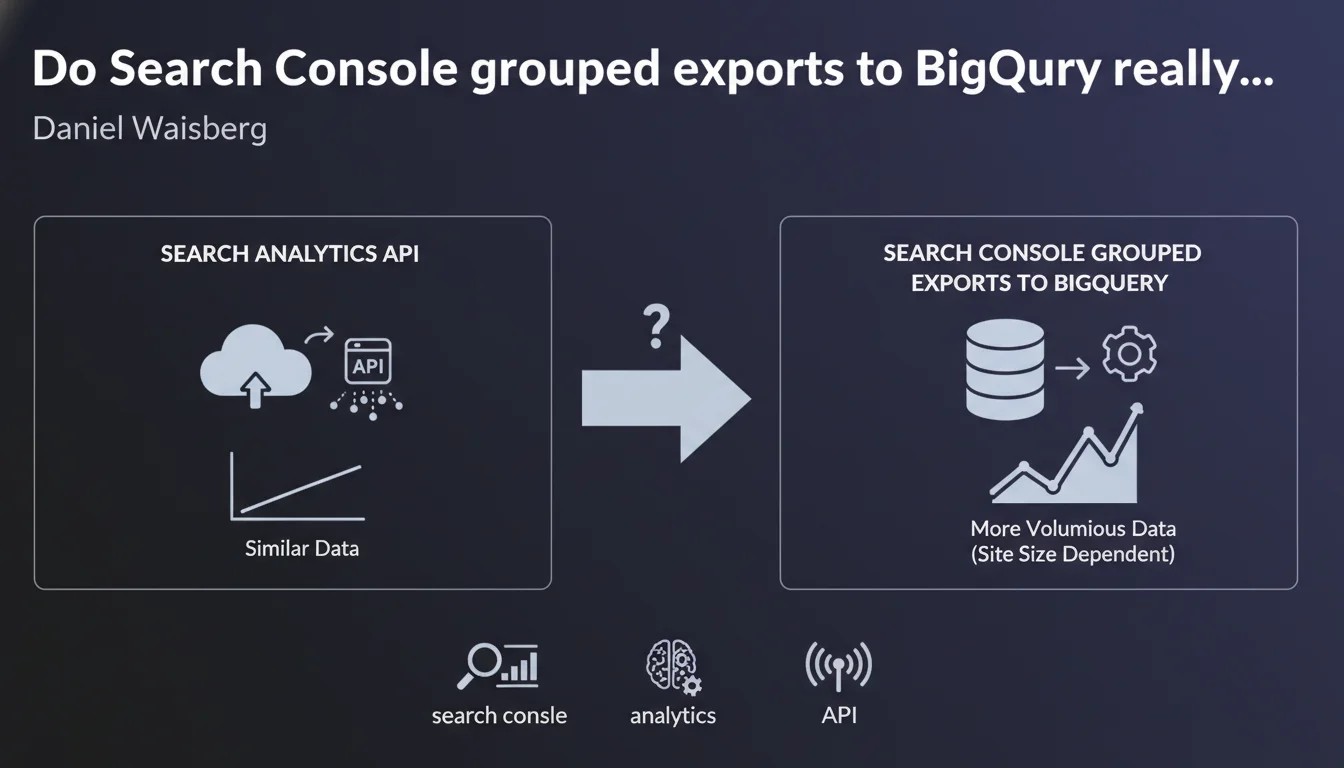
Google confirms that data from Search Console grouped exports to BigQuery is similar to Search Analytics API data, but potentially with much higher volume for large sites. In practical terms, this opens the door to much more advanced analysis without the usual API limitations.
What you need to understand
What's the difference between the Search Analytics API and BigQuery exports?
The Search Analytics API allows you to retrieve Search Console performance data (queries, clicks, impressions, CTR, position) programmatically. The problem: it imposes strict limits — 5,000 rows per request, 25,000 rows maximum per day, and a history capped at 16 months.
Grouped exports to BigQuery, on the other hand, dump the entire raw Search Console data into a massive data warehouse. No arbitrary ceiling, no artificial limitations on the number of queries you can analyze. For a large site generating millions of impressions, it's a paradigm shift.
Are these data really identical?
Daniel Waisberg says "very similar," not "identical." Important distinction. The basic dimensions and metrics (queries, URLs, devices, countries, clicks, impressions, CTR, position) are the same. But the structure can differ — for example, BigQuery data comes in raw tables with more temporal granularity.
Furthermore, BigQuery stores data aggregated at the daily level, whereas the API allows views aggregated over different periods. In practice, you have access to the same insights, but with more analysis flexibility on the BigQuery side.
Why is this potentially higher volume so crucial?
The Search Analytics API applies a privacy threshold filter: Google masks rare queries to protect user anonymity. As a result, a significant portion of the long tail disappears from API reports.
With BigQuery, you retrieve a much higher volume of queries — not necessarily all of them, but a much larger proportion of the long tail. For a site with hundreds of thousands of organic queries, this means access to a much more complete SEO mapping.
- Search Analytics API: limited to 5,000 rows/request, 25,000 rows/day, 16-month history
- BigQuery exports: nearly unlimited volume, raw daily data, no arbitrary ceiling
- Granularity: BigQuery preserves more long-tail details than the API
- Use cases: essential for large sites that exceed standard API limits
SEO Expert opinion
Is this statement consistent with on-the-ground observations?
Yes, and it's actually an understatement. SEO practitioners who've tested BigQuery exports observe a massive gap between the number of queries visible through the Search Console interface (or API) and those available in BigQuery. We're sometimes talking 2 to 3 times more exploitable data lines.
Let's be honest: this "similarity" masks a more complex reality. The metrics are the same, sure, but the actual accessible volume makes all the difference. Google somewhat downplays the scope of the gain. For a medium-sized site, the API is sufficient. For a large site, BigQuery becomes essential.
What nuances should we add?
First point: BigQuery isn't free. Google offers a generous monthly quota (1 TB of free queries), but once you start crossing multiple dimensions over long histories, costs can climb quickly. Budget for infrastructure, especially for large accounts.
Second point: BigQuery export requires SQL skills and data manipulation expertise. The Search Analytics API can be consumed through simple third-party tools (Data Studio, Google Sheets with connectors). BigQuery is another league — you're working with raw tables, complex aggregations, massive data processing. [To verify]: Google doesn't provide ready-made analysis templates; you have to build everything yourself.
Third nuance: data availability latency. The Search Analytics API displays data with approximately 2-3 days of delay. BigQuery exports can sometimes take a bit longer — not dramatic, but something to anticipate if you want near-real-time dashboards.
In what cases doesn't this solution apply?
For a site generating fewer than 50,000 organic queries per month, the Search Analytics API is more than sufficient. No need to deploy a BigQuery infrastructure to retrieve data that the standard interface or tools like Looker Studio already consume well.
Another case: if you have no one in-house capable of manipulating SQL or building data pipelines, BigQuery will remain unused. Better to invest in third-party tools that aggregate API data in a more accessible way — or bring in an SEO data consultant to structure the extraction.
Practical impact and recommendations
What concretely needs to be done to leverage these exports?
First step: enable grouped exports in Search Console. Go to Settings > Grouped Exports, connect a Google Cloud project with BigQuery enabled. The export starts within 24-48 hours and updates daily. Nothing complicated, but it assumes you have a configured GCP project.
Next, build your SQL queries to extract the metrics you're interested in. For example, to track long-tail evolution, you can cross the query, url, date dimensions and aggregate clicks and impressions. BigQuery tables are structured by day, so anticipate temporal joins if you're analyzing multiple months.
Finally, integrate this data into your dashboards. Looker Studio connects natively to BigQuery, but watch out for expensive queries: prefer materialized views or intermediate aggregated tables to limit compute costs.
What mistakes should you avoid during implementation?
Don't underestimate storage and query costs. BigQuery charges based on the amount of data scanned by each query. If you run poorly optimized queries over several years of history, you can quickly exceed free quotas. Always add date filters and partition your tables.
Another trap: not versioning your SQL queries. You'll iterate, refine, fix errors. Keep a record of your scripts in a Git repo or shared folder, otherwise you'll waste time rebuilding analyses you've already done.
Finally, watch out for data duplication. If you cross multiple dimensions (query + url + country + device), the volume of rows explodes. Regularly verify your table sizes and apply retention strategies — you don't need to keep daily granularity over 3 years if a monthly aggregation suffices.
How do you verify the export is working correctly?
Compare the aggregated totals between the Search Console interface and your BigQuery queries. Over a given period, the sum of clicks and impressions should be consistent. Minor discrepancies (a few percent) are normal because of privacy thresholds, but a 20-30% gap signals a problem.
Also verify data freshness. BigQuery exports update daily, but a delay of several days can indicate a configuration or GCP quota issue. Monitor export logs in the Google Cloud console.
- Enable grouped exports in Search Console (Settings > Grouped Exports)
- Configure a Google Cloud project with BigQuery and monitor quotas
- Build optimized SQL queries with date filters and partitioning
- Compare aggregated totals with the Search Console interface to validate consistency
- Integrate data into dashboards (Looker Studio, Tableau, etc.)
- Version SQL scripts and document aggregations
- Plan a data retention strategy to limit storage costs
❓ Frequently Asked Questions
Les exports BigQuery remplacent-ils complètement l'API Search Analytics ?
Quel est le coût réel d'utilisation de BigQuery pour un site moyen ?
Peut-on récupérer l'historique complet d'un site via BigQuery ?
BigQuery donne-t-il accès à des métriques absentes de l'API ?
Faut-il des compétences techniques pour exploiter ces exports ?
🎥 From the same video 9
Other SEO insights extracted from this same Google Search Central video · published on 01/06/2023
🎥 Watch the full video on YouTube →
💬 Comments (0)
Be the first to comment.