
Official statement
Other statements from this video 9 ▾
- □ Les exports groupés Search Console vers BigQuery remplacent-ils vraiment l'API Search Analytics ?
- □ Pourquoi la Search Console ne compte-t-elle qu'une seule impression quand deux de vos pages apparaissent dans la même SERP ?
- □ Pourquoi la position 0 dans Search Console désigne-t-elle la position la plus haute ?
- □ Comment la table searchdata_url_impression agrège-t-elle les données de performance dans Google Search Console ?
- □ Pourquoi Google anonymise-t-il certaines URLs dans les données Discover de la Search Console ?
- □ Comment exploiter les champs d'apparence de recherche pour optimiser sa visibilité dans les SERP ?
- □ Pourquoi Google impose-t-il l'usage de fonctions d'agrégation dans Search Console ?
- □ Faut-il vraiment limiter les requêtes par date dans Search Console pour optimiser ses performances ?
- □ Pourquoi faut-il impérativement filtrer les requêtes anonymisées dans Google Search Console ?
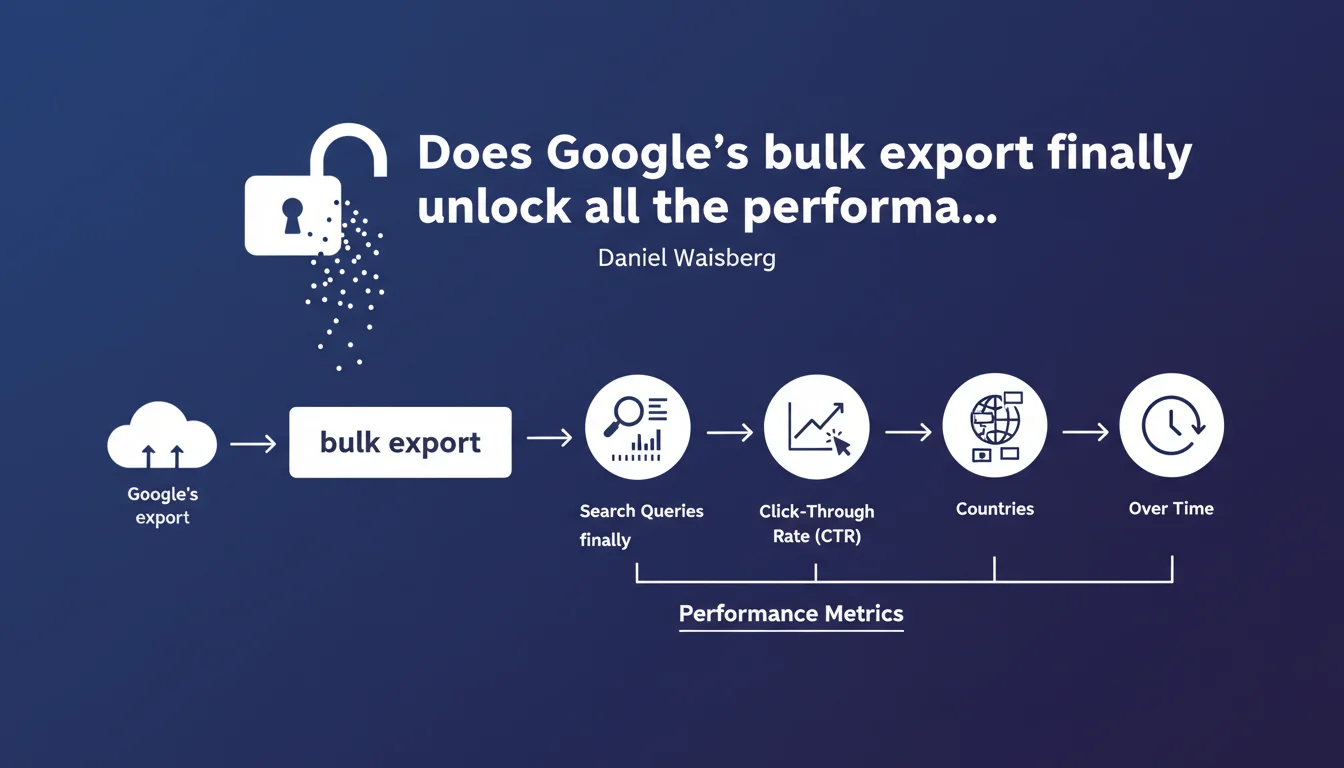
Google announces the integration of performance data into the bulk export feature of Search Console: search queries, click-through rates, geographic distribution, and temporal evolution. An update that finally centralizes multiple scattered reports into a single file exploitable at scale.
What you need to understand
What does the bulk export enriched with performance data actually bring to the table?
Until now, Search Console's bulk export allowed you to extract certain technical data (indexation, coverage), but remained limited on the performance side. This update now integrates search queries, click-through rate per page, geographic distribution of impressions, and the evolution of these metrics over time.
Concretely? You can cross-reference this data with other sources (Analytics, third-party tools) without going through the Search Console interface — particularly useful for sites with thousands of URLs or multiple geographic markets. Exports happen via BigQuery, so they're exploitable in SQL or connected to BI tools (Looker, Data Studio, Power BI).
Why is Google pushing the bulk export via BigQuery so hard?
Two main reasons. First, the classic Search Console interface has strict limitations: 1,000 lines max per manual export, basic filters, 16-month history only. For a multi-country e-commerce site or a media outlet with hundreds of thousands of pages, it's unusable.
Second, Google wants SEOs to manipulate raw data themselves rather than rely on simplified aggregations. This also aligns with a logic of accountability: if you don't master your data, you don't master your SEO. And incidentally, it offloads heavy requests from their servers on the interface side.
What specific metrics are available in this export?
The announcement remains vague on exact granularity. We know that search queries are included (probably with impressions, clicks, average position), as well as CTR per page and geographic dimension (country). The temporal evolution suggests a breakdown by day or week.
- Queries: keywords that triggered an impression, with associated metrics
- CTR per page: clicks/impressions ratio at URL level
- Geographic dimension: distribution by country (probably no granularity at city/region level)
- Temporal evolution: probably complete history (not limited to 16 months like the interface)
- Possible cross-tabulations: query × page × country × date, depending on BigQuery table structure
SEO Expert opinion
Does this announcement really change the game for an experienced SEO?
Yes and no. If you're already working with the Search Console API or regular interface scrapes, you probably already have this data — but in a fragmented and time-consuming way. The bulk export via BigQuery centralizes all of this into a stable pipeline, without line limits, without API ban risk.
Let's be honest: for small sites (< 10,000 pages, single market), the classic interface is more than enough. But as soon as you manage multiple domains, multiple languages, or you want to cross Search Console data with crawl data (Screaming Frog, OnCrawl) or Analytics conversions, BigQuery becomes essential. The problem is that Google doesn't specify whether the exported data is exactly the same as what's displayed in the interface — historically, there have been counting discrepancies.
What limitations does Google fail to mention in this statement?
The communication is deliberately optimistic. Several points remain unclear or problematic. First, the anonymization threshold: Google filters low-volume queries (generally < 3 impressions/day) for privacy reasons. This means you'll never see 100% of your keywords, especially in the long tail.
Next, data latency. The bulk export has always had a 2-3 day lag compared to the real-time interface. If you want to detect a sudden drop in organic traffic, you'll still go through the classic interface or Analytics. Finally, the geographic dimension is probably limited to country — no region or city granularity, unlike what you can get in Google Analytics 4.
In what cases is this feature overrated?
If you don't have SQL or BI skills, BigQuery won't help you. The classic Search Console interface remains more accessible for 90% of SEOs. The bulk export is aimed at structured teams (agencies, high-volume e-commerce, media outlets) with data analysts or tech-savvy SEOs comfortable with databases.
And that's where it sticks: Google sells this feature as a major evolution, but it changes nothing for those who've already industrialized their reporting. [To verify] whether the exported tables really include all cross-referenced dimensions (query × page × country × device × date) without forced aggregation. If Google aggregates certain combinations, we lose granularity compared to the API.
Practical impact and recommendations
How do you actually leverage this exported data?
First reflex: connect Search Console to a Google Cloud project and enable export to BigQuery. Once the link is established, data syncs automatically each day. You then access the tables via the BigQuery interface or a connector (Looker Studio, Power BI, Tableau).
The most common use cases? Identify pages with high CTR potential (lots of impressions, few clicks), detect queries losing positions over time, compare performance across geographic markets to prioritize translations or local adaptations. You can also cross-reference with crawl data to spot high-performing pages with poor internal linking, or with Analytics to isolate queries that convert.
What mistakes should you avoid when setting it up?
Don't underestimate the complexity of table structure. Google exports data in tables partitioned by date, with nomenclature that's not always intuitive. If you've never touched BigQuery, plan a learning phase — or get expert help.
Another pitfall: confusing bulk export with a total replacement of the Search Console interface. Some features (URL Inspection, fix validation, re-indexing requests) remain exclusive to the interface. The export is solely for analysis and reporting, not operational action.
- Verify that your Google Cloud account is configured with proper permissions (BigQuery Admin role minimum)
- Enable export for each relevant Search Console property (primary domain + subdomains if separate)
- Test first on a secondary property before deploying at scale
- Monitor BigQuery costs from the first month — set up budget alerts if needed
- Document your table structure and SQL queries to facilitate team handoff
- Systematically cross-reference with Google Analytics 4 to detect counting inconsistencies
❓ Frequently Asked Questions
L'export groupé remplace-t-il l'API Search Console ?
Puis-je exporter les données de plusieurs propriétés dans un seul projet BigQuery ?
Les données exportées incluent-elles le type d'appareil (mobile, desktop, tablette) ?
Y a-t-il un délai entre l'interface Search Console et les données BigQuery ?
Combien coûte l'utilisation de BigQuery pour ces exports ?
🎥 From the same video 9
Other SEO insights extracted from this same Google Search Central video · published on 01/06/2023
🎥 Watch the full video on YouTube →
💬 Comments (0)
Be the first to comment.