
Official statement
Other statements from this video 14 ▾
- □ Google réécrit-il vraiment vos balises title à sa guise ?
- □ Faut-il vraiment bannir les prix et stocks des balises title ?
- □ Comment vérifier efficacement l'affichage réel de vos title links dans les SERP Google ?
- □ Pourquoi Google impose-t-il un seuil de 1200 pixels pour les images produits ?
- □ Faut-il vraiment utiliser la balise Max Image Preview pour contrôler l'affichage de vos images dans Google ?
- □ Les données structurées sont-elles vraiment indispensables pour éviter de passer à côté des rich snippets ?
- □ Pourquoi Google insiste-t-il sur 6 champs minimaux dans les données structurées produits ?
- □ Pourquoi vos rich snippets n'apparaissent-ils pas malgré un balisage Schema.org en place ?
- □ Faut-il vraiment combiner données structurées et flux Merchant Center pour le SEO produit ?
- □ Comment Google calcule-t-il réellement les baisses de prix affichées dans les résultats enrichis ?
- □ Pourquoi Google refuse-t-il les fourchettes de prix dans les données structurées produit ?
- □ Pourquoi Google n'affiche-t-il pas toutes les baisses de prix que vous balisez ?
- □ Google Business Profile : pourquoi les entreprises 100% en ligne sont-elles exclues ?
- □ Les données structurées et Merchant Center sont-elles vraiment la stratégie SEO la plus rentable sur le long terme ?
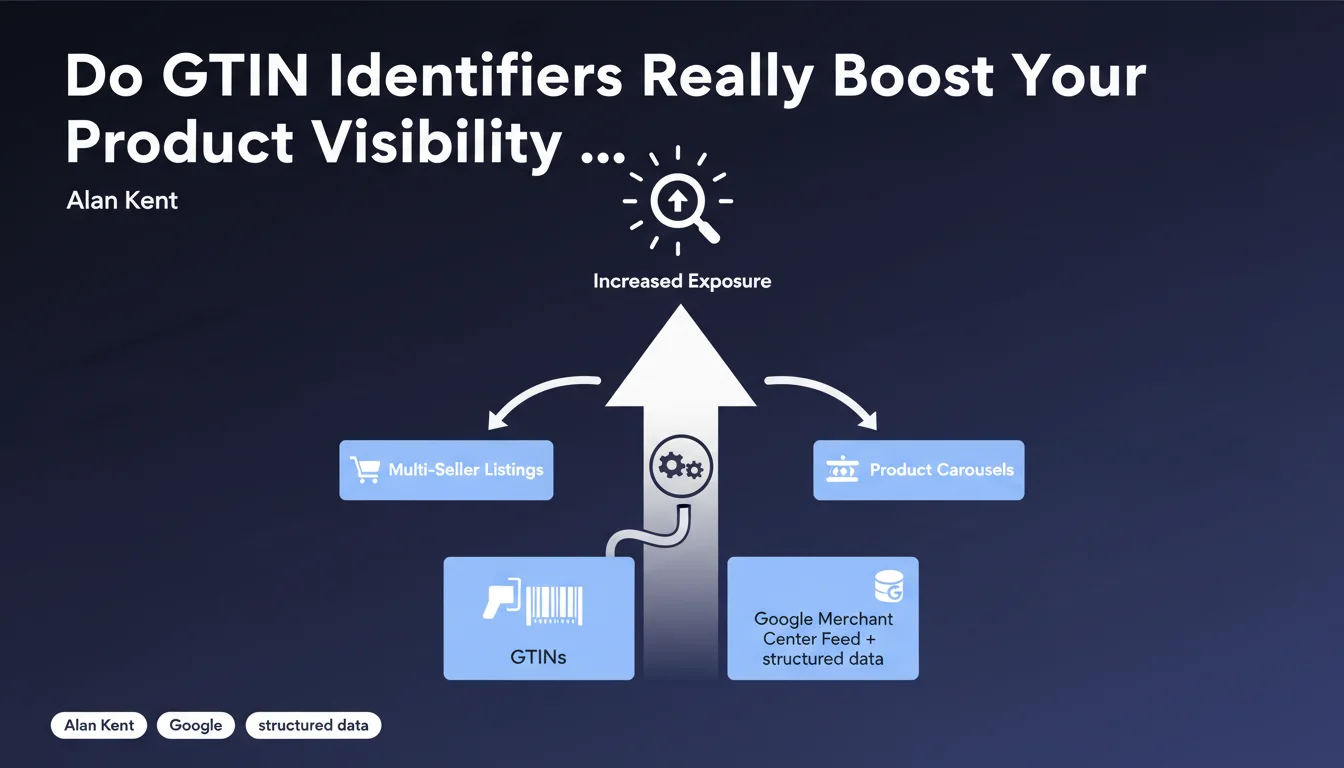
Google confirms that accurate GTIN identifiers, provided via Merchant Center and structured data, increase visibility in multi-seller experiences like the best products carousel. It's a direct signal: without GTINs, your product listings risk being overshadowed by competitors' listings in these key interfaces.
What you need to understand
What is a GTIN and why is Google talking about it now?
The GTIN (Global Trade Item Number) refers to a family of standardized identifiers — EAN, UPC, ISBN, etc. — that allow you to uniquely identify a product on a global scale. Google relies on it to group offers from different merchants around the same item.
Alan Kent, former head of e-commerce technology at Google (now at Shopify), reminds us here that this data is not just cosmetic. It directly conditions the eligibility of your products in strategic interfaces such as the best products carousel, where multiple vendors compete for the same item.
How does Google ingest these identifiers?
Two channels exist: the Google Merchant Center feed and Schema.org structured data (Product type, gtin property). Google recommends combining them to maximize reliability.
In Merchant Center, the "gtin" field is part of the mandatory attributes for many verticals. On-page, JSON-LD markup allows you to strengthen the signal — especially if your feed contains errors or synchronization delays.
Which experiences are affected by this statement?
Google explicitly mentions the best products carousel, this UI that displays multiple vendors for a given item, sorted by price, rating, or shipping eligibility. But the impact extends well beyond this single format.
GTINs also feed product knowledge graphs, certain visual annotations in Shopping, and even grouping logic in Performance Max campaigns. Without them, Google struggles to understand that your listing and a competitor's listing are talking about the same object.
- GTIN = product identification pivot for Google, not just metadata
- Two channels required: Merchant Center feed + on-page structured data
- Best products carousel: the flagship UI mentioned, but far from the only one affected
- Without reliable GTIN, your product risks being isolated instead of being compared to competing offers
SEO Expert opinion
Is this statement consistent with observed practices?
Yes, and it's one of the rare cases where official discourse and real-world reality align perfectly. Tests conducted on e-commerce catalogs show that adding valid GTINs to the Merchant Center feed causes the appearance rate in multi-seller carousels to skyrocket — sometimes +300% impressions on certain SKUs.
What is less often said: Google also penalizes invented or approximate GTINs. If you fabricate a pseudo-EAN to bypass a mandatory field, your listings can be outright excluded from Shopping. Cross-verification with GS1 databases seems to be working — at least on monitored verticals (electronics, fashion, beauty).
What nuances should be added?
The phrasing "can increase" is cautious, but underestimates reality: in competitive verticals, GTIN has become an eligibility threshold, not just a boost. Without it, you don't even enter the race.
Second point: Google talks about a "combination" of feed + structured data. On the ground, the feed remains king — on-page structured data mainly serves as a safety net or coherence signal. But for a pure merchant site, Merchant Center dominates by far. [To verify] the extent to which structured data alone (without a feed) is sufficient to trigger these carousels.
What doesn't this statement say?
It passes over the case of products without GTIN — handmade items, unique pieces, customizations. Google allows the "identifier_exists: no" attribute in these cases, but exposure remains limited to regular results, never to comparison interfaces.
Another silence: the quality of ancillary data. A valid GTIN is not enough if the title, price, or availability are out of sync with the destination page. Google penalizes these inconsistencies, sometimes more severely than a missing GTIN.
Practical impact and recommendations
What should you actually do to activate this lever?
First, audit your catalog: which SKUs have an official GTIN, which ones don't. For those that do, verify it's correct via a GS1 database or third-party tool (some e-commerce platforms integrate this validation).
Next, inject these GTINs into your Merchant Center feed — a mandatory field for most verticals. If your feed is auto-generated by an extension, make sure it properly maps the "gtin" attribute from your product database.
Supplement with Product structured data on your pages. Include the "gtin" property in JSON-LD, even if it's redundant with the feed — it's a coherence signal Google appreciates. Test with the Rich Results tool to avoid syntax errors.
What errors should you absolutely avoid?
Never invent a GTIN to bypass validation. Google cross-checks data with external referentials, and fake codes trigger suspensions that can paralyze your entire Merchant Center account.
Also avoid recycling a GTIN for a different product. If you're selling a pack or bundle, you either need to obtain a new EAN from GS1 or declare "identifier_exists: no". Never approximate.
Finally, don't neglect synchronization: if you modify a GTIN in your CMS, the feed and structured data must follow in real-time. Discrepancies create conflicting signals that erode Google's trust.
How do you verify your implementation is working?
In Merchant Center, the Diagnostics tab flags products with missing or invalid GTINs. Also monitor impression metrics on SKUs that just received a GTIN — the impact is often visible within 48-72 hours.
On the organic side, use Google Search Console to track appearances in Product rich results. A valid GTIN increases eligibility for rich snippets, especially if you combine it with reviews and structured pricing.
For multi-seller carousels, the most reliable method remains manual testing: search for your flagship products in private browsing mode, and verify whether your listings appear alongside competitors'. If you're systematically absent, that's a red flag.
- Audit the catalog: identify SKUs with/without official GTIN
- Fill the "gtin" field in the Merchant Center feed for all eligible SKUs
- Add the "gtin" property in Product structured data (JSON-LD)
- Validate with the Rich Results tool and Merchant Center diagnostics
- Monitor carousel impressions via Search Console and Shopping reports
- Never invent or recycle a GTIN — immediate suspension risk
- Synchronize feed, CMS, and on-page markup to avoid inconsistencies
❓ Frequently Asked Questions
Un GTIN est-il obligatoire pour tous les produits dans Merchant Center ?
Les données structurées Product suffisent-elles sans flux Merchant Center ?
Peut-on utiliser un GTIN approximatif ou générique pour contourner la validation ?
Combien de temps faut-il pour voir l'impact d'un GTIN ajouté ?
Faut-il un GTIN différent pour chaque variante (taille, couleur) ?
🎥 From the same video 14
Other SEO insights extracted from this same Google Search Central video · published on 28/07/2022
🎥 Watch the full video on YouTube →
💬 Comments (0)
Be the first to comment.