
Official statement
Other statements from this video 14 ▾
- □ Does Google really rewrite your title tags however it wants?
- □ Should you really remove prices and stock levels from your title tags?
- □ Is your title tag really showing up the way you think it is in Google's search results?
- □ Why does Google really require 1200 pixels for product images to appear in rich results?
- □ Should you really be using the Max Image Preview tag to control how your images appear in Google?
- □ Are structured data really essential to avoid missing out on rich snippets?
- □ Why does Google really insist on 6 minimum fields in product structured data?
- □ Why aren't your rich snippets showing up even though you have Schema.org markup in place?
- □ Does combining structured data and Merchant Center feeds really unlock maximum e-commerce visibility?
- □ Why does Google reject price ranges in product structured data?
- □ Why doesn't Google display every single price drop you markup?
- □ Do GTIN Identifiers Really Boost Your Product Visibility on Google?
- □ Does Google really exclude 100% online businesses from Business Profile — and why?
- □ Are structured data and Merchant Center really the most profitable SEO strategy in the long run?
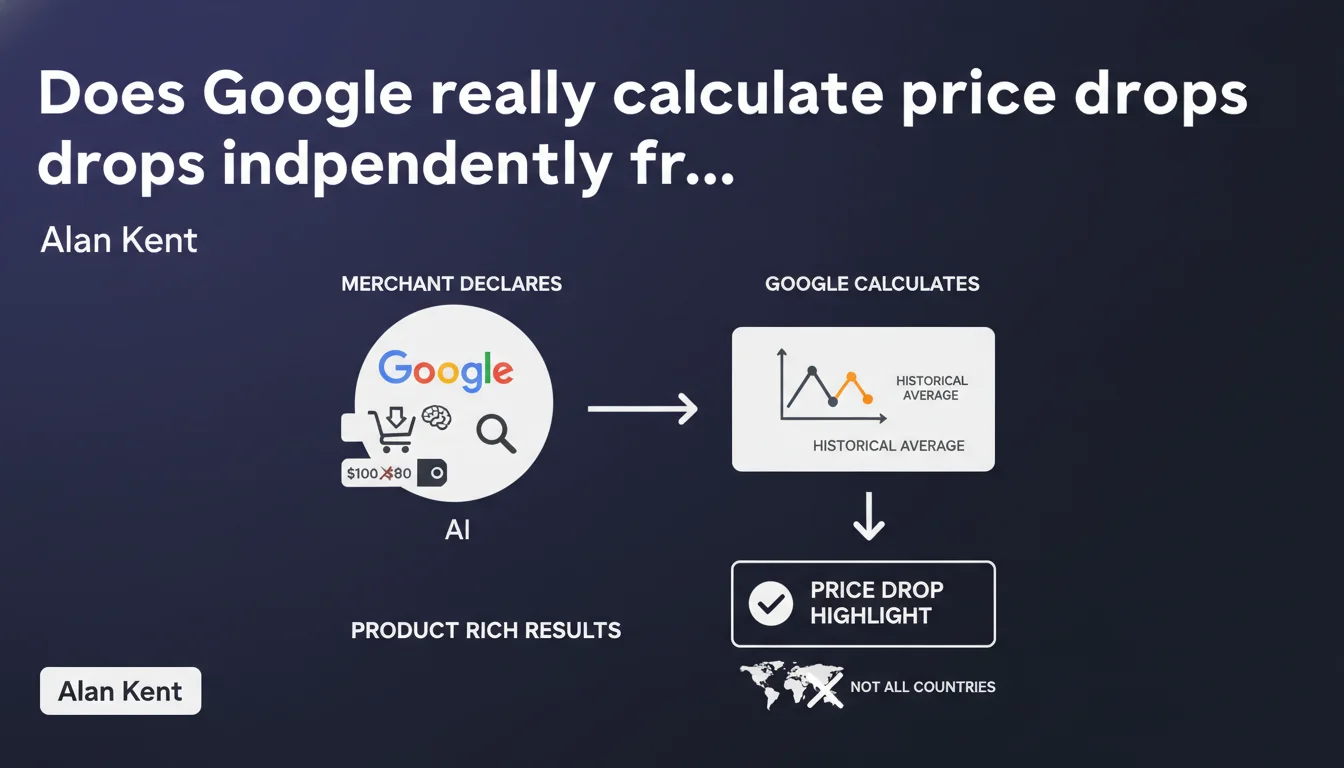
Google automatically calculates price drops displayed in rich results based on the product's historical price average, not on data provided by the merchant. This feature is not deployed everywhere, and it's Google that decides when a price deserves to be flagged as 'on sale'.
What you need to understand
What's the actual difference between the structured data you provide and Google's calculations?
Alan Kent's statement clarifies a commonly misunderstood point: even if you mark up your products with structured data including a reference price (priceCurrency, price), it's Google that decides whether or not your product displays a price drop indicator in the rich results.
Google doesn't use your markup to determine if a price is "on promotion." It compares the current price against its own historical database. If the difference is significant enough according to its internal criteria, it may display a "Price reduced" badge or similar—regardless of what you declare.
Over what time period does Google calculate this historical average?
No official specifics have been provided about the exact time window. We know Google collects prices via the Merchant Center feed, page crawling, and potentially other sources. The "current historical average" suggests a rolling calculation, probably over several weeks or months.
Concretely, if you slash a price that was artificially inflated the day before, Google won't consider that drop as significant. The algorithm aims to detect genuine promotions, not fake discounts.
In which countries is this feature available?
Google mentions that this system isn't deployed everywhere, without providing an exhaustive list. Major English-speaking and European markets appear to be prioritized, but geographic coverage remains unclear.
If you never see price drop indicators on your rich results while your competitors do, verify your country/region first before looking for a technical issue on your end.
- Google calculates price drops based on its own historical data, not on your crossed-out or promotional price tags.
- The calculation time window is not publicly documented—likely several weeks minimum.
- Geographic availability is partial and not detailed by Google.
- Fake promotions (inflated price then "reduced") won't trigger a price drop display.
SEO Expert opinion
Is this statement consistent with what's observed in practice?
Yes, largely. Real-world observations show that Google displays "Price reduced" badges selectively, even when structured data Offer includes priceValidUntil or a reference price. Some merchants report that their legitimate promotions generate no badge, while others see these indicators appear without having changed their markup.
This confirms that schema.org markup is just one signal among many, and Google cross-references multiple sources to validate or reject a displayable price drop.
What nuances should be added to this statement?
Alan Kent remains intentionally vague on two critical points: the length of the historical period considered and the triggering thresholds. [To be verified]: we don't know if Google requires a minimum drop (for example 10% or $15) or if it weights things differently based on product category or seasonality.
Another gray area: what happens with a newly indexed product? No history = no badge possible? Or does Google rely on similar products? No official answer at this stage.
When doesn't this rule apply?
If you sell outside Google Shopping (standard organic results without enriched product results), this mechanism doesn't directly affect you. Product rich snippets can display without a price badge, and this is common for e-commerce sites outside Merchant Center feeds.
Similarly, certain vertical markets (travel, services, real estate) have their own dynamic pricing logic—this statement primarily targets traditional retail and e-commerce.
Practical impact and recommendations
What should you do concretely to maximize price drop displays?
First, maintain a stable and consistent price history. Avoid erratic fluctuations that muddy Google's calculations. When you launch a genuine promotion, ensure it represents a meaningful gap compared to the previous weeks/months.
Next, feed Google clean data: up-to-date Merchant Center feed, properly implemented schema.org Offer markup (even if it doesn't directly trigger the badge, it helps Google understand your product). Regularly check your coverage in Search Console and Merchant Center reports.
What mistakes should you absolutely avoid?
Never artificially inflate a reference price to create a fake promotion. Google will detect the inconsistency with its historical data, and you risk a Merchant Center account suspension for deceptive practices.
Another trap: assuming perfect schema.org markup guarantees badge display. It's only one signal. Google keeps final control over what displays or not.
How do you verify that your site is well-positioned to benefit from this feature?
Use Google's rich results test to validate your Product/Offer markup. Check Merchant Center "Performance" reports to identify eligible products that aren't being shown.
Monitor your competitors: if they display price drop badges and you don't, compare your respective price histories. Maybe your pricing policy is too volatile, or your promotions are too frequent to be considered exceptional.
- Maintain a stable and documented price history over several weeks minimum.
- Feed Google Merchant Center with an up-to-date product feed free of errors.
- Properly implement schema.org Offer structured data (price, priceCurrency, availability).
- Avoid artificial price increases followed by fake reductions—Google detects these practices.
- Monitor Merchant Center and Search Console reports to diagnose ineligible products.
- Regularly compare your rich results display with those of your direct competitors.
❓ Frequently Asked Questions
Google utilise-t-il mes balises de prix barré pour afficher une baisse de prix dans les résultats ?
Sur quelle période Google collecte-t-il l'historique des prix de mes produits ?
Pourquoi mes promotions légitimes n'affichent-elles pas de badge de baisse de prix ?
Puis-je forcer l'affichage d'un badge de baisse de prix en modifiant mes données structurées ?
Cette fonctionnalité est-elle disponible dans tous les pays ?
🎥 From the same video 14
Other SEO insights extracted from this same Google Search Central video · published on 28/07/2022
🎥 Watch the full video on YouTube →
💬 Comments (0)
Be the first to comment.