
Official statement
Other statements from this video 14 ▾
- □ Does Google really rewrite your title tags however it wants?
- □ Should you really remove prices and stock levels from your title tags?
- □ Why does Google really require 1200 pixels for product images to appear in rich results?
- □ Should you really be using the Max Image Preview tag to control how your images appear in Google?
- □ Are structured data really essential to avoid missing out on rich snippets?
- □ Why does Google really insist on 6 minimum fields in product structured data?
- □ Why aren't your rich snippets showing up even though you have Schema.org markup in place?
- □ Does combining structured data and Merchant Center feeds really unlock maximum e-commerce visibility?
- □ Does Google really calculate price drops independently from what merchants declare?
- □ Why does Google reject price ranges in product structured data?
- □ Why doesn't Google display every single price drop you markup?
- □ Do GTIN Identifiers Really Boost Your Product Visibility on Google?
- □ Does Google really exclude 100% online businesses from Business Profile — and why?
- □ Are structured data and Merchant Center really the most profitable SEO strategy in the long run?
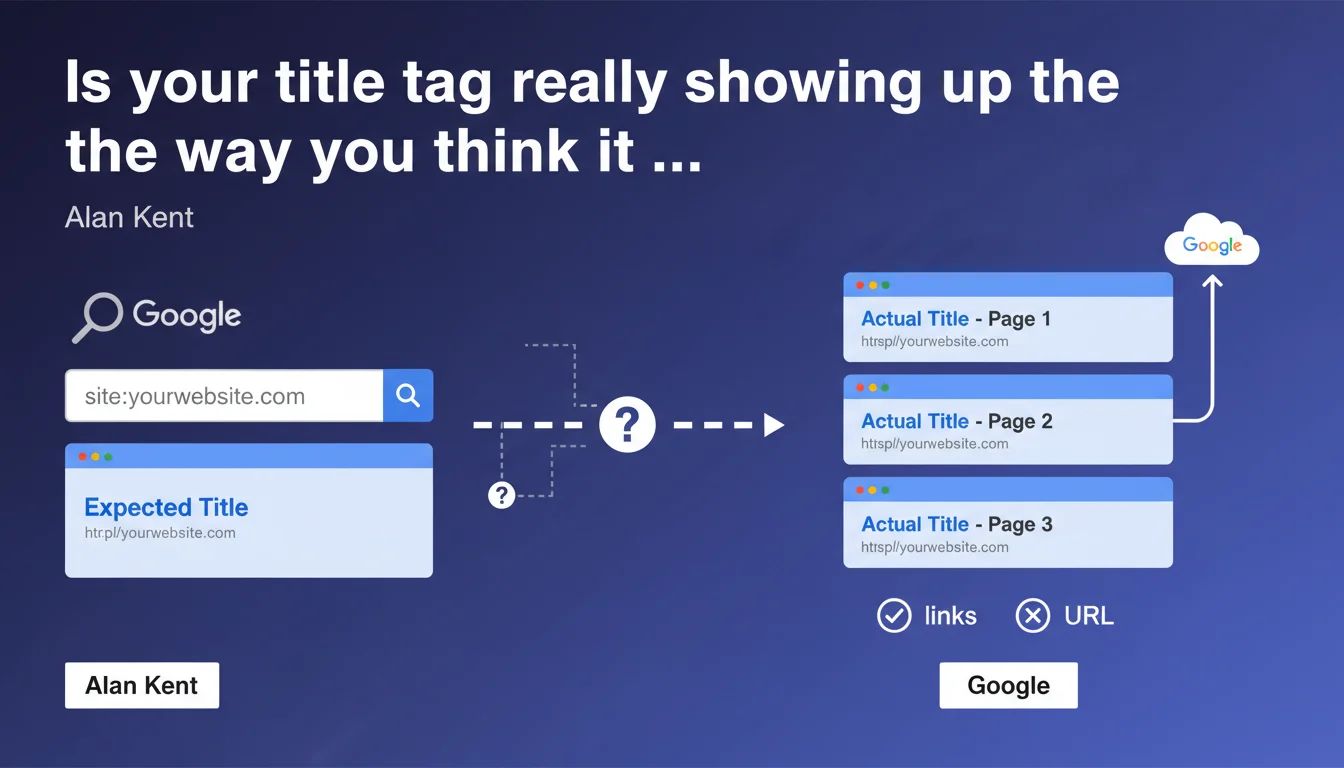
Google recommends using the site: operator to verify how your titles actually display in search results. Alan Kent emphasizes the need to test multiple pages, since Google can rewrite your title tags according to its own criteria. It's basic advice but underutilized by many practitioners.
What you need to understand
Why does Google insist on checking title links?
For several years now, Google has been massively rewriting the title tags of pages in its search results. Studies show that 60 to 70% of the titles displayed differ from the original title tag.
Alan Kent's statement reminds us of an often-overlooked truth: what matters is what the user sees in the SERPs, not what you coded in your HTML. The difference can be minor (brand name addition) or radical (complete rewrite based on H1s or content).
Is the site: operator really reliable for this test?
The site: operator shows how Google indexes your pages, but with an important caveat: title links can vary depending on the user's search query. A site: search gives you a generic view, not necessarily the one a user will see when typing a specific query.
In practice? Google sometimes adapts the displayed title based on query relevance. Your site: test remains valid as a first indicator, but it doesn't replace verification on actual target queries.
What should you take away from this recommendation?
- Test multiple pages, not just your homepage — category pages and product sheets are often the most rewritten
- Systematically compare the title tag in the source code with the display in SERPs
- Document discrepancies to identify rewrite patterns specific to your site
- Don't panic if Google rewrites: sometimes it's neutral or even better for CTR
- Check regularly, as Google can change its behavior without notice
SEO Expert opinion
Is this verification method enough for a serious audit?
Let's be honest: the site: operator is a useful but incomplete starting point. It shows you a generic version of your title links, the one Google displays when it has no specific query context.
The problem? Title links are dynamic. For the same URL, Google can display different titles depending on whether the user types "men's running shoes" or "Nike Pegasus 40". The site: operator doesn't capture this variability. [To verify]: no Google study has precisely documented the frequency and extent of this contextual adaptation.
Why does Google rewrite our titles so much?
Google invokes user relevance — titles that are too short, keyword-stuffed, or non-descriptive are systematically rewritten. But in practice, we also see rewrites on perfectly optimized titles.
Two real-world explanations: either Google detects a mismatch between the title and actual content (and it's right), or its algorithm gets it wrong because it prioritizes an H1 or internal anchor text it deems more relevant. In 30-40% of observed cases, the rewrite objectively damages CTR — but you have no recourse.
Do you really need to "check multiple pages" as Kent suggests?
Absolutely. Rewrite patterns vary enormously by page type. E-commerce product sheets are hammered (Google often adds brand + category), blog articles less so (unless the title is clickbait), category pages unpredictably.
A pragmatic tip: sample 20-30 URLs per type (homepage, categories, products, content) and document discrepancies in a spreadsheet. You'll quickly see patterns emerge — for example, Google systematically adds your brand name at the end of the title if you omit it, or it pulls from your meta description if your title is less than 40 characters.
Practical impact and recommendations
What should you concretely do to audit your title links?
Implement a monthly verification process, not just a one-time check. Google's rewrites evolve, especially after algorithm updates or changes to your site.
Use the site:yourdomain.com operator for a quick overview, then cross-reference with tools like Screaming Frog (which can scrape SERPs) or custom scripts that compare title tag to actual display. Search Console doesn't show you the title links displayed — it's a blind spot.
What errors should you avoid when optimizing your titles?
- Don't stuff keywords to "force" Google to keep your title — that's precisely what triggers rewrites
- Avoid titles that are too short (less than 40 characters): Google often fills in with content pulled from elsewhere
- Don't duplicate title and H1 word-for-word — vary slightly to give Google options
- Skip generic titles like "Home" or "Products" — they'll be systematically rewritten
- Don't change your titles every week to "test" — give Google time to stabilize
How do you build titles less likely to be rewritten?
Favor a descriptive + benefit + brand structure (example: "Waterproof Trail Shoes – Long Distance Comfort | MyBrand"). Aim for 50-60 characters to balance readability and control.
Make sure the title accurately reflects the page content — any inconsistency will trigger a rewrite. If your H1 says one thing and your title another, Google will decide for you.
❓ Frequently Asked Questions
L'opérateur site: montre-t-il exactement ce que voient les utilisateurs ?
Pourquoi Google réécrit-il mes titres alors qu'ils sont bien optimisés ?
Peut-on empêcher Google de réécrire nos title links ?
Combien de pages faut-il vérifier pour un audit représentatif ?
Faut-il modifier mes titres si Google les réécrit systématiquement ?
🎥 From the same video 14
Other SEO insights extracted from this same Google Search Central video · published on 28/07/2022
🎥 Watch the full video on YouTube →
💬 Comments (0)
Be the first to comment.