
Official statement
Other statements from this video 7 ▾
- □ Is semantic HTML really decisive for your search rankings?
- □ Is semantic HTML really useless for SEO?
- □ Should you really use Hn tags instead of styling your headings visually with CSS?
- □ Should you really ban HTML tables for page layouts?
- □ Why does Google still insist on anchor tags instead of JavaScript for your links?
- □ Should you prioritize semantic <section> and <article> tags over <div> for SEO?
- □ Does semantic HTML really improve your search engine rankings?
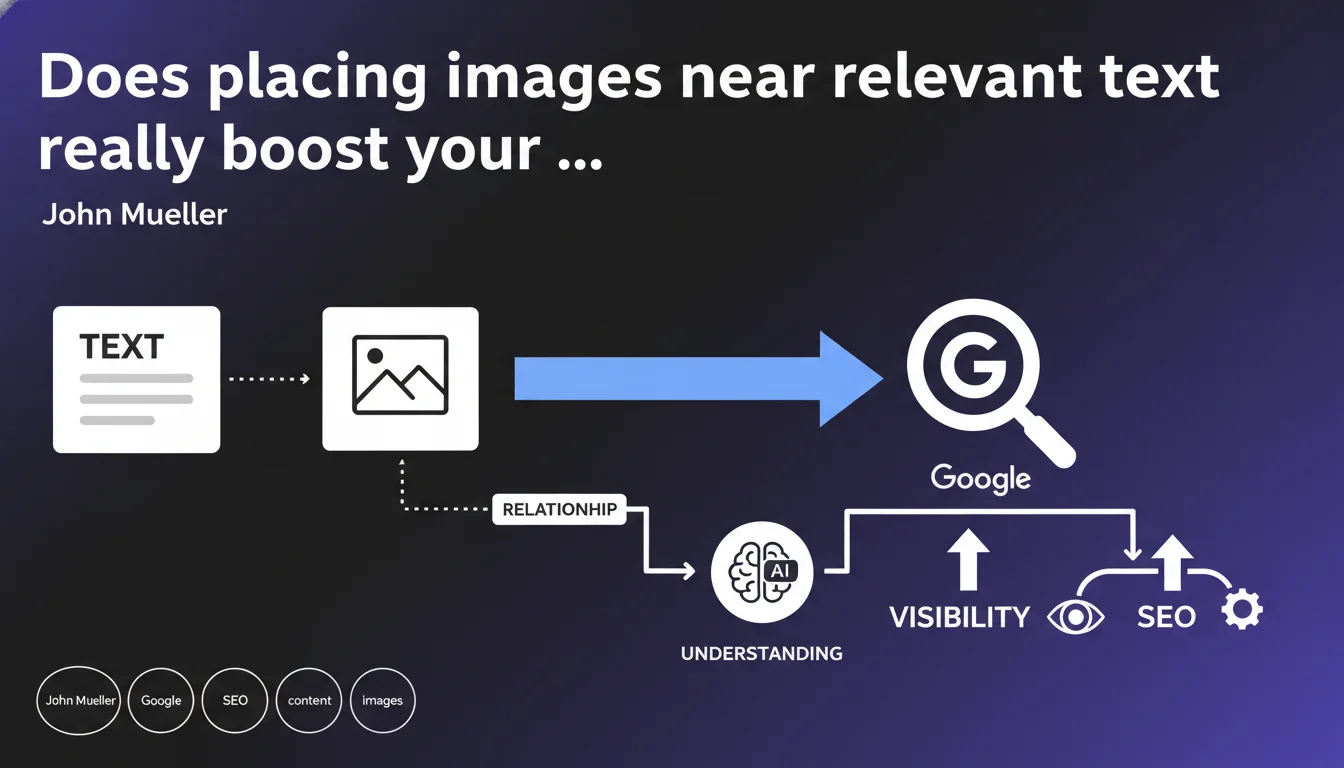
Google recommends integrating images in close proximity to the text that provides context, making their relationship easier to understand. This physical proximity in the HTML code helps algorithms correctly associate visual and textual content. In practice, this impacts your ranking in Google Images and the relevance of rich search results.
What you need to understand
Why does Google emphasize text-image proximity so much?
Google's algorithms don't "see" images the way humans do. They rely heavily on surrounding textual context to determine what an image depicts — yes, the alt tag matters, but so do adjacent paragraphs, section headings, and captions.
When an image is far from the text describing it (for instance, a gallery at the end of an article when the relevant content is at the top), Google struggles to establish the semantic relationship. The bot has to guess whether that image actually illustrates the paragraph above or something else on the page.
What does "nearby" actually mean in HTML code?
We're talking about proximity in the DOM, not necessarily visual proximity (though they often overlap). An image can be visually close to text via CSS but structurally distant in the HTML — and it's the HTML that Googlebot crawls.
Ideally, the image should be placed immediately before or after the paragraph it illustrates. Modern CMSs make this easier, but certain configurations (displaced blocks, sidebar widgets loaded at the bottom of the page) complicate matters.
In which cases does this rule become critical?
E-commerce sites, visually dense blogs, and landing pages with infographics are most affected. On a product page, if all photos are grouped in a carousel at the top while technical descriptions sit at the bottom, Google may fail to correctly associate each visual variant with its description.
For long blog articles with multiple thematic sections, each image must anchor both visually and structurally to the section it supports — not be relegated to a generic "gallery" block at the end of the content.
- Google uses adjacent text to understand an image's subject matter
- Proximity must be structural (in HTML), not just visual (CSS)
- The impact is significant for Google Images and rich results
- E-commerce and long-form content are particularly sensitive to this rule
- Detached carousels and galleries can dilute semantic context
SEO Expert opinion
Does this recommendation match real-world observations?
Yes, and testing has confirmed it for years. Well-contextualized images perform better in Google Images and drive more qualified traffic. However, Mueller's statement remains deliberately vague on one point: what's the maximum distance the algorithm tolerates?
Empirically, we observe that a separation of 1-2 intermediate paragraphs remains acceptable, but beyond that, the correlation weakens. [To verify]: Google has never published a precise threshold in DOM nodes or characters between image and text.
What nuances should we add to this statement?
Mueller doesn't distinguish between image types. A decorative image (icon, visual divider) obviously doesn't need the same treatment as an explanatory infographic. Yet the recommendation is presented generically.
Another nuance: on mobile, visual structure often differs from desktop. An image might be "close" on a large screen but pushed down after several blocks in responsive design. Google indexes the mobile version first — so it's mobile-first ordering that matters, not desktop layout.
When does this rule become secondary?
For sites with strong topical authority (established news outlets, academic references), Google has enough signals to contextualize images even when poorly positioned. Proximity remains a factor, but it's no longer decisive.
Let's be honest: if your image has perfect alt text, a detailed caption, a descriptive filename, and well-structured ImageObject schema, immediate proximity becomes less critical. But combining all these signals with proximity maximizes performance odds.
Practical impact and recommendations
What needs to change on an existing site?
Start by auditing your strategic pages: top-converting product sheets, pillar articles, landing pages. Verify that each key image is inserted directly into the content flow, not loaded via a sidebar widget or a generic footer block.
For CMSs like WordPress, avoid shortcodes or plugins that inject galleries outside the main editorial flow. Prioritize manual image insertion via Gutenberg editor or Elementor blocks directly within the relevant paragraph.
What technical errors compromise this proximity?
Aggressive lazy-loading that loads images at the end of the DOM then repositions them via CSS can fool Googlebot. Even if visual rendering is correct, the bot reads the raw source code first — and if the image is structurally at the bottom of the page, context is lost.
Themes that systematically separate "content zone" from "media zone" artificially create distance. Some e-commerce templates place all product photos in an <aside> container while the description sits in <main> — disastrous for contextualization.
How do I verify my site complies with this rule?
Use the URL Inspection Tool in Search Console and examine the HTML rendering. Identify where your images appear in the DOM relative to text. If they're separated by dozens of tags, that's a red flag.
Also test in mobile-first mode: disable CSS and observe the linear content order. If images appear well after the text they illustrate, Google will associate them poorly — even if visually everything looks correct on desktop.
- Insert each image directly into the content flow, as close as possible to the paragraph it illustrates
- Avoid detached galleries and sidebars for strategic visuals
- Check DOM order in mobile-first mode, not just desktop visual rendering
- Audit lazy-loading implementations that might reposition images after initial crawl
- Prefer
<figcaption>captions placed immediately under each<figure> - Test raw HTML rendering via Search Console to confirm structural proximity
- On e-commerce, associate each visual variant with its adjacent technical description
❓ Frequently Asked Questions
La proximité image-texte impacte-t-elle le ranking général de la page ?
Une image éloignée de 2-3 paragraphes est-elle encore correctement contextualisée ?
Les images en sidebar ou footer sont-elles totalement ignorées par Google ?
Faut-il repositionner toutes les images d'un site ou prioriser certaines pages ?
Le lazy-loading empêche-t-il Google de voir la proximité image-texte ?
🎥 From the same video 7
Other SEO insights extracted from this same Google Search Central video · published on 29/06/2023
🎥 Watch the full video on YouTube →
💬 Comments (0)
Be the first to comment.