
Official statement
Other statements from this video 12 ▾
- □ Should you trust PageSpeed Insights or Search Console to measure your site's speed?
- □ Does Google really index all of your website's content?
- □ Is Googlebot Really Ignoring Your JavaScript Links If You're Not Using <a> Tags?
- □ Does Google really reject the idea of a unified SEO score for ranking?
- □ Can you safely link to HTTP websites without hurting your SEO rankings?
- □ Does Google really expect you to write 'naturally' to rank well?
- □ Should you really delete your disavow file?
- □ Is implementing Schema markup through Google Tag Manager really holding back your SEO performance?
- □ Does blocking crawl with robots.txt actually prevent deindexation?
- □ Can you safely list the same URL in multiple sitemap files without harming your SEO?
- □ Is the HSTS preload list really a game-changer for your SEO rankings?
- □ Does a descriptive domain name really guarantee your ranking for that search query?
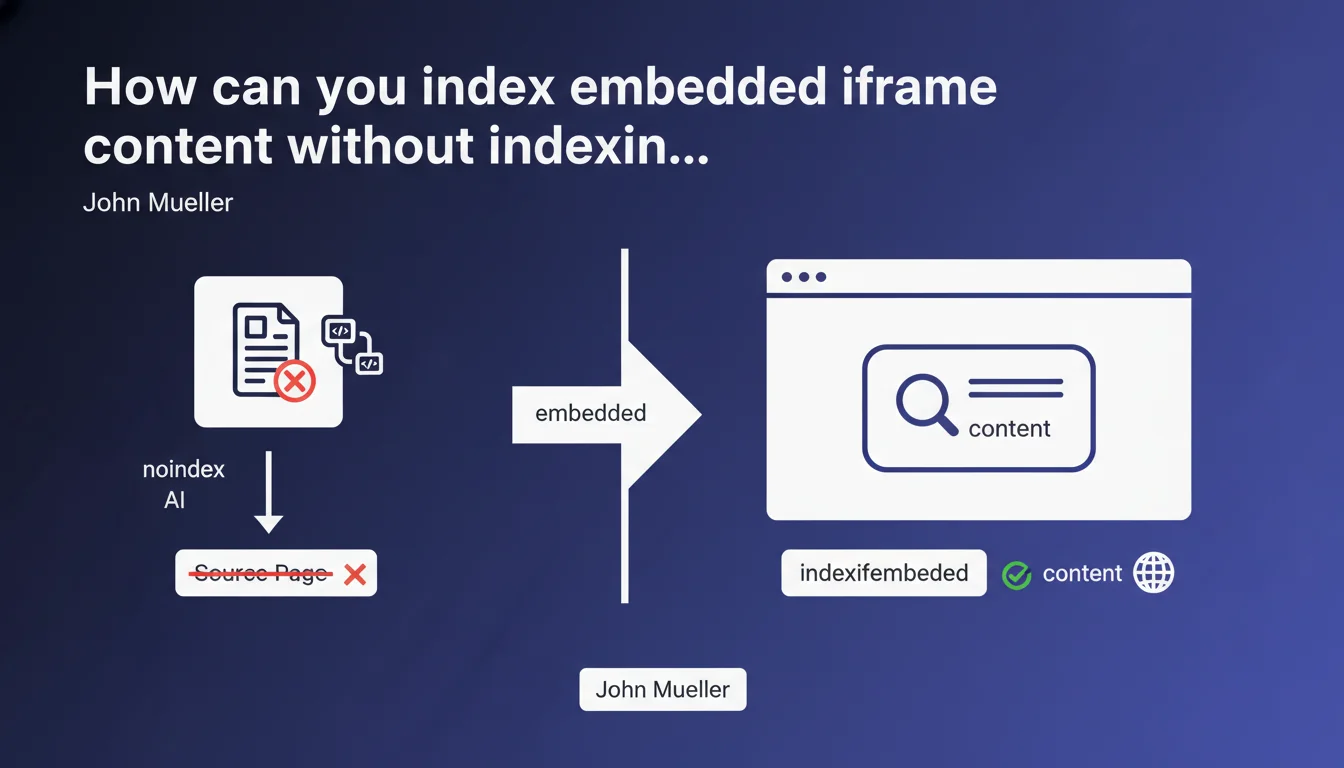
Google allows you to use a combination of 'noindex' and 'indexifembedded' meta robots tags on an embedded iframe page. The content will be indexed only when it appears integrated in the main page, not when accessed directly. An elegant solution to avoid duplicate content while preserving the SEO value of embedded content.
What you need to understand
Why does this combination of tags exist?
It's a classic problem: you have content displayed via iframe on your site, but that content also exists as a standalone page accessible directly. Without specific directives, Google indexes both versions — the iframe source page AND the main page that embeds it.
The result? Potential duplicate content, competing URLs in the index, and Google having to choose which version to display in search results. The 'indexifembedded' tag solves this dilemma by explicitly stating: "Index this page only if it's embedded elsewhere, never when standalone."
How does this directive actually work in practice?
The syntax is straightforward. On the page that will be embedded in an iframe, you place this in the <head>:
<meta name="robots" content="noindex, indexifembedded">
The 'noindex' blocks indexing of the direct URL. The 'indexifembedded' allows Google to index the content when it detects that it's integrated into another page via iframe. It's an exception to the noindex rule, conditioned by the embedding context.
In which cases is this technique most relevant?
Typically for widgets, interactive tools, calculators, or any reusable content you distribute across multiple pages. You want the content to be crawled and indexed in its context of use, but not as an orphaned page.
Another common scenario: login pages, forms, or embedded technical content that has no SEO value standalone but contributes to the overall user experience of the host page.
- noindex alone would completely block content indexing, even when embedded
- indexifembedded alone would have no effect without the accompanying noindex
- The combination creates a conditional indexation rule based on context
- Google must be able to crawl both the iframe page and the page embedding it
- This directive doesn't work with robots.txt — it requires a meta tag accessible to crawlers
SEO Expert opinion
Is this directive widely supported and stable?
Let's be honest: 'indexifembedded' remains a relatively obscure directive, poorly documented in Google's official resources, and rarely discussed in the SEO community. Mueller mentions it here as an established solution, but how many real-world tests do we have to validate its behavior across all contexts?
[To verify] The implementation timeline, the reliability of the mechanism when the host page changes frequently, or the impact on ranking signals for embedded content — so many gray areas that deserve clarification. Official documentation remains inadequate.
What are the hidden risks of this approach?
First pitfall: if Google can't properly crawl or interpret the iframe on the main page, your content disappears entirely from the index. You've blocked the standalone version with noindex, and the embedded version isn't detected — complete loss.
Second point of concern: this technique creates absolute dependency on the host page. If that page loses visibility, gets marked noindex, or simply isn't crawled, your iframe content becomes invisible. And that's where it gets tricky: you have no direct control over the ranking of content that exists only by proxy.
How do you verify that it's actually working?
Concretely? Test with site:yourdomain.com searching for the exact URL of your iframe page. It shouldn't appear in search results. Then verify that the host page is properly indexed and that its visible content includes the iframe content.
Also use Search Console to monitor excluded pages with the reason "Excluded by 'noindex' tag" — your iframe page should appear there. And most importantly, test the host page rendering using the URL inspection tool to confirm Google can see the embedded content.
Practical impact and recommendations
What do you need to do concretely to implement this directive?
First step: precisely identify which pages are meant only to be embedded in iframes. Don't touch mixed pages that have both standalone AND embedded value — the risk is too high.
On each target iframe page, add the robots meta tag in the <head> with both values. Verify that this tag doesn't conflict with other existing robots directives on the page.
Next, ensure all host pages embedding these iframes are crawlable, indexable, and regularly visited by Googlebot. Without this, your iframe content will never be indexed anywhere.
What errors must you absolutely avoid?
Never block the iframe page in robots.txt — Google needs to crawl it to read the meta tag. robots.txt blocking prevents reading meta directives, so your 'indexifembedded' will never be processed.
Avoid using this technique on content that generates organic traffic when standalone. First check in Analytics and Search Console whether the iframe page URL receives direct visits from search results. If yes, don't mark it as noindex.
And that's where it gets complicated: don't mix directives. If you already have an X-Robots-Tag in HTTP headers, ensure consistency with the meta tag. In case of conflict, behavior can become unpredictable.
How do you verify your implementation is correct?
- Test the iframe page URL directly in the Search Console URL inspection tool
- Verify that the status shows "Excluded by 'noindex' tag"
- Inspect the host page and confirm the HTML rendering includes the iframe content
- Use
site:yourdomain.comto confirm the iframe URL doesn't appear in the index - Regularly monitor excluded pages in Search Console to detect any unexpected changes
- Clearly document which pages use this directive to prevent errors during future updates
❓ Frequently Asked Questions
La balise indexifembedded fonctionne-t-elle aussi pour les autres moteurs de recherche ?
Peut-on utiliser indexifembedded sans noindex ?
Combien de temps faut-il pour que Google applique cette directive ?
Cette technique affecte-t-elle le budget crawl ?
Que se passe-t-il si la page hôte est en noindex ?
🎥 From the same video 12
Other SEO insights extracted from this same Google Search Central video · published on 04/07/2022
🎥 Watch the full video on YouTube →
💬 Comments (0)
Be the first to comment.