
Official statement
Other statements from this video 8 ▾
- □ Is latency really killing your conversions and SEO performance?
- □ Is mobile performance really the game-changer for your Google rankings?
- □ Is running Lighthouse multiple times really the only way to get reliable performance diagnostics?
- □ Are animated GIFs really tanking your SEO and Core Web Vitals?
- □ Are your JavaScript bundles really dragging down your Core Web Vitals?
- □ Should you really be analyzing your JavaScript bundles with webpack to boost SEO performance?
- □ Does a 15% boost in mobile speed really keep more users on your product pages?
- □ Why does performance optimization take so much time in SEO?
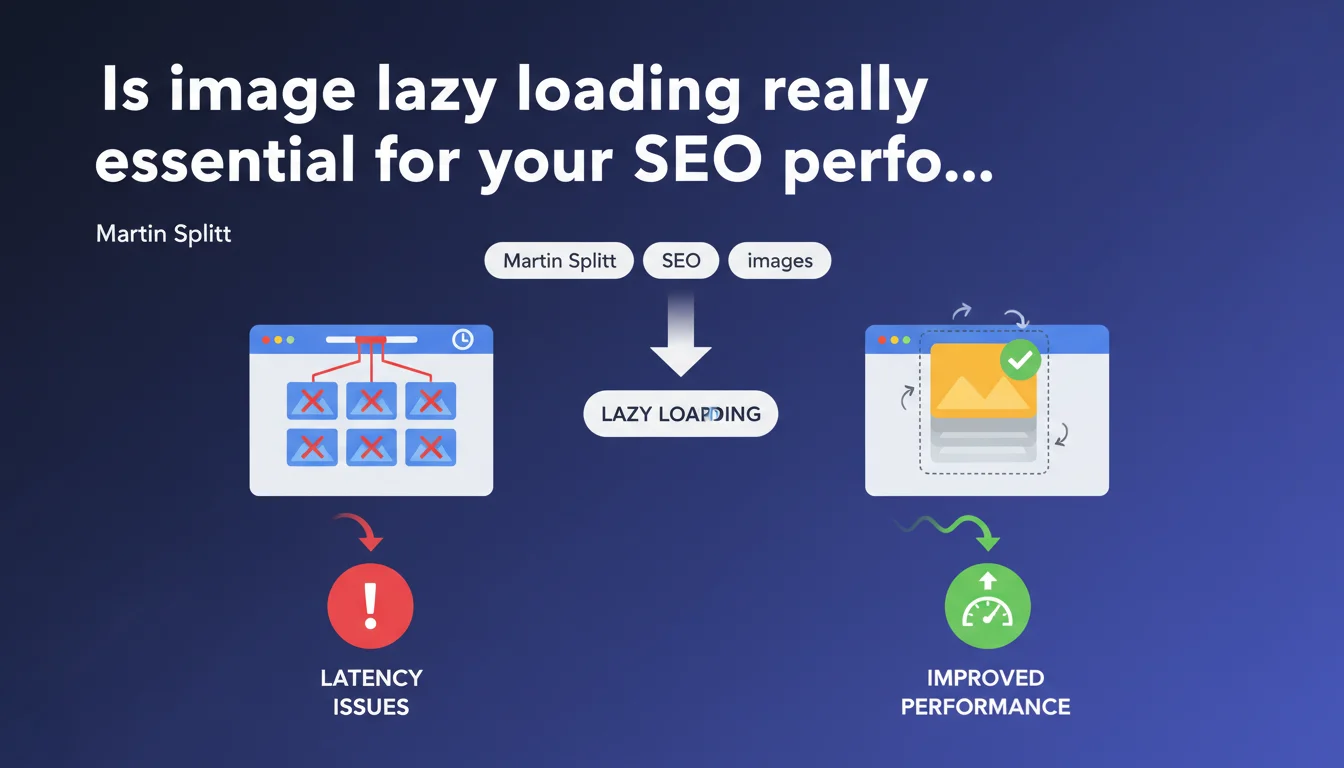
Google explicitly recommends lazy loading for images. Simultaneously loading all images creates bottlenecks at the browser level, which has limited connections available. This technique directly improves both perceived and measurable site performance.
What you need to understand
Why can't the browser load all images at the same time?
Browsers impose a strict limit on the number of simultaneous connections per domain — typically between 6 and 10 depending on the HTTP protocol used. When a page contains 50 images, they compete for these few available slots.
This queue generates artificial latency: images must wait their turn, even if bandwidth is available. The result? Sequential loading that slows down the complete page display.
How does lazy loading solve this latency problem?
Lazy loading defers the download of images outside the initial visible area. Instead of saturating connections from the start, the browser loads what really matters first: the above-the-fold content.
Images located lower on the page only load when the user scrolls and approaches them. This prioritization frees up resources for critical elements of the initial display.
What are the measurable impacts on Core Web Vitals?
Martin Splitt speaks of a "quick and effective solution" — and real-world data confirms it. Lazy loading directly improves the Largest Contentful Paint (LCP) by prioritizing resources visible immediately.
It also reduces the initial page weight, which positively impacts overall loading time. For image-rich sites (e-commerce, blogs, portfolios), the effect is particularly pronounced.
- Browsers limit simultaneous connections per domain (6-10 slots)
- Lazy loading defers loading of images outside initial viewport
- Direct impact on LCP and perceived loading time
- Particularly effective for pages rich in visual content
- Explicit Google recommendation via Martin Splitt
SEO Expert opinion
Is this recommendation aligned with what we observe in the field?
Absolutely. A/B tests consistently show improvements in speed metrics when lazy loading is implemented correctly. No surprise here: Splitt's statement reflects a technical consensus established for years.
Be careful though: "quick and effective" doesn't mean "without side effects". Poorly configured lazy loading can create cumulative layout shift (CLS) issues if placeholder spaces aren't sized correctly. We've seen sites degrade their Core Web Vitals after a botched implementation.
What nuances should be added to this statement?
Splitt oversimplifies — intentionally, I imagine. Lazy loading isn't a universal solution. For above-the-fold images, it's counterproductive: you artificially delay loading already visible content.
Google itself recommends excluding critical above-the-fold images from lazy loading. The loading="lazy" attribute should only apply to images located below the initial fold line, not to your entire DOM blindly. [To verify]: some CMS platforms apply lazy loading by default to all images without distinction — check your configuration.
In what contexts does this technique show its limitations?
On mobile with slow connections, overly aggressive lazy loading can frustrate users who scroll quickly. Images don't have time to load before entering the viewport — result: gray rectangles that flicker.
For image galleries or portfolios where users navigate quickly, consider a more generous loading threshold. Load the image when it's still 200-300px away from the viewport, not at the last moment.
loading="lazy") is now well supported, but some older third-party scripts may conflict with the native implementation. Always test after deployment.Practical impact and recommendations
How do you implement lazy loading correctly on your site?
The simplest and recommended method: the native HTML attribute loading="lazy". Add it to your <img> and <iframe> tags located below the first visible screen. Excellent browser support (95%+ according to Can I Use).
Avoid third-party JavaScript solutions unless you have specific needs (custom placeholders, transition effects). They add weight, complexity, and potential failure points. The native solution handles 90% of cases.
What critical mistakes must you absolutely avoid?
First common mistake: applying loading="lazy" to hero images or logos. You artificially delay LCP, exactly the opposite of the goal. Reserve lazy loading for below-the-fold images only.
Second pitfall: forgetting to dimension image containers. Without width and height attributes (or CSS equivalent), the browser can't reserve space. Result: content jumps when the image loads — your CLS skyrockets.
Third frequent error on e-commerce sites: lazy loading images of products visible above the fold on listings. These images are critical for user experience — load them immediately.
How do you verify your implementation works correctly?
Use Chrome DevTools > Network panel with throttling enabled. Scroll slowly and observe: images should load just before entering the viewport, neither too early nor too late.
Also check CLS in PageSpeed Insights or Chrome UX Report. If your score degrades after enabling lazy loading, you likely have a space reservation problem.
- Add
loading="lazy"only to below-the-fold images - Explicitly exclude hero images, logos, and first visible products
- Define
widthandheightattributes for each lazy-loaded image - Test with network throttling (3G Fast) to simulate slow connections
- Monitor CLS before/after implementation
- Verify that images load ~200px before entering the viewport
- Audit third-party scripts that might interfere with native lazy loading
❓ Frequently Asked Questions
Faut-il utiliser l'attribut loading="lazy" natif ou une bibliothèque JavaScript ?
Le lazy loading peut-il dégrader mon CLS au lieu de l'améliorer ?
Dois-je lazy loader toutes les images de ma page ou seulement certaines ?
Le lazy loading impacte-t-il l'indexation des images par Google ?
Quel seuil de déclenchement (threshold) choisir pour le chargement anticipé ?
🎥 From the same video 8
Other SEO insights extracted from this same Google Search Central video · published on 29/12/2022
🎥 Watch the full video on YouTube →
💬 Comments (0)
Be the first to comment.