
Official statement
Other statements from this video 10 ▾
- □ Les chaînes de redirections bloquent-elles vraiment le crawl de Google sur votre site ?
- □ Pourquoi l'écart entre URLs découvertes et indexées révèle-t-il des problèmes critiques ?
- □ Pourquoi les problèmes d'indexation se concentrent-ils sur certains dossiers de votre site ?
- □ Le no-index libère-t-il vraiment du crawl budget pour les pages importantes ?
- □ Les chaînes de redirections tuent-elles vraiment l'expérience utilisateur ?
- □ Faut-il vraiment supprimer toutes les redirections internes de votre site ?
- □ L'instabilité serveur peut-elle vraiment déclasser votre site dans Google ?
- □ Faut-il vraiment multiplier les outils de crawl pour diagnostiquer efficacement vos problèmes SEO ?
- □ Pourquoi faut-il détecter les erreurs techniques avant que Google ne les trouve ?
- □ Les Developer Tools du navigateur suffisent-ils vraiment pour auditer vos redirections SEO ?
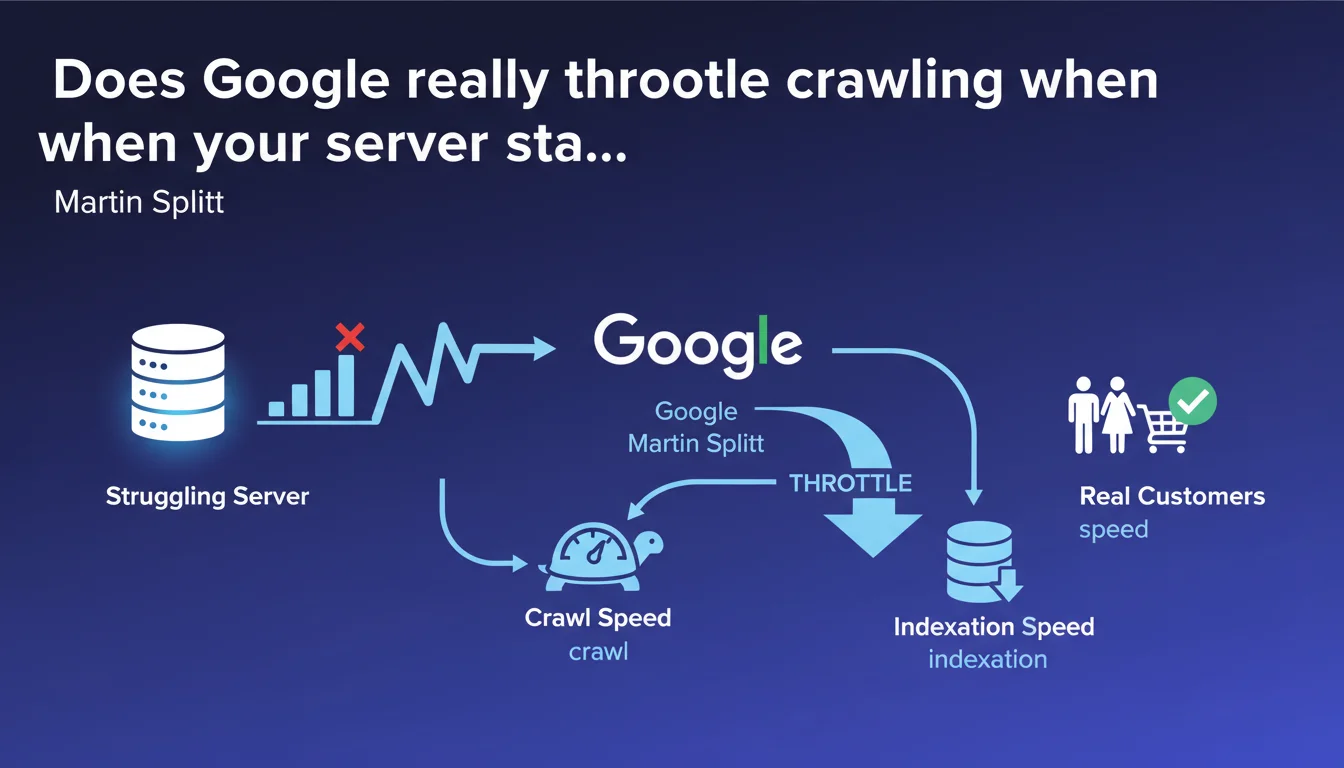
Google automatically adjusts its crawl speed downward as soon as it detects signs of server weakness — to avoid making the situation worse and penalizing your actual visitors. Direct consequence: your indexation slows down, sometimes dramatically, as long as the problem persists.
What you need to understand
What does this protection mechanism reveal about Googlebot's logic?
Google's crawl isn't a uniform process. The bot constantly adjusts its exploration pace based on the server's capacity to handle the load.
Concretely, Googlebot monitors response times, 5xx errors, and other stress signals — and backs off if your infrastructure shows signs of saturation. The goal: don't turn a tense situation into complete disaster.
What signals trigger this slowdown?
503 errors (Service Unavailable) and frequent timeouts are the classic triggers. But a gradual degradation of response times can be enough.
Google doesn't publish precise thresholds — each site is evaluated in its own context. What matters: the consistency of the signal. An isolated spike triggers nothing; a heavy trend, yes.
Why is this a problem for indexation?
If Googlebot slows down, it crawls fewer pages per day. New URLs take longer to be discovered, updated pages remain outdated in the index longer.
For an e-commerce site with rapid product rotation, or a media outlet publishing multiple times daily, the impact can be severe. Fresh content arrives late — or never arrives at all.
- Google protects your server by automatically slowing down its crawl
- Stress signals (5xx errors, timeouts) trigger this adjustment
- Consequence: reduced indexation speed, content discovered with delay
- The problem resolves when server performance returns to normal
SEO Expert opinion
Is this logic consistent with what we observe in practice?
Absolutely. Cases of crawl budget throttling following server incidents have been documented for years. This isn't new, but rather an official confirmation of what was already observable.
What's interesting here: Martin Splitt explains the reasoning. Google isn't trying to punish — it's trying to avoid making a fragile situation worse. It's a form of self-regulation in the system.
What nuances should be applied to this statement?
First point: not all sites are equal when facing crawl budget limits. A small blog with 200 pages will never see the problem, even with a struggling server. A site with 500,000 URLs will — and quickly.
Second nuance — and here's where it gets tricky. The statement doesn't specify how long the slowdown lasts after the problem is resolved. Is it a few hours? A few days? [To verify] on real cases, because Google remains vague on this timing.
Finally, be careful: some signals can be misinterpreted. A misconfigured CDN can generate intermittent errors without the origin server actually being in difficulty. Googlebot reacts to what it sees — not necessarily to infrastructure reality.
In what cases can this protection become counterproductive?
When a site suffers a DDoS attack or unusual but legitimate traffic spike, defensive mechanisms (rate limiting, WAF) can block or slow Googlebot by mistake. The bot interprets this as server stress — and slows down even more.
Result: double penalty. You're managing a traffic crisis, and on top of that your indexation freezes. It's rare, but it happens — and it's painful to debug in real time.
Practical impact and recommendations
What should you monitor to detect this slowdown?
First action: Google Search Console, Crawl Statistics tab. If you see a sharp drop in the number of requests per day with no editorial changes on your side, that's your alarm signal.
Cross-check with your server logs: look for 5xx errors, timeouts, unusual latency spikes. If both curves move together, you have confirmation.
How to fix the problem quickly?
Identify the source of the stress. Often, it's poorly coded plugin, a SQL query that explodes, a cache that's no longer working. Sometimes, it's just that your hosting is undersized for traffic growth.
Once the server-side problem is fixed, Googlebot resumes its normal pace — but not instantly. You need to give it time to verify that stability has returned. Patience: a few days may be necessary.
If you're in a hurry, you can force crawling of a few strategic URLs via the URL inspection tool in Search Console. But that doesn't replace a return to normal globally.
What mistakes must you absolutely avoid?
Never block Googlebot in your robots.txt or via rate limiting to "save" resources. It's counterproductive: Google interprets this as a weakness signal and slows down even more.
Also avoid over-soliciting Google's Indexing API to compensate. It's reserved for highly volatile content (job listings, livestreams). Using it heavily to force indexation post-incident can get your access suspended.
- Daily monitoring of Crawl Statistics in Search Console
- Correlate crawl drops with server errors (Apache/Nginx logs, APM monitoring)
- Size hosting based on actual traffic + margin to absorb Googlebot
- Configure automated alerts on 5xx errors and timeouts
- Test infrastructure resilience with stress testing tools before migration or overhaul
- Never block Googlebot to save resources — guaranteed opposite effect
❓ Frequently Asked Questions
Combien de temps dure le ralentissement du crawl après résolution du problème serveur ?
Est-ce que tous les sites sont concernés par ce mécanisme de protection ?
Un CDN peut-il empêcher Google de détecter les faiblesses du serveur d'origine ?
Peut-on forcer Google à reprendre un crawl normal après incident ?
Les erreurs 503 temporaires pendant une maintenance déclenchent-elles ce ralentissement ?
🎥 From the same video 10
Other SEO insights extracted from this same Google Search Central video · published on 29/11/2022
🎥 Watch the full video on YouTube →
💬 Comments (0)
Be the first to comment.