
Official statement
Other statements from this video 10 ▾
- □ Do redirect chains really block Google's crawl on your site?
- □ Why is the gap between discovered and indexed URLs revealing hidden indexation problems?
- □ Why are indexing problems concentrating on specific folders of your site?
- □ Does noindexing really free up crawl budget for your important pages?
- □ Do redirect chains really kill user experience and SEO performance?
- □ Does Google really throttle crawling when your server starts struggling?
- □ Can server instability really tank your Google rankings?
- □ Do you really need multiple crawl tools to diagnose your SEO problems effectively?
- □ Why should you detect technical errors before Google finds them for you?
- □ Are Browser Developer Tools Really Enough to Audit Your SEO Redirects?
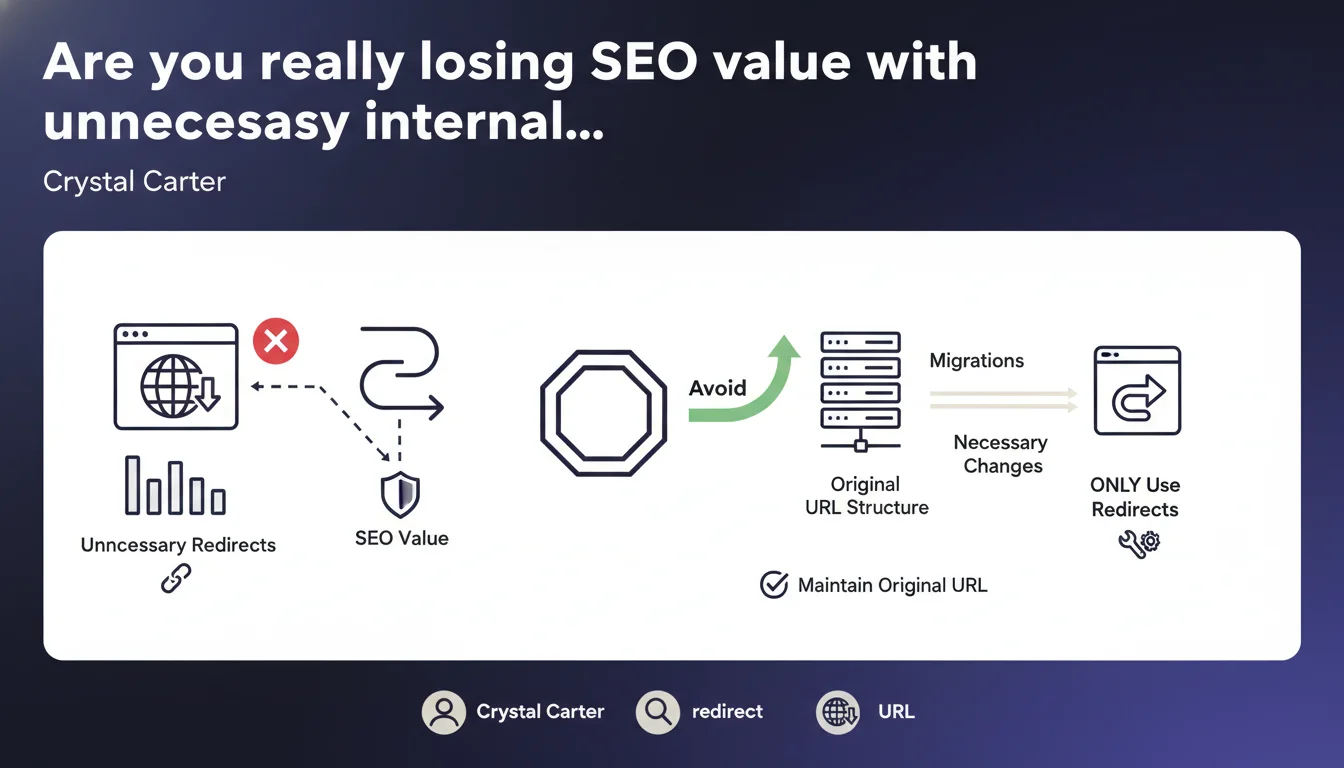
Google recommends avoiding internal redirects as much as possible. They should only be used during migrations or unavoidable structural changes. The takeaway: a clean architecture beats a network of redirects, no matter how well-designed.
What you need to understand
Why does Google emphasize limiting internal redirects?
Internal redirects create extra steps in the crawl journey. Every 301 or 302 consumes processing time and lengthens the chain between the initial request and the final resource. For an engine scanning billions of pages, every millisecond matters.
This statement clearly targets sites that accumulate redirects through editorial laziness or poor technical management. The problem? Too many sites maintain internal redirects when their CMS would actually allow fixing links at the source.
What counts as a "necessary" redirect under this logic?
Crystal Carter mentions migrations and structural changes. In concrete terms: site redesigns, domain changes, content merges, architecture restructuring. Situations where the original URL physically cannot be maintained.
What is NOT necessary: redirecting /old-article/ to /new-article/ from internal links when you could directly point to /new-article/ instead. External redirects (from third-party backlinks) remain legitimate — we're talking about links you control here.
Has Google always held this position?
Yes and no. Google has always said redirects are handled correctly, especially 301s that pass PageRank. But the messaging has progressively hardened on performance and crawl efficiency aspects.
The nuance: Google doesn't directly penalize internal redirects, but their accumulation slows down crawling, which can indirectly affect discovery of new pages or refresh frequency. It's a hidden cost.
- Internal redirects waste crawl budget unnecessarily
- They add latency to both user and bot journeys
- Google prefers an architecture where links point directly to final URLs
- External redirects (third-party backlinks) remain unavoidable and acceptable
- Only migrations, redesigns, and restructuring justify persistent internal redirects
SEO Expert opinion
Is this recommendation realistic for mature websites?
Let's be honest: on a site with thousands of pages and 10 years of history, zero internal redirects is pure fantasy. Successive redesigns, category mergers, strategy shifts inevitably leave traces.
The real problem is passive accumulation. Sites where nobody ever cleans up the internal linking, where each change adds a layer of redirects without ever removing any. That's when it becomes problematic. But a well-managed site with a few dozen strategic redirects won't be impacted.
What gray areas does Google fail to address?
The statement remains vague on thresholds. How many internal redirects before it becomes a problem? 50? 500? 5,000? [To be verified] — Google never gives concrete numbers, and for good reason: it depends on site size, crawl frequency, authority.
Another blind spot: temporary redirects (302, 307). The statement talks about 301s, but what about temporary technical redirects used for A/B tests or personalization? The message suggests they should also be avoided, but that contradicts some practices validated by Google elsewhere.
In what cases could this rule be counterproductive?
On sites with high editorial velocity (news sites, seasonal e-commerce), maintaining 100% redirect-free internal linking requires iron discipline. Sometimes it's faster and less risky to implement a clean 301 than to crawl through 500 pages fixing every link manually.
Then there are edge cases: legacy mobile version redirects, internal URL parameter management, redirects tied to CMS technical constraints. Not everything is black and white. The goal is to minimize, not reach zero at all costs if it creates more problems than it solves.
Practical impact and recommendations
How do you audit internal redirects on your site?
Start with a complete crawl using Screaming Frog, Oncrawl, or Botify. Filter for 301, 302, 307 status codes. Identify those triggered by internal links ("Inlinks" column or equivalent).
Then classify them into three categories: legitimate post-migration redirects, avoidable redirects (link correction possible), orphaned redirects (no internal links point to them, so useless). Focus on the last two.
What strategy should you use to clean up progressively?
Don't touch redirects handling significant organic traffic or quality external backlinks. They need to stay. However, identify pages where you control the source link — navigation, footer, recent articles — and fix them to point directly to the final URL.
For WordPress sites, plugins like Better Search Replace or Redirection allow fixing links in the database. For custom CMS, an SQL script can do the job — but always test on staging first.
Should you delete all internal redirects immediately?
No. Prioritize redirect chains (A → B → C) that multiply hops first. Then target redirects present in global templates (menu, sidebar) that repeat across hundreds of pages.
Isolated redirects on rarely-crawled pages can wait. The goal isn't instant perfection, but progressive improvement of your redirects-to-total-pages ratio.
- Crawl your site to identify all redirects triggered by internal links
- Separate necessary redirects (migrations, external backlinks) from avoidable ones
- Fix redirect chains and redirects in global templates first
- Update links in your CMS or database to point to final URLs
- Verify removed redirects haven't impacted traffic (monitor Analytics/GSC)
- Document retained redirects and their justification to prevent accidental deletion
❓ Frequently Asked Questions
Les redirections 301 transmettent-elles toujours 100% du PageRank ?
Doit-on supprimer les redirections même si elles génèrent du trafic ?
Combien de temps faut-il conserver une redirection après une migration ?
Un site avec beaucoup de redirections internes est-il pénalisé par Google ?
Les redirections JavaScript comptent-elles dans cette recommandation ?
🎥 From the same video 10
Other SEO insights extracted from this same Google Search Central video · published on 29/11/2022
🎥 Watch the full video on YouTube →
💬 Comments (0)
Be the first to comment.