
Official statement
Other statements from this video 10 ▾
- □ Do redirect chains really block Google's crawl on your site?
- □ Why is the gap between discovered and indexed URLs revealing hidden indexation problems?
- □ Why are indexing problems concentrating on specific folders of your site?
- □ Does noindexing really free up crawl budget for your important pages?
- □ Are you really losing SEO value with unnecessary internal redirects on your site?
- □ Does Google really throttle crawling when your server starts struggling?
- □ Can server instability really tank your Google rankings?
- □ Do you really need multiple crawl tools to diagnose your SEO problems effectively?
- □ Why should you detect technical errors before Google finds them for you?
- □ Are Browser Developer Tools Really Enough to Audit Your SEO Redirects?
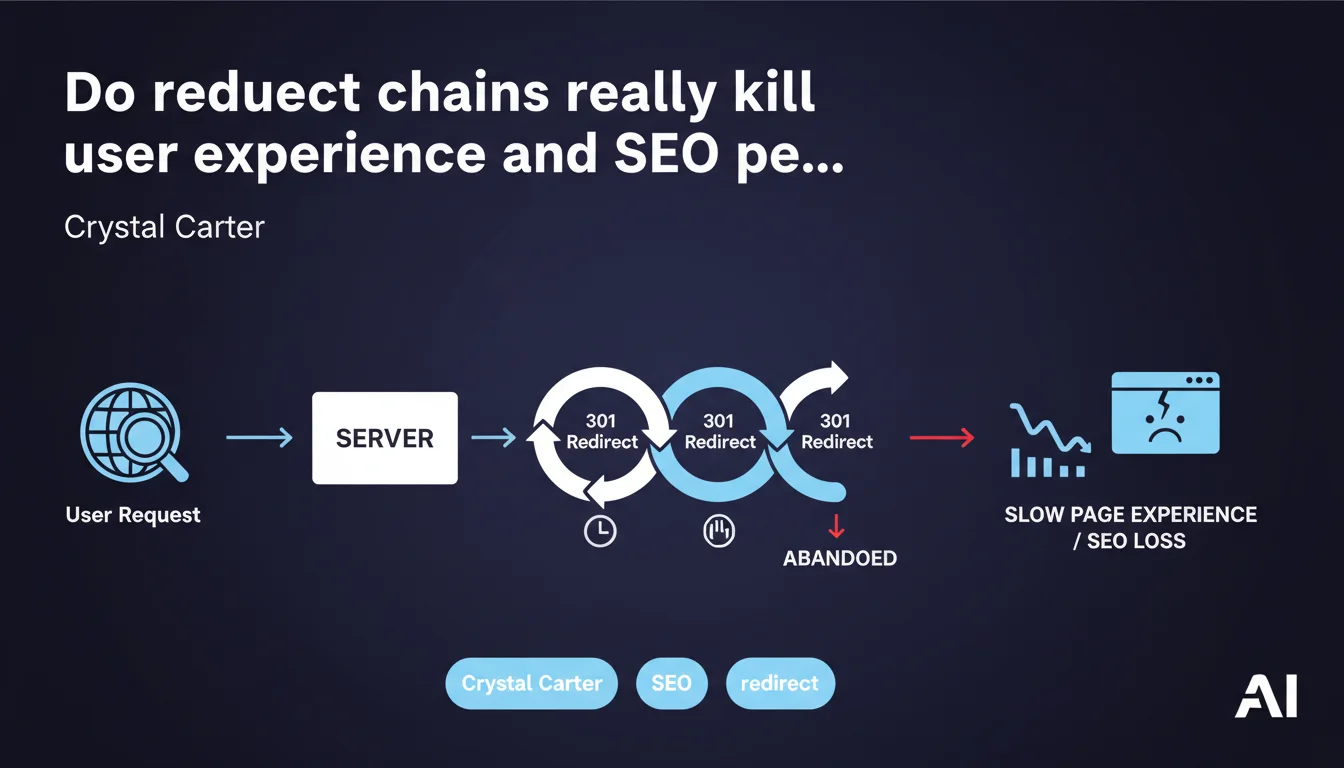
Google states that redirect chains and excessive 301 redirects slow down page experience for users. Each redirect adds latency time and can even cause the browser to abandon the request. For SEO professionals, this is a direct reminder: limit the jumps, optimize your migrations, or you'll lose visitors before they even reach the target page.
What you need to understand
Why do redirect chains cause problems?
A redirect chain occurs when URL A redirects to B, which redirects to C, and so on. Each jump requires an additional HTTP request, which lengthens the total response time.
The browser must resolve each redirect sequentially. If the chain is long or if the server is slow to respond, the user waits. In extreme cases, the browser may even abandon the attempt and display an error, thinking the site is looping endlessly.
What's the impact on crawling and indexing?
Google follows redirects, but each jump consumes crawl budget. A chain of 4-5 redirects turns a simple URL into an obstacle course for Googlebot.
In practice, this means important pages may be crawled less frequently, or the bot wastes time on unnecessary paths instead of discovering fresh content. It's pure waste.
How does this affect Core Web Vitals?
LCP (Largest Contentful Paint) and FID (First Input Delay) suffer directly from redirects. The longer the browser waits before receiving the final HTML, the worse the LCP degrades.
Mobile users, often on unstable connections, are even more impacted. A redirect chain can transform a normally fast page into a laborious experience.
- Each redirect = additional latency, therefore degraded loading time.
- Long chains unnecessarily consume crawl budget and delay indexing.
- Browsers may abandon if the chain appears to loop or takes too long.
- Direct impact on Core Web Vitals, particularly LCP and FID.
- Mobile users on slow networks are the first victims.
SEO Expert opinion
Is this statement aligned with what we observe in the field?
Yes, without question. Speed tests show that a chain of 3 redirects can easily add 500-800 ms of latency, sometimes more if the server is slow or geographically distant.
Technical audits often reveal inherited chains from poorly managed migrations: domain A → domain B → subdomain C → final URL. Each jump is another brick in the wall separating the user from the content.
What nuances should be applied to this recommendation?
Google doesn't say how many redirects are acceptable — and that's where it gets fuzzy. A single redirect (A → B) is perfectly normal and poses no issues. Two consecutive redirects (A → B → C) start to become questionable.
Beyond that, you enter the red zone. But how many exactly? [To verify] — Google doesn't provide a precise threshold. The pragmatic approach: aim for zero chains, tolerate 1 jump maximum in exceptional cases.
Permanent 301s versus temporary 302s: both types of redirects create latency, but only 301s transmit PageRank. If you must redirect, prioritize 301 — but above all, don't chain them.
In what cases doesn't this rule apply strictly?
There are situations where an intermediate redirect is technically necessary, for example during a staged migration between multiple infrastructures. But even then, the goal should be to reduce the lifespan of the chain.
Redirects to CDNs or reverse proxies may add a logical jump, but if managed at the edge server level, user impact remains minimal. Again, it all depends on the implementation.
Practical impact and recommendations
What concrete steps should you take to eliminate chains?
Start with a complete crawl of your site using tools like Screaming Frog, Sitebulb, or OnCrawl. Filter URLs by status code (301, 302, 307, 308) and identify those that form chains.
Once chains are detected, replace them with direct redirects from A to C, removing step B. Then test each modified URL to verify it points to the final destination without detours.
What mistakes should you avoid when fixing?
Don't touch redirects in bulk without backing up your .htaccess file or Nginx configuration. A syntax error can break the entire site. Test locally or on a staging environment before deploying to production.
Also avoid brutally removing an intermediate redirect if it still carries traffic or active backlinks. First verify in Google Analytics and Search Console that the URL is no longer being requested.
How do you verify your site is compliant after correction?
Run another complete crawl and verify that chains have disappeared. Check Google Search Console to monitor any 404 errors or soft 404s that might appear following modifications.
Test loading speed with PageSpeed Insights or WebPageTest on the modified URLs. If LCP or Time to First Byte improve, the correction is working.
- Crawl the site to identify all redirect chains (301, 302, 307, 308).
- Replace each chain A → B → C with a direct redirect A → C.
- Test each modified URL to ensure it points to the correct final destination.
- Create a complete backup of your .htaccess file or server configuration before any modifications.
- Verify in Search Console that no new 404 errors appear post-correction.
- Measure impact on Core Web Vitals (LCP, FID) before/after to quantify gains.
- Schedule quarterly audits to detect new chains created by plugins or CMS updates.
❓ Frequently Asked Questions
Combien de redirections maximum Google tolère-t-il avant de pénaliser le site ?
Les redirections 302 sont-elles aussi problématiques que les 301 pour la vitesse ?
Comment détecter les chaînes de redirections cachées créées par un CMS ou un plugin ?
Une chaîne de redirections peut-elle empêcher une page d'être indexée ?
Faut-il corriger les chaînes de redirections même si elles concernent des URLs peu visitées ?
🎥 From the same video 10
Other SEO insights extracted from this same Google Search Central video · published on 29/11/2022
🎥 Watch the full video on YouTube →
💬 Comments (0)
Be the first to comment.