
Official statement
Other statements from this video 10 ▾
- □ Les chaînes de redirections bloquent-elles vraiment le crawl de Google sur votre site ?
- □ Pourquoi l'écart entre URLs découvertes et indexées révèle-t-il des problèmes critiques ?
- □ Pourquoi les problèmes d'indexation se concentrent-ils sur certains dossiers de votre site ?
- □ Les chaînes de redirections tuent-elles vraiment l'expérience utilisateur ?
- □ Faut-il vraiment supprimer toutes les redirections internes de votre site ?
- □ Pourquoi Google ralentit-il son crawl quand votre serveur faiblit ?
- □ L'instabilité serveur peut-elle vraiment déclasser votre site dans Google ?
- □ Faut-il vraiment multiplier les outils de crawl pour diagnostiquer efficacement vos problèmes SEO ?
- □ Pourquoi faut-il détecter les erreurs techniques avant que Google ne les trouve ?
- □ Les Developer Tools du navigateur suffisent-ils vraiment pour auditer vos redirections SEO ?
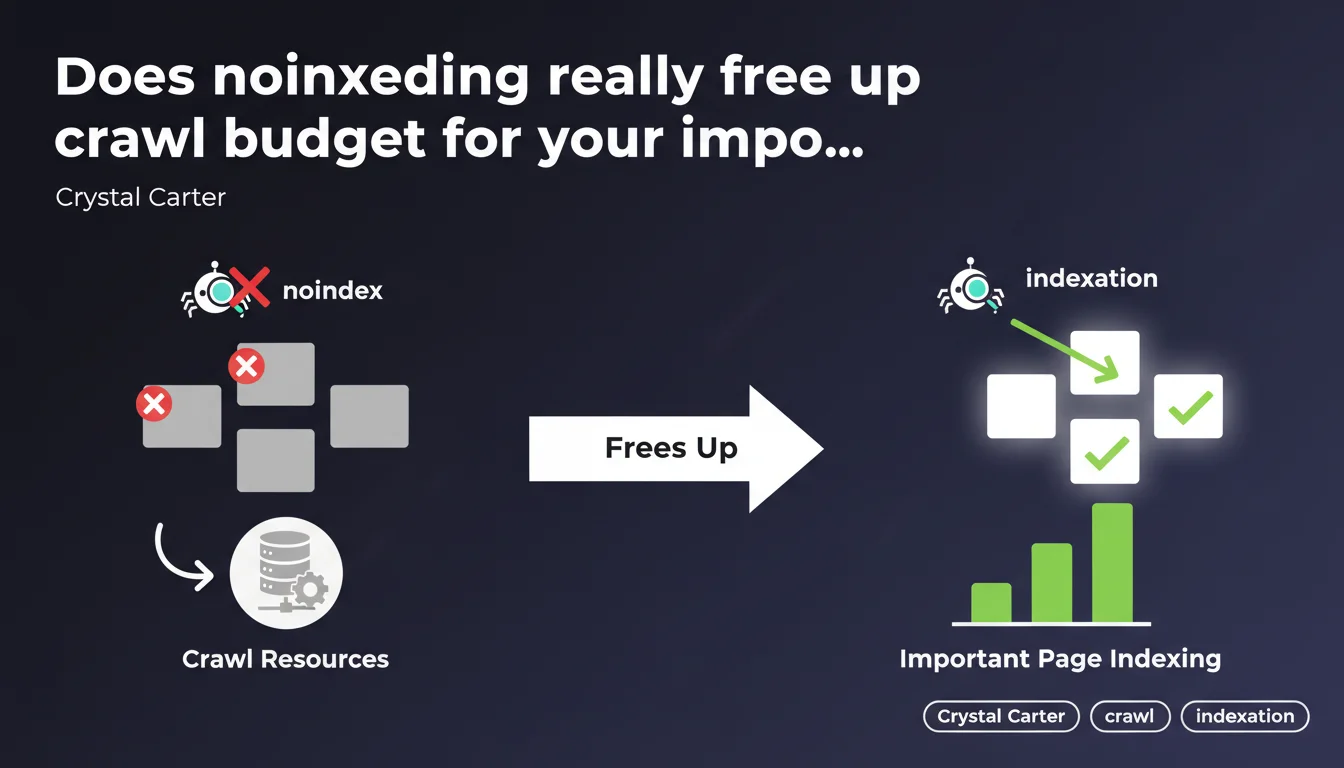
Google confirms that adding noindex tags to non-strategic pages frees up crawl resources for the rest of your site. Concretely: fewer useless pages indexed equals more bot time allocated to URLs that matter. A statement that validates a practice already well-established in the field.
What you need to understand
Why does Google keep emphasizing this crawl budget thing?
Googlebot has limited time per site. If your server has thousands of worthless URLs (facet filters, session parameters, empty tag pages), the bot wastes time exploring and re-evaluating them. The result: your strategic pages wait longer before being crawled again.
Noindex tells Google: "This page can stay in crawl, but there's no need to include it in the index." The bot spends fewer cycles processing these URLs, theoretically. Freeing up these resources allows the crawl to focus on high-value content — the content that drives organic traffic.
What types of pages should carry a noindex tag?
Classic candidates: thank-you pages after form submission, internal search results pages, tag archives with no content, UTM parameters, duplicate paginated versions, login/user account pages. Anything that adds nothing for an external visitor and pollutes the index.
Important — we're not talking about blocking crawl via robots.txt, which would prevent Google from seeing the noindex tag. The idea is to let Googlebot access the page, read the noindex, and move on without wasting indexing processing budget.
Does this directive actually improve overall indexation?
Yes, but under certain conditions. If your site has 500 pages and you noindex 50 irrelevant ones, the impact could be zero. However, on a large ecommerce site with 100,000 URLs where 30% are parasitic pages, the gains become measurable: reduced average recrawl time, better freshness of strategic content.
- Noindex ≠ crawl blocking: the page remains accessible but is removed from the index
- Primarily applicable on large sites where crawl budget is a limiting factor
- Allows bot resources to focus on traffic-generating pages
- Prevents signal dilution in the index with worthless content
SEO Expert opinion
Is this statement consistent with what we see in the field?
Absolutely. Technical audits regularly show sites where 40 to 60% of indexed pages generate zero organic traffic. As soon as you clean up the index via noindex plus gradual removal, you often see more frequent recrawling of strategic URLs — especially on sites heavy with pagination or facets.
Now let's be honest: Crystal Carter doesn't specify the threshold number of pages from which improvement becomes significant. For a 200-article blog, the effect will be marginal. For a marketplace with 500,000 product listings where 200,000 are obsolete, that's another story. [To verify] on each site via log analysis.
What nuances should we add to this recommendation?
Noindex is not a catch-all solution. If you noindex an intermediate category page that serves as an internal linking hub, you break the PageRank flow and semantic coherence. Result: child pages can lose visibility, even if they remain indexed.
Another classic pitfall: applying noindex to pages that already receive backlinks. Google will continue crawling these URLs (since they're linked from external sources), but you lose their contribution to ranking. Before noindexing, check the distribution of inbound links — an Ahrefs or Majestic export is enough.
In what cases does this rule not apply?
On small sites (fewer than 1,000 pages), crawl budget is practically never a limiting factor. Google has plenty of bandwidth to crawl everything multiple times a day. Adding noindex everywhere won't change recrawl frequency — and might even create implementation errors if your CMS isn't properly configured.
Same for brand new sites with no history: Googlebot typically explores all discovered URLs without friction. The real value of noindex for freeing crawl budget is on mature sites with an index bloated by years of URL creep.
Practical impact and recommendations
What should you concretely do to free up this crawl budget?
First step: identify indexed pages with low value. Extract your index via Google Search Console (Coverage report) or a Screaming Frog crawl. Cross-reference with your Analytics data to spot indexed URLs generating zero organic sessions over 12 months.
Next, segment by type: tag pages with no content, empty archives, URLs with session parameters, low-search-volume product facets. For each segment, add <meta name="robots" content="noindex, follow"> in the <head>. Follow remains essential to avoid breaking internal linking.
Then verify in your server logs that Googlebot continues crawling these pages — but no longer reindexing them. Monitor the total index size evolution in Search Console: a progressive decrease confirms Google is respecting the directive.
What errors should you avoid during implementation?
Never accidentally noindex a page in production — a misconfigured CMS might propagate the tag to an entire strategic section. Test first on a small sample (10-20 URLs), wait 2-3 weeks, and measure the impact before scaling.
Also avoid noindexing pages with unique quality content simply because they generate little traffic today. Sometimes a page sleeps in the index for months before a long-tail query makes it surface. Analyze semantic potential, not just Analytics history.
Final pitfall: never combine noindex and canonical to another URL. Google will follow the canonical and ignore the noindex, creating a contradictory signal. If a page should leave the index, use noindex alone. If it's duplicate, use canonical alone.
How do you verify that the strategy is working?
- Export Search Console index before intervention (baseline)
- Apply noindex to a test segment (e.g., empty tags)
- Wait 3-4 weeks and re-export the index to see the decrease
- Analyze server logs: is the recrawl rate for strategic pages increasing?
- Monitor average time to discovery of new content (Search Console)
- Cross-reference with organic traffic evolution on priority pages
❓ Frequently Asked Questions
Faut-il utiliser no-index ou robots.txt pour exclure des pages de l'index ?
Le no-index réduit-il le PageRank transmis aux pages liées ?
Combien de temps faut-il pour que Google retire une page no-indexée de l'index ?
Peut-on no-indexer une page tout en la gardant dans le sitemap XML ?
Le no-index améliore-t-il le crawl budget sur un petit site de 300 pages ?
🎥 From the same video 10
Other SEO insights extracted from this same Google Search Central video · published on 29/11/2022
🎥 Watch the full video on YouTube →
💬 Comments (0)
Be the first to comment.