
Official statement
Other statements from this video 10 ▾
- □ Les chaînes de redirections bloquent-elles vraiment le crawl de Google sur votre site ?
- □ Pourquoi l'écart entre URLs découvertes et indexées révèle-t-il des problèmes critiques ?
- □ Pourquoi les problèmes d'indexation se concentrent-ils sur certains dossiers de votre site ?
- □ Le no-index libère-t-il vraiment du crawl budget pour les pages importantes ?
- □ Les chaînes de redirections tuent-elles vraiment l'expérience utilisateur ?
- □ Faut-il vraiment supprimer toutes les redirections internes de votre site ?
- □ Pourquoi Google ralentit-il son crawl quand votre serveur faiblit ?
- □ L'instabilité serveur peut-elle vraiment déclasser votre site dans Google ?
- □ Pourquoi faut-il détecter les erreurs techniques avant que Google ne les trouve ?
- □ Les Developer Tools du navigateur suffisent-ils vraiment pour auditer vos redirections SEO ?
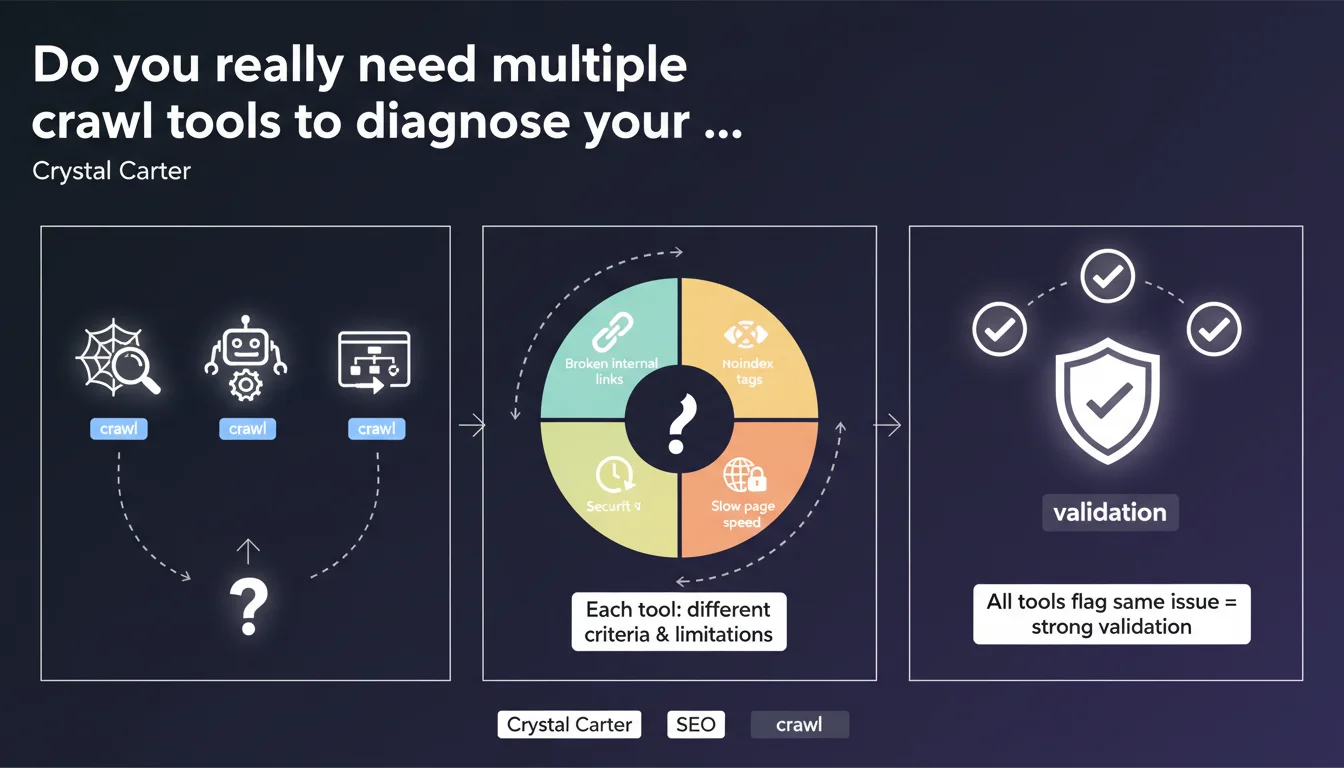
Google recommends using multiple crawl tools to validate an SEO diagnosis, because each tool has its own limitations and detection criteria. When multiple tools identify the same issue, that's strong validation that deserves your immediate attention.
What you need to understand
Why isn't a single crawl tool enough?
Every crawl tool analyzes your website according to its own rules, technical limitations, and understanding of the web. Screaming Frog, Google Search Console, Oncrawl, Sitebulb — they don't have the same engine, the same ability to handle JavaScript, or the same crawl budget management.
This diversity isn't a bug, it's a reality: commercial tools simulate Googlebot with varying degrees of accuracy, while Search Console shows you what Google actually sees. But even GSC has its blind spots.
What counts as strong validation according to Google?
When three different tools identify exactly the same issue on the same URLs, you've got a solid lead. That's triangulation: if Screaming Frog, Oncrawl, and GSC all report identical 404 errors, it's not a false positive caused by one tool's configuration.
Conversely, a problem detected by only one tool deserves investigation before you panic — it could be a configuration artifact.
When is this approach truly necessary?
You don't need to deploy the full arsenal for a small isolated anomaly. This methodology becomes essential when you're investigating unexplained traffic drops, massive indexation issues, or conflicting signals between your usual tools.
It's also relevant during technical migrations or when auditing complex sites with heavy JavaScript, cascading redirects, or convoluted architecture.
- Each crawl tool has its own technical limitations and detection criteria
- Cross-validation between multiple tools drastically reduces false positives
- Google Search Console shows the reality of Google's crawl, but isn't exhaustive
- This approach is essential for complex diagnostics, not for micro-optimizations
SEO Expert opinion
Is this recommendation really new?
Let's be honest: no senior SEO has relied on a single tool for years. What Crystal Carter is formalizing here is an already established practice among seasoned practitioners. The real novelty is that Google is saying it explicitly.
It validates our field methodology, but it also raises a question — why is Google communicating about this now? Probably because they're seeing too many support tickets and forums filled with diagnostics based on a single poorly configured tool.
What are the practical limitations of this approach?
The problem is budget and time. Screaming Frog is accessible, but Oncrawl or Botify cost thousands of euros per year. For a small business or freelancer starting out, multiplying licenses isn't sustainable.
And even with the tools, you need to configure them correctly. A poorly configured crawl — incorrect user-agent, robots.txt directives disabled, limited crawl depth — generates false positives in series. Comparing three badly configured tools gets you nowhere.
When doesn't this rule really apply?
If you manage a 50-page site with simple architecture, Search Console + Screaming Frog are more than enough. No need for an enterprise tool stack to validate that your title tags are correct.
This multi-tool approach becomes relevant once you have thousands of pages, JavaScript-driven dynamic content, or indexation issues that GSC alone can't help you untangle. Concretely: e-commerce sites, massive content platforms, SaaS platforms.
Practical impact and recommendations
How do you set up an effective multi-tool crawl strategy?
Start with Google Search Console — it's free and it's the source of truth for what Google actually sees. Complement it with a desktop crawler like Screaming Frog or Sitebulb for in-depth structural analysis, redirects, and tags.
If your budget allows, add an enterprise solution (Oncrawl, Botify, DeepCrawl) for large volumes and historical analysis. The key is to cross-reference at least two sources: one that shows you Google's reality (GSC), one that gives you technical details (crawler).
What mistakes should you avoid when comparing tools?
Don't compare apples and oranges. A tool that crawls without JavaScript enabled won't see the same things as a headless crawler — and neither will exactly reflect Googlebot's behavior if your site uses dynamic rendering.
Another trap: interpreting a divergence as a bug. Sometimes it's just that tools don't have the same detection thresholds. A soft 404 detected by Screaming Frog might not appear in GSC if Google hasn't crawled it yet.
And most importantly — don't get drowned in data. If three tools generate 15,000 alert lines each, you won't make progress. Prioritize issues confirmed by multiple sources that actually impact indexation or crawlability.
What concrete methodology should you adopt for your audits?
- Run a full crawl with at least two different tools (ideally GSC + desktop crawler + JS crawler if budget allows)
- Configure each tool with consistent rules: coherent user-agent, robots.txt compliance, same crawl depth
- Identify problems detected by multiple tools simultaneously — that's your priority list
- Cross-reference with GSC data to confirm that Google is actually encountering these issues
- Document the divergences between tools to understand their respective limitations
- Set up regular monitoring (weekly or monthly depending on site size)
❓ Frequently Asked Questions
Quels outils de crawl Google recommande-t-il spécifiquement ?
Combien d'outils faut-il utiliser au minimum pour valider un diagnostic ?
Que faire si deux outils donnent des résultats contradictoires ?
Est-ce pertinent pour un petit site de moins de 100 pages ?
Un crawler peut-il détecter des problèmes que Google Search Console ne voit pas ?
🎥 From the same video 10
Other SEO insights extracted from this same Google Search Central video · published on 29/11/2022
🎥 Watch the full video on YouTube →
💬 Comments (0)
Be the first to comment.