
Official statement
Other statements from this video 16 ▾
- □ Is crawl budget really insignificant for your site?
- □ Should you publish more frequently to be crawled more regularly by Google?
- □ Should you really worry about internal content duplication?
- □ Does new content really get an automatic ranking boost?
- □ Does hreflang really function on a page-by-page basis and not for the entire site?
- □ How does Google truly measure Page Experience in its algorithm?
- □ Does Google really not use Chrome and Analytics data for rankings?
- □ Does hreflang really change the ranking or just swap the URLs?
- □ Is it true that Top Stories can thrive without AMP? Here's what you need to know!
- □ Does Google Search Console really account for all your SEO impressions?
- □ Does JavaScript-generated URLs really waste your crawl budget?
- □ Does nofollow really prevent a page from being indexed?
- □ Why does Google choose not to index certain pages on your site?
- □ Should you really delete low-traffic pages to boost your SEO?
- □ Does improperly formatted breadcrumb markup lead to a Google penalty?
- □ Does unique content really enhance a site's overall ranking?
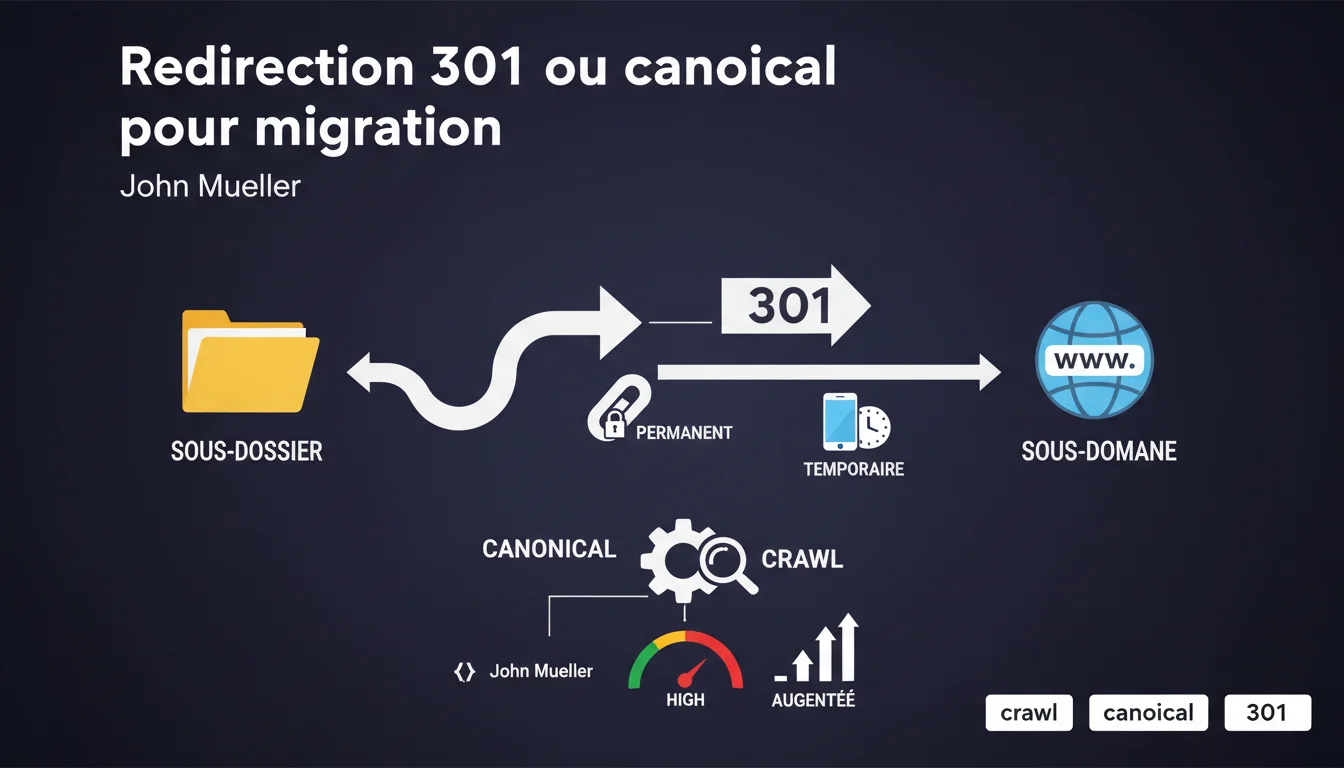
John Mueller confirms that both 301 redirects and canonical links are valid approaches for migrating from a subfolder to a subdomain. It is possible to temporarily maintain both versions in parallel with a canonical link, but Google will crawl more to manage this temporary duplication.
What you need to understand
Why does Google validate two such different methods?
The 301 redirect and the canonical link do not play in the same category. The 301 removes the old URL from the circuit — the server directs the direct visitor to the new address. The canonical, on the other hand, keeps both versions accessible but signals to Google which one to consider as the reference. This flexibility can be explained by the diversity of migration contexts. Some sites need to switch instantly for technical or political reasons. Others prefer a gradual transition, temporarily maintaining the old structure to validate that everything works on the new domain side. With a permanent 301 , Googlebot follows the redirect, indexes the new URL, and gradually deindexes the old one. Ranking signals (backlinks, authority) are transferred to the target. It’s clear and surgical. With a canonical , both URLs remain crawlable but Google focuses its efforts on the canonical version. The old URL may remain cached for a while, and some backlinks continue to point to it. The transfer of signals works, but the process is slower and less predictable. Because Google has to manage two URLs instead of one . Even if the bot understands that the old version is duplicated, it continues to periodically check both addresses for potential changes. On a large site with thousands of migrated pages, this overhead can saturate your crawl budget . Important new pages may be crawled less frequently because Googlebot is wasting time checking for duplicates. What actually happens with each method?
Why does the crawl increase with canonical?
SEO Expert opinion
Is this statement consistent with observed practices?
On paper, yes. In real-world practice, it's more nuanced . I have observed migrations with canonicals that lingered for months before Google properly consolidated the signals. The 301, on the other hand, compels immediate action: within 2-4 weeks, the bulk of the transfer is done. Mueller's discourse remains vague on a crucial point: how long should this transitional phase with canonical be maintained? He says “temporarily,” but what does that mean concretely — one week, one month, three months? [To be verified] based on the size of the site and its usual crawl frequency. Let’s be honest: in very few scenarios . The canonical makes sense if you absolutely need to keep the old structure accessible for business reasons — maintenance of hard-coded old internal links, legacy systems that break with a 301, or an A/B testing phase on a fraction of the traffic. But for a true, sustainable migration from subfolder to subdomain, the 301 remains the cleanest approach . Why? Because it avoids ambiguities, reduces crawl load, and forces all stakeholders (your team, your analytics tools, your partners) to make a definitive switch. The main danger: dilution of signals . If Google continues to see two versions long after the migration, some external backlinks may remain anchored to the old URL. You are fragmenting your authority between two addresses instead of concentrating it. Another trap: if you forget to switch to 301 after the transitional phase, you end up with a shaky architecture that persists indefinitely. I have seen sites maintain “temporary” canonicals for years because no one set a clear deadline. In what cases is the canonical truly relevant?
What are the risks of extending the canonical strategy?
Practical impact and recommendations
What should you do concretely for a migration?
If your migration is final — which is the case for 90% of subfolder to subdomain scenarios — opt for the permanent 301 . Set it up at the server level (Apache, Nginx, Cloudflare Workers) to avoid any unnecessary latency. If you still opt for the transitional phase with a canonical, set a strict deadline . For example: maintain both versions for 2 weeks to validate metrics, then switch to 301. And keep a close eye on your Search Console to catch any signals of confusion. Never mix 301 and canonical on the same URLs. Either one, or the other. If you redirect a page in 301 and then add a canonical on the target, you create a chain of signals that Google will have to untangle — and it can interpret that in any way. Another classic mistake: forgetting to update your internal linking and your XML sitemap. Even with a well-configured 301, if your internal links still point to the old structure, you are wasting crawl budget on unnecessary redirects. Three indicators to monitor in the first 4 weeks : (1) the indexing rate of new URLs in Search Console, (2) the gradual disappearance of old URLs from Google’s index (query site:olddomain.com/folder/), (3) the stability or rebound of your positions on strategic queries. If you notice stagnation — old URLs still indexed after 3-4 weeks with 301 in place — that’s a sign of a structural problem. Check your server configuration files, any lingering canonical tags, and the consistency of your sitemap. A migration from subfolder to subdomain requires rigor and anticipation. Even if Google validates multiple approaches, the permanent 301 remains the most reliable to avoid signal dilution and crawl overload. These technical decisions — method choice, sequencing, post-migration monitoring — can quickly become complex on high-traffic sites. If you are unsure about the optimal strategy or lack internal resources to manage each step, engaging a specialized SEO agency will help you avoid costly mistakes and loss of visibility during the transition. What mistakes should you absolutely avoid?
How can you check that the migration is well managed?
❓ Frequently Asked Questions
Peut-on utiliser une 302 au lieu d'une 301 pour une migration ?
Combien de temps Google met-il à transférer les signaux avec une 301 ?
Le canonical fonctionne-t-il entre domaines différents ?
Faut-il garder l'ancien domaine actif indéfiniment avec des 301 ?
Que se passe-t-il si je supprime une 301 après quelques mois ?
🎥 From the same video 16
Other SEO insights extracted from this same Google Search Central video · published on 09/01/2022
🎥 Watch the full video on YouTube →
💬 Comments (0)
Be the first to comment.