
Official statement
Other statements from this video 8 ▾
- □ Peut-on vraiment forcer Google à ré-indexer un site entier d'un coup ?
- □ Google réindexe-t-il automatiquement les changements majeurs sur un site ?
- □ Faut-il vraiment utiliser un code 404 ou 410 pour les pages supprimées ?
- □ Pourquoi lier vos nouvelles pages depuis le site existant est-il crucial pour l'indexation Google ?
- □ Faut-il vraiment lier ses nouvelles pages depuis les pages importantes pour accélérer l'indexation ?
- □ Pourquoi Google recommande-t-il d'afficher les changements critiques sur les pages existantes plutôt que de créer de nouvelles pages ?
- □ Pourquoi Google crawle-t-il certaines pages plus souvent que d'autres ?
- □ Les sitemaps XML sont-ils vraiment indispensables pour l'indexation de votre site ?
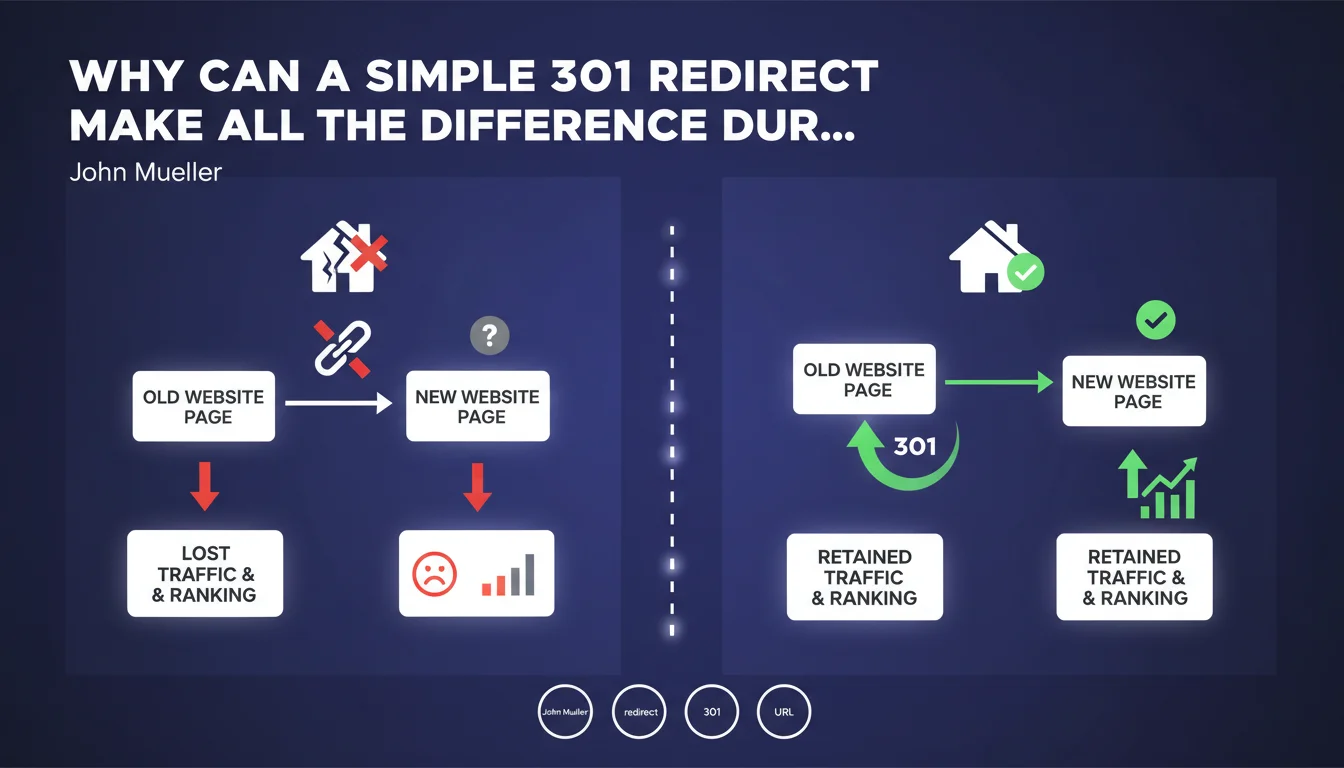
Google confirms that redirects are essential when changing URLs. Without redirects, you lose SEO equity, page history, and create a disruption in user experience. It's a fundamental rule, but its implementation in the field is still too often neglected.
What you need to understand
What is a redirect and why does Google insist on it so much?
A redirect is a technical instruction that tells Google (and browsers) that a page has moved. It transfers SEO authority from the old URL to the new one.
Google has been hammering this home for years — but mistakes during migrations remain one of the leading causes of organic traffic drops. John Mueller drives home an obvious point here: never leave an old URL in a 404 error if it carries authority.
What's the difference between a 301 and other types of redirects?
A 301 redirect signals a permanent change. It transfers almost all of the PageRank and ranking signals to the new URL. It's the standard when doing a redesign or structural change.
A 302, on the other hand, indicates a temporary change. Google keeps the old URL in the index and doesn't systematically transfer all signals. Using a 302 instead of a 301 is a classic mistake — and an expensive one.
Are redirects always necessary when changing a URL?
Yes, without exception. Whether it's a simple slug modification or a complete redesign, every URL that changes must be redirected. Otherwise, you break backlinks, social shares, and user experience.
Even for low-traffic pages: a quality inbound link might be sitting dormant on a forgotten page. Not redirecting means wasting that equity.
- Every modified URL requires a 301 redirect
- A 302 does not sustainably transfer all ranking signals
- Never leave an old URL returning a 404 if it receives traffic or backlinks
- Redirects preserve accumulated authority and user experience
SEO Expert opinion
Is this statement really new or just a reminder?
Let's be honest: it's a reminder. Google has never said anything different. But this kind of official reminder often comes after massive mistakes observed during migrations.
The problem is that this obvious truth remains ignored. Too many redesigns end up with hundreds of orphaned URLs. Rushed agencies, poorly configured CMS systems, developers who don't understand SEO implications — all of this creates damage.
Do all redirects really transfer equity equally?
No, and that's where nuance matters. A single redirect (1 old URL → 1 new relevant URL) transfers almost everything. But a redirect chain (A → B → C) dilutes the signals.
Google tolerates one or two steps, but beyond that, it slows crawling and degrades the transfer. And if you redirect 50 URLs to a single homepage? You lose most of the value. [To verify]: Google doesn't publish an official figure on the exact loss during multiple redirects.
What are the risks if you neglect this basic rule?
The first sign is a sharp drop in organic traffic in the weeks following launch. Backlinks point to nothing, historical pages disappear from the index.
The second effect is more insidious: Google loses trust. A site that multiplies 404s after a redesign sends a signal of negligence. Crawl budget degrades, indexing slows. Rebuilding that trust takes months.
Practical impact and recommendations
What should you check before any URL modification?
First, identify all affected URLs: those that change, those that disappear, those that merge. Export a complete crawl via Screaming Frog or Oncrawl.
Next, cross-reference with your Search Console data to identify pages still receiving traffic or impressions. A page dormant for 2 years might still be linked from an authoritative site.
How do you implement redirects correctly?
Redirects should be configured server-side (.htaccess file for Apache, nginx.conf for Nginx, or via CMS if properly configured). Avoid JavaScript or meta refresh redirects: Google follows them, but with delay and less reliability.
Each old URL should point to the most thematically relevant new URL. If a product page disappears, redirect to the parent category — not the homepage.
What mistakes should you absolutely avoid?
The worst mistake? Redirecting in bulk to the homepage. Google detects this pattern and ignores some of the redirects. You lose equity and deindex content.
Another trap: forgetting to update your XML sitemap. If your sitemap still lists old URLs, Google will crawl unnecessary redirects. Clean it immediately after migration.
- Crawl the site before any modification to map existing URLs
- Identify high-traffic pages or those with quality backlinks
- Set up server-side 301 redirects (not JS or meta refresh)
- Map each old URL to the most thematically coherent new URL
- Avoid redirect chains (A → B → C)
- Update the XML sitemap with only new URLs
- Monitor 404s in Search Console after migration
- Test redirects with a tool like Screaming Frog or Redirect Path
❓ Frequently Asked Questions
Combien de temps faut-il conserver une redirection 301 ?
Une redirection 302 peut-elle devenir permanente aux yeux de Google ?
Que faire si j'ai oublié des redirections après une migration ?
Les redirections ralentissent-elles le temps de chargement ?
Faut-il rediriger les URLs sans trafic ni backlinks ?
🎥 From the same video 8
Other SEO insights extracted from this same Google Search Central video · published on 23/01/2024
🎥 Watch the full video on YouTube →
💬 Comments (0)
Be the first to comment.