
Official statement
Other statements from this video 8 ▾
- □ Peut-on vraiment forcer Google à ré-indexer un site entier d'un coup ?
- □ Google réindexe-t-il automatiquement les changements majeurs sur un site ?
- □ Pourquoi une simple redirection 301 peut-elle faire toute la différence lors d'une refonte ?
- □ Faut-il vraiment utiliser un code 404 ou 410 pour les pages supprimées ?
- □ Pourquoi lier vos nouvelles pages depuis le site existant est-il crucial pour l'indexation Google ?
- □ Faut-il vraiment lier ses nouvelles pages depuis les pages importantes pour accélérer l'indexation ?
- □ Pourquoi Google crawle-t-il certaines pages plus souvent que d'autres ?
- □ Les sitemaps XML sont-ils vraiment indispensables pour l'indexation de votre site ?
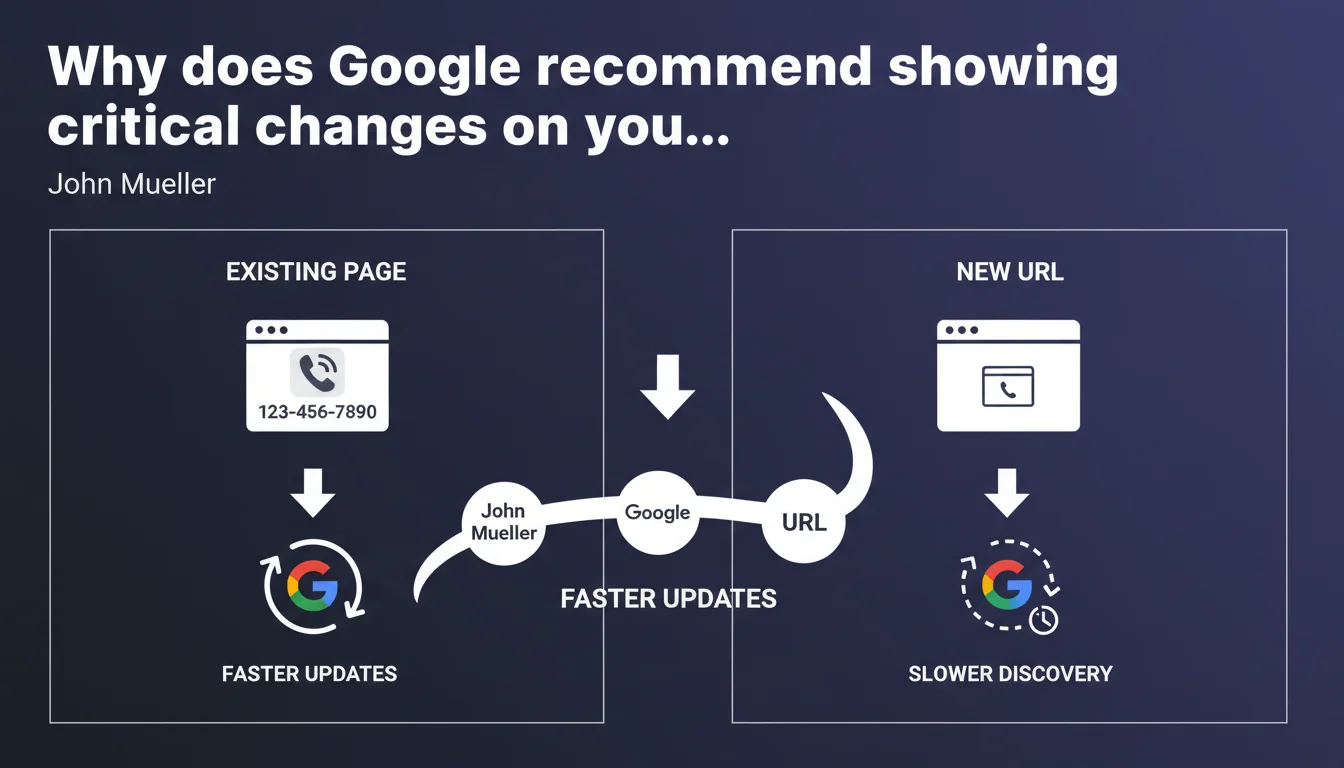
John Mueller confirms that for critical modifications (phone number, address, hours), you must display them on your important pages already indexed. Google will update these pages faster than if you create new URLs. The algorithm prioritizes updating established content over creating new pages for this type of information.
What you need to understand
This statement may seem basic, but it reveals a fundamental principle of Google's crawling that many forget in practice. When critical information changes — contact details, address, hours — some webmasters' reflex is to create a new "We've moved" page or add a dedicated section on a secondary URL.
The problem: Google doesn't crawl all pages of your site at the same frequency. Recently created secondary pages will wait their turn in the crawl queue. Established pages with history and traffic? They're revisited much more often.
Why does Google prioritize existing important pages?
Crawl budget is a finite resource. Google allocates crawl frequency based on several signals: page popularity (internal/external links), content freshness history, organic traffic, depth in site structure.
A contact or homepage already ranking, with backlinks and traffic, will be recrawled within hours or days. A new URL without authority will wait weeks, even months before being discovered and properly indexed.
What does "critical changes" concretely mean?
Mueller mentions phone number, but we can extend this to any critical contact information: physical address, main email, business hours, emergency numbers, operational status ("temporarily closed", "relocating").
Anything that directly impacts a user's ability to contact you or find you physically must be updated where users and Google already find you.
- Existing important pages are crawled more frequently than new URLs
- Creating a new page for critical information slows its discovery by Google
- Changes to contact, address, and hours should be displayed on established pages (homepage, contact, footer)
- Crawl budget favors pages with history, links, and traffic
SEO Expert opinion
Is this recommendation consistent with real-world observations?
Absolutely. We regularly observe delays of several weeks between creating a "Practical Info" page and its effective indexing, while the main Contact page is recrawled daily. E-commerce sites experience the same phenomenon: a price or stock change on an established product page is reflected within hours, while a new product page may wait days before appearing in results.
What Mueller doesn't clarify — and this is where it gets tricky — is how "important" a page must be. A contact page buried three clicks from the homepage, without strategic internal links, won't be crawled faster than a new URL. "Importance" here is measured in concrete authority signals: inbound links, traffic, reduced depth, presence in priority internal linking.
What nuances should be added to this statement?
The recommendation assumes your "existing important pages" are actually crawled regularly. If your Contact page is orphaned, without internal links and never visited, it has no freshness advantage over a new URL. [To verify]: check Search Console > Settings > Crawl Statistics to confirm that your strategic pages are recrawled at least once per week.
Another critical point: Mueller talks about "faster updates", but gives no timeframe. A few hours? A few days? Recrawl speed depends on your freshness history. If you never modify your important pages, Google has no reason to revisit them often. A site publishing daily will benefit from more aggressive crawling than a static site.
In which cases does this rule not apply?
If the critical change requires a completely different content structure, creating a new page may be justified. Example: transitioning from a physical store model to a 100% e-commerce model with store pickup. The existing "Our stores" page becomes obsolete, and a new "Shipping and pickup" page makes more semantic sense.
But be careful: in this case, redirect the old page to the new one (301) to transfer authority and accelerate the new URL's indexing. Never leave an important page as 404 or orphaned.
Practical impact and recommendations
What should you concretely do to maximize update speed?
Display critical changes on your pages with high crawl rate: homepage, main category pages, Contact page, footer present on all pages. These areas are scanned first by Googlebot.
Also modify corresponding structured data: if you change a phone number, update the telephone field in your Schema.org Organization or LocalBusiness. Google uses this data to feed the Knowledge Panel and rich snippets.
Force a recrawl via Search Console > URL Inspection > Request indexing for modified pages. This doesn't guarantee immediate indexing, but signals to Google that an update exists.
What mistakes should you absolutely avoid?
Don't hide new information in a popup, JavaScript overlay, or lazy-loaded content not accessible on first crawl. Google must see the modified content in the initial HTML, without user interaction. Test with Search Console's URL Inspection tool to verify that the new content appears in the HTML rendering.
Avoid duplicating old and new information simultaneously on the same page for weeks. If your phone number changes, remove the old one immediately or add an explicit mention "Old number: [X] - New number: [Y] valid since [date]". Otherwise, Google may index both and create confusion in results.
How do you verify the update has been taken into account?
Monitor crawl dates in Search Console > Settings > Crawl Statistics. If a critical page hasn't been recrawled within 48 hours after modification, force a manual indexing request.
Test with a site:yourdomain.com "new number" search to verify that Google has indexed the new information. If the old version still appears after 7 days, there's a freshness or crawl priority issue.
- Modify critical information directly on established pages (homepage, contact, footer)
- Update corresponding Schema.org structured data
- Force recrawl via Search Console > URL Inspection
- Verify new content is visible in initial HTML (not only in JavaScript)
- Remove old information to avoid any confusion
- Monitor crawl dates in Search Console within 48 hours
- Test with
site:to confirm the new version is indexed
The speed of Google's updates depends directly on the crawl frequency of your pages. Always prioritize established URLs with authority and traffic to display critical changes. A new page starts from zero in the crawl queue.
These crawl and indexing optimizations require a fine understanding of Google's mechanics and regular monitoring in Search Console. If your site has critical update challenges (e-commerce, local services, emergencies), it may be worthwhile to hire a specialized SEO agency to audit your crawl budget and implement a freshness strategy suited to your context.
❓ Frequently Asked Questions
Faut-il créer une nouvelle page pour annoncer un changement de numéro de téléphone ?
Combien de temps faut-il à Google pour mettre à jour une information modifiée sur une page établie ?
Dois-je modifier uniquement le contenu HTML ou aussi les données structurées Schema.org ?
La demande d'indexation manuelle dans Search Console accélère-t-elle vraiment le processus ?
Que faire si Google n'a pas mis à jour mon contenu après une semaine ?
🎥 From the same video 8
Other SEO insights extracted from this same Google Search Central video · published on 23/01/2024
🎥 Watch the full video on YouTube →
💬 Comments (0)
Be the first to comment.