
Official statement
Other statements from this video 13 ▾
- □ Does robots.txt really prevent your pages from being indexed by Google?
- □ Is the meta tag 'none' really the same as using noindex + nofollow together?
- □ Can you block indexation of entire directories using server modules instead of robots.txt?
- □ Is indexing your login pages actually hurting your user experience?
- □ Should you really use rel=canonical over noindex for aging content?
- □ Does the noarchive meta tag really prevent Google from caching your pages?
- □ Should you block snippets with nosnippet to protect your sensitive content?
- □ Should you really use max-snippet and max-image-preview to control how your content appears in search results?
- □ Should you use individual nofollow attributes or a meta robots nofollow tag to control PageRank distribution?
- □ Why Is Google So Reluctant to Develop New Meta Robots Directives?
- □ Is the X-Robots-Tag header really the only way to keep PDFs out of Google's index?
- □ Why does robots.txt actually block images and videos but not web pages?
- □ How does Google really transform your PDFs into searchable content?
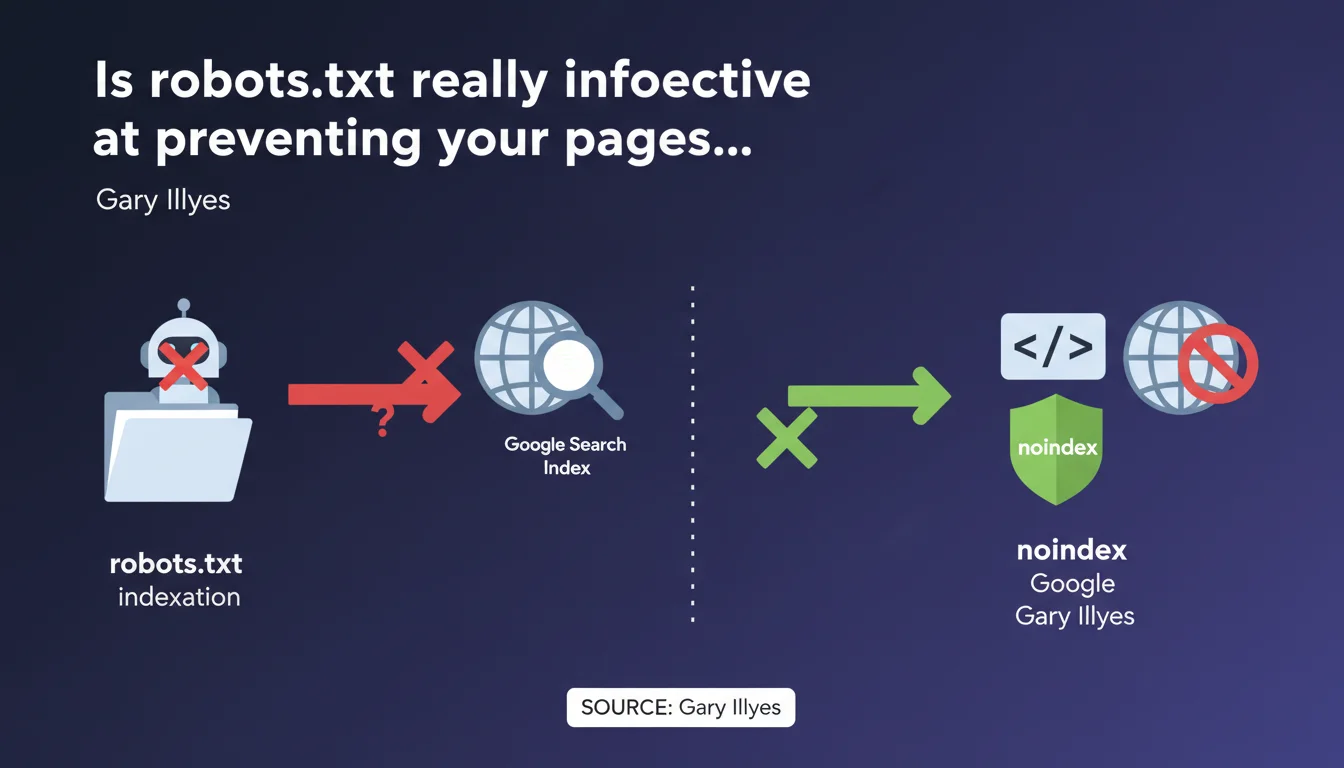
Gary Illyes states that robots.txt does not guarantee blocking indexation in Google Search. Only the meta robots 'noindex' tag provides reliable protection. This technical distinction is significant: a robots.txt file prevents crawling, but does not prevent Google from indexing a URL discovered through other means.
What you need to understand
Why doesn't robots.txt reliably block indexation?
The robots.txt file is a crawl directive mechanism, not an indexation mechanism. It tells robots whether or not they can explore a URL. But if Google discovers this URL through an external backlink or a mention somewhere else, it can index it without ever crawling it.
Result: you find pages in the index with just a simple URL and a generic snippet, with no visible content. This is exactly what happens when you block a page with robots.txt that receives links.
What is the concrete difference between noindex and robots.txt?
The noindex is an indexation instruction. For it to be taken into account, Google must be able to crawl the page and read the meta tag or HTTP header. It's a guarantee: if Googlebot sees the noindex, the page is removed from the index or never enters it.
Conversely, robots.txt prevents access to content but not necessarily to the URL itself. If this URL is referenced elsewhere, Google can decide to index it with the partial information it has.
In which cases does this confusion cause problems?
The classic case: a site blocks sensitive pages (admin, staging, UTM parameters) via robots.txt thinking it will make them invisible. These pages sometimes continue to appear in the SERPs with a truncated snippet.
Another common example: obsolete landing pages or test pages blocked by robots.txt but still linked from old articles. They remain indexed as long as noindex is not applied directly.
- Robots.txt controls crawl, not indexation
- Noindex controls indexation permanently
- A URL blocked by robots.txt can still appear in the index if it receives links
- To guarantee exclusion from the index, Googlebot must be able to crawl the page and read the noindex
- Blocking with robots.txt and noindex simultaneously is contradictory and ineffective
SEO Expert opinion
Is this statement consistent with real-world observations?
Yes, completely. It's even a classic of SEO audits: dozens of indexed pages with the message "No information available for this page" because they're blocked in robots.txt but continue to receive backlinks.
The paradox? Some SEOs still use robots.txt to "hide" sensitive content, when that's exactly the opposite of what they should do. This confusion probably comes from a time when tools were less explicit about the distinction between crawl and indexation.
What nuances should be added to this directive?
Gary Illyes doesn't specify one essential point: for noindex to work, you must allow crawling. If you block a page in robots.txt AND add a noindex tag to it, Google will never see the tag. The page may therefore remain indexed indefinitely.
Second nuance — timing. A page with noindex can take several weeks to leave the index if it is rarely crawled or has many backlinks. It's not instant, contrary to what some imagine. [To verify]: Google has never communicated an official timeframe for complete desindexation of a noindex page.
What should you do if you want to block both crawl and indexation?
That's where it gets tricky. If you really want to forbid access AND guarantee the absence of indexation, the proper solution is dual: noindex + server authentication (password, IP whitelisting). Or else noindex until the page leaves the index, then robots.txt blocking.
But in 90% of cases, a clean noindex is sufficient. Robots.txt blocking is rarely necessary for indexation reasons — it mainly serves to save crawl budget on unnecessary sections.
Practical impact and recommendations
What should you concretely do on a production site?
First reflex: audit pages blocked by robots.txt that still appear in the index. Use the site:yourdomain.com command in Google and compare with your robots.txt file. Any URL indexed despite a Disallow is a potential vulnerability.
Next, list all pages you want to genuinely exclude from the index. For each one, apply a noindex via meta robots or X-Robots-Tag HTTP header. Verify that these pages are NOT blocked in robots.txt, otherwise Google will never see the directive.
What errors should you avoid in managing indexation?
Error #1: blocking with robots.txt thinking it will desindex. It won't desindex. It just prevents crawling, and sometimes keeps the URL in the index if it receives links.
Error #2: applying noindex + robots.txt on the same page. Result: Google cannot crawl to read the noindex. The page may remain potentially indexed with an empty snippet.
Error #3: believing that noindex acts instantly. It doesn't. Desindexation depends on crawl frequency and the "strength" of external signals (backlinks, sitemap, etc.).
How do you verify that your configuration is correct?
Use Google Search Console, URL Inspection tool. Enter the URL in question and verify three points: is it crawlable? Is the noindex detected? What is its current indexation status?
If the page is indexed despite recent noindex, wait. If it's indexed and noindex is not detected, check your robots.txt. If noindex is detected but the page still present after several weeks, [To verify] there may be a problem of contradictory signals (sitemap, massive internal links).
- Remove all Disallow directives from robots.txt for pages you want to desindex
- Add a
<meta name="robots" content="noindex">tag in the <head> of each page to exclude - Verify in Search Console that noindex is properly detected
- Remove these pages from the XML sitemap to avoid contradictory signals
- Monitor indexation with
site:yourdomain.comevery 2-3 weeks - Keep crawl authorized until complete desindexation, then block if necessary
❓ Frequently Asked Questions
Peut-on utiliser robots.txt ET noindex sur la même page ?
Combien de temps faut-il pour qu'une page en noindex sorte de l'index ?
Si je bloque une page dans robots.txt, pourquoi apparaît-elle encore dans Google ?
Faut-il retirer une page en noindex du sitemap XML ?
Le noindex fonctionne-t-il aussi en en-tête HTTP ?
🎥 From the same video 13
Other SEO insights extracted from this same Google Search Central video · published on 30/06/2022
🎥 Watch the full video on YouTube →
💬 Comments (0)
Be the first to comment.