
Official statement
Other statements from this video 13 ▾
- □ Robots.txt bloque-t-il vraiment l'indexation de vos pages ?
- □ La balise meta 'none' est-elle vraiment l'équivalent de noindex + nofollow ?
- □ Robots.txt est-il vraiment inefficace pour bloquer l'indexation ?
- □ Peut-on bloquer l'indexation de répertoires entiers via des modules serveur plutôt que robots.txt ?
- □ Faut-il vraiment indexer les pages de connexion de votre site ?
- □ Faut-il vraiment préférer rel=canonical à noindex pour les contenus anciens ?
- □ La balise noarchive empêche-t-elle réellement Google d'archiver vos pages ?
- □ Faut-il bloquer les snippets avec nosnippet pour protéger son contenu sensible ?
- □ Faut-il privilégier l'attribut nofollow individuel ou la balise meta robots nofollow pour contrôler le PageRank ?
- □ Pourquoi Google refuse-t-il de créer de nouvelles balises meta robots ?
- □ Comment bloquer l'indexation de PDFs et fichiers non-HTML sans accès aux headers HTTP ?
- □ Pourquoi robots.txt bloque-t-il vraiment les images et vidéos mais pas les pages web ?
- □ Comment Google transforme-t-il vraiment vos PDFs en contenu indexable ?
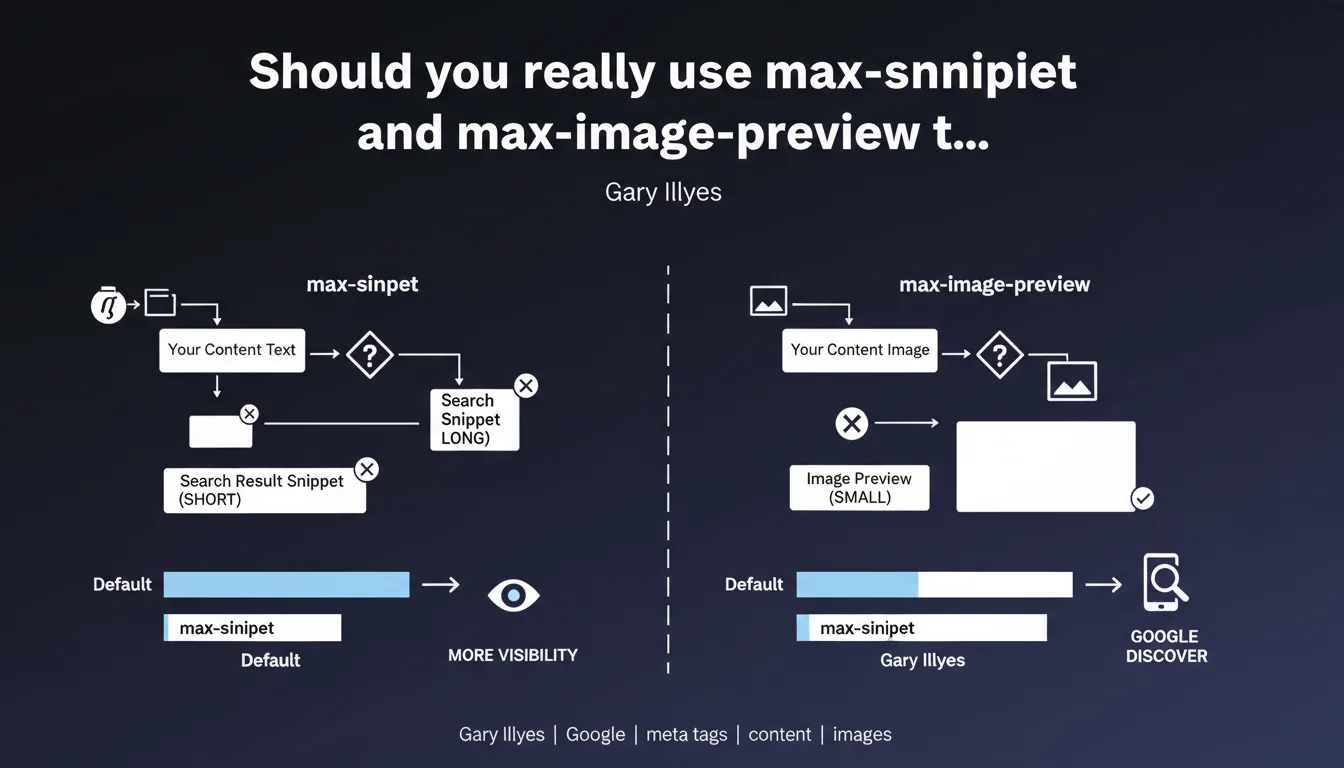
Google allows you to control the length of text snippets and the size of image previews in search results using the 'max-snippet' and 'max-image-preview' meta tags. The impact is particularly visible in Google Discover, where these directives directly influence the display of large images. For most websites, letting Google automatically optimize these settings is often more effective than restricting these parameters.
What you need to understand
What exactly do these meta tags control?
The max-snippet tag defines the maximum number of characters Google can display in the text snippet beneath your title. You can specify a numeric value (e.g., max-snippet:160) or use -1 to allow unlimited snippet length.
The max-image-preview tag determines the maximum size of image previews in search results. Three possible values: "none" (no preview), "standard" (default thumbnail), and "large" (full-width preview). This last option is critical for Google Discover, where large images generate significantly more clicks.
In which contexts do these directives have real impact?
The most measurable effect concerns Google Discover. Eligible websites report that max-image-preview:large multiplies click-through rate by 2 to 3 times compared to a standard preview.
For standard search results, the impact remains marginal. Google already dynamically optimizes snippet length based on search intent — restricting with max-snippet can therefore limit your visibility on certain long-tail queries where a generous snippet improves click-through rate.
Why does Google allow webmasters this level of control?
This flexibility addresses specific use cases: paywall sites wanting to limit free display, sensitive content requiring strict control over public appearance, or particular editorial strategies.
But let's be honest — the vast majority of sites have no interest in restricting these parameters. The more material Google has to present your content attractively, the better it is for your click-through rate.
- max-snippet controls the maximum length of the text snippet (in characters)
- max-image-preview defines the size of image previews (none/standard/large)
- The main impact occurs on Google Discover, where large images boost click-through rate
- Restricting these parameters generally reduces your visibility — avoid unless you have a specific need
- The value -1 for max-snippet allows unlimited snippet length (recommended for most cases)
SEO Expert opinion
Does this recommendation match real-world observations?
Absolutely. A/B tests on sites eligible for Discover show that max-image-preview:large generates a click-through rate increase between 150% and 280% depending on industry. The image becomes the primary click trigger in this context.
However, for standard search, the effect of max-snippet remains negligible. Google regularly ignores this directive when it believes a longer (or shorter) snippet better serves the user. You might specify max-snippet:160, yet Google will sometimes display 320 characters if the query justifies it.
In which cases must you absolutely configure these tags?
If your site targets Google Discover — news outlets, magazines, lifestyle blogs, recipes — max-image-preview:large is not optional. It's the default configuration you should implement from the start.
For paywall or freemium sites, max-snippet allows you to protect premium content while remaining visible in results. Typically: max-snippet:100 displays enough to entice, not enough to read everything for free.
What nuances doesn't Google clarify here?
Gary Illyes remains vague on a critical point: how Google arbitrates between these directives and featured snippets. If you block max-snippet but your content qualifies for a position zero, will Google still display the enriched excerpt? [To be verified] — observations suggest yes, but Google has never officially confirmed this.
Another gray area: the interaction with rich snippets (FAQ, HowTo, etc.). These formats apparently ignore max-snippet, but again, no clear documentation from Google. We're navigating empirical territory.
Practical impact and recommendations
What do you need to implement concretely on your site?
For the majority of websites, the recommended configuration is simple and universal. Add these two tags in the <head> of all your pages:
<meta name="robots" content="max-snippet:-1, max-image-preview:large">
This directive authorizes Google to display unlimited snippets and full-width image previews. This is the setup that maximizes your visibility in 95% of cases.
How do you verify that your tags are being correctly interpreted?
Inspect the source code of your pages to confirm the presence of the tags. But be careful — what matters is what Googlebot actually sees, not what you see in your browser.
Use Google's Mobile-Friendly Test tool or URL inspection in Search Console. These tools show you the HTML as rendered by Google, including the meta robots tags. If they don't appear there, they're useless.
- Add
max-snippet:-1andmax-image-preview:largeto all meta robots tags - Check for conflicting directives inherited from plugins or your theme
- Test actual display via the URL inspection tool in Search Console
- For Discover-eligible sites, monitor click-through rate before/after implementing max-image-preview:large
- If paywall: calibrate max-snippet to balance teasing and protecting premium content
- Document the configuration to prevent a future migration from overwriting these parameters
❓ Frequently Asked Questions
Que se passe-t-il si je ne spécifie aucune valeur pour max-snippet ?
max-image-preview:large ralentit-il le chargement des pages dans les résultats ?
Ces balises affectent-elles l'affichage sur Bing ou d'autres moteurs ?
Peut-on définir des valeurs différentes selon les sections du site ?
max-snippet:-1 expose-t-il tout le contenu de la page dans les résultats ?
🎥 From the same video 13
Other SEO insights extracted from this same Google Search Central video · published on 30/06/2022
🎥 Watch the full video on YouTube →
💬 Comments (0)
Be the first to comment.