
Official statement
Other statements from this video 13 ▾
- □ Robots.txt bloque-t-il vraiment l'indexation de vos pages ?
- □ La balise meta 'none' est-elle vraiment l'équivalent de noindex + nofollow ?
- □ Robots.txt est-il vraiment inefficace pour bloquer l'indexation ?
- □ Faut-il vraiment indexer les pages de connexion de votre site ?
- □ Faut-il vraiment préférer rel=canonical à noindex pour les contenus anciens ?
- □ La balise noarchive empêche-t-elle réellement Google d'archiver vos pages ?
- □ Faut-il bloquer les snippets avec nosnippet pour protéger son contenu sensible ?
- □ Faut-il vraiment utiliser max-snippet et max-image-preview pour contrôler l'affichage dans les SERP ?
- □ Faut-il privilégier l'attribut nofollow individuel ou la balise meta robots nofollow pour contrôler le PageRank ?
- □ Pourquoi Google refuse-t-il de créer de nouvelles balises meta robots ?
- □ Comment bloquer l'indexation de PDFs et fichiers non-HTML sans accès aux headers HTTP ?
- □ Pourquoi robots.txt bloque-t-il vraiment les images et vidéos mais pas les pages web ?
- □ Comment Google transforme-t-il vraiment vos PDFs en contenu indexable ?
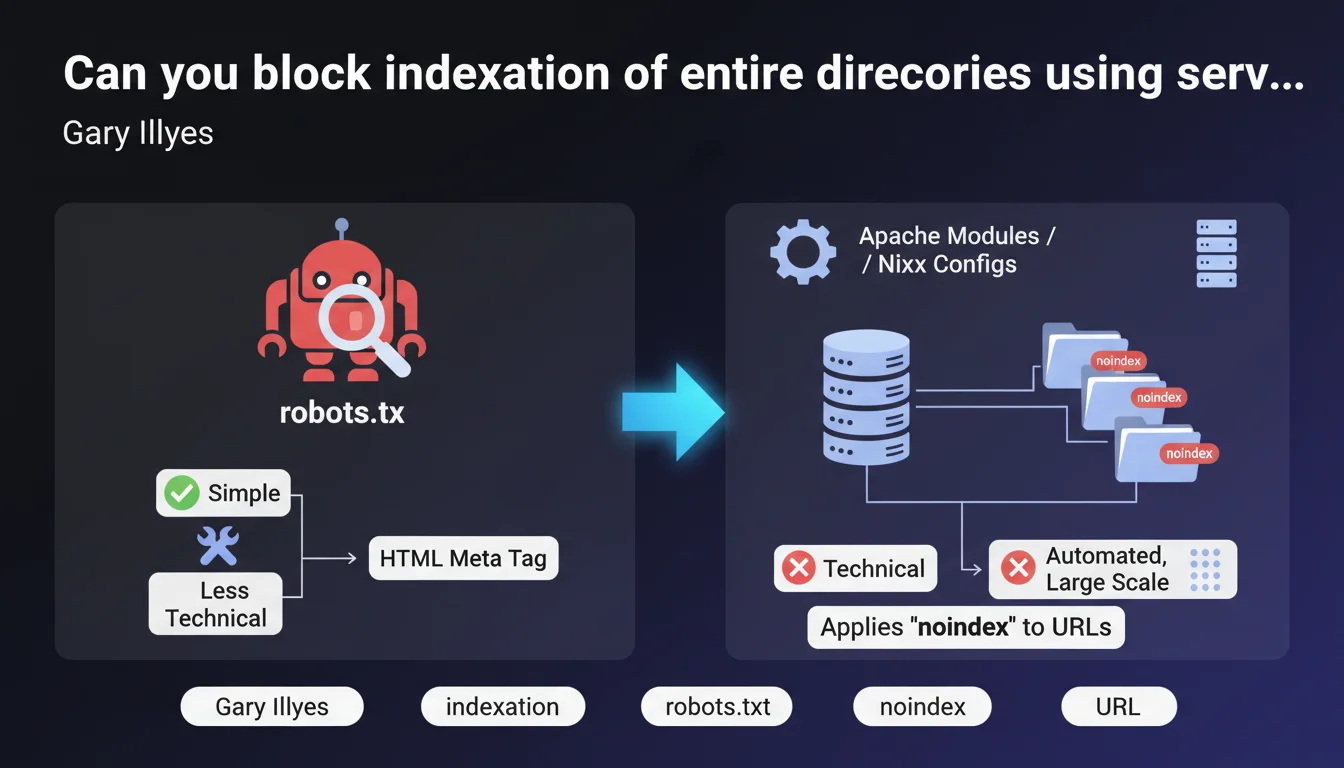
Google confirms that you can use Apache modules (mod_headers) or Nginx configurations to automatically apply the noindex tag to all URLs under a given prefix or pattern. This method is more technical than robots.txt or manually adding HTML tags, but it allows you to block indexation of a large portion of a site in a centralized and scalable way.
What you need to understand
Why does this method exist when we already have robots.txt?
The Disallow directive in robots.txt blocks crawling, not indexation. Google can still index a URL blocked in robots.txt if it receives external links, displaying a page without description or title in search results.
The noindex tag, on the other hand, truly prevents indexation. But adding it manually to thousands of pages is an operational nightmare. Server modules solve this problem by automatically applying noindex according to pattern rules (prefix, regex, etc.).
How does this work technically on the server side?
On Apache, you use mod_headers with directives in the .htaccess file or the main configuration. For example: Header set X-Robots-Tag "noindex" in a LocationMatch section. On Nginx, you add add_header X-Robots-Tag "noindex" in a location block corresponding to the pattern.
These headers are sent in the HTTP response. Googlebot reads them as it would read a meta robots tag in the HTML. Major advantage: no need to modify application code or templates.
What are the real use cases for this technique?
Typically, it's used to block indexation of system directories (/admin, /test, /staging), URLs with parameters (filters, sorting, infinite pagination), or development environments publicly accessible by mistake.
It's also relevant for platforms with automatically generated URLs where adding tags to the code would be too heavy. But be careful: if the directory is already massively indexed, de-indexation will take time — Google must recrawl each URL to see the header.
- robots.txt blocks crawling, not actual indexation
- X-Robots-Tag noindex via server modules = indexation blocked in a scalable way
- Ideal method for large URL patterns (entire directories, parameters)
- Requires access to server configuration (not possible on all shared hosting)
- De-indexation is not instantaneous — Google must recrawl URLs
SEO Expert opinion
Is this approach really preferable to classic alternatives?
It depends. For a 50-page site, adding meta robots tags manually is still feasible. But on a site with thousands of dynamically generated URLs — think e-commerce with filters, classified listings, forums — it's a spectacular time and maintainability gain.
The pitfall: many still confuse robots.txt and noindex. Blocking /admin/ in robots.txt doesn't prevent Google from indexing these URLs if they have backlinks. The X-Robots-Tag via server modules actually does the job. [To verify] however that your hosting provider allows server configuration changes — some shared hosts lock everything down.
Are there operational risks to know about?
Yes, and they're not negligible. A poorly written regex in a LocationMatch or location rule can accidentally block indexation of entire sections of your site. I've seen a case where an overly broad pattern de-indexed all product pages of an e-commerce site for 3 weeks.
Another issue: the priority of headers. If your CMS or theme already sends an X-Robots-Tag (index, follow) and your server configuration sends another (noindex), the behavior can become unpredictable depending on execution order. Always test with curl -I before pushing to production.
In what cases is this method insufficient?
If your URLs to block don't follow a coherent pattern, server modules quickly become unmanageable. For example, URLs like /page-123, /article-456, /content-789 without a common prefix would require an exhaustive list — you'd be better off using tags in the CMS directly.
Moreover, if the blocked directory contains resources Google needs to occasionally index (PDFs, images), you'll need to create exceptions in your rules. It quickly becomes a maintenance nightmare. And as always with servers: no easy rollback if you break something.
Practical impact and recommendations
How do you implement this solution on Apache or Nginx?
On Apache, add to your .htaccess or VirtualHost configuration:
<LocationMatch "^/test">
Header set X-Robots-Tag "noindex, nofollow"
</LocationMatch>
On Nginx, in the server block:
location ^~ /test {
  add_header X-Robots-Tag "noindex, nofollow";
}
Then test with curl -I https://yoursite.com/test/page.html to verify that the X-Robots-Tag header appears in the response. If not, check that mod_headers is enabled (Apache) or that the add_header directive is in the correct context (Nginx).
What mistakes should you absolutely avoid when implementing?
First common mistake: applying noindex to URLs already blocked by robots.txt. Google will never crawl these pages to read the header, so they'll remain indexed with their old version. First unlock in robots.txt, wait for recrawl, then de-index.
Second pitfall: forgetting to test nested subdirectories. A pattern like ^/admin may not match /admin/users/edit depending on your configuration. Prefer ^/admin/ or use exhaustive regex patterns.
Third mistake: not monitoring Search Console after deployment. Watch for changes in the number of indexed pages and coverage errors. A sudden drop may signal a rule too broad that's eating important sections.
How do you verify the configuration is working correctly?
- Test with
curl -Imultiple URLs in the targeted directory to confirm the presence of the X-Robots-Tag header - Use the URL Inspection tool in Search Console to see how Google crawls an affected page
- Check server logs to verify Googlebot is accessing the URLs correctly (otherwise, residual robots.txt issue)
- Monitor the coverage report in Search Console: pages should move to "Excluded by 'noindex' tag"
- Wait 2-4 weeks to see complete de-indexation — Google must recrawl each URL
- If you use CDNs or caches (Cloudflare, Varnish), purge them so new headers are served immediately
Server modules for applying noindex offer an elegant and scalable solution for blocking indexation of large sections of a site. But this approach requires a fine understanding of server configuration and carries non-negligible risks of accidental de-indexation.
If your infrastructure is complex or you're not comfortable with regex and Apache/Nginx directives, it may be wise to call in a specialized SEO agency that masters these technical aspects and can audit your configuration before deployment, thereby limiting operational risks.
❓ Frequently Asked Questions
Peut-on combiner robots.txt et X-Robots-Tag noindex sur les mêmes URLs ?
Le X-Robots-Tag fonctionne-t-il aussi sur les fichiers PDF, images, ou autres ressources non-HTML ?
Combien de temps faut-il pour que Google désindexe des pages après l'ajout du header noindex ?
Que se passe-t-il si on envoie plusieurs headers X-Robots-Tag contradictoires (index puis noindex) ?
Cette méthode impacte-t-elle le crawl budget ou seulement l'indexation ?
🎥 From the same video 13
Other SEO insights extracted from this same Google Search Central video · published on 30/06/2022
🎥 Watch the full video on YouTube →
💬 Comments (0)
Be the first to comment.