
Official statement
Other statements from this video 10 ▾
- □ Should you really mark up your paid content with paywall structured data?
- □ Should you really prevent paywall content from loading into the DOM?
- □ Does robots.txt really protect your private content from Google indexation?
- □ Why do your private pages never appear in Google despite being indexed?
- □ Should you really enrich your login pages to boost their indexability?
- □ Should you really redirect your private pages to marketing content rather than straight to a login form?
- □ Why does Google refuse to index corporate intranet pages?
- □ Are your URLs leaking private data even when your content is protected?
- □ Should you really test your site in private browsing to properly assess your SEO visibility?
- □ Does Google really give preferential SEO advice to its own internal teams?
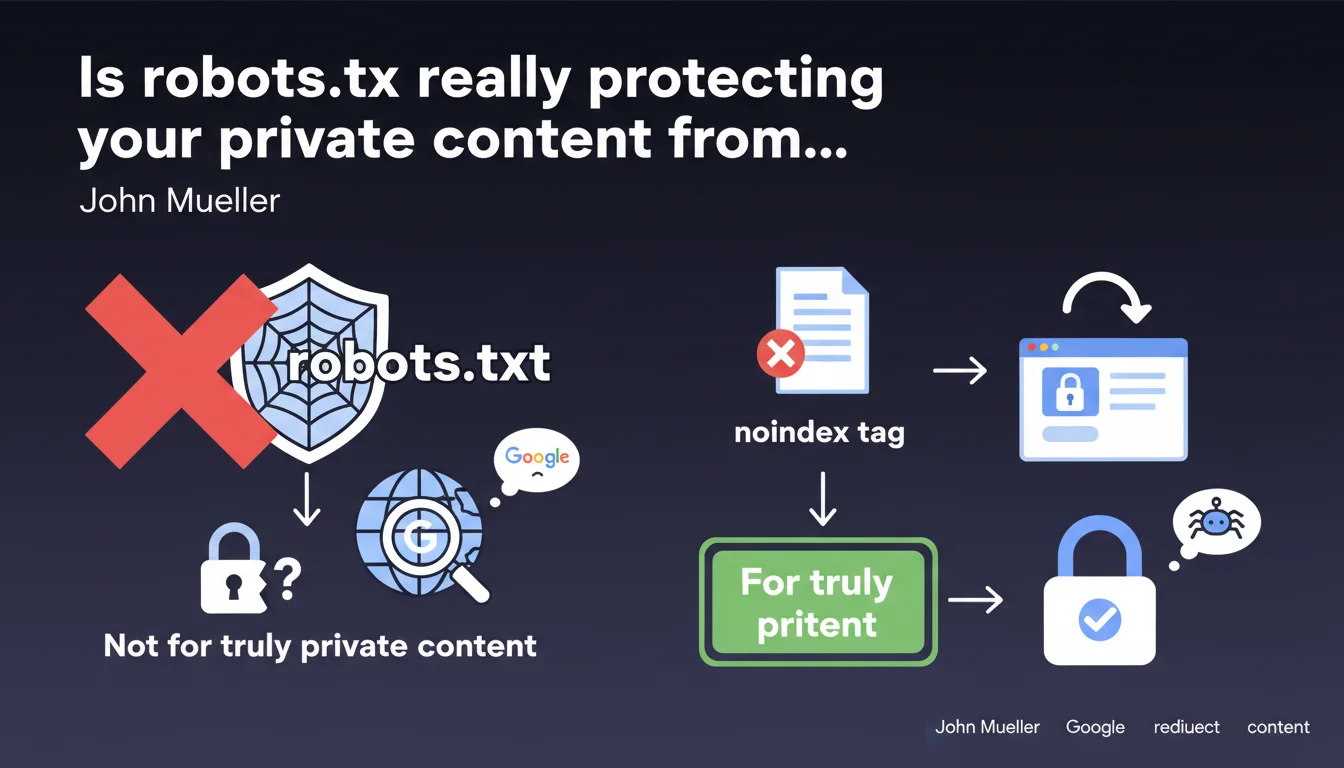
Google clarifies that robots.txt doesn't secure anything — it simply prevents crawling. For truly private content, use the noindex tag or enforce authentication. Blocking via robots.txt leaves your URLs discoverable and indexable without visible content.
What you need to understand
Why isn't robots.txt enough to protect confidential content?
The robots.txt file tells crawlers not to explore certain URLs, but it doesn't make them invisible. Google can still discover these URLs through backlinks, sitemaps, or internal references, and index them with a generic snippet like "No information available".
The result? Your private pages appear in SERPs with their URL visible — sometimes enough to understand what they contain. Imagine URLs like /admin/users/passwords-reset or /clients/confidential-contract-2024.pdf displaying publicly.
What's the difference between blocking crawling and blocking indexation?
Blocking crawling (robots.txt) prevents Googlebot from reading the content, but doesn't prevent it from indexing the URL if discovered elsewhere. Blocking indexation (noindex tag) allows crawling but explicitly orders Google never to display the page in its results.
It's counterintuitive, but that's how the search engine works: a URL blocked in robots.txt can still end up in the index. A URL with noindex never will be — even if Google crawls it.
What technical solution should you adopt for truly sensitive content?
Two approaches recommended by Google: either serve the page with a meta noindex tag (or an HTTP header X-Robots-Tag: noindex), or redirect to a login page for any non-authenticated user.
The second option is cleanest for strictly private content: if the user isn't logged in, they land on an authentication form. Google then crawls a login page, not the sensitive content itself.
- robots.txt blocks crawling but doesn't prevent URL indexation
- noindex prevents indexation but requires Google to be able to crawl the page
- Redirecting to login is the most foolproof solution for strictly confidential content
- Never expose sensitive URLs without application-level protection
SEO Expert opinion
Is this guideline consistent with what we observe in the field?
Absolutely. We regularly see sites that block entire sections in robots.txt and end up with dozens of indexed URLs without visible content. Some discover the problem through Search Console, Coverage section, under the "Blocked by robots.txt" label.
The issue is that many CMSes or frameworks automatically generate overly broad robots.txt rules — thinking they're doing the right thing, they actually expose URLs they intended to hide. And that's where things go wrong.
In what cases can you still use robots.txt?
robots.txt remains relevant for managing crawl budget: blocking unnecessary facets, session parameters, infinite pagination pages. In short, content that's technically public but has no SEO value.
But as soon as you're dealing with sensitive data — customer spaces, confidential documents, backoffice — robots.txt becomes false security. An information security expert would confirm it: this file is just a polite suggestion, not a lock.
What classic mistake do we still see too often?
Sites that block their member area in robots.txt, then add a noindex tag in the HTML code. Except Google can never read this tag since it doesn't crawl the page — so it remains potentially indexable.
Another frequent case: temporary 302 redirects to a login page, when a 301 or proper HTTP status handling (401/403) would be clearer for the search engine. Google may interpret a 302 as a legitimate destination page to index.
Practical impact and recommendations
What do you actually need to do on an existing site?
First step: audit Search Console to identify URLs that are indexed but blocked by robots.txt. They appear with an explicit warning. If you find any, they're discoverable — so potentially visible in SERPs.
Next, determine if this content really needs to be private. If yes, remove the corresponding line from robots.txt and add a noindex tag or redirect to login. Wait a few weeks for Google to re-crawl, then request removal via the dedicated tool in Search Console if necessary.
How do you properly implement noindex protection?
In HTML: <meta name="robots" content="noindex, nofollow"> directly in the <head>. Simple, but requires the page to be crawlable — so no robots.txt blocking on this URL.
Via HTTP header: X-Robots-Tag: noindex in the server response. Useful for PDFs, images, or dynamically generated content without a classic HTML <head>. This method is often technically cleaner and harder to forget during redesigns.
What mistakes should you absolutely avoid?
Never combine robots.txt and noindex on the same URL — Google won't be able to read the noindex directive if it's blocked from crawling. Result: the URL remains indexable.
Another trap: using noindex on pages you want to keep internally but not in Google. If these pages receive PageRank through internal links, noindex cuts off juice transmission. Better to use server-side authentication instead.
- Audit Search Console to identify URLs blocked in robots.txt but indexed
- Remove from robots.txt any URL containing sensitive data
- Implement noindex (meta or HTTP header) or redirect to login based on confidentiality level
- Verify that pages with noindex remain crawlable (no robots.txt blocking)
- For member spaces or backoffice, prioritize true application-level authentication (401/403)
- Test with a crawler (Screaming Frog, Oncrawl) to validate that directives are being read
- Request removal of already-indexed URLs via the temporary removal tool in Search Console
🎥 From the same video 10
Other SEO insights extracted from this same Google Search Central video · published on 04/09/2025
🎥 Watch the full video on YouTube →
💬 Comments (0)
Be the first to comment.