
Official statement
Other statements from this video 10 ▾
- □ Faut-il vraiment baliser son contenu payant avec la structured data 'paywall' ?
- □ Faut-il vraiment empêcher le contenu paywall de se charger dans le DOM ?
- □ Pourquoi robots.txt ne protège-t-il pas vos contenus privés de l'indexation Google ?
- □ Pourquoi robots.txt ne protège-t-il pas votre contenu privé ?
- □ Pourquoi vos pages privées n'apparaissent jamais dans Google malgré leur indexation ?
- □ Faut-il vraiment enrichir vos pages de login pour améliorer leur indexation ?
- □ Pourquoi Google refuse-t-il d'indexer les intranets d'entreprise ?
- □ Pourquoi vos URLs peuvent trahir vos données privées malgré un contenu protégé ?
- □ Faut-il vraiment tester son site en navigation privée pour évaluer sa visibilité SEO ?
- □ Google donne-t-il vraiment des conseils SEO privilégiés à ses propres équipes ?
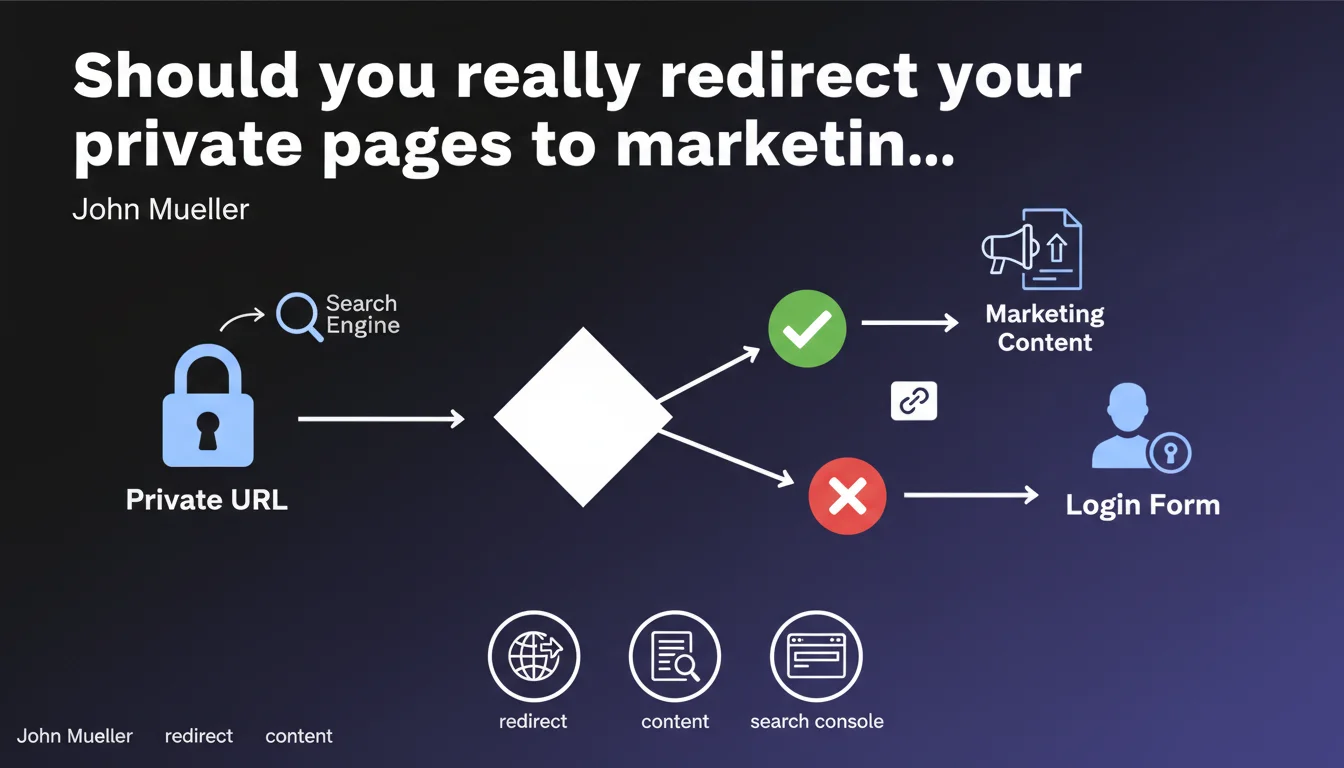
Google recommends redirecting URLs that require authentication to informative marketing pages with a login link, rather than directly to a login form. The goal is to provide a consistent user experience and give context to both visitors and crawlers. Search Console applies this logic itself.
What you need to understand
Why does Google distinguish between private pages and login pages?
The distinction may seem subtle, but it makes sense. A private page is a URL that corresponds to actual content — a dashboard, a documentation resource, an application feature — but requires being logged in to access.
Systematically redirecting to a generic login page means losing the semantic context of the requested page. The user who lands on /dashboard doesn't understand what awaits them. Neither does the crawler.
What is an informative marketing page in this context?
It's a public page that explains what the private resource contains, with a clear call-to-action to log in or sign up. It gives meaning to the URL, describes the added value, provides context.
Search Console does exactly this: if you try to access a property without being authenticated, you land on a page that presents the tool, its features, with a "Sign in" button. Not on an orphaned form.
What is the SEO impact of this approach?
On the crawl side, Google sees indexable content rather than just a 302 or 401. The URL retains its thematic coherence and can even rank if the marketing content is well-designed.
On the UX side, users understand where they've landed, why they need to sign in, and what they'll find behind the login. This reduces friction and improves behavioral signals.
- An informative marketing page provides context to the private URL
- It allows indexing relevant content rather than a bare redirect
- It improves user experience by explaining the value of the resource
- It transforms a friction point into a conversion opportunity
- Search Console applies this logic itself, making it a strong implicit recommendation
SEO Expert opinion
Is this practice really new or just formalized late?
Let's be honest: smart B2B SaaS companies have been doing this for years. HubSpot, Notion, Airtable — they all redirect to contextual landing pages rather than a generic login.
What's changing is that Google is formalizing it explicitly and using its own product (Search Console) as an example. This gives weight to a practice that until now was more about product sense than strict SEO.
In what cases does this logic reach its limits?
For purely transactional platforms — online banking, corporate intranets, closed business tools — creating marketing pages for each private URL makes no sense. The ROI is zero.
The recommendation clearly targets SaaS products, marketplaces, educational platforms, collaborative tools — in short, anything with an acquisition dimension. If your tool isn't trying to convert through SEO, you can ignore this advice.
How does this align with past recommendations on gated content?
Google has always been wary of content blocked behind forms. But here we're talking about application URLs, not editorial resources.
The distinction is crucial: a blog article behind login is potential cloaking. A page explaining what your dashboard is and inviting sign-up is smart UX. Google knows the difference.
Practical impact and recommendations
What should you audit first on your site?
Start by listing all private URLs currently redirected to a generic login page. Look at their organic traffic volume (often low or zero) and semantic potential.
Identify those that correspond to high-value features or sections — the ones you'd like to see rank or serve as entry points for qualified users.
How to implement this logic without breaking existing systems?
Create dedicated marketing pages for strategic URLs. Each page must explain the feature, show previews (screenshots, videos), list benefits, and include a clear CTA to sign in or sign up.
Technically, replace 302 redirects to /login with redirects to these new pages. Or better yet: serve the marketing content directly on the original URL, with server-side detection of login status.
Keep redirects to generic login for URLs without SEO potential — settings pages, API endpoints, purely technical sections.
What errors should you avoid when deploying?
Don't create hollow marketing content just to tick the box. If your page only says "Sign in to access this feature," you're adding nothing. Not for users, not for Google.
Also avoid blocking these marketing pages with noindex or excluding them from your sitemap. You'd lose all the value of the strategy.
- Map out private URLs currently redirected to generic login
- Prioritize those with SEO potential or acquisition value (flagship features, high-value sections)
- Create informative marketing pages with context, visuals, benefits, and CTAs
- Implement 301 redirects or serve content directly based on login status
- Verify that these pages are indexable and included in your sitemap
- Measure impact on organic traffic and conversions to sign-up/login
- Keep simple redirects for URLs without SEO value (settings, API, admin)
🎥 From the same video 10
Other SEO insights extracted from this same Google Search Central video · published on 04/09/2025
🎥 Watch the full video on YouTube →
💬 Comments (0)
Be the first to comment.