
Official statement
Other statements from this video 11 ▾
- □ Does broken HTML really hurt your search rankings?
- □ Are broken metadata silently sabotaging your SEO without triggering indexation failures?
- □ Should you still use the meta keywords tag for SEO in 2025?
- □ Do HTML comments really have any impact on your Google rankings?
- □ Do CSS class names really affect your search rankings?
- □ Are Core Web Vitals Really a Ranking Factor in Google?
- □ Is your JavaScript content actually being indexed by Google, or is it invisible to Googlebot?
- □ Why does Google's Indexing API remain locked down to only two content types?
- □ Does Google really give Angular special treatment in search rankings?
- □ Are you really leaving all those Google scripts slowing down your site?
- □ Does semantic HTML structure really matter for Google's content understanding?
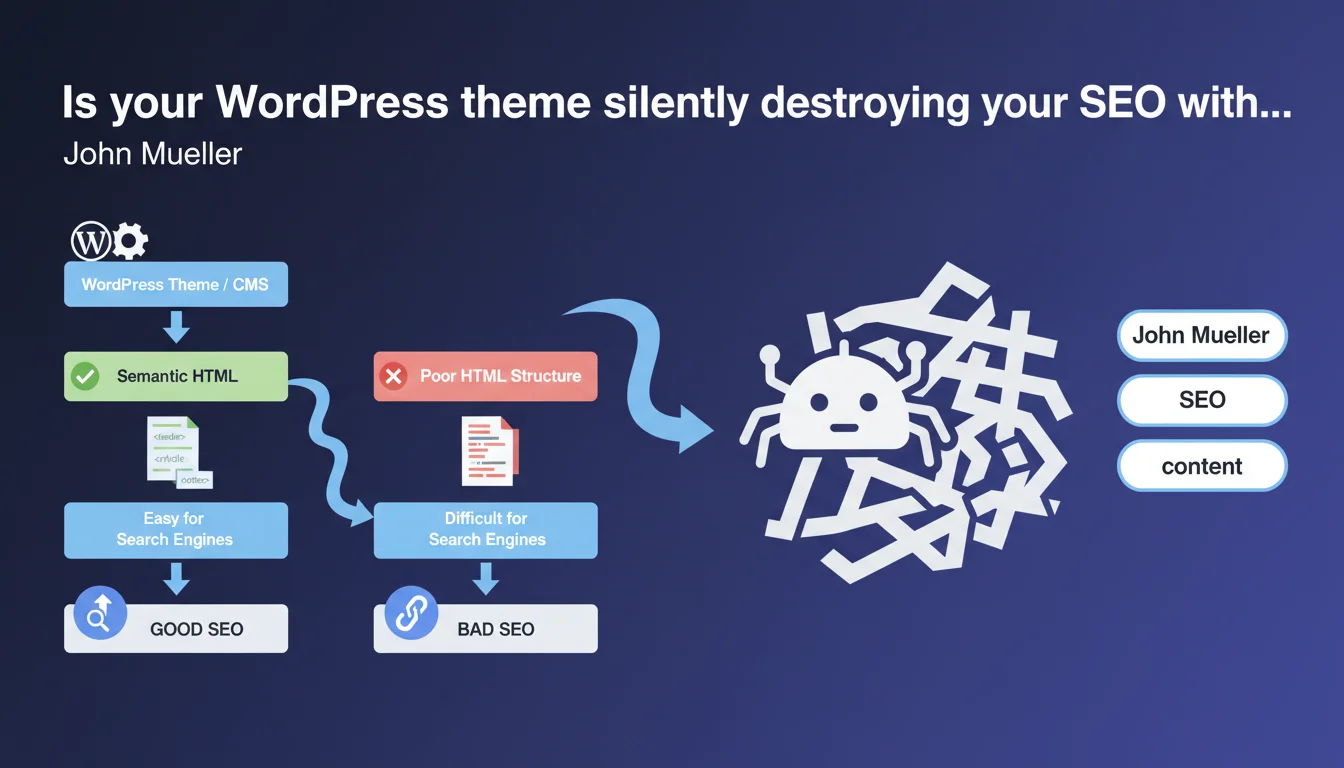
The theme you choose on WordPress or any other CMS determines the quality of the HTML generated — and therefore how search engines understand your content. A poorly designed theme can produce confusing HTML structure that handicaps your crawl and rankings, even if your content is excellent.
What you need to understand
How does your theme actually impact SEO?
A WordPress site's theme (or any other CMS) acts as a translator between your content and the HTML code that Google will analyze. Two sites with identical text content can produce radically different HTML structures depending on the theme used.
A good theme generates semantic HTML: <article> tags, <section> tags, coherent heading hierarchy, ARIA attributes when necessary. A mediocre theme accumulates nested <div> tags, ignores semantics, and mixes heading levels.
Why is Mueller making this statement now?
The SEO community has long downplayed the impact of theme choice, treating it as purely an aesthetic question. Wrong. As algorithms evolve toward a more sophisticated understanding of content, HTML structure becomes a quality signal in itself.
Google no longer simply reads text — it analyzes how that text is organized, hierarchized, and contextualized in the code. Chaotic HTML complicates this interpretation work.
Which HTML elements does Google actually value?
Mueller remains vague (as usual), but field observations converge on several critical points:
- Heading hierarchy: a single H1, logical progression H2 → H3 → H4
- Semantic tags:
<main>,<article>,<nav>used correctly - Structured markup: Schema.org properly integrated (not duplicated or malformatted)
- Accessibility:
altattributes on images, sufficient contrast, keyboard navigation — Google values what helps users with disabilities - Code cleanliness: no massive inline CSS, non-blocking JavaScript, absence of obsolete tags
SEO Expert opinion
Is this statement really new?
No. Technical SEO experts have known for years: HTML matters. What's changing is that Google is finally saying it publicly. For a long time, the official discourse downplayed the importance of these aspects — "content is king".
Except in practice, we regularly observe sites with mediocre content but impeccable HTML outranking sites with rich content but technical mess. Mueller's statement simply acknowledges a ground-level reality.
What nuances should we add to this claim?
Careful: a good theme doesn't compensate for weak content. [To be verified] — Mueller provides no numerical weighting. What portion of ranking actually depends on semantic HTML versus content, backlinks, and user behavior?
We lack concrete data. What we know: catastrophic HTML can clearly limit your ceiling. It's difficult to rank in the top 3 with an incomprehensible structure, even with excellent backlinks.
When does this rule apply less?
On very low-competition keywords, you can rank with poor HTML — simply because nobody else is seriously targeting that query. Technical quality becomes discriminating when competition intensifies.
Similarly, a site with massive domain authority and thousands of quality backlinks can partially compensate for mediocre HTML. But that's wasteful — why sacrifice 10-15% of potential performance?
Practical impact and recommendations
How do I verify the HTML quality of my current theme?
Start with automated tools: the W3C validator, Lighthouse in Chrome DevTools, Screaming Frog to audit structure. Look at HTML errors, heading hierarchy, presence of semantic tags.
Then manually inspect a few typical pages (homepage, article, category). Look at the signal-to-noise ratio: how many nested <div> tags to display a simple paragraph? Is the code readable by humans or generated by a machine without logic?
Which criteria should you prioritize when choosing a new theme?
Forget flashy demos with 50 animations. Focus on the source code: ask for a demo, inspect the generated HTML. A good theme produces clean code even on complex pages.
Verify that the theme is regularly updated, well-reviewed, developed by a recognized team. Free or very cheap themes ($20 or less) are often technical disasters — you save $50 to lose thousands in visibility.
What if my current theme is catastrophic?
Three options: fix via a child theme (complex, requires dev skills), migrate to a quality theme (risky if poorly executed — design loss, redirect issues), or build a custom theme (costly but optimal).
- Audit generated HTML with W3C validator and Screaming Frog
- Verify H1-H6 hierarchy on all typical pages
- Ensure semantic tags are used (
<article>,<main>,<nav>) - Check for absence of massive inline CSS/JS slowing loading
- Test accessibility with WAVE or axe DevTools
- Compare HTML weight between your site and well-ranking competitors
- Prioritize themes with a history of regular updates
❓ Frequently Asked Questions
Un thème WordPress gratuit peut-il être aussi bon qu'un thème premium pour le SEO ?
Changer de thème peut-il faire perdre du trafic ?
Les page builders comme Elementor ou Divi nuisent-ils au SEO ?
Comment savoir si mon thème génère du HTML sémantique ?
Est-ce que Google pénalise activement les thèmes mal codés ?
🎥 From the same video 11
Other SEO insights extracted from this same Google Search Central video · published on 26/06/2025
🎥 Watch the full video on YouTube →
💬 Comments (0)
Be the first to comment.