
Official statement
Other statements from this video 14 ▾
- □ What exactly is a web crawler and why does Google insist on this definition?
- □ Is Googlebot really just crawling without making any indexing decisions?
- □ How does Googlebot actually crawl your web pages?
- □ Does your crawl budget really depend on Search demand?
- □ Does crawl budget really exist at Google?
- □ Should you block certain pages from Google crawl to optimize your crawl budget?
- □ Is Google really running out of storage space to index your content?
- □ Are natural links really more important than sitemaps for URL discovery?
- □ Does linking from your homepage really accelerate the crawl of your new pages?
- □ Why does Google restrict the Indexing API to specific use cases instead of making it universally available?
- □ Can the Indexing API Remove Your Content as Fast as It Indexes It?
- □ Does improving content quality really trigger Google to crawl your site more frequently?
- □ Does removing your low-quality pages really boost your crawl budget and rankings?
- □ Can the URL inspection tool really speed up the indexing of your improvements?
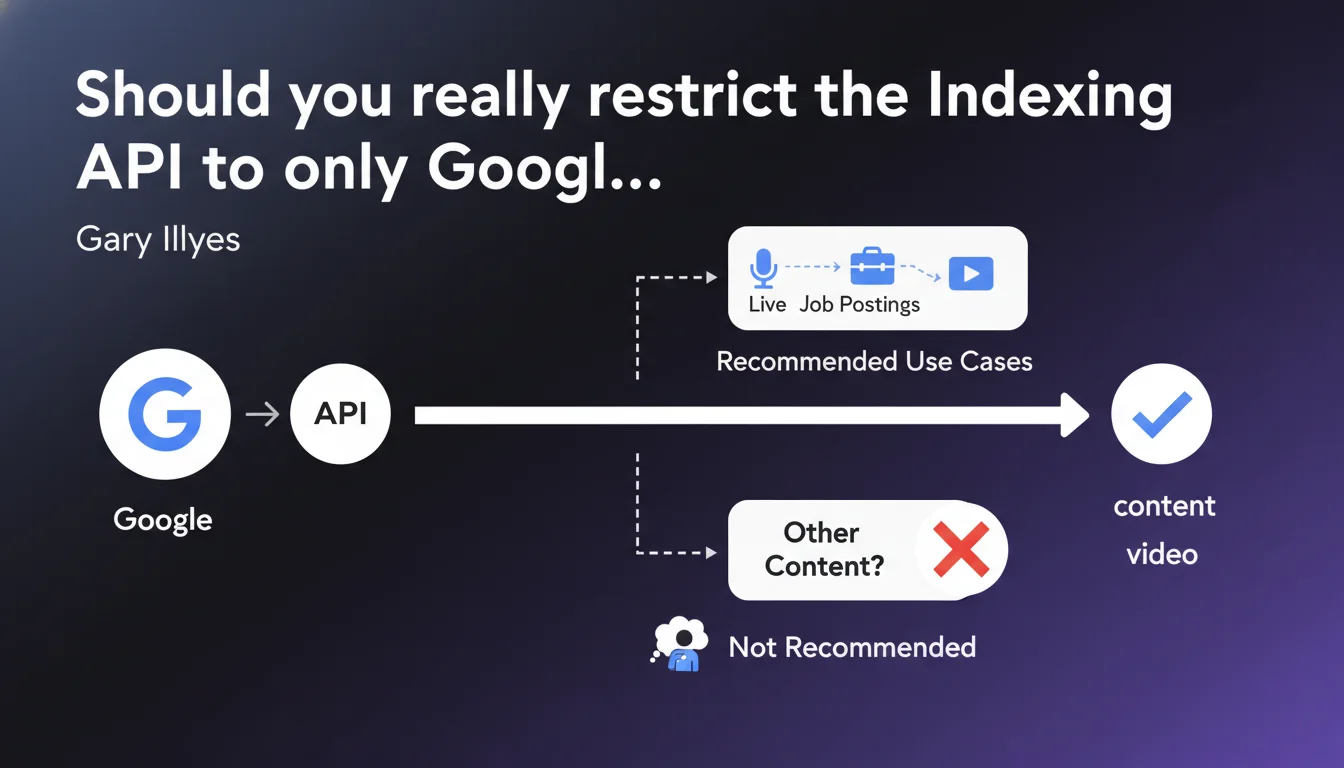
Google officially restricts the Indexing API to three content types: live events, job postings, and streaming videos. The API technically works for other content, but Google formally discourages this practice. The question remains open: is this limitation technical or strategic?
What you need to understand
Why does Google limit the Indexing API to these three use cases?
Google designed the Indexing API to handle content with high temporal volatility. A live-streamed event, a job posting that expires in 48 hours, or a streaming video available for just a few hours require near-instantaneous indexing.
The principle? Bypass the classic crawl cycle which can take several hours or even days. For these ephemeral contents, fast indexing makes all the difference between visibility and obsolescence.
The API works for other content: what does that concretely mean?
Gary Illyes puts it plainly: technically, it works. You can submit blog articles, product pages, anything via the Indexing API — Google will index it.
But here's the catch: "it's not recommended". A typically evasive formulation. Is it a matter of server load on Google's side? A risk of future penalty? Simple arbitrary preference? No data, no technical explanation. [To verify]
What are the differences with Search Console and sitemaps?
Search Console lets you request indexation URL by URL — limitation: approximately 10 requests per day based on field tests. Sitemaps signal URLs but guarantee neither speed nor indexation.
The Indexing API promises indexation within minutes with a quota of 200 daily requests for free accounts. The game-changer remains speed.
- Indexing API: officially reserved for 3 use cases, near-instant indexation
- Technical limitation: the API works for all content types despite official restriction
- Grey area: no documented penalties for non-compliant usage, but Google explicitly discourages it
- Quota: 200 requests/day in free version, expandable for larger sites
SEO Expert opinion
Is this restriction technically credible?
Let's be honest: if the API works for all content types, why this artificial limitation? Google likely invokes server load management. Multiplying indexation requests for millions of e-commerce pages would break the system.
But there's another angle — strategic this time. Google wants to keep control of crawl budget and its indexation priorities. Letting all sites submit massively via the API would mean abandoning this regulatory lever. The "use case specificity" argument sounds hollow when you know Google's infrastructure capabilities.
What risks do you take using the API outside the rules?
Concretely? No documented penalties to date. No manual penalties, no observed ranking drops. Hundreds of sites have used the Indexing API for standard content for months — zero visible consequences.
The theoretical risk is twofold: Google could take a harder line and disable API access for flagrant abuse, or simply ignore your non-compliant requests. But between "not recommended" and "forbidden under penalty", there's a gap Google deliberately maintains.
Do field observations contradict the official position?
Several agencies have tested the API on e-commerce or editorial content for 6+ months. Result: accelerated indexation confirmed, no filters detected, no unusual throttling beyond standard quotas.
This gap between official discourse and technical reality raises questions. Either Google is preparing an architectural change that will render non-compliant usage ineffective, or this restriction is more preventive guardrail than actual technical constraint. [To verify] over the long term.
Practical impact and recommendations
What should you do if your content doesn't fit the 3 official use cases?
First option: follow the rules and stick to classic methods (Search Console, optimized XML sitemaps, solid internal linking). It's the safe route, the one Google encourages.
Second option: test the API on strategic content with strong temporal added value — product launches, hot news, seasonal pages. Document the results, measure indexation impact vs. organic performance.
Third option: ignore the restriction and industrialize via the API. Assumed risk, high potential benefit for high-velocity editorial sites. But prepare a backup plan if Google shuts off the tap.
How to optimize Indexing API usage within the rules?
If you manage a job listing site or broadcast live events, the API becomes a powerful lever — with conditions. Prioritize URLs with high immediate traffic potential.
On the technical side: structure your data with the appropriate Schema.org markup (JobPosting, Event, VideoObject). Google confirms the API works better when semantic signals are clear.
- Verify that your content strictly fits one of the 3 official use cases
- Implement corresponding Schema.org markup (JobPosting, Event, VideoObject)
- Configure API authentication via Google Cloud Console
- Test first on a small sample before scaling
- Monitor indexation via Search Console to detect any anomalies
- Document indexation times before/after to measure real impact
- Plan a fallback strategy if Google changes the rules
What mistakes must you avoid at all costs?
Don't massively submit low-quality URLs just because you have quota available. Google might interpret it as spam and cut access. The API isn't a free pass to index thin content.
Also avoid submitting URLs with 404 errors, redirects, or duplicate content. That pollutes your signals and can trigger Google filters. The Indexing API accelerates the process, it doesn't bypass quality criteria.
The Indexing API remains a powerful but regulated tool, with guidelines clarifying legitimate use cases without formally forbidding others — typical grey area.
For sites juggling large volumes and high-temporality content, mastering these technical and regulatory nuances becomes strategic. These advanced optimizations often require specialized expertise to avoid missteps while maximizing impact. Engaging a specialized SEO agency can prove wise to navigate these murky waters with personalized guidance that secures your technical choices.
❓ Frequently Asked Questions
Puis-je utiliser l'Indexing API pour un site e-commerce ?
Quelle différence entre Indexing API et demande d'indexation Search Console ?
Le balisage Schema.org est-il obligatoire pour utiliser l'Indexing API ?
Que se passe-t-il si je soumets des URLs hors des 3 cas d'usage autorisés ?
Comment mesurer l'efficacité réelle de l'Indexing API sur mon site ?
🎥 From the same video 14
Other SEO insights extracted from this same Google Search Central video · published on 14/03/2024
🎥 Watch the full video on YouTube →
💬 Comments (0)
Be the first to comment.