
Official statement
Other statements from this video 14 ▾
- □ Is Googlebot really just crawling without making any indexing decisions?
- □ How does Googlebot actually crawl your web pages?
- □ Does your crawl budget really depend on Search demand?
- □ Does crawl budget really exist at Google?
- □ Should you block certain pages from Google crawl to optimize your crawl budget?
- □ Is Google really running out of storage space to index your content?
- □ Are natural links really more important than sitemaps for URL discovery?
- □ Does linking from your homepage really accelerate the crawl of your new pages?
- □ Should you really restrict the Indexing API to only Google's recommended use cases?
- □ Why does Google restrict the Indexing API to specific use cases instead of making it universally available?
- □ Can the Indexing API Remove Your Content as Fast as It Indexes It?
- □ Does improving content quality really trigger Google to crawl your site more frequently?
- □ Does removing your low-quality pages really boost your crawl budget and rankings?
- □ Can the URL inspection tool really speed up the indexing of your improvements?
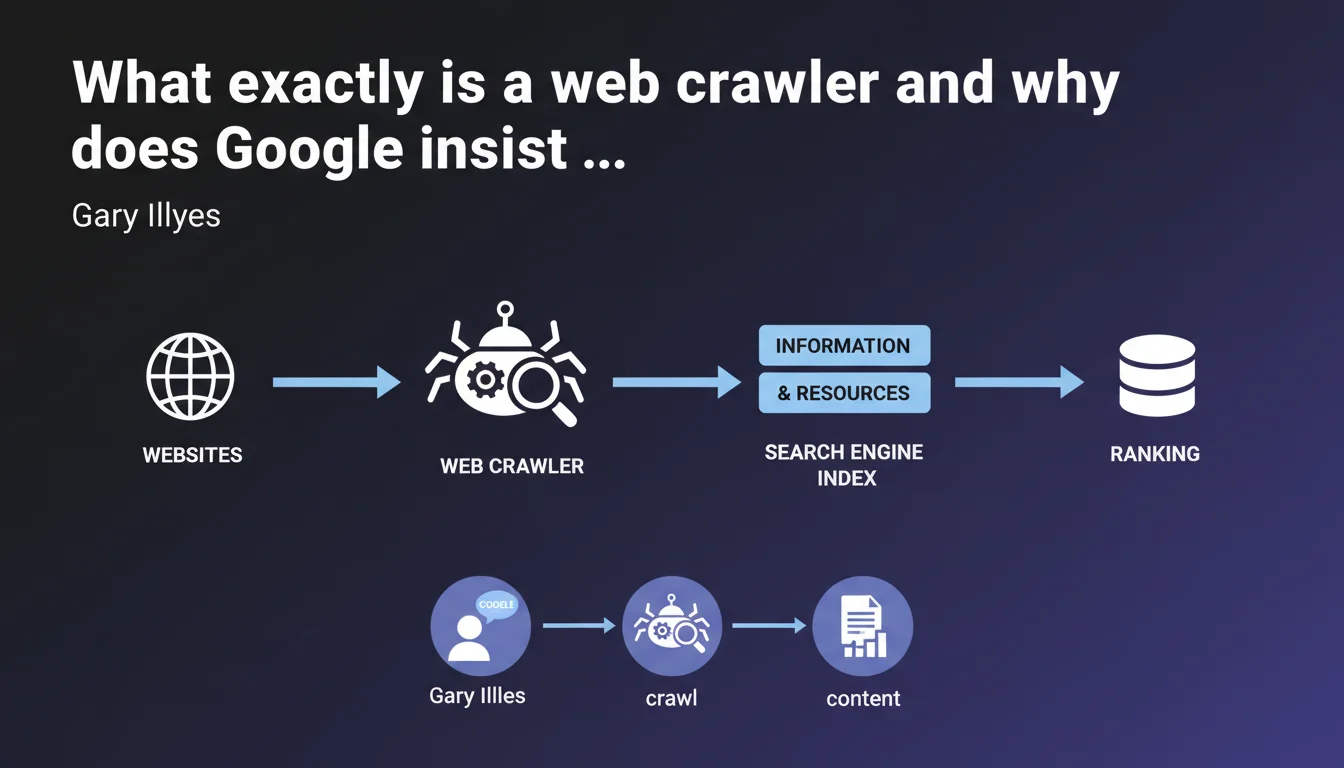
Gary Illyes reminds us that a crawler is software that retrieves information and resources from websites. Without a crawler, no indexing or ranking is possible — it's the mandatory entry point for any search engine. This definition lays the groundwork for an obvious truth often overlooked: if Googlebot cannot crawl, your content does not exist.
What you need to understand
Why does Google publish such a basic definition?
This statement may seem trivial to a seasoned professional. Yet it anchors a fundamental principle: crawling comes before everything else. No retrieval, no indexing, no ranking.
Google reaffirms here that the crawler is step zero in organic visibility. Many sites optimize their content, their tags, their speed — but forget that if Googlebot cannot access the resources, nothing happens. It's a wake-up call: crawling is not a technical detail, it's a sine qua non condition.
What does "retrieving information and resources" concretely mean?
A crawler does not simply read HTML text. It also retrieves images, JavaScript files, CSS stylesheets, videos, PDFs — in short, everything that makes up a modern page.
This retrieval is conditioned by several factors: technical accessibility (available server, correct HTTP response), permissions (robots.txt, meta tags), and crawl budget. If a resource is blocked or inaccessible, it will neither be analyzed nor indexed.
What's the difference between crawling and indexing?
Crawling is the collection phase. Indexing is the analysis and storage phase. A crawler can visit a page without it being indexed — it's actually quite common.
Google can crawl a URL but decide not to index it if it's deemed of low quality, duplicated, or blocked by a noindex directive. Crawling is therefore necessary but not sufficient.
- The crawler retrieves raw data from the server
- Indexing processes, analyzes and stores this data in Google's index
- Ranking then follows, based on hundreds of ranking signals
- Blocking crawling blocks the entire upstream process
- Allowing crawling does not guarantee indexation
SEO Expert opinion
Is this definition complete or deliberately simplified?
Let's be honest: this statement is pedagogical, not technical. It targets a broad audience, probably beginners or non-technical decision-makers. For an SEO practitioner, it brings nothing new.
What's missing is nuance. A modern crawler doesn't simply "go" retrieve content — it prioritizes, filters, respects rules, and adapts its frequency based on hundreds of parameters. This watered-down definition omits all the complexity of crawl budget, conditional directives, or deferred JavaScript rendering.
Do we observe inconsistencies between this statement and on-the-ground reality?
No, but it hides certain realities. For example, Google does not crawl everything, all the time. There are orphan pages that Googlebot discovers by accident, resources never visited due to lack of backlinks, and entire sites ignored if crawl budget is exhausted elsewhere.
Additionally, some content is crawled but never rendered correctly — notably content requiring complex JavaScript execution or authentications. Gary Illyes' definition suggests a linear and exhaustive process. Reality is far more random.
What are the unstated limitations of this assertion?
Google does not specify that all crawlers are not created equal. Googlebot Desktop, Googlebot Mobile, Googlebot Image, AdsBot — each has its specificities, priorities, and constraints. Saying "a crawler retrieves content" masks this diversity.
Another point: crawling is not instantaneous. Between publishing content and its actual crawl, there can be a gap of hours, days, or even weeks depending on site authority, perceived freshness, and URL depth. [To verify]: Google has never publicly communicated an average crawl delay by site typology.
Practical impact and recommendations
What should you concretely do to optimize crawling?
Start by auditing the technical accessibility of your strategic pages. Verify that your robots.txt file is not involuntarily excluding important sections, and that your meta robots tags are consistent with your indexing objectives.
Next, analyze your internal linking. Orphan pages — those without internal backlinks — are rarely crawled. Ensure that every important piece of content is linked from at least one already-indexed page, ideally from your homepage or a first-level category.
Finally, monitor your crawl budget. If Google is massively crawling unnecessary pages (paginated archives, faceted filters, session URLs), it's wasting budget at the expense of your strategic content. Use Search Console to identify crawled URLs and correct anomalies.
What mistakes should you absolutely avoid?
Never block critical resources (CSS, JavaScript) in robots.txt if they're necessary for page rendering. Google needs these files to understand your content and mobile usability.
Avoid redirect chains and infinite loops, which exhaust crawl budget and slow down discovery of new content. Each redirect consumes one request, and beyond 3-4 hops, Googlebot may abandon.
Don't neglect server response times. If your site is slow, Googlebot automatically slows its crawl pace to avoid overloading your infrastructure. A performant server favors more frequent and deeper crawling.
- Audit your robots.txt file and meta robots tags
- Identify and fix orphan pages via internal crawl
- Remove unnecessary redirects and redirect chains
- Optimize server speed (TTFB, fast HTTP response)
- Monitor server logs to spot crawl anomalies
- Use an up-to-date XML sitemap to guide Googlebot toward your priorities
- Limit crawling of low-value pages (filters, archives, sessions)
How can you verify that Google is crawling your site efficiently?
Regularly check Search Console, in the "Coverage" section. You'll find the number of pages crawled per day, crawl errors, and average response times. A sudden drop in crawling can signal a technical problem.
Analyze your server logs to cross-reference Search Console data with on-the-ground reality. This way you'll identify URLs crawled but not indexed, blocked resources, and suspicious bots. It's the best way to objectify your crawl strategy.
❓ Frequently Asked Questions
Un crawler peut-il indexer une page qu'il n'a pas crawlée ?
Pourquoi certaines pages sont-elles crawlées mais jamais indexées ?
Le crawl budget affecte-t-il tous les sites de la même manière ?
Faut-il bloquer les crawlers autres que Googlebot ?
Un sitemap XML accélère-t-il le crawl de nouvelles pages ?
🎥 From the same video 14
Other SEO insights extracted from this same Google Search Central video · published on 14/03/2024
🎥 Watch the full video on YouTube →
💬 Comments (0)
Be the first to comment.