
Official statement
Other statements from this video 9 ▾
- □ Pourquoi l'API Search Console contient-elle plus de données que l'interface utilisateur ?
- □ Pourquoi Search Console plafonne-t-elle vos rapports d'indexation à 1000 lignes ?
- □ Pourquoi Google refuse-t-il d'indexer certaines de vos pages ?
- □ Faut-il vraiment corriger toutes les notifications de Google Search Console ?
- □ Faut-il vraiment corriger toutes les erreurs 404 détectées dans Search Console ?
- □ Pourquoi Google refuse-t-il de diagnostiquer vos problèmes de ranking ?
- □ L'API d'inspection d'URL peut-elle vraiment remplacer les inspections manuelles à grande échelle ?
- □ Search Console Insights : Google propose-t-il enfin un outil SEO pour non-techniciens ?
- □ Pourquoi l'intégration BigQuery de Search Console change-t-elle la donne pour l'analyse SEO avancée ?
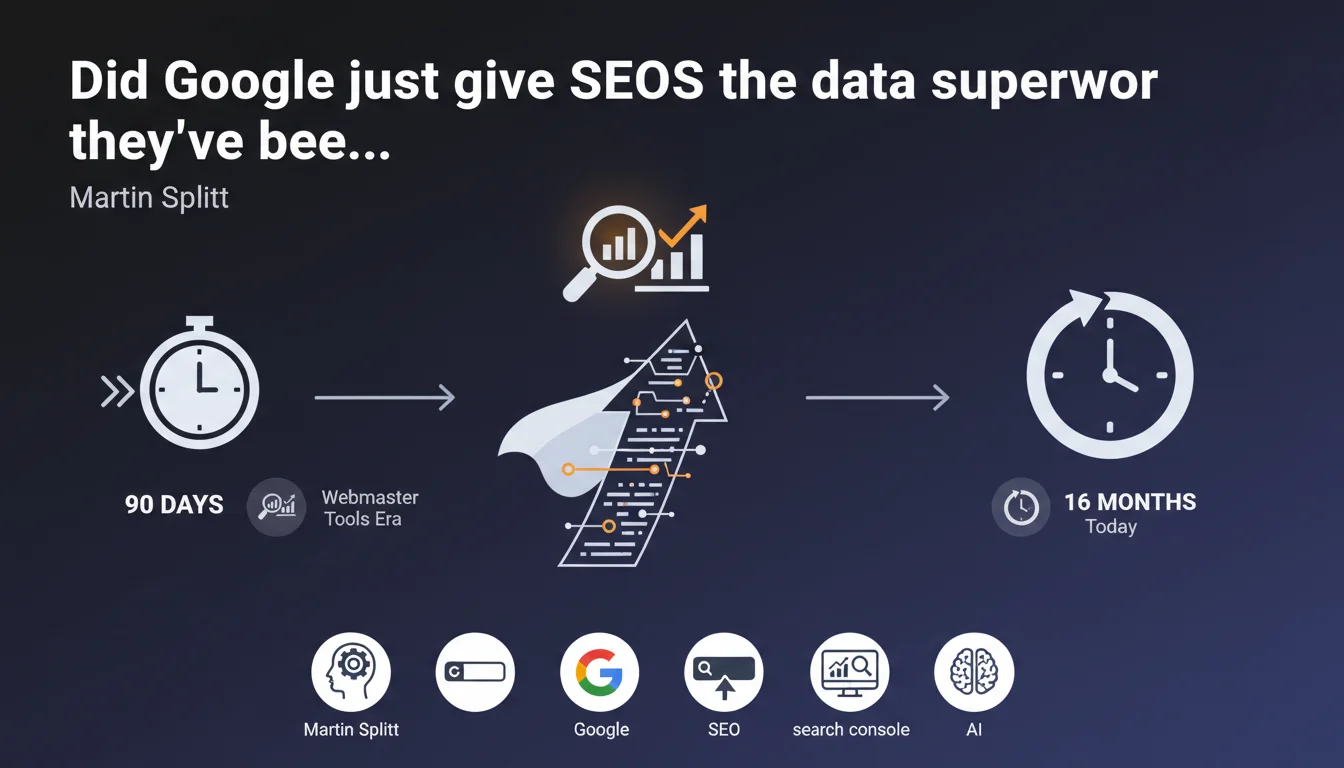
Search Console now retains 16 months of historical data, up from 90 days in the Webmaster Tools era. This extension makes it possible to analyze trends across complete annual cycles and compare performance year-over-year. A major shift for anyone dealing with seasonality or long-term migrations.
What you need to understand
What was Search Console's original limitation?
For years, Search Console only retained 90 days of data. A ridiculously short window when you consider that the effects of a migration, penalty, or algorithm update can unfold over several quarters.
It was impossible to compare March Year N to March Year N-1. Impossible to properly analyze annual seasonality. Third-party tools like SEMrush or Ahrefs became indispensable just to maintain a decent historical record.
What does this 16-month extension actually change?
With 16 months of history, you finally have a full year of perspective, plus a 4-month buffer. This lets you compare your performance year-over-year directly in Search Console, without laborious exports or paid tools.
For sites with strong seasonality — tourism, retail, events — this is a game changer. You can now identify whether a December dip is structural or cyclical, without relying solely on gut feeling.
Which data benefits from this extended retention?
The extension covers performance reports: clicks, impressions, CTR, average positions. Not indexation coverage data or Core Web Vitals, which remain on shorter windows and are less actionable over the long term.
- 16 months of history available in Search Console performance reports
- Ability to compare data across complete annual cycles
- Particularly useful for sites with strong seasonality or to analyze the impact of long-term migrations
- Only applies to clicks, impressions, CTR, and position data
- Other reports (coverage, Core Web Vitals) maintain shorter windows
SEO Expert opinion
Is this announcement consistent with observed practices?
Yes, and it's actually one of the rare cases where Google has responded to massive demand from the SEO community without hesitation. The initial 90 days were an absurdity for anyone needing to analyze trends or justify SEO investments to management.
Since the extension, teams can finally present coherent annual reports without resorting to third-party tools or weekly exports stored in broken Google Sheets. It's a real comfort improvement.
What nuances should we add to this announcement?
16 months is better than 90 days, but it's still not ideal. [To verify]: why this specific number? Why not 18 or 24 months, which would allow comparison across two full years? No technical explanation has been published.
Another point: this retention only applies to aggregated data. If you want to analyze specific queries over a long period, you still hit the limitation of 1000 lines per export and anonymization of low-volume queries. Google giveth with one hand, taketh away with the other.
In which cases does this extension change nothing?
For recently launched sites, it has no immediate effect. Same for projects undergoing total redesigns: if you're switching domains or structure, the old site's history only helps you document the migration, not drive current activity.
Practical impact and recommendations
What should you actually do with these 16 months of data?
First, integrate year-over-year comparison into your reports. Instead of comparing month M to month M-1, compare M to M-12. This smooths seasonality effects and reveals true growth or decline trends.
Next, use this window to analyze the impact of algorithm updates across multiple cycles. A Core Update in March can have delayed effects through June. With 16 months, you can trace the complete curve.
What mistakes should you avoid when exploiting this history?
Don't compare non-comparable periods. If you launched a migration in July, comparing July Year N to July Year N-1 makes no sense. Segment your analyses before and after major events.
Another trap: relying solely on Search Console for history. Indexation coverage and Core Web Vitals data remain on short windows. For complete visibility, cross-reference with Google Analytics 4, Looker Studio, and your server logs.
How do you structure effective 16-month tracking?
- Export your performance data monthly to preserve history beyond the 16-month window
- Create segments by query type (branded, generic, long-tail) and track their annual evolution
- Document every major SEO event (migration, redesign, penalty) with its precise date to contextualize the curves
- Systematically compare performance M to M-12, not M to M-1, to neutralize seasonality
- Cross-reference Search Console data with your server logs to spot gaps between crawl, indexation, and ranking
❓ Frequently Asked Questions
Les 16 mois d'historique sont-ils disponibles rétroactivement ?
Peut-on exporter l'intégralité des 16 mois de données d'un coup ?
Cette rétention s'applique-t-elle aussi aux données Discover et Google News ?
Que se passe-t-il si je transfère ma propriété Search Console vers un autre compte ?
Les données de couverture d'indexation sont-elles aussi conservées 16 mois ?
🎥 From the same video 9
Other SEO insights extracted from this same Google Search Central video · published on 22/08/2024
🎥 Watch the full video on YouTube →
💬 Comments (0)
Be the first to comment.