
Official statement
Other statements from this video 9 ▾
- □ Pourquoi l'API Search Console contient-elle plus de données que l'interface utilisateur ?
- □ Pourquoi Google a-t-il multiplié par 5 la rétention de données dans Search Console ?
- □ Pourquoi Google refuse-t-il d'indexer certaines de vos pages ?
- □ Faut-il vraiment corriger toutes les notifications de Google Search Console ?
- □ Faut-il vraiment corriger toutes les erreurs 404 détectées dans Search Console ?
- □ Pourquoi Google refuse-t-il de diagnostiquer vos problèmes de ranking ?
- □ L'API d'inspection d'URL peut-elle vraiment remplacer les inspections manuelles à grande échelle ?
- □ Search Console Insights : Google propose-t-il enfin un outil SEO pour non-techniciens ?
- □ Pourquoi l'intégration BigQuery de Search Console change-t-elle la donne pour l'analyse SEO avancée ?
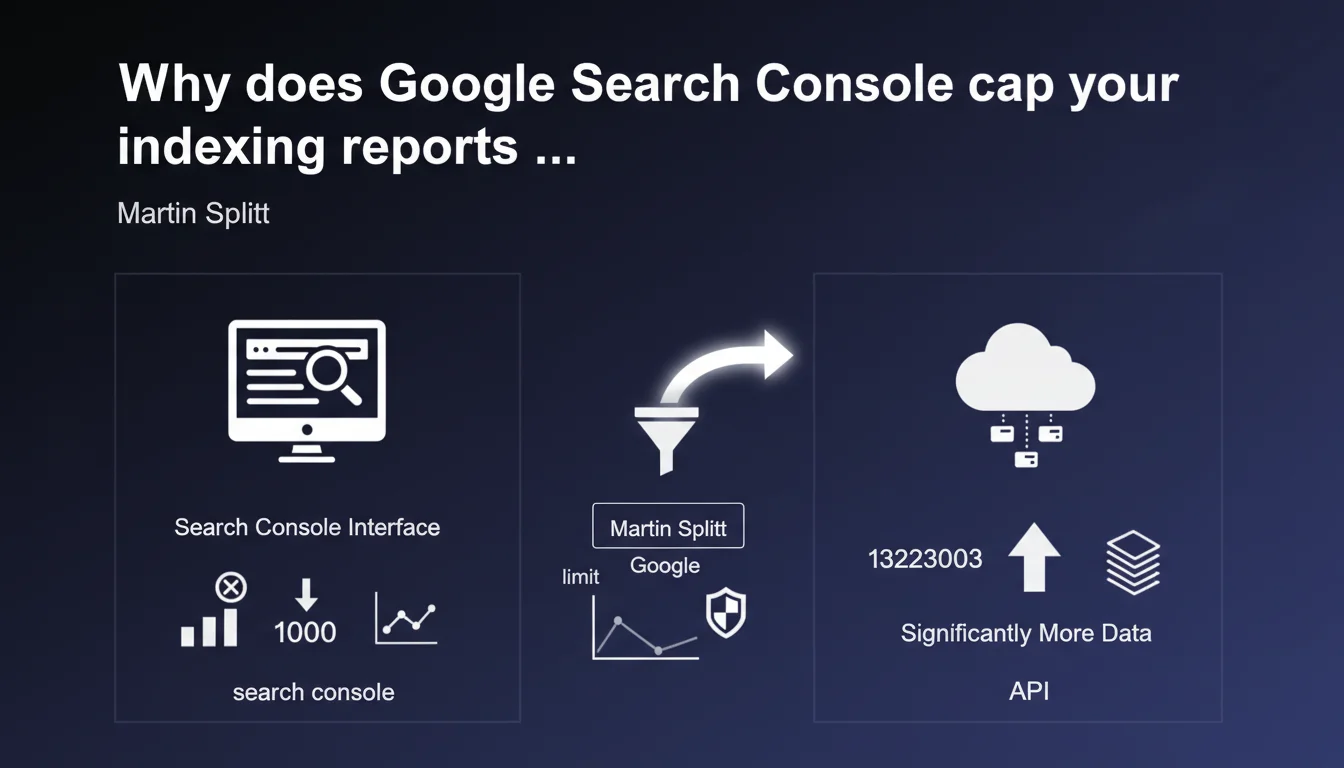
Search Console's interface limits each indexing report to a maximum of 1000 rows, even if your actual data exceeds this threshold. The Search Console API, however, can deliver far more data. If you manage a large site, you only get a partial view through the standard interface.
What you need to understand
What is this technical limitation imposed by Google?
Martin Splitt confirms a constraint known to many SEOs working on high-volume sites: the Search Console interface cannot display more than 1000 rows per indexing report. Whether you have 5000 pages with errors or 50,000, you will only see the first 1000 entries in the table.
This limitation affects all indexing reports: indexed pages, excluded pages, server errors, coverage issues. It's a display constraint, not a collection one — Google does record all your data, but the web interface only returns it partially.
Does the Search Console API really bypass this ceiling?
Yes, and that's the whole nuance. The Search Console API doesn't have the same arbitrary 1000-row limit. It can return much larger volumes, with appropriate pagination. Concretely, if you query the URL inspection endpoint or coverage reports via the API, you retrieve all available data, not just a truncated sample.
This means that for a complete audit on a site with tens of thousands of pages, going through the API becomes essential. The graphical interface remains practical for daily monitoring or spot checks, but it is no longer sufficient at scale.
Which reports are affected by this restriction?
All tabular reports in the Indexing section of Search Console: indexed pages, excluded pages, 404 errors, redirects, canonicalization issues, submitted sitemaps. As soon as a table exceeds 1000 entries, you only see an excerpt.
Google doesn't always clarify the display order of these 1000 rows — sometimes it's by volume of affected pages, sometimes by detection date. Result: you may miss critical errors if they don't appear in the top 1000 displayed.
- 1000-row limit per indexing report in the Search Console interface
- The Search Console API allows you to retrieve much larger volumes without this restriction
- All tabular reports in the Indexing section are affected
- This limit is display-only — Google does collect all the data
- For a high-volume site, the API becomes essential for a complete audit
SEO Expert opinion
Is this limitation consistent with practices observed in the field?
Let's be honest: this 1000-row limitation has frustrated users for years. It forces SEOs to export data via the API as soon as a site exceeds a few thousand pages. In practice, we observe that Google often displays errors or excluded pages in descending order of occurrence — meaning that minority issues, but potentially critical ones, disappear from the interface.
The problem is that many practitioners rely solely on the interface without suspecting they only have a partial view. Result: 404 errors or misconfigured canonicals go undetected simply because they don't appear in the first 1000 rows. [To be verified]: Google doesn't officially document the sort order applied, making interpretation unreliable.
Is the API really accessible to all SEO professionals?
Not really. Using the Search Console API requires technical skills: managing OAuth authentication, paginating responses, handling request quotas. For a freelancer or small agency without a developer, it's a real barrier. Third-party SEO tools (Screaming Frog, Semrush, etc.) leverage the API, but you still need paid licenses and properly configured access.
We also observe that some massive sites (e-commerce, media) have reports so voluminous that even the API takes time to return everything. And that's where it gets stuck: Google could increase this display limit without overloading its servers, but chooses to maintain this arbitrary cap. Why? [To be verified] — no official explanation on the technical or product motivations.
What are the risks if you ignore this limitation?
The major risk is to miss critical indexation problems that don't appear in the first 1000 rows. Typically: strategic pages blocked by robots.txt, intermittent server errors, incorrect canonicals on less voluminous but high-value site segments.
Another pitfall: some SEO audits rely solely on CSV exports from the Search Console interface. If these exports are truncated at 1000 rows, the audit is incomplete by nature. And that's where the bill can be steep: missed opportunities, undetected penalties, failed migrations.
Practical impact and recommendations
How to work around this 1000-row limit in practice?
The most direct solution: use the Search Console API. If you have a technical background, build a Python or Node.js script that queries the index coverage endpoints and stores the results in a database or Google Sheet. Official libraries (Python, PHP, Java) make authentication and pagination easier.
If you're not a developer, rely on third-party tools that leverage the API: Screaming Frog (with the Search Console connector), Sitebulb, OnCrawl, or even Google Apps Script scripts that automate exports to Sheets. All allow you to retrieve all available data without being blocked at 1000 rows.
What are the priorities for a complete indexation audit?
Start by identifying strategic site segments: product categories, SEO landing pages, editorial content. Verify that these pages appear correctly in indexation reports — and if they're excluded, dig into the reason. Never settle for just the first 1000 rows displayed in the interface.
Next, cross-reference Search Console data (via API) with your server logs and your Screaming Frog crawl. It's the only way to detect inconsistencies: pages crawled by Google but not indexed, pages indexed but never crawled recently, intermittent server errors that only appear in logs.
What to do if your site far exceeds 1000 rows?
Segment your reports by Search Console property if your architecture allows (subdomains, subdirectories). This reduces the data volume per report and facilitates daily monitoring. But be careful: this doesn't replace a global audit via API.
Automate data collection: a script that queries the API every week and alerts when an abnormal volume of errors appears. You save time and avoid missing critical issues. If you lack internal resources to set up this infrastructure, it may be wise to engage a specialized SEO agency that already has the tools and processes to leverage the Search Console API at scale.
- Never rely solely on the Search Console interface for sites with more than 10,000 pages
- Use the Search Console API (directly or via a third-party tool) to retrieve all data
- Cross-reference Search Console data with server logs and a complete crawl
- Segment Search Console properties if possible to facilitate monitoring
- Automate data collection and alerts on critical errors
- Prioritize site segments with high added value in your audits
❓ Frequently Asked Questions
L'export CSV depuis l'interface Search Console est-il aussi limité à 1000 lignes ?
L'API Search Console a-t-elle elle aussi une limite de lignes ?
Comment savoir si mon site dépasse la limite de 1000 lignes dans un rapport ?
Quels outils SEO exploitent l'API Search Console pour contourner cette limite ?
Cette limite de 1000 lignes s'applique-t-elle aussi aux rapports de performance (requêtes, pages) ?
🎥 From the same video 9
Other SEO insights extracted from this same Google Search Central video · published on 22/08/2024
🎥 Watch the full video on YouTube →
💬 Comments (0)
Be the first to comment.