
Official statement
Other statements from this video 11 ▾
- □ Does Google really render every single HTML page without exception?
- □ Does Googlebot really follow Chrome in real-time?
- □ Does Google really crawl structured data injected through JavaScript?
- □ Does Google Really Treat JavaScript Redirects the Same as Server-Side Redirects?
- □ Why will Google's rendering never truly match a standard browser's behavior?
- □ Does Google really keep cookies between each page render?
- □ Does Google really ignore cookie consent banners when crawling your site?
- □ Should you stop using dynamic rendering based on Googlebot's user-agent?
- □ Is JavaScript error handling now the hidden factor that determines whether Google can index your site?
- □ Is the URL inspection tool really reliable for testing how Googlebot renders your pages?
- □ Does Google really render every HTML page even if most don't need JavaScript?
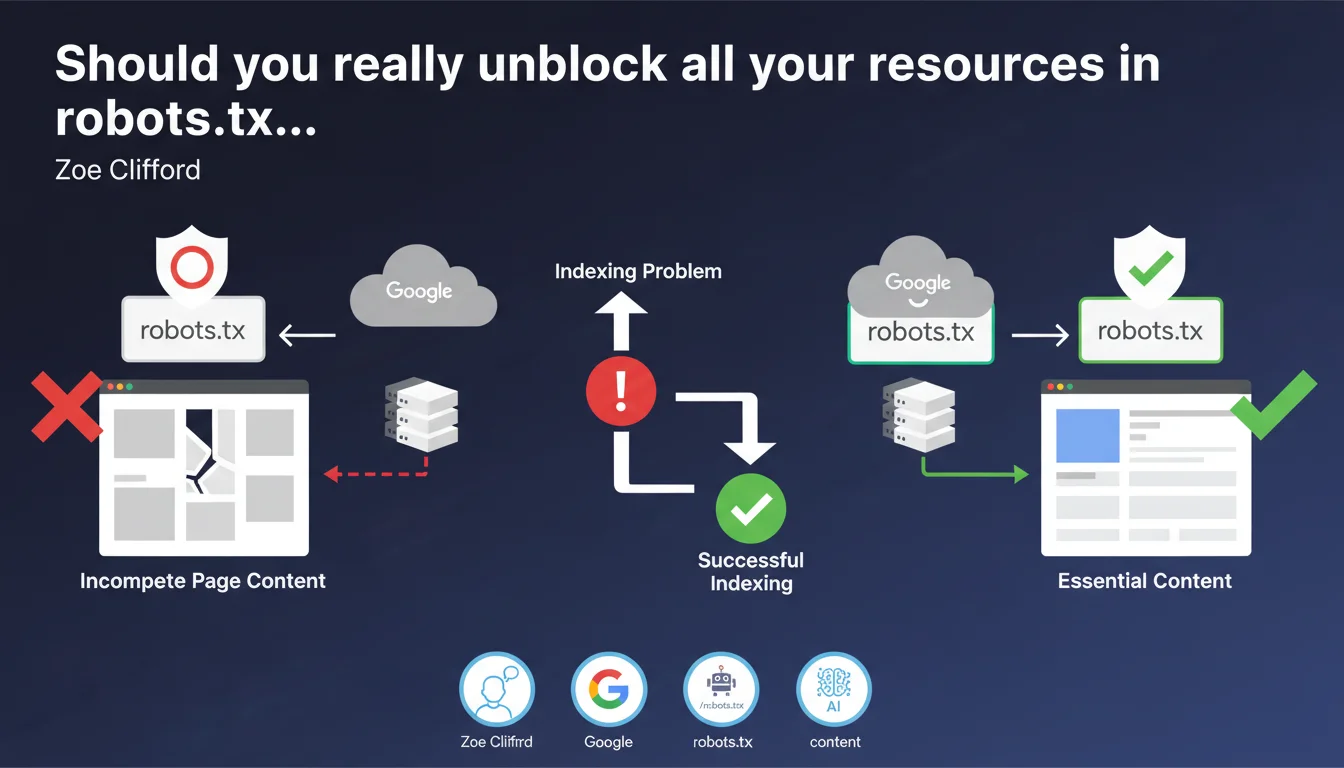
Google cannot retrieve resources blocked by robots.txt during rendering. If these resources contain main page content, the page will appear incomplete and cause indexing problems. Blocking critical resources via robots.txt directly compromises Google's ability to understand your content.
What you need to understand
This Google statement reminds us of a fundamental but often poorly applied principle: blocking resources in robots.txt actively prevents their retrieval during the rendering phase.
Contrary to a common misconception, crawling and rendering are two distinct steps. Robots.txt affects both.
What exactly is rendering and why does it matter?
Rendering is the moment when Googlebot executes JavaScript and builds the final version of your page — the one a user would see in their browser. This is when dynamic content appears.
If an API or JavaScript file blocked by robots.txt loads your main content, Google will only see an empty shell. No content = no meaningful indexing.
Why might blocking resources seem like a good idea?
Historically, some practitioners blocked resources to save crawl budget or protect sensitive files. The intention was good, but the impact is often disastrous.
The problem: you don't always control what's truly essential for rendering. A third-party resource might load critical content without you knowing it.
Which resources are really at risk from this issue?
Typically: JavaScript files that load content via fetch or XHR, API calls for dynamic content, certain critical CSS that reveals initially hidden text.
Purely decorative resources (fonts, icons, certain images) can be blocked without major impact. But as soon as a resource participates in displaying main textual content, it's a risk.
- Robots.txt blocks retrieval of resources during both crawl and rendering
- A page with main content loaded by blocked JS will appear empty or incomplete to Google
- The risk primarily concerns single-page applications (SPAs) and sites with client-side rendering
- Blocking decorative resources remains acceptable, but the boundary is fuzzy
- Google doesn't guess what's essential — it only bases decisions on what it can download
SEO Expert opinion
Is this statement consistent with real-world observations?
Absolutely. We regularly observe sites with rich content invisible to Google due to poorly calibrated robots.txt blocks. Search Console actually flags these cases through the URL inspection tool.
The classic trap: blocking /wp-content/plugins/ or /assets/js/ thinking you're saving crawl budget. Result: pages that look rich to users but appear empty to Googlebot.
What nuances should be added to this recommendation?
Google doesn't specify what level of incompleteness causes problems. A page rendered 95% correctly but with one blocked widget will probably pass. A page with only 30% of content accessible will be ignored.
[To verify]: Google doesn't provide a quantitative threshold. The impact likely depends on the ratio of accessible main content to total content.
Another nuance: certain types of content (comments, social widgets, ads) can be blocked without direct SEO impact. But watch out for side effects — a blocked script might break rendering of the entire page.
When does this rule not really apply?
If your site uses server-side rendering (SSR) or static generation, the HTML content is already present before any JS execution. In this case, blocking certain progressive enhancement JS resources poses less risk.
100% static HTML sites without critical JavaScript are obviously not concerned. But how many sites still fit this profile in practice?
Practical impact and recommendations
What should you do concretely to secure rendering?
First step: audit your robots.txt line by line. Identify each Disallow and ask yourself whether this resource participates in rendering main page content.
Use Search Console's URL inspection tool to check the actual rendering of your critical pages. Compare Google's screenshot with what a regular user sees.
If you detect major differences, look for blocked resources in the "Resources" tab of the inspection tool. That's where Google lists what it couldn't load.
What errors should you absolutely avoid?
Never block /wp-content/, /assets/, /static/ indiscriminately. These directories often contain critical JavaScript and CSS.
Avoid blocking internal APIs your own site calls. If your site makes fetch() requests to /api/content/, that endpoint must be crawlable.
Be wary of plugins and themes that automatically add robots.txt rules. Some block too broadly by default.
How can you verify your site is compliant?
Set up regular monitoring via Search Console. Check key pages with the URL inspection tool at least monthly.
Test in private browsing with JavaScript disabled: if your main content completely disappears, you have a structural problem beyond robots.txt (pure client-side rendering).
- Audit each Disallow line in your robots.txt and justify its existence
- Use the URL inspection tool on your strategic pages and compare rendering
- Check the "Resources" tab to identify problematic blocks
- Explicitly allow directories containing critical JS/CSS (/assets/, /static/, etc.)
- Never block API endpoints called by your own site
- Implement monthly monitoring of your key pages' rendering
- Document each robots.txt block with a clear justification
- Prioritize server-side rendering or hydration to reduce JS dependency
Blocking resources via robots.txt is a powerful but dangerous lever. Each Disallow line must be justified and tested.
The trade-off between crawl budget optimization and risk of incomplete indexing requires pointed technical expertise. If your architecture relies on heavy client-side rendering or APIs, the audit becomes complex.
Facing these technical challenges, many sites benefit from partnering with a specialized SEO agency capable of thoroughly auditing rendering and adjusting robots.txt without breaking indexation. Personalized support helps avoid costly mistakes on such sensitive optimizations.
❓ Frequently Asked Questions
Puis-je bloquer les fichiers CSS dans robots.txt sans risque ?
Le blocage robots.txt impacte-t-il uniquement le crawl ou aussi le rendu ?
Comment savoir quelles ressources Google n'a pas pu charger sur ma page ?
Est-ce que bloquer /wp-content/uploads/ pose problème pour l'indexation ?
Le rendu côté serveur (SSR) résout-il complètement ce problème ?
🎥 From the same video 11
Other SEO insights extracted from this same Google Search Central video · published on 11/07/2024
🎥 Watch the full video on YouTube →
💬 Comments (0)
Be the first to comment.