
Official statement
Other statements from this video 11 ▾
- □ Google rend-il vraiment toutes les pages HTML indexables sans exception ?
- □ Googlebot suit-il vraiment Chrome en temps réel ?
- □ Les données structurées injectées en JavaScript sont-elles vraiment crawlées par Google ?
- □ Les redirections JavaScript sont-elles vraiment traitées comme des redirections serveur par Google ?
- □ Pourquoi le rendu Google ne sera jamais vraiment celui d'un navigateur standard ?
- □ Faut-il vraiment débloquer toutes vos ressources dans robots.txt pour éviter les problèmes d'indexation ?
- □ Google conserve-t-il vraiment les cookies entre chaque rendu de page ?
- □ Faut-il abandonner le dynamic rendering basé sur le user-agent de Googlebot ?
- □ Pourquoi la gestion d'erreurs JavaScript conditionne-t-elle désormais votre capacité à être indexé par Google ?
- □ L'outil d'inspection d'URL est-il vraiment fiable pour tester le rendu par Googlebot ?
- □ Pourquoi Google rend-il toutes les pages HTML même celles qui n'ont pas besoin de JavaScript ?
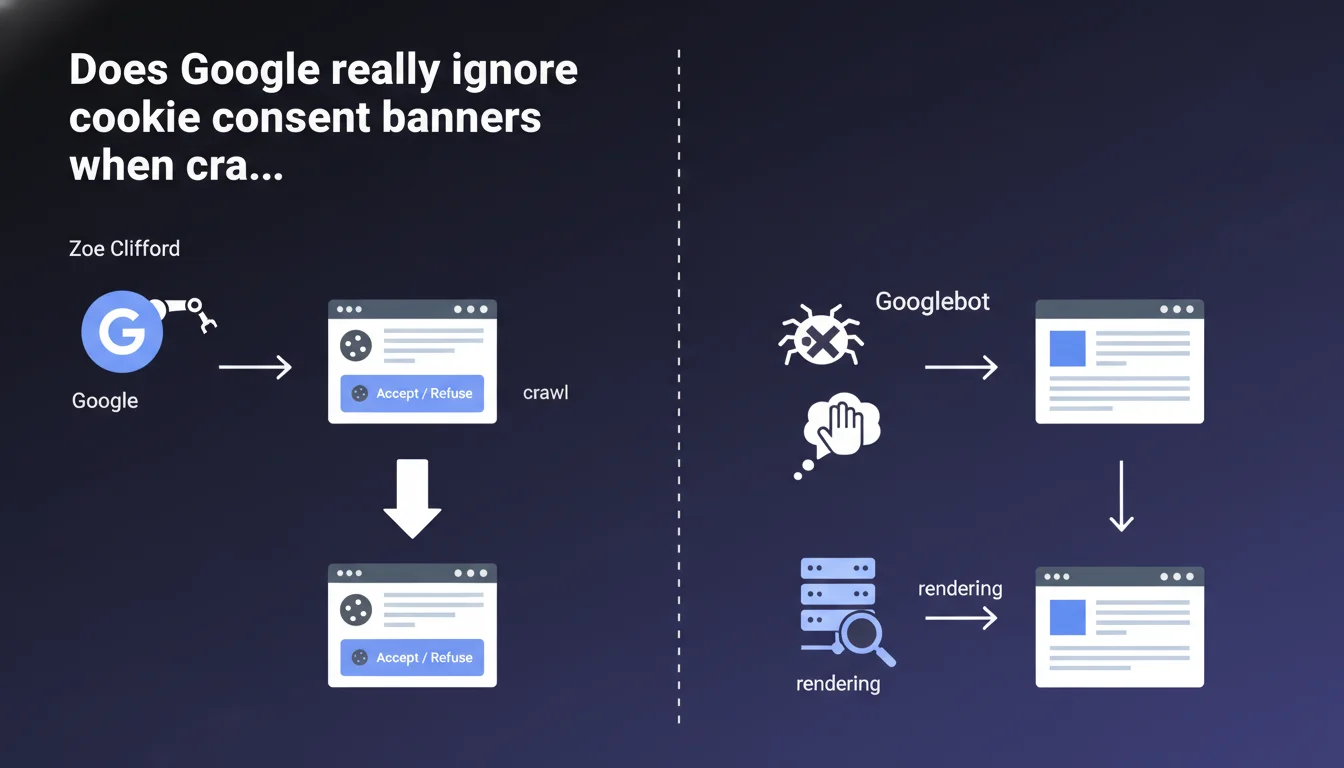
Google never clicks on cookie consent banners — neither on "Accept" nor on "Reject". Googlebot crawls and indexes the page as it appears without any interaction with these dialogs. Direct consequence: if your content is hidden behind a poorly implemented banner, Googlebot won't see it.
What you need to understand
How does Googlebot handle cookie banners?
Googlebot loads the page and executes JavaScript like a modern browser, but does not simulate any user interaction with interface elements. Consent dialogs remain displayed without any button being clicked.
In concrete terms, if your banner covers the entire screen without allowing scrolling or hides entire sections, Googlebot sees exactly what a visitor would see before taking any action: a partially hidden page.
What's the difference from a real user?
A human visitor chooses "Accept" or "Reject" to access the full content. Googlebot, on the other hand, has neither preferences nor the ability to click. The bot renders the page in its initial state, banner included.
This approach is consistent with Google's philosophy: index what is technically accessible without interaction, not what requires a user decision.
Is this a problem for indexation?
It depends entirely on your implementation. A well-designed banner remains visible but leaves the main content accessible in the background. A poorly implemented banner can create an opaque veil that prevents Googlebot from seeing text, images, and links.
The risk? Partial or even zero indexation of content actually present on the page. And Google won't make any effort to guess what's hidden behind it.
- Googlebot never clicks on consent buttons
- Rendering occurs with the banner displayed in its default state
- Content masked by an overlay remains invisible to the bot
- Only content technically accessible without interaction is indexed
- Banner implementation errors can block crawling of main content
SEO Expert opinion
Is this statement consistent with real-world observations?
Yes, and it's actually a relief that Google confirms this officially. We've been observing for years websites with intrusive banners losing rankings for no apparent reason. The explanation often comes down to an poorly coded overlay that technically prevents access to the DOM.
What's interesting — and what Google doesn't state clearly here — is that the bot makes no exceptions for legally mandatory elements like GDPR cookies. No special treatment, no automatic workaround. It's up to you to code it properly.
What nuances should be added?
The statement remains vague on one point: does Googlebot evaluate the actual visibility of content behind the overlay, or does it simply check what's technically present in the DOM? [To verify]
In practice, if your content exists in the source code but is visually masked by a high z-index on the banner, it should be crawlable. But be careful: applying display:none or visibility:hidden to main content to force banner interaction could be interpreted as cloaking.
In what cases does this rule really cause problems?
The most affected sites are those using third-party consent management solutions that are poorly configured. These scripts load fullscreen overlays that block everything until interaction. Result: a homepage completely inaccessible to Googlebot.
Another tricky case: sites that hide premium content behind a cookie banner coupled with a paywall. Google sees an almost empty page, which can trigger penalties for insufficient content.
Practical impact and recommendations
What should you do concretely to avoid problems?
First step: test your page with the URL inspection tool in Search Console. Look at the rendering screenshot — if your banner blocks everything, you have an issue.
Second step: verify that your banner is implemented with position: fixed or absolute with a high z-index, but without blocking access to underlying content in the DOM. Text must remain readable by the crawler even if visually covered.
What mistakes should you absolutely avoid?
Never apply overflow:hidden to the body when loading the banner — it blocks scrolling and can render the page inaccessible to Googlebot. Also avoid overlays with height:100vh; width:100vw and an opaque background if nothing is crawlable behind them.
Another classic trap: loading the banner before main content in DOM order. If JavaScript crashes or Googlebot stops rendering before the end, only the banner gets indexed.
How do you verify your site is compliant?
Use a combination of tools: Screaming Frog with JavaScript enabled, Google Search Console for actual rendering, and a manual test with the Googlebot user-agent. Compare what you see with what a user sees after interaction.
Also check your server logs: if Googlebot is crawling fewer pages since implementing your banner, that's a red flag. Finally, monitor your Core Web Vitals — a poorly optimized banner tanks Cumulative Layout Shift.
- Test rendering with the URL inspection tool (Search Console)
- Verify content remains accessible in the DOM even with the banner displayed
- Avoid
overflow:hiddenon the body when loading - Position main content before the banner in DOM order
- Use
position:fixedorabsolutefor the overlay, never total viewport masking - Analyze crawl logs before/after implementation
- Monitor Core Web Vitals (CLS in particular)
- Test with multiple user-agents (desktop, mobile, Googlebot)
❓ Frequently Asked Questions
Googlebot clique-t-il sur d'autres éléments interactifs (menus, accordéons, onglets) ?
Si mon contenu est masqué par défaut derrière un onglet, sera-t-il indexé ?
Une bannière qui couvre 30% de l'écran peut-elle être considérée comme intrusive par Google ?
Dois-je servir une version différente de la page à Googlebot sans bannière ?
Les bannières de consentement affectent-elles le PageSpeed et les Core Web Vitals ?
🎥 From the same video 11
Other SEO insights extracted from this same Google Search Central video · published on 11/07/2024
🎥 Watch the full video on YouTube →
💬 Comments (0)
Be the first to comment.