
Official statement
Other statements from this video 11 ▾
- □ Google rend-il vraiment toutes les pages HTML indexables sans exception ?
- □ Googlebot suit-il vraiment Chrome en temps réel ?
- □ Les données structurées injectées en JavaScript sont-elles vraiment crawlées par Google ?
- □ Les redirections JavaScript sont-elles vraiment traitées comme des redirections serveur par Google ?
- □ Faut-il vraiment débloquer toutes vos ressources dans robots.txt pour éviter les problèmes d'indexation ?
- □ Google conserve-t-il vraiment les cookies entre chaque rendu de page ?
- □ Pourquoi Google ignore-t-il les bannières de consentement des cookies lors du crawl ?
- □ Faut-il abandonner le dynamic rendering basé sur le user-agent de Googlebot ?
- □ Pourquoi la gestion d'erreurs JavaScript conditionne-t-elle désormais votre capacité à être indexé par Google ?
- □ L'outil d'inspection d'URL est-il vraiment fiable pour tester le rendu par Googlebot ?
- □ Pourquoi Google rend-il toutes les pages HTML même celles qui n'ont pas besoin de JavaScript ?
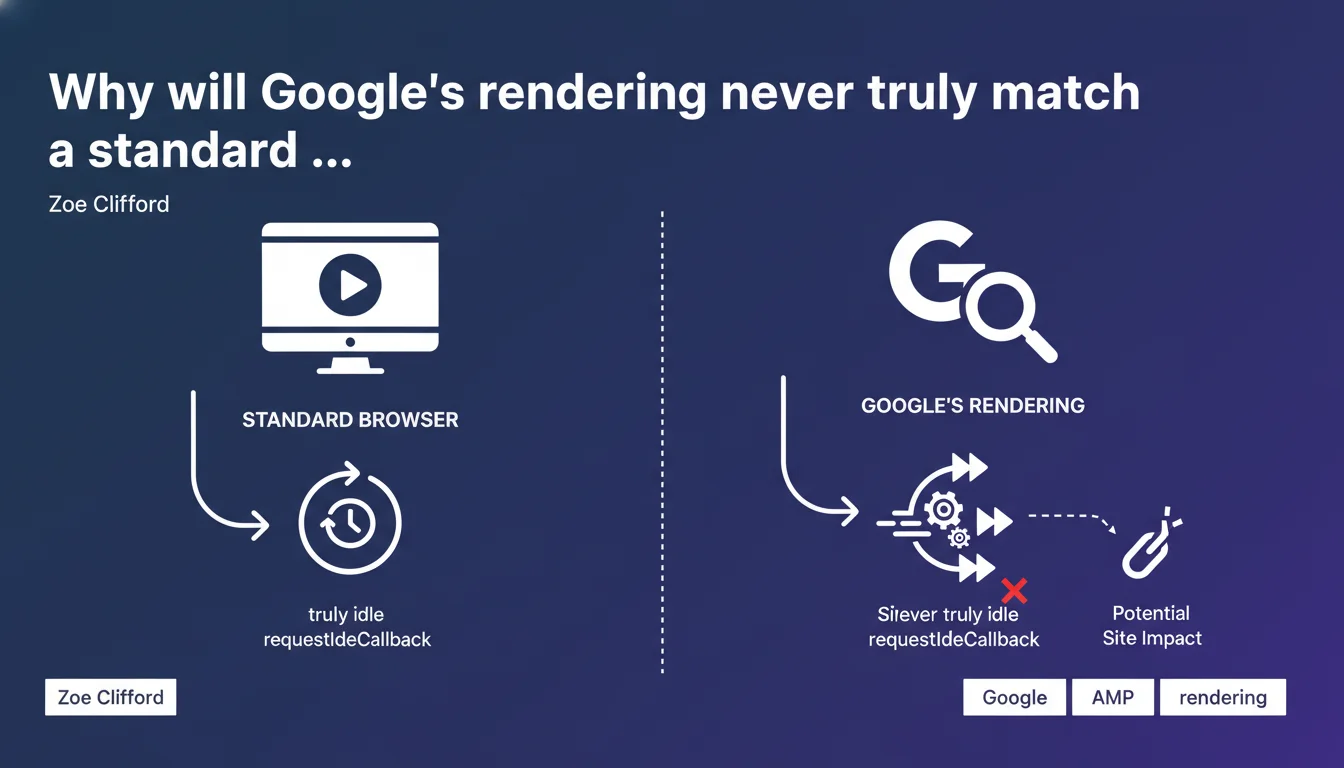
Google simulates certain JavaScript events like requestIdleCallback because its rendering engine is never truly idle. This efficiency optimization can break sites expecting standard browser behavior. If your JavaScript relies on precise idle cycles, you risk incomplete rendering on Google's side.
What you need to understand
Google claims its rendering engine approximates a modern browser, but with adjustments for speed gains. In practice, the crawler can't afford to wait indefinitely for all scripts to complete their asynchronous dance.
The requestIdleCallback event normally allows a developer to trigger code only when the browser is at rest. The problem: Google's crawler never has idle time — it chains tasks without pause. As a result, this event is simulated, meaning the callback can execute at a different timing, or not at all.
What is requestIdleCallback and why does it matter?
This W3C API schedules non-critical code during slow periods: analytics, advanced lazy-loading, data prefetching. Developers use it to avoid blocking the main thread and ensure clean Core Web Vitals.
But if Google simulates inactivity instead of measuring it in real time, a script waiting for this signal to display content might never trigger. And if that content is a text section or structural links, it's a black hole for indexation.
Google says "as close as possible" — what does that mean in practice?
The wording remains vague. Google uses Chromium, so the base engine is identical to Chrome. But the optimization layers — aggressive timeouts, certain API disablement, different resource management — create a hybrid environment.
Simply put, a site can render perfectly in Chrome and fail its rendering with Google. This is especially true for heavy JavaScript frameworks (React, Vue, Angular) that orchestrate multiple render cycles.
- Google's rendering is based on Chromium but applies specific crawl optimizations
- requestIdleCallback is simulated, which can defer or cancel certain callbacks
- Sites relying on precise inactivity cycles risk incomplete rendering on Google's side
- The difference between local Chrome and Googlebot can be invisible in dev but critical in production
SEO Expert opinion
Is this statement consistent with real-world observations?
Yes and no. Since Google switched to evergreen rendering (Chromium regularly updated), most JavaScript-heavy sites index correctly. But edge cases — complex SPAs, deferred hydration, code waiting for specific signals — still pose problems.
I've seen clients lose 15 to 20% of indexable content because a React component was waiting for an intersection observer coupled with a requestIdleCallback. Google triggered the observer but not the callback, so the content remained hidden. [To verify] : Google publishes no metrics on the success rate of these simulated callbacks — impossible to know if it's anecdotal or systemic.
What nuances should be added to this claim?
Google talks about efficiency optimizations without detailing which ones. We know it applies strict timeouts (5 seconds for initial render, a few extra seconds for post-load events). But on specific APIs disabled or modified, radio silence.
Another point: the requestIdleCallback simulation isn't documented in official developer resources. We learn about it through a quote from Zoe Clifford, but no technical guide lists the behavioral differences between Chrome and Googlebot. This complicates debugging — you test locally, everything works, then Search Console flags missing content with no explanation.
In what cases does this rule not apply?
If your JavaScript stays simple — direct rendering, immediate hydration, no dependency on exotic APIs — you'll see no difference. Modern frameworks in SSR or SSG mode (Next.js, Nuxt, SvelteKit) send pre-rendered HTML, so the problem doesn't arise at all.
But once you optimize for user performance by deferring certain operations, you enter a gray zone. Google prioritizes crawl speed over perfect browser behavior fidelity. It's an assumed choice, but rarely explicit in the documentation.
Practical impact and recommendations
What should you concretely do to avoid rendering gaps?
First, identify if your code uses requestIdleCallback. Search your codebase (grep for "requestIdleCallback" or inspect npm dependencies). If it does, verify that critical content doesn't depend on this callback to display.
Next, test rendering with the URL inspection tool in Search Console. Compare the HTML rendered by Google with what you see in Chrome DevTools. If sections are missing, that's a warning signal — either the timeout is too short, or a callback wasn't triggered.
What errors should you avoid when implementing JavaScript?
Never hide essential content behind an uncertain asynchronous event. If you lazy-load text or links, use robust mechanisms: intersection observer alone (without requestIdleCallback dependency), or better yet, SSR/SSG that sends HTML directly.
Also avoid relying on non-standard or poorly supported APIs. Google follows Chromium, but with a lag. If you use experimental features (Chrome flags), there's a strong chance they won't be enabled on Googlebot's side.
- Audit your code to identify requestIdleCallback usage
- Test rendering with the URL inspection tool in Search Console on several typical pages
- Compare the DOM rendered by Google with that of Chrome locally (DOM snapshot or HTML source)
- Prioritize SSR or SSG for critical content (titles, body text, internal links)
- If you must defer content, use reliable triggers: intersection observer, scroll events, simple timers
- Document frontend architecture choices and their SEO impact in your dev team
Google's rendering isn't standard Chrome — it simulates certain events to gain speed. If your JavaScript fine-tunes inactivity cycles, you risk partial rendering. Test, compare, and always prioritize server-side-served content for critical elements.
These technical adjustments require a fine understanding of JavaScript architecture and Googlebot behavior. If your stack is complex or if you notice unexplained rendering gaps, guidance from an SEO-specialized agency can save you valuable time and avoid costly indexation losses.
❓ Frequently Asked Questions
Qu'est-ce que requestIdleCallback et pourquoi Google le simule ?
Mon site React/Vue risque-t-il d'être mal indexé à cause de ce comportement ?
Comment vérifier si Google voit bien tout mon contenu JavaScript ?
Google suit-il toujours la dernière version de Chrome ?
Faut-il abandonner requestIdleCallback pour le SEO ?
🎥 From the same video 11
Other SEO insights extracted from this same Google Search Central video · published on 11/07/2024
🎥 Watch the full video on YouTube →
💬 Comments (0)
Be the first to comment.