
Official statement
Other statements from this video 11 ▾
- □ Google rend-il vraiment toutes les pages HTML indexables sans exception ?
- □ Googlebot suit-il vraiment Chrome en temps réel ?
- □ Les données structurées injectées en JavaScript sont-elles vraiment crawlées par Google ?
- □ Pourquoi le rendu Google ne sera jamais vraiment celui d'un navigateur standard ?
- □ Faut-il vraiment débloquer toutes vos ressources dans robots.txt pour éviter les problèmes d'indexation ?
- □ Google conserve-t-il vraiment les cookies entre chaque rendu de page ?
- □ Pourquoi Google ignore-t-il les bannières de consentement des cookies lors du crawl ?
- □ Faut-il abandonner le dynamic rendering basé sur le user-agent de Googlebot ?
- □ Pourquoi la gestion d'erreurs JavaScript conditionne-t-elle désormais votre capacité à être indexé par Google ?
- □ L'outil d'inspection d'URL est-il vraiment fiable pour tester le rendu par Googlebot ?
- □ Pourquoi Google rend-il toutes les pages HTML même celles qui n'ont pas besoin de JavaScript ?
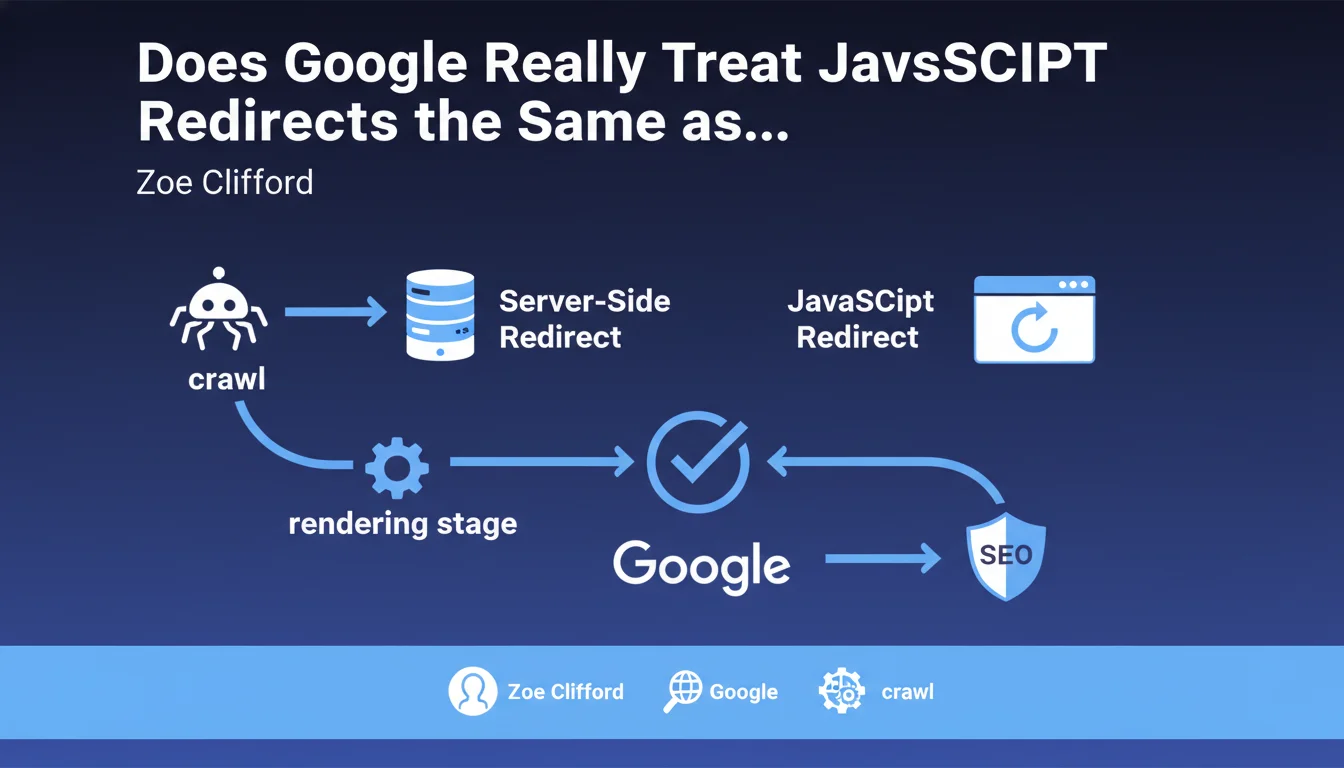
Google treats JavaScript redirects exactly like server-side redirects, with one caveat: they require page rendering. No specific SEO penalty, no differentiated treatment. The processing timing changes (rendering vs. crawl), but the final effect remains identical.
What you need to understand
What Is the Real Difference Between a JavaScript Redirect and a Server-Side Redirect?
A server-side redirect (301, 302) occurs before the browser even receives the HTML content. The server directly sends an HTTP status code that tells the crawler: "this page is elsewhere." Instantaneous, detectable during crawl.
A JavaScript redirect, on the other hand, requires the browser to execute the page's code. The server returns a 200 OK with HTML containing a script that redirects. Google must therefore render the page, interpret the JavaScript, then follow the redirect. It takes more time — but the final SEO result is the same.
Why Does Google Claim There's No SEO Difference?
Because once rendering is complete, Googlebot follows the JavaScript redirect like any other standard redirect. The destination URL inherits the PageRank, signals are consolidated, the source page can be deindexed if the redirect is permanent.
The catch? This "once rendering is complete" masks an important nuance: processing delay. A page that redirects via JavaScript first enters the rendering queue, which can take anywhere from a few hours to several days depending on the crawl budget and load on Google's rendering server.
What Types of JavaScript Redirects Does Google Recognize?
All common mechanisms: window.location.href, window.location.replace(), location.assign(), or even modern frameworks (React Router, Next.js). If the JavaScript produces a detectable redirect after execution, Google follows it.
- No specific SEO penalty for JavaScript redirects compared to server-side redirects
- Processing occurs at the rendering stage, not during initial crawl
- Potential delay between crawl and signal consolidation if rendering is deferred
- All common types of JavaScript redirects are recognized and followed
- SEO signals (PageRank, backlinks) are transferred normally after rendering
SEO Expert opinion
Does This Statement Match Real-World Observations?
In most cases, yes. We do observe that well-implemented JavaScript redirects ultimately end up being followed and that signals consolidate. But the devil is in the details: everything relies on the actual rendering of the page.
Two problematic scenarios arise regularly. First case: pages with complex or conditional JavaScript redirects that only trigger under certain conditions (user-agent detection, cookies, etc.). If Googlebot doesn't meet the conditions, the redirect never activates. Second case: sites with very limited crawl budget where the rendering queue is saturated. The redirect will be detected… someday. Maybe.
What Are the Gray Areas in This Statement?
Google remains vague on the exact timing. "No different SEO treatment" doesn't mean "instantaneous treatment." Between the moment Googlebot crawls the source page and when it renders the page, follows the redirect, crawls the destination, and consolidates signals, several days can pass. [To verify]: how does Google handle chains of mixed redirects (server → JS → server)?
Another point: Google doesn't specify whether the type of JavaScript redirect matters. Is an immediate redirect (0ms) treated differently from a redirect with a 5-second setTimeout? Tests show that instant redirects perform better, but Google doesn't explicitly say so.
In What Cases Does This Rule Cause Problems?
For sites that massively switch old URLs to new ones via JavaScript. If you have 10,000 pages to redirect and you're counting on JavaScript, the signal consolidation delay can become critical. During this period, you risk duplicate content, temporary PageRank dilution, and fluctuating visibility.
Also, client-side JavaScript redirects in SPAs (Single Page Applications) can create ambiguous situations where Google sees different initial content from the content after rendering. If the redirect depends on complex application state, Google may never trigger it.
Practical impact and recommendations
Should I Replace All My JavaScript Redirects with Server-Side Redirects?
Not necessarily. If your JavaScript redirects already work (you see signals consolidating, old URLs leave the index), no need to panic. But if you're planning new migrations or restructuring, systematically prioritize server-side redirects (301/302).
JavaScript redirects remain acceptable for specific cases: conditional redirects (geolocation, A/B testing), temporary redirects without immediate SEO stakes, or technical constraints preventing a server-side redirect. But in a pure SEO migration context, they add unnecessary risk.
How Do You Verify That Your JavaScript Redirects Are Being Properly Processed?
Use the URL inspection tool in Google Search Console. Test the source URL: if Google displays the destination URL after rendering and shows a 200 code on the destination, the redirect works. If you still see the source URL after rendering, there's a problem.
Also monitor server logs: you should see Googlebot crawl the source URL first (200 OK), then a few minutes/hours later, crawl the destination URL. The time gap gives you an idea of the processing delay.
- Systematically prioritize server-side redirects (301/302) for any SEO migration
- If JavaScript redirects are unavoidable, make them immediate and unconditional
- Test each redirect with Google Search Console's URL inspection tool
- Monitor logs to verify that Googlebot actually follows the redirect
- Avoid chains of mixed redirects (server → JS → server)
- Never use JavaScript redirects with delay (setTimeout) for SEO
- Document all JavaScript redirects for future auditing
❓ Frequently Asked Questions
Une redirection JavaScript avec setTimeout de 3 secondes est-elle suivie par Google ?
Les redirections via frameworks JavaScript (React Router, Vue Router) sont-elles reconnues ?
Une redirection JavaScript transfère-t-elle le PageRank comme une 301 ?
Combien de temps faut-il pour que Google traite une redirection JavaScript ?
Puis-je utiliser des redirections JavaScript pour masquer du contenu au Googlebot ?
🎥 From the same video 11
Other SEO insights extracted from this same Google Search Central video · published on 11/07/2024
🎥 Watch the full video on YouTube →
💬 Comments (0)
Be the first to comment.