
Official statement
Other statements from this video 11 ▾
- □ Does Googlebot really follow Chrome in real-time?
- □ Does Google really crawl structured data injected through JavaScript?
- □ Does Google Really Treat JavaScript Redirects the Same as Server-Side Redirects?
- □ Why will Google's rendering never truly match a standard browser's behavior?
- □ Should you really unblock all your resources in robots.txt to avoid indexing problems?
- □ Does Google really keep cookies between each page render?
- □ Does Google really ignore cookie consent banners when crawling your site?
- □ Should you stop using dynamic rendering based on Googlebot's user-agent?
- □ Is JavaScript error handling now the hidden factor that determines whether Google can index your site?
- □ Is the URL inspection tool really reliable for testing how Googlebot renders your pages?
- □ Does Google really render every HTML page even if most don't need JavaScript?
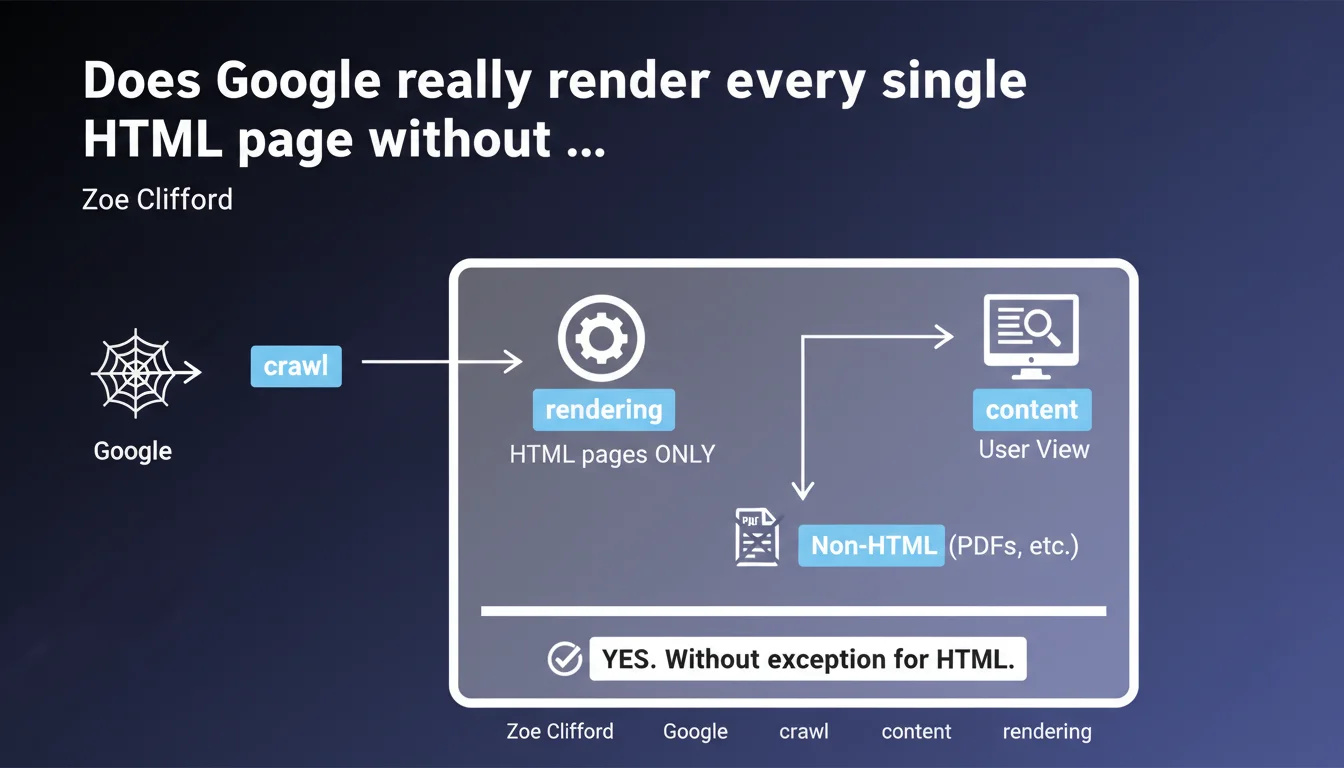
Google claims to render 100% of all crawled HTML pages, without exception. Only non-HTML content types like PDFs escape this process. This statement implies that every HTML page systematically passes through the rendering engine, regardless of resource costs — a major shift in understanding how indexation actually works.
What you need to understand
What exactly does Google mean by "systematic rendering"?
When Google talks about rendering, it refers to the process of executing JavaScript and generating the final DOM. Historically, this step was considered expensive and therefore applied selectively. Zoe Clifford's statement overturns this perception: all crawled HTML pages would now pass through this process.
Concretely? If your page contains JavaScript that loads content dynamically, Google claims it will execute it systematically. No more distinction between "priority" pages and "secondary" pages for rendering. The engine would treat each HTML URL the same way, regardless of its perceived importance.
Why does Google emphasize the cost of this operation?
Mentioning that rendering is "expensive" while claiming it's applied everywhere seems contradictory. Yet it's Google's way of reminding us that indexation isn't free in terms of resources. Every HTML page requires CPU time, memory, and a complete execution environment.
This clarification suggests that Google has massively invested in its infrastructure to support this load. But it also suggests — implicitly — that publishers have an incentive to facilitate the crawler's work even if rendering is guaranteed. A site with heavy JavaScript remains penalizing, if only for crawl speed.
What about non-HTML content like PDFs?
The statement establishes a clear boundary: only non-HTML content types escape rendering. PDFs, text files, images, and other binary formats are indexed differently. Google extracts their content without passing through a complete rendering engine.
This distinction is crucial for sites that offer technical documentation or downloadable resources. The content of these files will be indexed properly, but their processing follows a different pipeline — generally more limited in terms of contextual understanding and quality signals.
- All HTML pages crawled pass through the rendering engine, with no prior selection
- The process remains resource-intensive, which justifies JavaScript optimization on the publisher side
- Non-HTML content (PDFs, images, etc.) follows a separate indexation pipeline
- This approach aims to index content exactly as a user would see it in reality
SEO Expert opinion
Does this statement match what we observe in the real world?
Let's be honest: Google's claim raises questions. If all HTML pages are rendered systematically, why do we still regularly see cases where JavaScript content isn't indexed? Tests using the Search Console's "Inspect URL" tool sometimes show gaps between what the bot "sees" and what actually displays in the browser.
Two hypotheses. Either Google is talking about a technical capability — all pages *can* be rendered — without guaranteeing that rendering always results in complete indexation. Or there's a gap between this "ideal" pipeline and real crawl constraints (timeouts, JS errors, blocked resources). [To verify] with large-scale testing.
What are the gray areas in this announcement?
First point: Google doesn't specify the delay between crawling and rendering. We know rendering can be deferred, sometimes for several days. If all HTML pages are indeed rendered, how long must we wait before this dynamic content actually becomes indexable? This latency can be critical for news sites or e-commerce platforms.
Second point: what about pages with very heavy or poorly optimized JavaScript? Google claims to perform rendering, but how much does it tolerate JS errors, scripts that never finish, infinite loops? "Systematic rendering" doesn't necessarily mean *successful* rendering. The devil is in the technical details Google doesn't share.
In what cases might this rule not apply fully?
Pages subject to access restrictions (member-only areas, strict paywalls, geolocation-specific content) pose a problem. Google can technically perform rendering, but it will only see the public version — often empty or limited. "Systematic rendering" doesn't bypass authentication barriers.
Poorly configured Single Page Applications (SPAs) remain a gray area too. If the JS doesn't update meta tags dynamically or doesn't handle state correctly, technical rendering can result in an empty or incorrect page. Google does the work, but it indexes what the JavaScript code gives it — garbage in, garbage out.
Practical impact and recommendations
What should you actually do with this information?
First, don't change anything if your site is already performing well. This statement validates current best practices: solid semantic HTML, optimized JavaScript, unblocked resources. Google "renders everything" doesn't mean you should bet everything on JavaScript — quite the opposite.
If you're using heavy content loaded via JS, this announcement gives you some peace of mind. But test anyway. Use the Search Console's "Inspect URL" tool to verify that dynamic content appears correctly in the rendered HTML. Compare with a standard browser test. Any gaps will show you what needs fixing.
What mistakes should you absolutely avoid?
Don't fall into the "Google handles everything" trap. Yes, rendering is systematic — but rendering that takes 10 seconds or generates JS errors is still problematic. Optimize loading: intelligent lazy loading, code splitting, elimination of unnecessary third-party scripts. The crawler has patience and resource limits.
Another classic mistake: blocking critical resources in robots.txt or via headers. Google can perform rendering, but if CSS or JS files are inaccessible, the result will be incomplete. Verify that all resources needed for rendering are crawlable. The "Coverage Report" in Search Console flags these blockages.
How can you verify that your site is benefiting properly from this treatment?
Implement regular monitoring of key pages with the URL inspection tool. Create a monthly checklist: strategic pages, new landing pages, updated content. Compare raw HTML ("View Page Source") with rendered HTML ("Inspect Element"). Any content present in the latter should be visible to Google.
Also use tools like Screaming Frog in "JavaScript" mode to simulate what the bot sees. Cross-reference with Search Console data: if important pages aren't indexed even though they're crawled, dig into the logs. Systematic rendering doesn't guarantee indexation — quality issues or duplication can block downstream.
- Systematically test your dynamic pages with the "Inspect URL" tool
- Verify that all critical JS/CSS resources are accessible to the crawler
- Optimize JavaScript loading time even if rendering is guaranteed
- Monitor JS errors in Search Console ("Coverage Report" section)
- Regularly compare source HTML and rendered DOM to detect gaps
- Don't use this statement as an excuse to neglect basic semantic HTML
Google claims to treat all HTML pages the same way, but this technical uniformity doesn't eliminate the need for a solid strategy. JavaScript optimization, resource management, and continuous monitoring remain essential.
These optimizations require advanced technical expertise and regular monitoring. If your team lacks the time or skills to thoroughly audit your JavaScript architecture and its indexation impacts, working with a specialized SEO agency may be worthwhile. Personalized support helps quickly identify friction points and implement corrections without slowing down your development cycles.
❓ Frequently Asked Questions
Si Google rend toutes les pages HTML, puis-je arrêter d'optimiser mon JavaScript ?
Les PDF sont-ils moins bien indexés que les pages HTML ?
Combien de temps entre le crawl et le rendu effectif d'une page ?
Comment savoir si mon contenu JavaScript est bien indexé par Google ?
Cette déclaration change-t-elle quelque chose pour les sites sans JavaScript ?
🎥 From the same video 11
Other SEO insights extracted from this same Google Search Central video · published on 11/07/2024
🎥 Watch the full video on YouTube →
💬 Comments (0)
Be the first to comment.