
Official statement
Other statements from this video 11 ▾
- □ Le JavaScript est-il vraiment un frein aux performances SEO de votre site ?
- □ Pourquoi trop de fichiers JavaScript nuisent-ils à vos performances SEO ?
- □ PageSpeed Insights révèle-t-il vraiment les problèmes JavaScript critiques pour votre SEO ?
- □ Faut-il vraiment regrouper ses fichiers JavaScript pour améliorer son SEO ?
- □ HTTP/2 rend-il obsolète la concaténation de fichiers JavaScript pour le SEO ?
- □ Comment éliminer le JavaScript inefficace qui plombe vos Core Web Vitals ?
- □ Les passive listeners peuvent-ils vraiment booster vos Core Web Vitals ?
- □ Pourquoi le JavaScript non utilisé plombe-t-il vos Core Web Vitals même s'il n'est jamais exécuté ?
- □ Le tree shaking JavaScript est-il vraiment efficace pour améliorer les performances SEO ?
- □ Faut-il vraiment compresser tous vos fichiers JavaScript pour améliorer votre SEO ?
- □ Pourquoi Google insiste-t-il sur les en-têtes de cache pour JavaScript ?
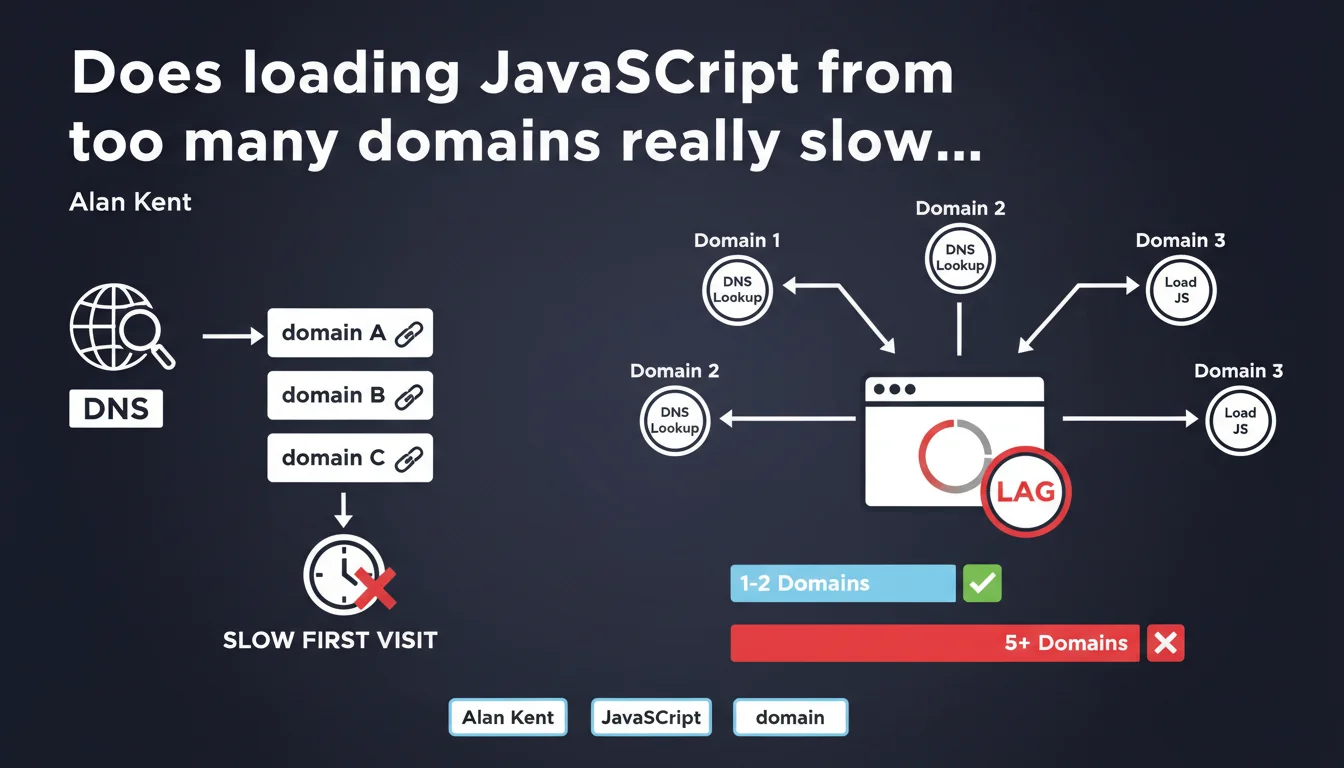
Google confirms that loading JavaScript files from too many different domains slows down first-time visitors because of DNS lookups. Each additional domain creates unavoidable latency — even if minimal — that compounds and degrades the initial user experience. The issue isn't so much the volume of JS code, but the fragmentation across sources.
What you need to understand
Why do DNS lookups specifically slow down first-time visits?
On a first visit, the browser has no DNS cache. It must resolve each domain name before downloading anything. This process adds between 20 and 120 ms per domain depending on connection quality and geographic location.
On a return visit, the operating system or browser DNS cache bypasses this step. The problem disappears — temporarily. But first impressions matter: that's what determines whether users stay or bounce.
What exactly is a DNS lookup and why is it unavoidable?
A DNS lookup translates a domain name (e.g., cdn.example.com) into an IP address. This operation requires a network request to a DNS server — often multiple requests if the resolver needs to climb the hierarchical chain.
Unlike other optimizations (compression, minification), you cannot speed up a DNS lookup on the server side. You control only two levers: reduce the number of domains or pre-resolve with dns-prefetch/preconnect.
How many domains become "excessive" according to Google?
Google doesn't give a precise number — and that's deliberate. The acceptable threshold depends on your context: site type, target audience, mobile vs. desktop connectivity.
In practice, beyond 5-6 third-party domains for critical JS, you enter the red zone. If you're loading Analytics, Tag Manager, a video player, programmatic ads, fonts, and a separate CDN for scripts… you're already too fragmented.
- Each domain = unavoidable latency of 20-120 ms on first visit
- DNS caching solves the problem for return visits, but not for new visitors
- Google points to source fragmentation, not just the volume of JS
- No official numerical threshold — but beyond 5-6 third-party domains, the impact becomes measurable
- Preconnection techniques (dns-prefetch, preconnect) mitigate the problem without fully solving it
SEO Expert opinion
Is this recommendation aligned with real-world practices?
Absolutely. We regularly observe sites with 10+ third-party domains just for JS: main CDN, backup CDN, analytics tools, chatbots, ad pixels, social widgets… Each seems harmless in isolation. It's the accumulation that kills performance.
PageSpeed Insights audits often flag "Reduce initial server response time" and "Avoid multiple page redirects" — but rarely highlight DNS fragmentation explicitly. Yet it directly contributes to the perceived Time to First Byte (TTFB) on the client side.
What nuances should we add to this statement?
Google doesn't clarify whether this applies equally to critical vs. non-critical JS. A script loaded with async or defer after First Contentful Paint (FCP) has far less impact than a blocking script in the <head>.
Another point: Resource Hints (dns-prefetch, preconnect) can partially compensate for the problem. But they merely shift the latency — if you overuse hints, you saturate the browser's simultaneous connection pool. [To verify]: Does Google count a domain with preconnect the same as a domain without optimization? No published data on this.
In what cases does this rule not really apply?
If your audience returns frequently (e.g., SaaS, membership platform), DNS caching does its job and the problem fades. You can afford more third-party domains if 80% of your sessions are return visits.
Another exception: highly distributed CDNs (Cloudflare, Fastly) with DNS latency under 10 ms. There, adding a domain costs less than a poorly configured HTTP/2 redirect. But that's rare — and it's still a bet on third-party infrastructure.
Practical impact and recommendations
What should you do concretely to reduce DNS lookups?
First step: audit your third-party domains. Open DevTools (Network tab), reload the page in private browsing mode (to simulate a first visit), and note all domains accessed before First Contentful Paint.
Then ask yourself: is this script truly critical? Many social widgets, live chat tools, or analytics pixels can be loaded with async or deferred entirely until after user interaction. Moving 3-4 domains to deferred loading often recovers 100-200 ms on initial load.
If you can't eliminate a third-party domain, preconnect intelligently with <link rel="preconnect" href="https://cdn.example.com">. But be careful: no more than 3-4 simultaneous preconnects, or you'll saturate the browser's HTTP/2 connection budget.
What mistakes should you absolutely avoid?
Don't blindly consolidate all scripts on a single domain if it breaks HTTP/1.1 sharding — though let's be honest, in 2025, HTTP/2 is everywhere. Sharding has zero value anymore.
Another trap: hosting critical scripts on a lightning-fast third-party CDN… but with a misconfigured SSL certificate or a chain of redirects. You gain 20 ms on DNS, you lose 150 ms on TLS handshake. Prioritize critical path consistency.
How do you verify that your site meets Google's recommendations?
Use WebPageTest with the "First View Only" parameter to simulate a visit without DNS cache. Look at the waterfall: every green bar (DNS lookup) before FCP is an optimization candidate.
Google Search Console will never flag this problem directly — it's a blind spot. But PageSpeed Insights may signal "Reduce initial server response time" if your DNS lookups hurt perceived TTFB.
- Audit all third-party domains accessed before FCP (DevTools, Network tab)
- Move non-critical scripts to
async,defer, or lazy-load post-interaction - Limit
preconnectto 3-4 domains maximum to avoid saturating connection budget - Favor a single well-configured CDN over fragmentation across 5-6 providers
- Test with "First View Only" on WebPageTest to measure real DNS lookup impact
- Verify that TLS handshake and redirects don't negate DNS gains
❓ Frequently Asked Questions
Est-ce que dns-prefetch et preconnect éliminent complètement le problème des lookups DNS ?
Combien de domaines tiers sont acceptables pour le JavaScript critique ?
Les scripts chargés en async ou defer sont-ils concernés par cette recommandation ?
Faut-il abandonner les CDN tiers et tout héberger sur son propre domaine ?
Comment mesurer précisément l'impact des lookups DNS sur mon site ?
🎥 From the same video 11
Other SEO insights extracted from this same Google Search Central video · published on 17/05/2022
🎥 Watch the full video on YouTube →
💬 Comments (0)
Be the first to comment.