
Official statement
Other statements from this video 11 ▾
- □ Le JavaScript est-il vraiment un frein aux performances SEO de votre site ?
- □ Pourquoi trop de fichiers JavaScript nuisent-ils à vos performances SEO ?
- □ PageSpeed Insights révèle-t-il vraiment les problèmes JavaScript critiques pour votre SEO ?
- □ Faut-il vraiment regrouper ses fichiers JavaScript pour améliorer son SEO ?
- □ HTTP/2 rend-il obsolète la concaténation de fichiers JavaScript pour le SEO ?
- □ Faut-il vraiment limiter le nombre de domaines pour charger vos fichiers JavaScript ?
- □ Comment éliminer le JavaScript inefficace qui plombe vos Core Web Vitals ?
- □ Pourquoi le JavaScript non utilisé plombe-t-il vos Core Web Vitals même s'il n'est jamais exécuté ?
- □ Le tree shaking JavaScript est-il vraiment efficace pour améliorer les performances SEO ?
- □ Faut-il vraiment compresser tous vos fichiers JavaScript pour améliorer votre SEO ?
- □ Pourquoi Google insiste-t-il sur les en-têtes de cache pour JavaScript ?
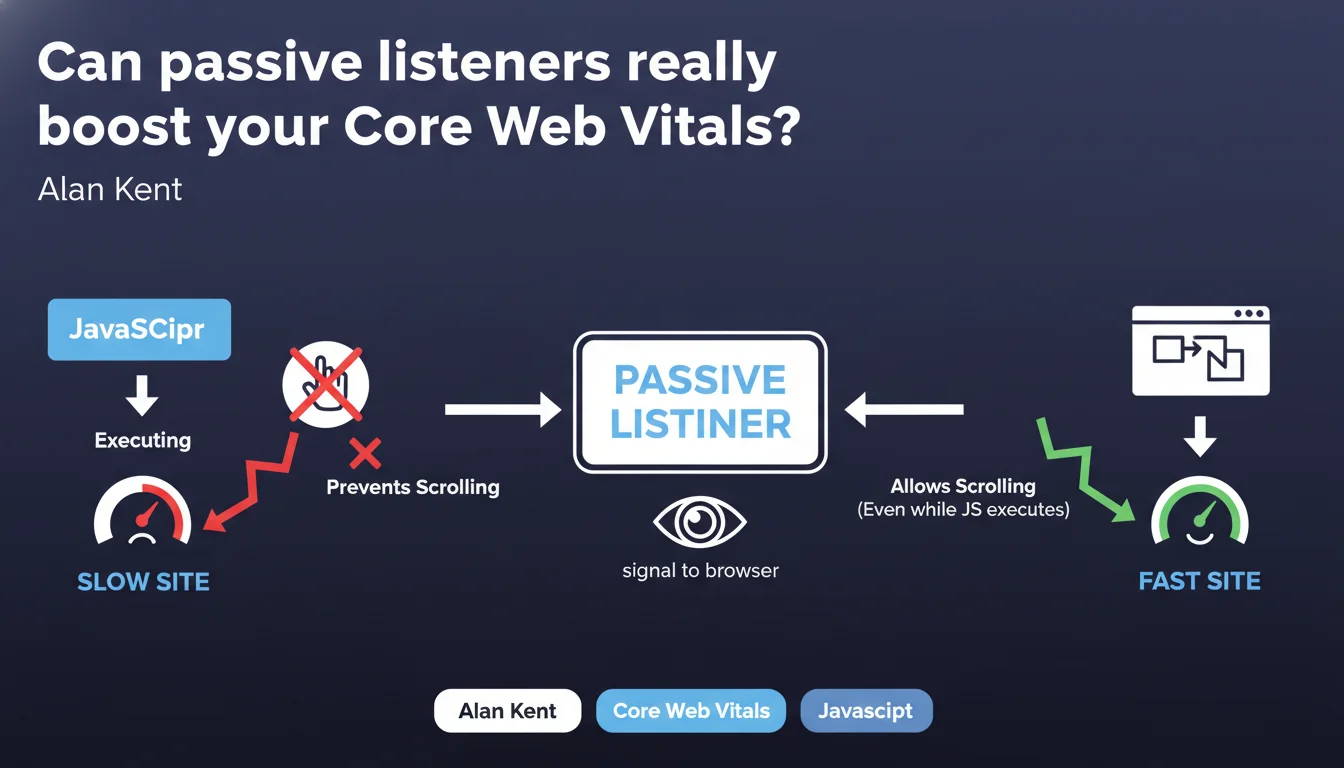
Google states that failing to declare your event listeners as passive can slow down your page scrolling. A passive listener signals to the browser that JavaScript won't prevent scrolling, allowing rendering to be separated from the main thread. Direct impact on INP and perceived fluidity.
What you need to understand
What exactly is a passive listener?
By default, when you attach an event listener to a scroll or touch event, the browser must wait for your JavaScript code to complete execution before triggering the scroll. Why? Because it doesn't know if your code will call preventDefault() to block the action.
A passive listener is an option you pass to addEventListener: {passive: true}. You're telling the browser: "My code will never prevent default scrolling". The browser can then scroll immediately, even if your JavaScript is still running in the background.
Why is Google emphasizing this now?
This recommendation fits into the logic of Core Web Vitals, particularly INP (Interaction to Next Paint). Every millisecond counts when the browser needs to respond to a user interaction.
If your listeners aren't passive, the main thread blocks. Scroll lag occurs. The user experiences friction. Google penalizes the experience. Tools like Lighthouse have actually been reporting specific warnings on this for years — but many sites still ignore them.
Are all events affected?
No. The critical events are touchstart, touchmove, wheel, and mousewheel. These are the ones that block scrolling by default if the browser doesn't know your listener is passive.
Events like click or pure scroll don't pose the same problem. But once you touch on touch or wheel events, the question comes up.
- A passive listener allows the browser to separate scrolling from the main thread
- The option {passive: true} is declared in addEventListener
- Direct impact on INP and perceived fluidity, especially on mobile
- Main events affected: touchstart, touchmove, wheel, mousewheel
- Lighthouse reports warnings if your listeners block scrolling
SEO Expert opinion
Is this recommendation really a priority?
Let's be honest: if your site doesn't have listeners on touchstart or wheel, this declaration doesn't directly concern you. But if you're using third-party JavaScript libraries — and you probably are — there's a strong chance they're attaching listeners without the passive option.
Result: you can have a problem without even knowing it. I've seen clean-looking sites lose 15-20 points of INP just because of poorly declared listeners in a carousel or parallax library. [Should be verified] systematically with Lighthouse.
Do all modern frameworks handle this automatically?
No. React, Vue, Angular don't add {passive: true} by default on all events. You need to do it manually, or verify that your components/plugins do it.
Some newer frameworks (or recent versions) are smarter — but the majority of the web still runs on stacks where this parameter isn't systematic. Never assume "it must be handled".
What are the pitfalls to avoid?
If you declare a listener as passive but your code still calls preventDefault(), the browser ignores the call — and your function no longer does what it's supposed to do. Typically: you wanted to block a scroll in certain conditions, it no longer works.
So only set passive: true if you're sure you'll never need to prevent the default behavior. Otherwise, keep the listener active and optimize differently (debounce, throttle, lighter code).
Practical impact and recommendations
How do I identify problematic listeners on my site?
Open Lighthouse in Chrome DevTools and run a Performance audit. If you have non-passive listeners blocking scroll, you'll see an explicit warning: "Does not use passive listeners to improve scrolling performance".
Lighthouse even lists the JS files responsible. Often, it's third-party libraries (sliders, modals, parallax). You'll either need to configure them to enable passive mode, replace them, or patch them manually.
What do I do concretely to fix it?
If you control the code: replace addEventListener('touchstart', handler) with addEventListener('touchstart', handler, {passive: true}). Simple.
If it's a third-party library: check the documentation for a configuration option. Many modern libraries expose a parameter to enable passive listeners. Otherwise, consider a polyfill or contributing to the open-source project.
- Audit the site with Lighthouse to detect blocking listeners
- Identify the JS files responsible (often third-party libraries)
- Add {passive: true} to touchstart, touchmove, wheel, mousewheel
- Verify that the code never calls preventDefault() in these handlers
- Test the behavior on real mobile devices after making changes
- Monitor INP before/after to measure actual impact
Should I get help with this optimization?
If your listeners are scattered across multiple libraries, or if you don't have control over the source code, the operation can quickly become complex. You need to audit, patch, test, and check for regressions.
These technical optimizations require expertise in JavaScript and web performance. Reaching out to a specialized SEO agency may be wise for personalized guidance, especially if you're tackling multiple Core Web Vitals optimization projects in parallel.
❓ Frequently Asked Questions
Dois-je mettre tous mes event listeners en passive ?
Comment savoir si mes bibliothèques tierces utilisent des passive listeners ?
L'impact sur l'INP est-il vraiment significatif ?
Que se passe-t-il si j'active passive sur un listener qui appelle preventDefault() ?
Les passive listeners sont-ils supportés partout ?
🎥 From the same video 11
Other SEO insights extracted from this same Google Search Central video · published on 17/05/2022
🎥 Watch the full video on YouTube →
💬 Comments (0)
Be the first to comment.