
Official statement
Other statements from this video 11 ▾
- □ Le JavaScript est-il vraiment un frein aux performances SEO de votre site ?
- □ Pourquoi trop de fichiers JavaScript nuisent-ils à vos performances SEO ?
- □ PageSpeed Insights révèle-t-il vraiment les problèmes JavaScript critiques pour votre SEO ?
- □ Faut-il vraiment regrouper ses fichiers JavaScript pour améliorer son SEO ?
- □ HTTP/2 rend-il obsolète la concaténation de fichiers JavaScript pour le SEO ?
- □ Faut-il vraiment limiter le nombre de domaines pour charger vos fichiers JavaScript ?
- □ Comment éliminer le JavaScript inefficace qui plombe vos Core Web Vitals ?
- □ Les passive listeners peuvent-ils vraiment booster vos Core Web Vitals ?
- □ Pourquoi le JavaScript non utilisé plombe-t-il vos Core Web Vitals même s'il n'est jamais exécuté ?
- □ Le tree shaking JavaScript est-il vraiment efficace pour améliorer les performances SEO ?
- □ Faut-il vraiment compresser tous vos fichiers JavaScript pour améliorer votre SEO ?
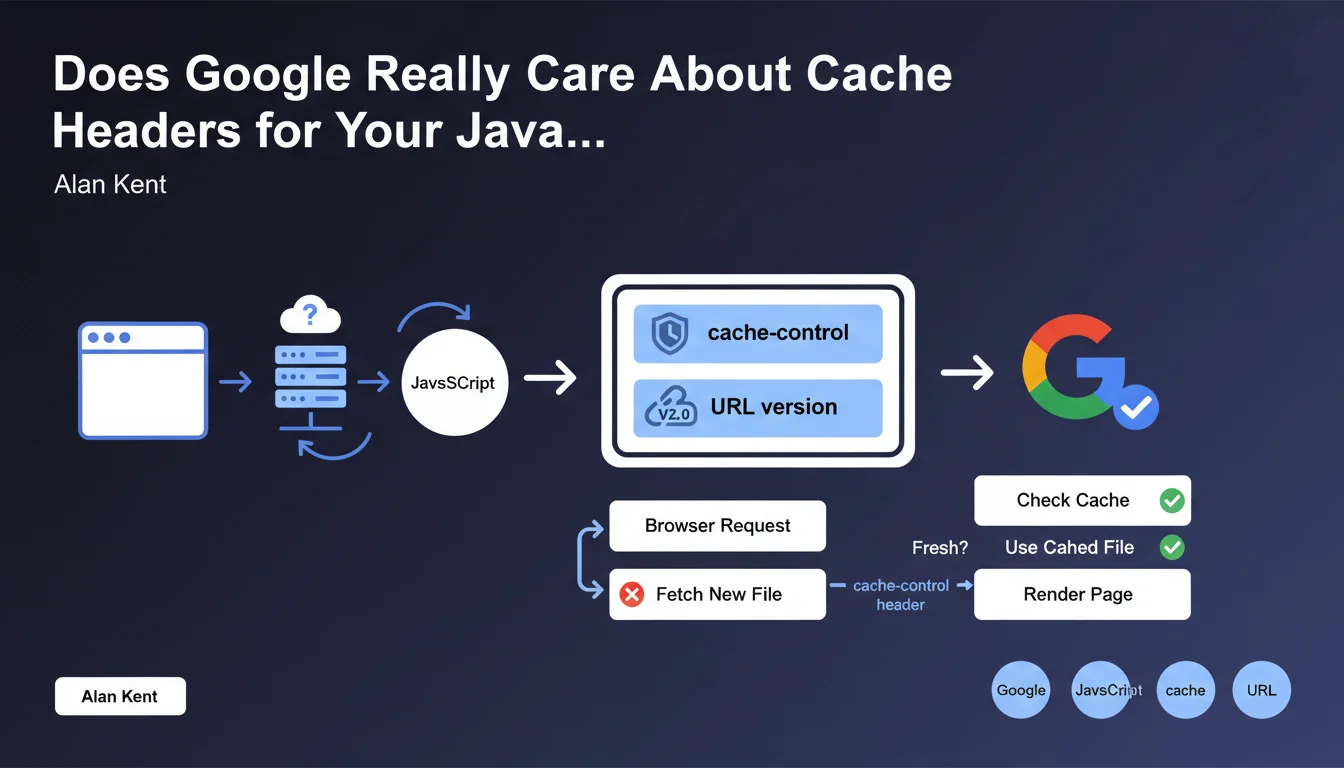
Google recommends setting up proper cache headers (cache-control) for JavaScript files and including a version number in the URL. The goal: prevent browsers from unnecessarily checking if cached files are outdated. This practice improves perceived user performance and potentially preserves your crawl budget.
What you need to understand
What Do "Appropriate Cache Headers" Actually Mean for JavaScript?
A cache header like cache-control tells the browser how long it can store a JavaScript file locally without asking the server if it has changed. Without clear directives, the browser makes unnecessary round trips, slowing down page display.
Google explicitly mentions adding a version number in the URL (example: script.js?v=1.2.3 or script-1.2.3.js). This mechanism allows you to cache files aggressively while forcing an immediate update when the code actually changes.
Why Does This Recommendation Impact Your SEO?
The Core Web Vitals, particularly LCP and TBT, are directly influenced by JavaScript resource loading speed. A file cached locally loads instantly, improving user experience and the performance signals sent to Google.
On the crawling side, Googlebot executes JavaScript to index certain pages. JavaScript files cached correctly reduce processing time per page, which can indirectly preserve the crawl budget on large sites.
Which Headers Should You Use in Practice?
The header cache-control: public, max-age=31536000, immutable is ideal for a versioned file in the URL. The browser will keep it for one year without verification. If the file changes, the URL changes, automatically invalidating the cache.
Without versioning in the URL, use cache-control: public, max-age=3600, must-revalidate instead to force verification after one hour. Less performant, but necessary if you can't manage versioning.
- cache-control is the modern header to prioritize (replaces expires)
- Combining URL versioning + long cache = optimal strategy
- Be careful with CDNs that may add their own cache directives
- Third-party files (Google Analytics, etc.) typically have their own headers — verify those too
SEO Expert opinion
Is This Directive Really Applied by Googlebot?
Let's be honest: Googlebot doesn't necessarily follow the same cache rules as a standard browser. Google can recrawl a JS file even if the header says it's valid for a year. The bot has its own heuristics to decide when to refetch a resource.
What this recommendation really targets is real user experience. CWV metrics are collected through browsers of actual visitors (CrUX), not through Googlebot. Well-cached JavaScript improves LCP and TBT measured in the field, which influences ranking.
When Does This Rule Become Problematic?
URL versioning requires a robust build system. If your CMS or deployment pipeline doesn't automatically handle versioned filenames, you risk errors: old version remains cached while code has changed, or worse, broken URLs after an update.
On high-traffic sites with frequent deployments, overly aggressive caching without versioning can create a user experience split: some see the old interface, others the new one. This complicates debugging and A/B testing. [To verify]: Google doesn't explain how to manage the transition between two versions of the same critical JS file.
What's an Acceptable Margin of Error?
Not all JavaScript files deserve the same treatment. A small 2 KB inline script has no impact if poorly cached. However, a 300 KB React bundle loaded blocking: every millisecond counts there.
Prioritize files critical for initial rendering. Analytics scripts, chatbots, or third-party widgets are less sensitive — and often you can't control their headers anyway. Focus your efforts on what actually weighs on your PageSpeed metrics.
Practical impact and recommendations
What Should You Actually Do to Comply?
First step: audit your JavaScript files. Use Chrome DevTools (Network tab) or a crawler like Screaming Frog to list all JS loaded on your key pages. Note those without cache-control headers or with too short max-age (< 1 week).
Next, implement versioning in URLs. Most modern bundlers (Webpack, Vite, Parcel) do this automatically via a hash in the filename. If you're on WordPress, plugins like Autoptimize or WP Rocket handle this logic. Verify the version number changes with each code modification.
Configure your HTTP headers on the server side. On Apache: add FilesMatch rules in .htaccess for .js files. On Nginx: use location ~* \.js$ with add_header Cache-Control. On a CDN, configure Cache Rules to respect origin headers or enforce your own directives.
How Do You Verify It's Correctly Implemented?
Test in private browsing to avoid false positives from your own browser cache. Reload the page twice: on the second load, in the DevTools Network tab, JS files should show "(disk cache)" or "(memory cache)" instead of a new download.
Use PageSpeed Insights or GTmetrix: look for the warning "Serve static assets with an efficient cache policy". If it mentions your JS files, your headers are insufficient. Fix it until the alert disappears.
Also test cache invalidation. Slightly modify a JS file, redeploy: the URL must change. Reload your page: the new file must download immediately, not be served from the old cache. If not, your versioning isn't working.
- Identify all critical JS files (those blocking initial render)
- Set cache-control with max-age ≥ 31536000 for versioned files
- Add a hash or version number in each JS file URL
- Verify your CDN or reverse proxy respects your cache directives
- Test in private browsing that files are properly cached on second load
- Automate versioning in your build/deployment pipeline
- Monitor PageSpeed Insights to ensure the "cache policy" alert disappears
❓ Frequently Asked Questions
Quel est le max-age idéal pour un fichier JavaScript versionné ?
Peut-on utiliser expires au lieu de cache-control ?
Que se passe-t-il si on change le JS sans changer l'URL ?
Les fichiers JavaScript tiers (analytics, ads) sont-ils concernés ?
Un CDN peut-il casser ma configuration de cache ?
🎥 From the same video 11
Other SEO insights extracted from this same Google Search Central video · published on 17/05/2022
🎥 Watch the full video on YouTube →
💬 Comments (0)
Be the first to comment.