
Official statement
Other statements from this video 11 ▾
- □ Is JavaScript Really Hurting Your Site's SEO Performance?
- □ Is excessive JavaScript fragmentation killing your SEO performance?
- □ Does PageSpeed Insights Really Reveal Critical JavaScript Problems That Are Harming Your SEO?
- □ Does bundling your JavaScript files really boost your SEO rankings?
- □ Is HTTP/2 making JavaScript file concatenation obsolete for SEO?
- □ Does loading JavaScript from too many domains really slow down your site's first impression?
- □ Can passive listeners really boost your Core Web Vitals?
- □ Why is unused JavaScript tanking your Core Web Vitals even when it never executes?
- □ Can JavaScript tree shaking really boost your SEO performance and page speed?
- □ Should you really compress all your JavaScript files to boost your SEO performance?
- □ Does Google Really Care About Cache Headers for Your JavaScript Files?
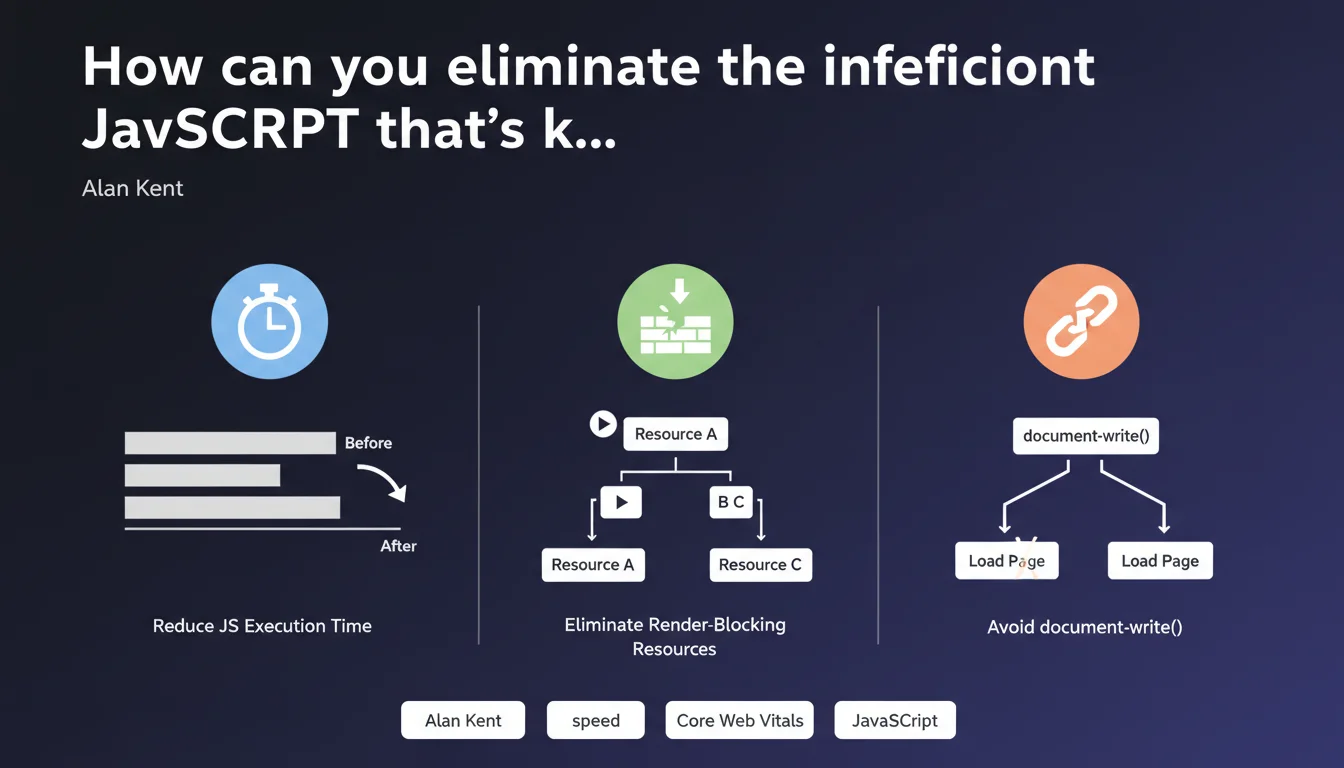
Poorly optimized JavaScript can double your page load time. Google points to three priority levers: reduce JS execution time, eliminate render-blocking resources, and ban document.write(). PageSpeed Insights automatically identifies these improvement opportunities.
What you need to understand
Why does Google specifically target JavaScript?
JavaScript has become the primary bottleneck for web performance. Unlike HTML or CSS, every line of JS must be parsed, compiled, and executed by the browser — an expensive process that monopolizes the main thread.
When a script executes, the browser can't do anything else. No rendering, no user interaction, nothing. Modern websites bundle an average of 400 to 500 KB of JavaScript — often much more. The result? Pages that take 3 to 5 seconds before they're actually usable.
What does "render-blocking resources" actually mean?
A resource blocks rendering when the browser must absolutely load and execute it before displaying anything. Synchronous scripts placed in the <head> fall into this category.
The browser discovers your script, stops everything, downloads it, executes it, and only then continues building the page. Each blocking script adds hundreds of milliseconds — sometimes seconds — to your First Contentful Paint.
Why is document.write() so problematic?
document.write() forces the browser to completely reparse the DOM. This method, inherited from the 1990s, injects content directly into the HTML stream while it's being parsed.
The browser must then recalculate everything: document structure, element positioning, applicable styles. Google observes that this function can literally double load time on 3G connections. It's a major friction point for Core Web Vitals.
- JavaScript monopolizes the main thread and prevents any interaction during execution
- Synchronous scripts block rendering — each script adds hundreds of milliseconds to FCP
- document.write() forces complete DOM reparsing with 2x impact on load time
- PageSpeed Insights automatically identifies these three types of optimization opportunities
- The impact is directly measurable on Largest Contentful Paint and Total Blocking Time
SEO Expert opinion
Does this statement really reflect what we see in the field?
Absolutely. Audits I've conducted since 2018 consistently show the same thing: JavaScript represents 60 to 80% of the performance budget on most e-commerce and media sites. The most critical cases? Sites embedding 15+ third-party scripts (analytics, advertising, chat, A/B testing).
What's less obvious in Google's statement: the impact varies dramatically depending on hardware context. A 200 KB script executes in 80 ms on a MacBook Pro, but takes 1.5 seconds on a mid-range Android device. PageSpeed Insights benchmarks use simulated mobile 4G — real users on 3G or Edge networks can experience situations 3 to 4 times worse.
Do all JavaScript scripts have the same impact?
No, and that's where it gets interesting. A script that executes after the first render (via defer or async) degrades user experience without necessarily tanking your official Core Web Vitals. It impacts Total Blocking Time but not necessarily LCP.
Conversely, a small 15 KB synchronous script placed at the start of <head> can delay your entire FCP. Absolute size matters less than timing and loading mode. [Needs verification]: Google doesn't clarify whether its recommendations prioritize certain script types — marketing analytics vs. critical business logic.
Is the document.write() advice still relevant?
Yes and no. The good news: document.write() has nearly disappeared from modern sites since 2016-2017. Browsers have even progressively disabled it on slow connections.
The problem? Some legacy third-party scripts (old ad pixels, certain chat tools) still use this method. You don't control them directly. When PageSpeed flags this alert, it's often a signal to audit your third-party integrations and consider alternatives.
Practical impact and recommendations
Where should you start to reduce JavaScript execution time?
First step: identify which scripts actually matter. Open Chrome DevTools, Performance tab, record a page load. The "Bottom-Up" section shows which scripts consume the most CPU time.
Target the big consumers first: often Google Tag Manager with 15+ tags, page builders (Elementor, Divi), or full frameworks loaded for minor features. Three immediate actions:
- Remove unused scripts — analytics from abandoned services, completed A/B tests, obsolete widgets
- Defer non-critical scripts with
deferor conditional lazy-loading (on scroll, on click) - Replace heavy libraries with lighter alternatives — full lodash vs. specific imports, jQuery vs. modern vanilla JS
- Enable minification and tree-shaking in your bundler (Webpack, Vite, Rollup)
How do you eliminate render-blocking resources?
Move all non-critical scripts to the end of <body> or use defer. The defer attribute downloads the script in parallel with HTML parsing but defers execution until after DOMContentLoaded.
For truly critical scripts (those styling above-the-fold elements), two options: inline them directly in the HTML to avoid a network round trip, or use <link rel="preload"> to force early download. But be careful — overusing preload creates more problems than it solves.
- Move all non-critical scripts to
deferorasync - Inline micro-scripts (less than 1-2 KB) directly in your HTML
- Use
preloadsparingly — only for 1-2 truly critical resources - Test on mobile simulation (DevTools throttling) to validate real impact
What should you do if document.write() is detected?
If it's your own code: refactor immediately. Replace with innerHTML, insertAdjacentHTML(), or better yet modern DOM manipulation (createElement, appendChild).
If it's a third-party script: contact the vendor to request a modern version, or find an alternative. Professional tools have all migrated since 2016-2017. If you're temporarily stuck, isolate the script in an iframe to limit damage — but that's a band-aid, not a solution.
- Audit all your third-party scripts in PageSpeed Insights
- Replace legacy integrations with modern asynchronous versions
- Negotiate with your technical partners for clean tags
- If impossible: evaluate the real ROI of the tool vs. its performance cost
❓ Frequently Asked Questions
Faut-il vraiment viser 0 script bloquant le rendu ?
L'attribut async est-il préférable à defer pour tous les scripts ?
Comment prioriser entre plusieurs optimisations JavaScript ?
PageSpeed Insights suffit-il pour diagnostiquer les problèmes JavaScript ?
Les optimisations JavaScript impactent-elles directement le positionnement Google ?
🎥 From the same video 11
Other SEO insights extracted from this same Google Search Central video · published on 17/05/2022
🎥 Watch the full video on YouTube →
💬 Comments (0)
Be the first to comment.