
Official statement
Other statements from this video 11 ▾
- □ Le JavaScript est-il vraiment un frein aux performances SEO de votre site ?
- □ Pourquoi trop de fichiers JavaScript nuisent-ils à vos performances SEO ?
- □ PageSpeed Insights révèle-t-il vraiment les problèmes JavaScript critiques pour votre SEO ?
- □ Faut-il vraiment regrouper ses fichiers JavaScript pour améliorer son SEO ?
- □ HTTP/2 rend-il obsolète la concaténation de fichiers JavaScript pour le SEO ?
- □ Faut-il vraiment limiter le nombre de domaines pour charger vos fichiers JavaScript ?
- □ Comment éliminer le JavaScript inefficace qui plombe vos Core Web Vitals ?
- □ Les passive listeners peuvent-ils vraiment booster vos Core Web Vitals ?
- □ Pourquoi le JavaScript non utilisé plombe-t-il vos Core Web Vitals même s'il n'est jamais exécuté ?
- □ Le tree shaking JavaScript est-il vraiment efficace pour améliorer les performances SEO ?
- □ Pourquoi Google insiste-t-il sur les en-têtes de cache pour JavaScript ?
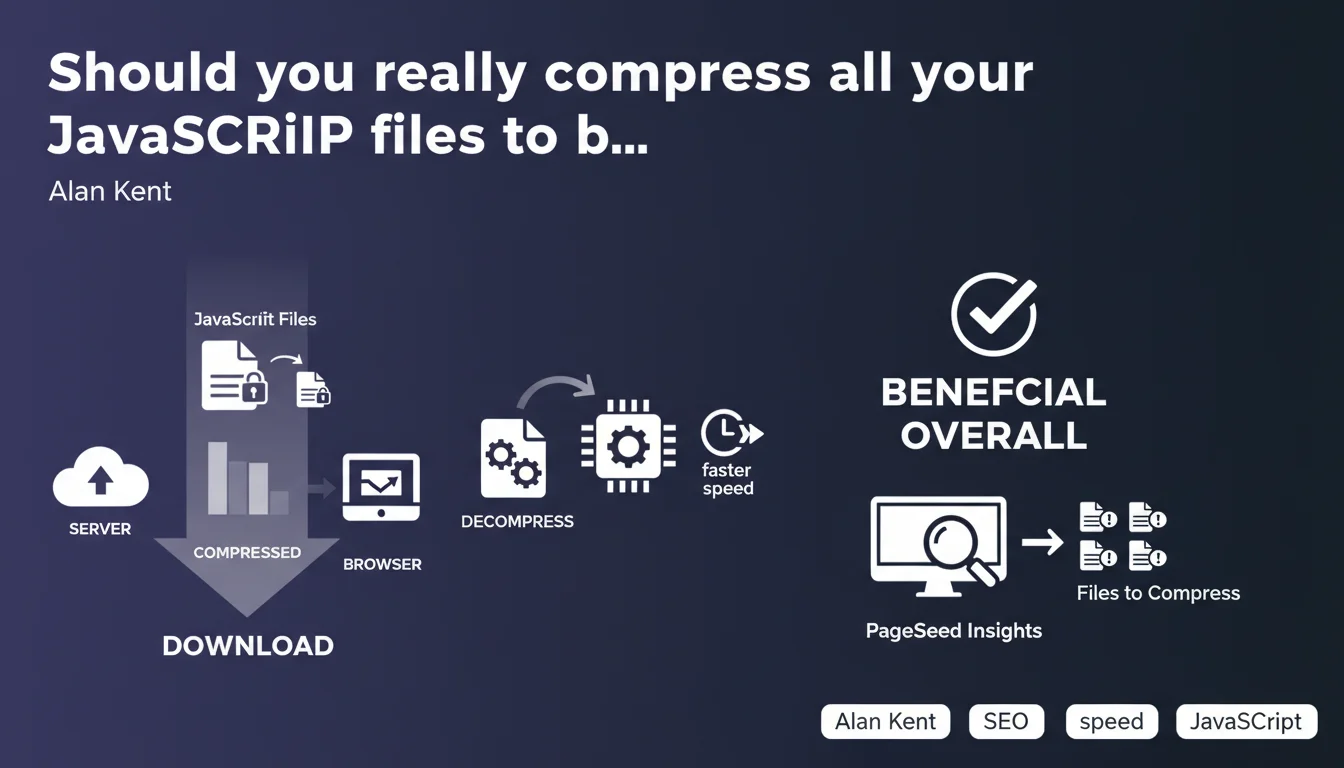
Compressing JavaScript files significantly reduces page weight, despite a slight CPU overhead in the browser. Google recommends this practice via PageSpeed Insights, which automatically identifies uncompressed files. Net benefit confirmed for overall performance.
What you need to understand
Why does Google insist on JavaScript compression?
The weight of JavaScript files directly impacts page loading time, a central criterion for Core Web Vitals. Compression (typically Gzip or Brotli) reduces the size of these files by 60 to 80% on average, which accelerates their network transfer.
Alan Kent clarifies that the browser consumes more CPU to decompress these files, but the gain in download time far outweighs this cost. This benefit/cost balance is almost always favorable, except in extreme cases with very low-power devices.
How does PageSpeed Insights detect files that need compression?
The tool analyzes HTTP response headers and identifies the absence of Content-Encoding (gzip, br, deflate). It calculates the potential byte savings and reports it in the "Opportunities" section with an estimate of time saved.
PageSpeed Insights favors Brotli over HTTPS connections, because this compression is more efficient than Gzip on structured text files like JavaScript. Gzip remains the universal fallback for HTTP and older browsers.
What are the key takeaways?
- JavaScript compression reduces file size by 60 to 80% on average
- The CPU overhead for decompression is negligible compared to network gains
- PageSpeed Insights automatically identifies uncompressed files
- Brotli (br) outperforms Gzip on HTTPS for text files
- This optimization directly impacts LCP and potentially your ranking
SEO Expert opinion
Does this recommendation apply in all contexts?
On paper, yes — but the real-world reality is more nuanced. Brotli compression requires compatible server configuration and can cause problems on some poorly configured CDNs. I've observed cases where dynamic Brotli generated more server CPU load than client-side savings, especially on under-resourced VPS instances.
Alan Kent discusses "overall benefit" without detailing the break-even threshold. In practice? If your JS files are less than 2-3 KB, compression adds HTTP overhead without real gain. PageSpeed Insights only flags files above a certain threshold (generally 1.4 KB). [To verify]: Google doesn't publish the exact methodology for this calculation.
What's the range on the "CPU overhead"?
The term "normally beneficial" hides a gray zone. On low-end devices (budget Android, for example), decompressing 500 KB of Brotli JS can block the main thread for 50-100 ms — meaning degraded TTI. I've measured this effect on e-commerce sites loading large third-party libraries.
Google's recommendation remains valid, but it assumes that you also control the total weight of your bundles. Compressing 2 MB of poorly optimized JavaScript won't solve the underlying problem: the file is still too heavy, even at 600 KB compressed.
Is Google consistent with its other communications?
Absolutely. This statement is in line with ongoing recommendations on Core Web Vitals and LCP optimization. JavaScript compression has been cited in virtually every official performance guide since 2018.
Let's be honest: this recommendation is nothing revolutionary. It's been basic web optimization practice for a decade. What's interesting is that Google explicitly links it to PageSpeed Insights, a signal that it counts in the scoring algorithm — and potentially in ranking through user experience.
Practical impact and recommendations
What should you do concretely on your infrastructure?
Enable compression at the server level, not application level. On Apache, use mod_deflate or mod_brotli; on Nginx, use gzip and brotli directives. Most modern hosting providers enable it by default, but verify response headers with curl or DevTools.
If you use a CDN (Cloudflare, Fastly, CloudFront), ensure compression is enabled in your cache rules. Some CDNs disable Brotli by default to save their CPU — this is counterproductive for your Core Web Vitals.
What mistakes should you avoid during implementation?
Never compress the same file twice. I've seen webpack build chains that generate .js.gz files, then a server applies Gzip on top. Result: no gain, sometimes degraded performance and corrupted files on the browser side.
Avoid compressing already-compressed files (images, videos, PDFs). This seems obvious, but some server configs apply Gzip to everything — including .jpg and .mp4. Filter by MIME type: text/javascript, application/javascript, text/css, text/html, application/json.
- Check Content-Encoding headers on your JS files (curl -I)
- Enable Brotli on HTTPS, Gzip as fallback
- Exclude files < 2 KB from compression (HTTP overhead)
- Test on PageSpeed Insights after activation
- Monitor server CPU if you compress dynamically
- Configure MIME types to compress correctly
How do you measure the real impact of this optimization?
Before/after in PageSpeed Insights, of course. But also measure under real conditions with Chrome UX Report or your RUM (Real User Monitoring). Theoretical gains don't always translate linearly to perceived improvement.
Focus on LCP and FCP: if your JS blocks rendering, compressing it accelerates main content display. If your scripts are defer/async, the impact on initial render metrics will be less dramatic but will still improve TTI.
❓ Frequently Asked Questions
La compression JavaScript améliore-t-elle directement le ranking Google ?
Brotli est-il toujours meilleur que Gzip pour le JavaScript ?
Faut-il compresser les fichiers JavaScript inline dans le HTML ?
PageSpeed Insights signale mes fichiers JS comme non compressés alors que Gzip est activé, pourquoi ?
Quelle est la taille minimale d'un fichier JS pour que la compression soit rentable ?
🎥 From the same video 11
Other SEO insights extracted from this same Google Search Central video · published on 17/05/2022
🎥 Watch the full video on YouTube →
💬 Comments (0)
Be the first to comment.