
Official statement
Other statements from this video 11 ▾
- □ Pourquoi la limite des 1 000 lignes dans Search Console pose-t-elle un vrai problème d'analyse ?
- □ Pourquoi la limite de 50 000 lignes dans Search Console peut-elle fausser vos analyses SEO ?
- □ Comment exploiter toutes vos données Search Console sans limite de lignes grâce à BigQuery ?
- □ L'export BigQuery de Search Console donne-t-il vraiment accès à TOUTES les données ?
- □ L'export en masse de la Search Console est-il réservé aux très gros sites ?
- □ Quels droits d'accès faut-il pour exporter vos données Search Console vers BigQuery ?
- □ Combien de temps faut-il attendre avant que l'export Search Console vers BigQuery démarre réellement ?
- □ Pourquoi l'emplacement BigQuery de Search Console est-il définitivement figé ?
- □ Les exports BigQuery Search Console s'accumulent-ils vraiment sans limite ?
- □ Comment arrêter ou relancer l'export en masse des données Search Console ?
- □ Comment Google gère-t-il réellement les erreurs d'export dans Search Console ?
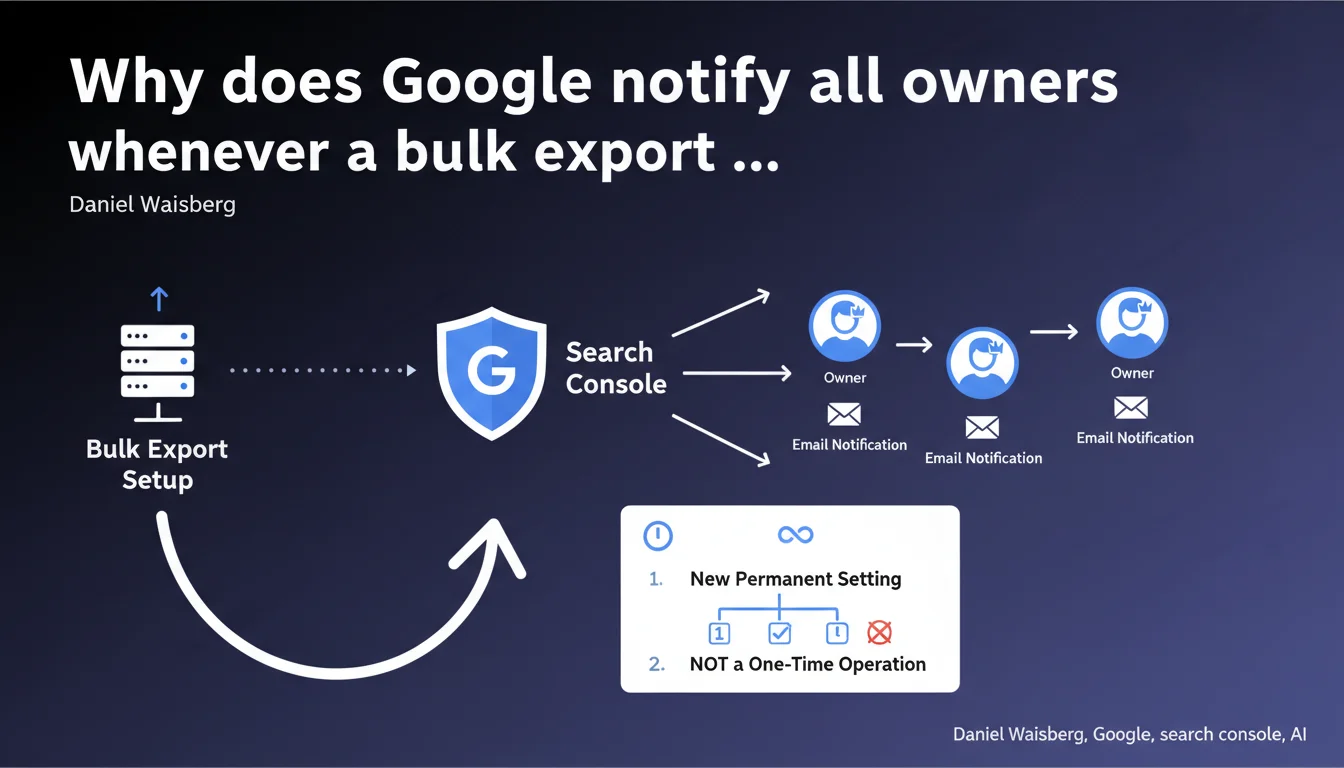
Search Console now sends an email to all owners of a property when a bulk export is configured. Google justifies this notification by the permanent nature of the setting, as opposed to one-time operations that don't trigger notifications.
What you need to understand
What is a bulk export in Search Console?
A bulk export allows you to automatically export Search Console data to third-party services like BigQuery. Unlike manual exports limited to 1000 rows, this system synchronizes all data continuously.
This feature is designed for sites generating large data volumes. It requires an initial technical setup that, once activated, operates automatically and permanently.
Why does this notification raise a security question?
Access to Search Console data represents a strategic asset. A bulk export exposes sensitive information: search queries, rankings, impressions, clicks. This data can reveal your SEO strategy to unauthorized third parties.
Google has therefore built in an alert mechanism to ensure all owners of a property are informed when a user configures a permanent export. The goal: prevent a user from having overly broad access without other owners knowing about it.
How does this setting differ from a one-time operation?
A manual CSV extraction remains local and temporary. Bulk export, on the other hand, establishes a continuous data flow to an external system. This permanence is what justifies the notification.
- Manual export: one-time action, no system notification
- Bulk export: permanent setting, all owners are alerted by email
- The notification aims to maintain transparency about who accesses data and how
- Each owner can verify that the export is legitimate and complies with internal policy
SEO Expert opinion
Does this notification really solve security problems?
Let's be honest — an email notification is better than nothing, but it's far from bulletproof security. If a malicious user already has owner rights, they can configure the export. The alert arrives after the fact.
The real problem? Access management upstream. Too many Search Console accounts have phantom owners — former service providers, interns who left two years ago, agencies no longer working on the site. This notification exposes this organizational mess, but doesn't solve it.
What's the logic behind this design choice?
Google applies here a principle of passive traceability. Rather than blocking the action with multiple validations (which would slow down workflows), they inform everyone. It's light security theater.
In practice, this approach works if — and only if — owners monitor their emails and react quickly. How many generic mailboxes or obsolete addresses are registered as owners? [Worth checking] but the actual effectiveness of this system depends entirely on access hygiene on the client side.
When does this notification become a non-issue?
If you're the only person with owner access, this notification changes absolutely nothing about your daily routine. You get an email, you know it was you who configured the export, case closed.
The issue arises in structures with multiple owners: agencies + client, multiple internal departments, external service providers. There, each export generates questions — and potentially tensions if someone configures an export without notifying others. This notification transforms a technical act into a social one.
Practical impact and recommendations
What should you verify before configuring a bulk export?
Before any configuration, audit the list of owners of your Search Console property. Remove obsolete access — former collaborators, service providers no longer involved, test accounts.
This verification limits the number of people alerted and reduces the risk of an email landing in an unmonitored mailbox. A phantom owner is a passive security vulnerability.
How can you anticipate questions after the notification?
If you're an agency or technical service provider, inform your contacts in advance. A surprise email from Google generates mistrust, especially among non-technical clients who don't understand what BigQuery is.
Document the process: why this export, what data is involved, where it's stored, who has access to it. This transparency prevents conflicts and facilitates internal validation on the client side.
What mistakes should you avoid in managing access?
Never leave a service provider as the sole owner. If that provider leaves or the business relationship ends, you lose access to your own Search Console data. Always maintain at least one internal owner.
Second common mistake: using a generic email address (contact@, info@) as an owner. These mailboxes are rarely monitored closely. Prioritize named addresses to ensure notifications are actually read.
- Regularly audit the list of Search Console owners and users
- Remove access for former collaborators and service providers
- Notify all owners before configuring a bulk export
- Document the purpose of the export and the data being exported
- Keep at least one internal owner with a named email address
- Verify that notification emails don't end up in spam
❓ Frequently Asked Questions
Est-ce que je reçois une notification pour chaque export manuel CSV ?
Peut-on désactiver cette notification email ?
Que se passe-t-il si un propriétaire refuse l'export après notification ?
Les utilisateurs avec accès restreint reçoivent-ils aussi cette notification ?
Cette notification s'applique-t-elle rétroactivement aux exports déjà configurés ?
🎥 From the same video 11
Other SEO insights extracted from this same Google Search Central video · published on 18/05/2023
🎥 Watch the full video on YouTube →
💬 Comments (0)
Be the first to comment.